

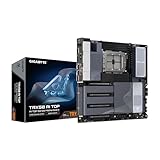
- Top Pick: GIGABYTE B850 AI TOP AMD AM5 ATX Motherboard, Support AMD Ryzen 9000/8000/7000 Series, DDR5, 16+2+2 Power Phase, 3X M.2, PCIe 5.0, USB-C, WIFI7, 10GbE, EZ-Latch, 5-Year Warranty
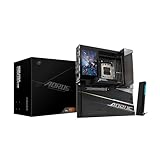
- Best Value: ASUS ROG Strix B850-A Gaming WiFi AMD AM5 B850 ATX Motherboard 14+2+2 Power Stages, DDR5 AEMP, 2.5G LAN, WiFi 7 with Q-Antenna, 4X M.2, PCIe® 5.0, USB 20Gbps Type-C, AI Networking II, ASUS AI Advisor
- Premium Choice: ASUS ROG Crosshair X870E Hero AMD X870E AM5 ATX Motherboard, Advanced AI PC Ready, 18+2+2 Power Stages, DDR5, PCIe® 5.0, 5X M.2, Wi-Fi 7, USB4®, AI Overclocking, Core Flex, PCIe Slot Q-Release Slim
Building a PC for AI work is not the same as building a gaming rig, and the motherboard is where that difference shows up first. The two things that actually decide how much AI a machine can handle are PCIe expansion — how many full-bandwidth x16 slots you have for graphics cards and accelerators — and memory capacity, since large models, datasets, and data-loading pipelines are hungry for RAM. A board that is excellent for a single gaming GPU can be a hard ceiling the moment you try to run two cards for training. This guide ranks the best motherboards for AI in 2026 by exactly those criteria, and it is honest about which boards are genuine multi-GPU platforms and which are strong single-GPU choices.
- Best Motherboards for AI at a Glance
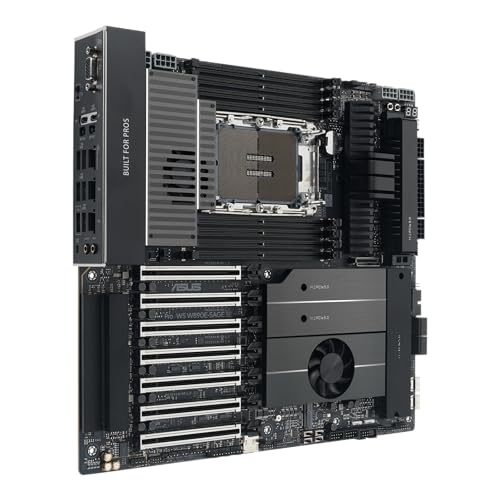
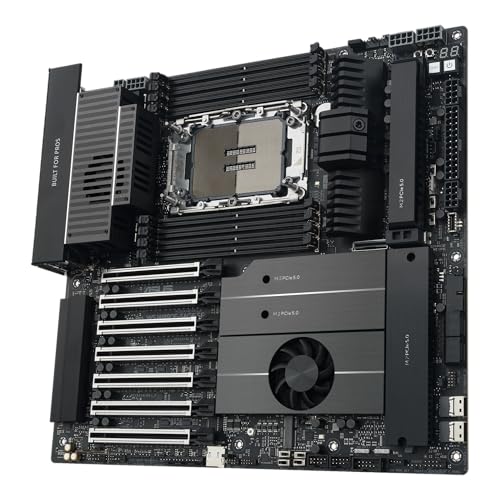
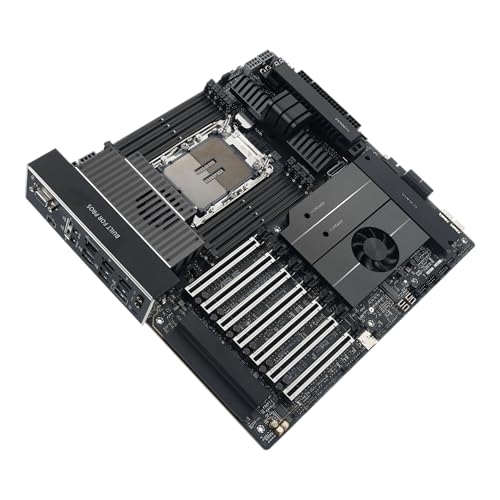
- 1. ASUS Pro WS W890E-SAGE SE Intel W890 (LGA 4710-2) EEB Workstation Motherboard
- 2. ASUS ROG Strix X870-A Gaming WiFi AMD AM5 X870 ATX Motherboard
- 3. GIGABYTE Z790 AORUS Elite AX LGA 1700 ATX Motherboard
- 4. GIGABYTE B650 AORUS Elite AX AMD AM5 ATX Motherboard
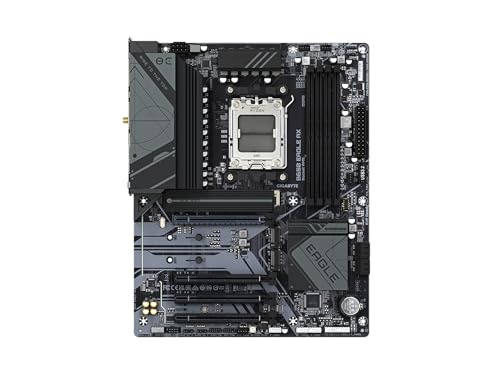
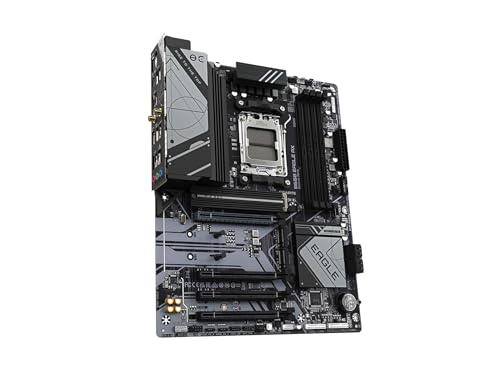
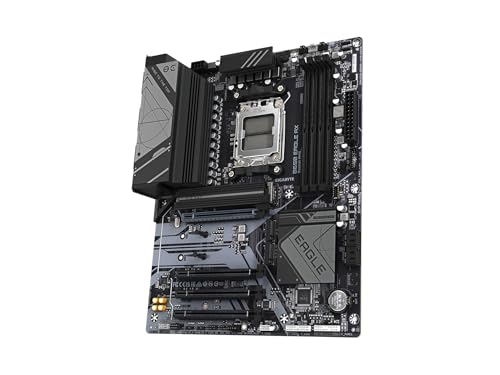
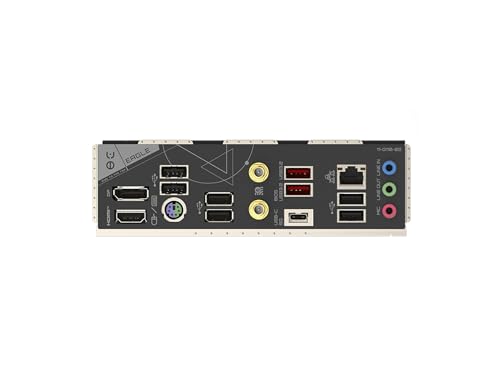
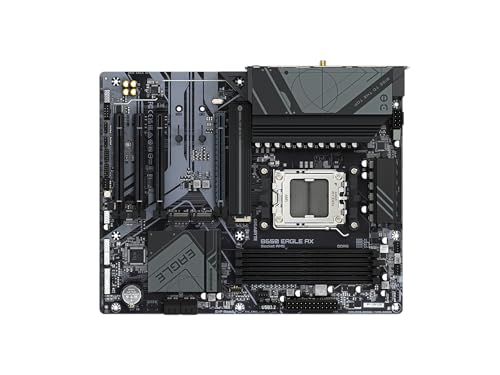
- 5. GIGABYTE B650 Eagle AX AM5 ATX Motherboard, DDR5, Triple M.2
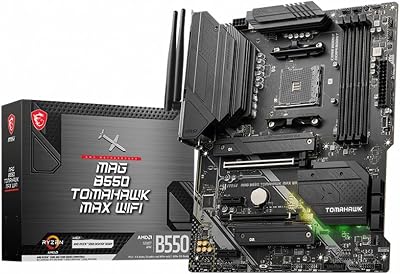
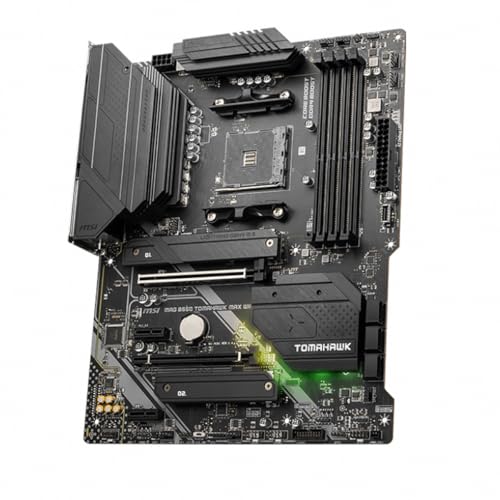
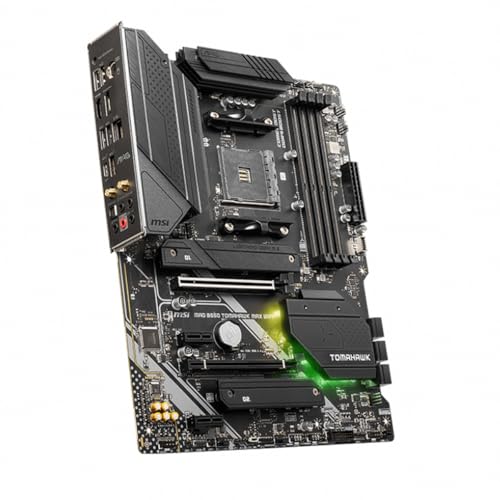
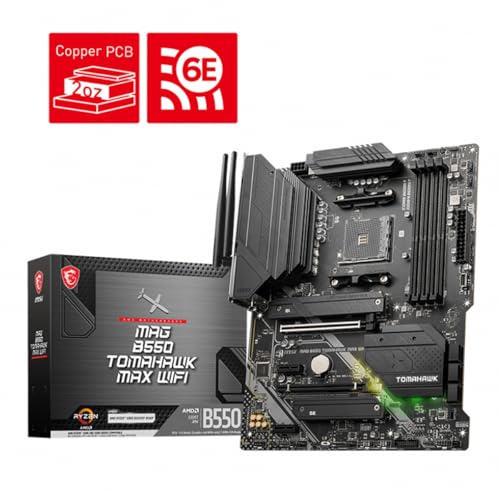
- 6. MSI MAG B550 Tomahawk MAX WiFi Gaming Motherboard (AMD Ryzen 5000, AM4, DDR4)
- How to Choose a Motherboard for AI
- Related Guides
- Frequently Asked Questions
- Related Guides
- Related Articles
Because the intent here is AI rather than pure gaming, we lead with the one board on this list built for serious multi-GPU training and load it ahead of the mainstream desktop boards. Our picks were chosen on PCIe x16 slot count and lane allocation, maximum RAM and ECC support, M.2 storage for datasets, and value for the role each board realistically fills. Prices span from around $138 for a capable single-GPU AM5 board up to around $1,169 for a flagship workstation platform, because the right board depends entirely on whether you are fine-tuning on one card or training across several. Below is an at-a-glance comparison, then a closer look at each board, and a buyer’s guide built around lanes, slots, and memory.
As an Amazon Associate we earn from qualifying purchases at no extra cost to you.




🛒 Best Price Today on Amazon
Prime members get fast, free shipping on everything above, plus member-only deals. New members get a 30-day free trial — cancel anytime.
Best Motherboards for AI at a Glance
| Motherboard | Best For | Standout Spec | Approx Price |
|---|---|---|---|
| ASUS Pro WS W890E-SAGE SE | Multi-GPU AI training | 7x PCIe 5.0 x16, up to 4TB ECC DDR5 | around $1,169 |
| ASUS ROG Strix X870-A Gaming WiFi | High-end single-GPU AI on AM5 | PCIe 5.0 x16, 4x M.2, DDR5 to 192GB | around $260 |
| GIGABYTE Z790 AORUS Elite AX | Single-GPU AI on Intel | LGA 1700, PCIe 5.0 x16, DDR5 | around $190 |
| GIGABYTE B650 AORUS Elite AX | Value AM5 single-GPU AI | AM5, PCIe x16, DDR5, WiFi | around $138 |
| GIGABYTE B650 Eagle AX | Triple-M.2 dataset storage | AM5, triple M.2, DDR5 | around $140 |
| MSI MAG B550 Tomahawk MAX WiFi | Budget DDR4 single-GPU AI | AM4, PCIe 4.0, DDR4 | around $160 |
1. ASUS Pro WS W890E-SAGE SE Intel W890 (LGA 4710-2) EEB Workstation Motherboard

31
Prime
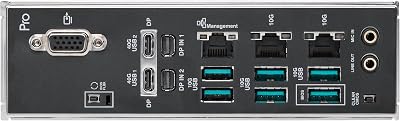
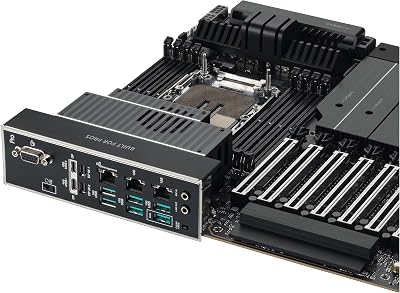
ASUS Pro WS W890E-SAGE SE Intel? W890 (LGA 4710-2) EEB Workstation Motherboard, PCIe 5.0 x16, M.2, MCIO, SlimSAS, 2X 10Gb LAN, Server-Grade Remote Management, 16+(2+2)+1+2 Stages, USB4?, USB Type-C
In Stock





As an Amazon Associate we earn from qualifying purchases. Product prices and availability are accurate as of the date/time indicated.
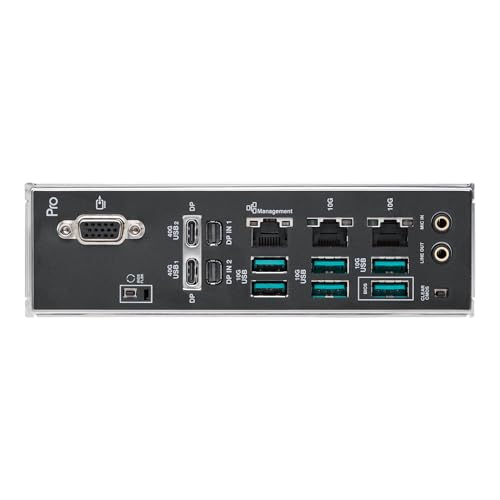
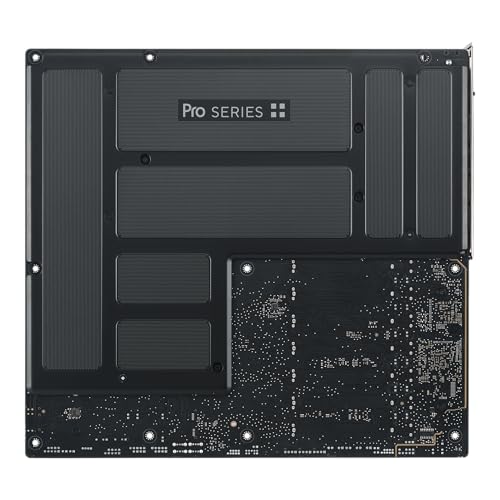
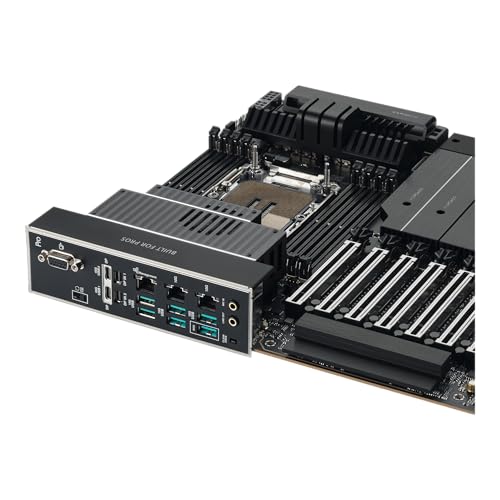
The ASUS Pro WS W890E-SAGE SE is the only board on this list built from the ground up for serious AI, and it is the clear number-one pick for anyone training across multiple GPUs. It is an EEB workstation board for Intel Xeon processors with seven PCIe 5.0 x16 slots, support for up to 4TB of ECC registered DDR5 across eight octo-channel memory slots, four M.2 slots, and dual 10GbE networking. At around $1,169 it is by far the most expensive option here, and the price reflects a completely different class of platform.
This is the board to choose when your work genuinely needs more than one accelerator and large amounts of memory: multi-GPU model training, large-batch fine-tuning, dataset pipelines that spill into hundreds of gigabytes of RAM, and long unattended runs where ECC memory guards against silent errors. The abundance of x16 slots and Xeon’s PCIe lane count mean cards run with real bandwidth rather than being starved, and the octo-channel memory feeds them. If you are doing professional AI development rather than experimenting on a single card, this is the platform the rest of this list cannot match.
Pros: Seven PCIe 5.0 x16 slots for true multi-GPU, up to 4TB ECC DDR5, octo-channel memory, workstation networking.
Cons: Very expensive; needs a costly Xeon CPU and registered ECC RAM; overkill for single-GPU users.
2. ASUS ROG Strix X870-A Gaming WiFi AMD AM5 X870 ATX Motherboard

21
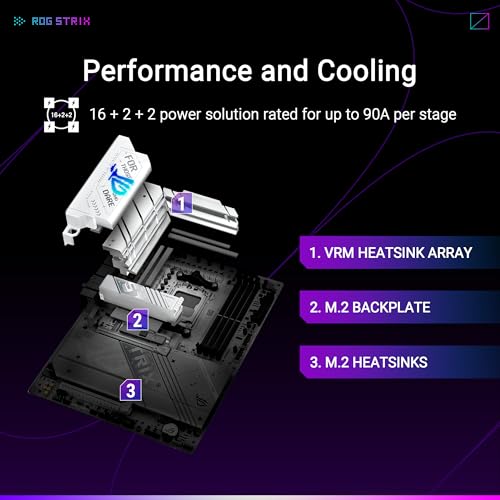
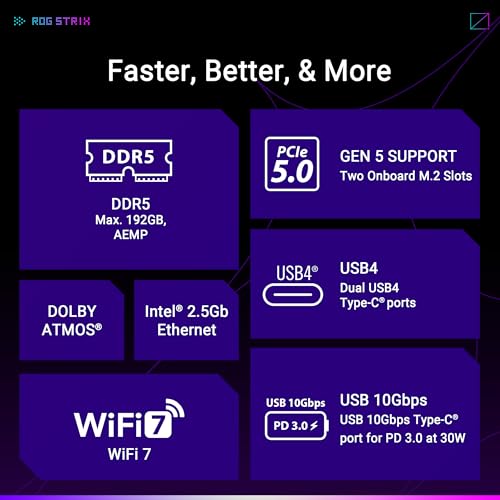
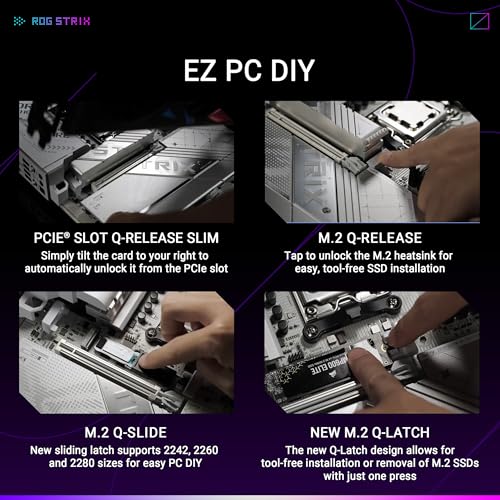
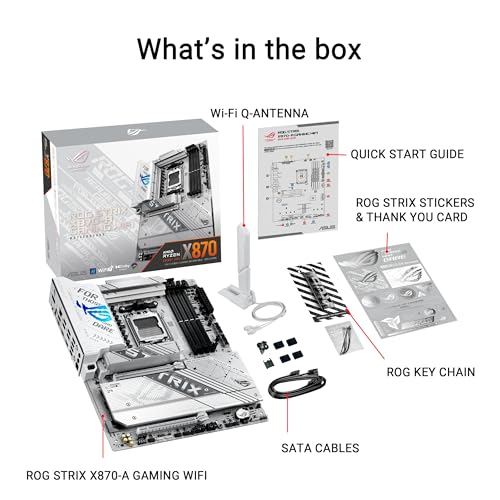
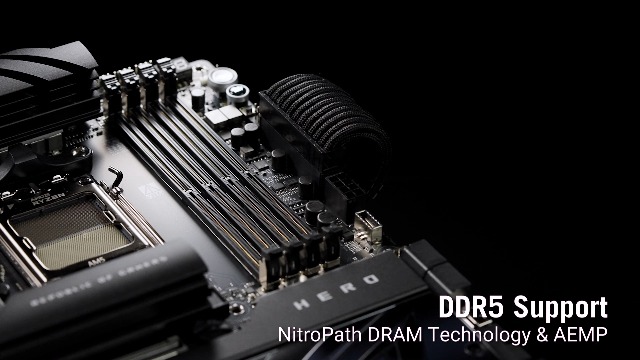
ASUS ROG Strix X870-A Gaming WiFi AMD AM5 X870 ATX Motherboard 16+2+2 Power Stages, Dynamic OC Switcher, Core Flex, DDR5 AEMP, WiFi 7, 4X M.2, PCIe® 5.0, Q-Release Slim, USB4®, AI OCing & Networking
In Stock


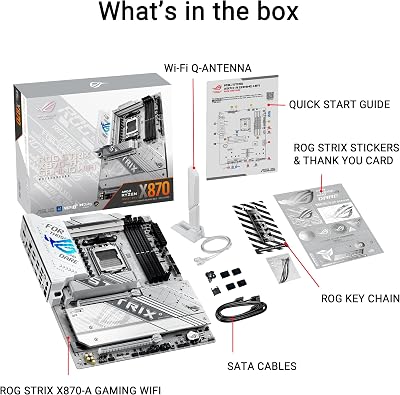



As an Amazon Associate we earn from qualifying purchases. Product prices and availability are accurate as of the date/time indicated.
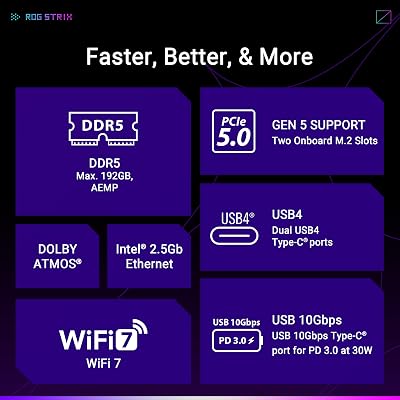
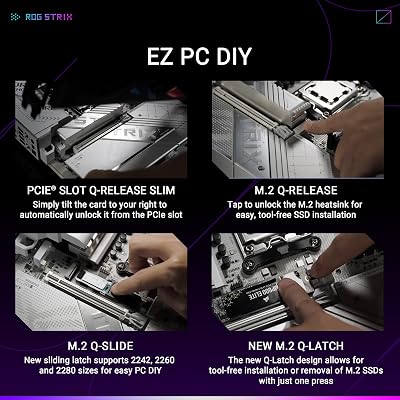
The ASUS ROG Strix X870-A Gaming WiFi is the best single-GPU AI board for builders on the modern AMD AM5 platform, and the strongest consumer pick here. It offers a sturdy 16+2+2 power stage design, a PCIe 5.0 x16 primary slot for your accelerator, four M.2 slots for fast dataset and checkpoint storage, DDR5 support up to 192GB, USB4, and WiFi 7. At around $260 it is a premium mainstream board that pairs well with a high-end Ryzen CPU.
This is the board for the developer or researcher who runs one powerful GPU for inference, fine-tuning, or experimentation and wants the best consumer foundation under it. The PCIe 5.0 x16 slot gives a single card full bandwidth, the four M.2 slots are genuinely useful for staging large datasets, and a 192GB DDR5 ceiling is generous for a desktop. Be clear-eyed about the limit, though: like other consumer boards, its second x16-sized slot is wired for only x4 lanes, so this is a single-GPU AI platform, not a multi-card training rig. Within that role it is excellent.
Pros: PCIe 5.0 x16 for one full-bandwidth GPU, four M.2 slots, DDR5 to 192GB, WiFi 7 and USB4.
Cons: Second x16 slot is only x4-wired, so not suited to multi-GPU training; consumer RAM ceiling.
3. GIGABYTE Z790 AORUS Elite AX LGA 1700 ATX Motherboard

14
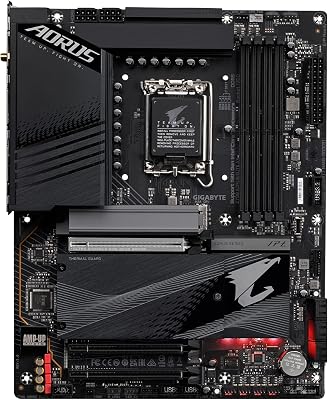
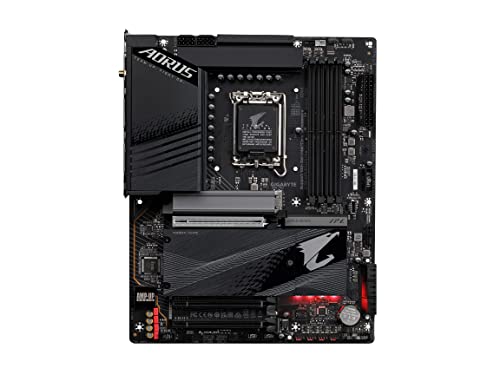
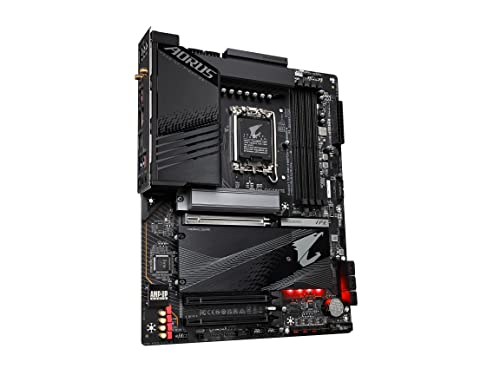
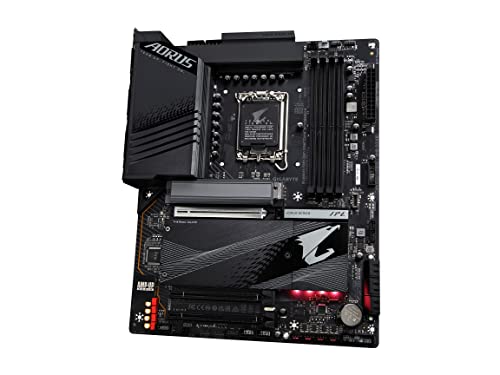
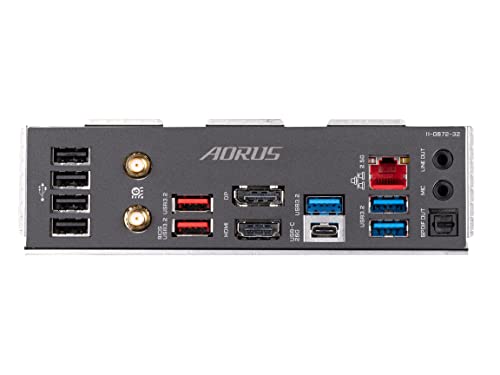
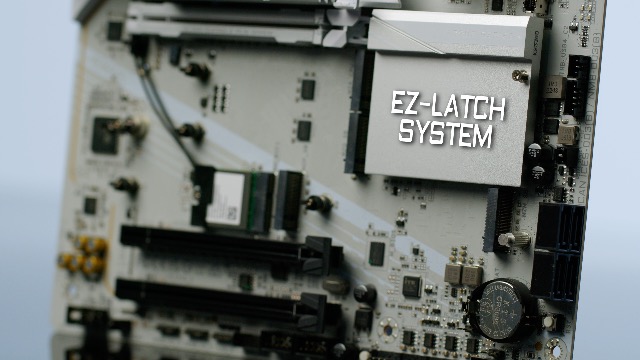
GIGABYTE Z790 AORUS Elite AX LGA 1700 ATX Motherboard, Support Intel Core 14th/13th/12th Gen, DDR5, 16+1+2 Power Phase, 4X M.2, PCIe 5.0, USB-C 3.2, WIFI6E, 2.5GbE, Q-Flash, EZ-Latch, RGB Fusion
In Stock
View on Amazon.com


As an Amazon Associate we earn from qualifying purchases. Product prices and availability are accurate as of the date/time indicated.
The GIGABYTE Z790 AORUS Elite AX is the pick for single-GPU AI on Intel’s LGA 1700 platform, supporting Core 12th, 13th, and 14th-gen processors. It pairs a robust VRM with a PCIe 5.0 x16 graphics slot, multiple M.2 slots for storage, DDR5 memory support, and WiFi connectivity. At around $190 it is a well-rounded Intel board for a capable single-accelerator workstation.
This is the board to choose if you prefer Intel and want a strong foundation for one GPU doing inference or light fine-tuning. The PCIe 5.0 x16 slot feeds a single card at full bandwidth, the M.2 storage handles models and datasets quickly, and DDR5 keeps the memory subsystem modern. As with every mainstream consumer board here, it is built around a single primary graphics slot, so treat it as a single-GPU AI platform rather than a multi-card trainer. For that role, on the Intel side, it is a dependable and sensibly priced choice.
Pros: PCIe 5.0 x16 for a single GPU, DDR5 support, multiple M.2 slots, integrated WiFi on a solid Intel VRM.
Cons: Single full-bandwidth GPU slot; consumer memory ceiling limits very large in-RAM datasets.
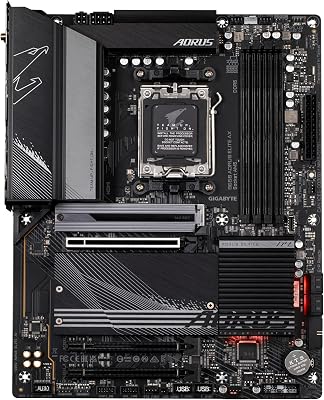
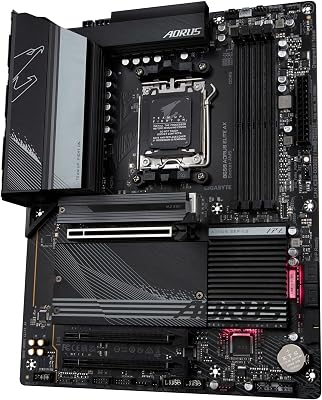
4. GIGABYTE B650 AORUS Elite AX AMD AM5 ATX Motherboard

15
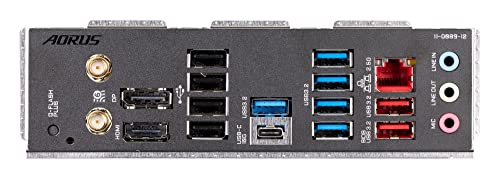
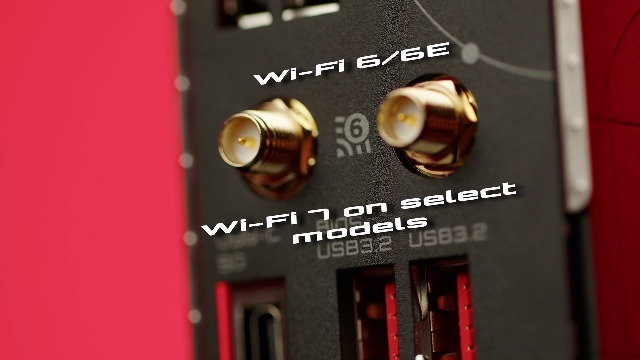
GIGABYTE B650 AORUS Elite AX AMD AM5 ATX Motherboard, Support Ryzen 9000/8000/7000 Series, DDR5, 14+2+1 Power Phase, PCIe 5.0 M.2, USB-C 3.2 Gen 2, WIFI6E, 2.5GbE, EZ-Latch, Q-Flash, RGB Fusion
In Stock



As an Amazon Associate we earn from qualifying purchases. Product prices and availability are accurate as of the date/time indicated.
The GIGABYTE B650 AORUS Elite AX is the value AM5 pick for single-GPU AI, supporting Ryzen 9000, 8000, and 7000 series CPUs. It provides a PCIe x16 graphics slot, DDR5 memory support, M.2 storage, and built-in WiFi on AMD’s mainstream B650 chipset. At around $138 it is the most affordable board on this list and a smart base for an entry AI workstation built around one card.
This is the board for someone getting into AI on a sensible budget who plans to run a single GPU for learning, inference, and modest fine-tuning. The PCIe x16 slot handles one accelerator well, DDR5 keeps memory current, and M.2 storage speeds up dataset loading, all on a modern AM5 socket that leaves a clear upgrade path to faster Ryzen chips later. It is firmly a single-GPU board, so do not expect to scale to multiple training cards, but as an affordable, future-friendly foundation for one-card AI work it is hard to fault.
Pros: Affordable AM5 entry, PCIe x16 for one GPU, DDR5 and M.2 support, modern socket with an upgrade path.
Cons: Mainstream B650 board with one usable GPU slot; not intended for multi-GPU or extreme RAM.
5. GIGABYTE B650 Eagle AX AM5 ATX Motherboard, DDR5, Triple M.2

13
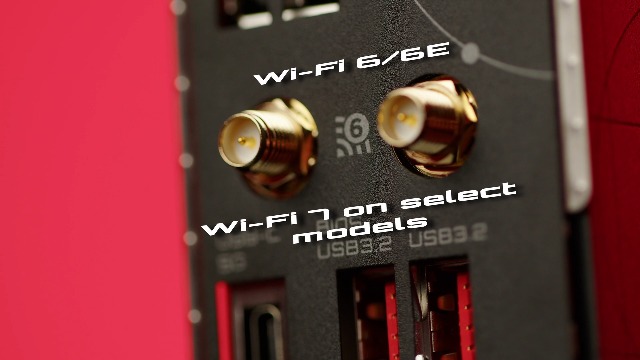
GIGABYTE B650 Eagle AX AM5 LGA 1718 AMD B650 ATX Motherboard, DDR5, Triple M.2 (1x PCIe 5.0 M.2 + 2X PCIe 4.0 M.2), USB 3.2 Gen2x2 Type-C, AMD Wi-Fi 6E, Realtek GbE LAN
In Stock


As an Amazon Associate we earn from qualifying purchases. Product prices and availability are accurate as of the date/time indicated.
The GIGABYTE B650 Eagle AX is the storage-focused AM5 pick, and its standout feature for AI is triple M.2 support — useful when you are juggling large datasets, model checkpoints, and a fast OS drive on the same machine. It runs on the AM5 socket with DDR5 memory, a PCIe x16 graphics slot, and built-in WiFi. At around $140 it offers that extra storage flexibility at a value price.
This is the board to choose if your single-GPU AI workflow is bottlenecked more by storage juggling than by raw compute — for example, swapping between several large datasets or keeping many checkpoints on hand. The three M.2 slots let you dedicate fast NVMe storage to data, models, and the system separately, the PCIe x16 slot drives one accelerator, and DDR5 keeps memory modern. Like the other B650 board here it is a single-GPU platform, so its appeal is the storage headroom rather than multi-card expansion. For data-heavy single-GPU work, that is a genuinely practical advantage.
Pros: Triple M.2 for datasets, checkpoints, and OS, AM5 with DDR5, PCIe x16 for one GPU, integrated WiFi.
Cons: Single GPU slot like its siblings; storage flexibility is the draw, not multi-GPU scaling.
6. MSI MAG B550 Tomahawk MAX WiFi Gaming Motherboard (AMD Ryzen 5000, AM4, DDR4)
27
Prime
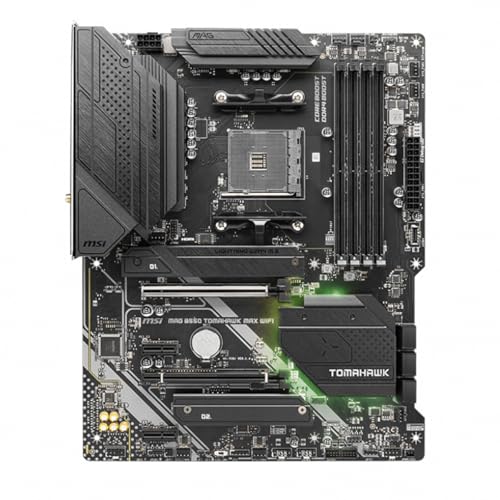
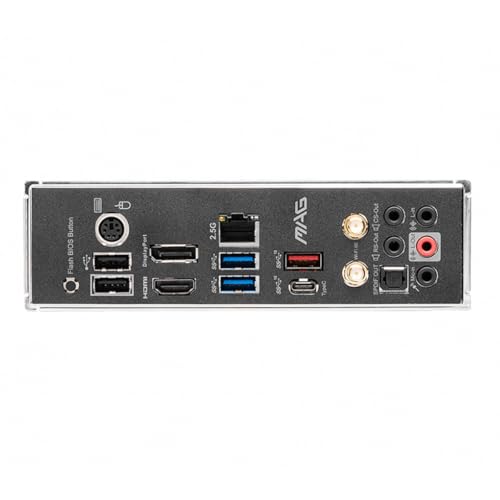
MSI MAG B550 Tomahawk MAX WiFi Gaming Motherboard (AMD Ryzen 5000 Series, AM4, DDR4, PCIe 4.0, SATA 6Gb/s, M.2, USB 3.2 Gen 2, HDMI/DP, Wi-Fi 6E, Bluetooth 5.2, 2.5Gbps LAN, ATX)
In Stock


As an Amazon Associate we earn from qualifying purchases. Product prices and availability are accurate as of the date/time indicated.
Rounding out the list is the MSI MAG B550 Tomahawk MAX WiFi, the budget DDR4 pick for single-GPU AI on the older but proven AM4 platform with Ryzen 5000 series CPUs. It is a well-built board with a strong VRM, a PCIe 4.0 x16 graphics slot, dual M.2 storage, DDR4 memory, and built-in WiFi. At around $160 it is the way to assemble a capable one-card AI machine using more affordable DDR4 memory and last-generation Ryzen chips.
This is the board for a cost-conscious build, a reuse of existing AM4 parts, or a secondary inference machine where DDR5 and PCIe 5.0 are not worth the premium. The PCIe 4.0 x16 slot still feeds a single modern GPU with ample bandwidth for inference and light training, the dual M.2 slots cover datasets and the OS, and the Tomahawk’s reputation for solid power delivery makes it dependable. It is the most limited board here for AI ambitions — DDR4, an older socket, and a single GPU slot — so set expectations accordingly, but for affordable single-card work it remains a sound, reliable choice.
Pros: Affordable AM4 DDR4 platform, PCIe 4.0 x16 for one GPU, dual M.2, strong VRM, integrated WiFi.
Cons: Older socket and DDR4 with the lowest ceilings here; single-GPU only and no upgrade path to new Ryzen.
How to Choose a Motherboard for AI
Start with PCIe expansion, because it is the single biggest factor in how much AI a machine can do. If you plan to run two or more GPUs for training, you need a board with multiple physical x16 slots that are also wired for plenty of lanes — and on the consumer side that is rare. Almost every mainstream desktop board, including the AM5 and Intel boards here, gives you one true x16 slot for the GPU and a second x16-sized slot that is only electrically x4. That is fine for a single accelerator but a hard ceiling for multi-GPU work, which is why the ASUS Pro WS W890E-SAGE SE, with seven full x16 slots, sits at the top of this list for genuine training rigs.
Memory capacity and type come next. AI workloads — data loaders, preprocessing, large in-memory datasets — consume RAM quickly, so look at the board’s maximum capacity and how many DIMM slots it has. Consumer boards here top out around 192GB of DDR5, which is generous for a desktop and plenty for single-GPU experimentation. Workstation platforms like the W890E-SAGE SE go much further, into the terabytes, and add ECC (error-correcting) registered memory that catches bit-flips during long unattended runs. If reliability over multi-day training matters, ECC support is a real differentiator.
Storage and connectivity round out the practical decisions. Datasets and model checkpoints are large and read constantly, so fast NVMe storage matters: a board with two, three, or four M.2 slots — like the triple-M.2 B650 Eagle AX or the four-slot ROG Strix X870-A — lets you dedicate separate drives to data, models, and the OS. High-speed networking is a bonus if you move datasets across machines, which is why the workstation board’s dual 10GbE stands out for team or lab environments where data lives on a server.
Finally, be honest about which problem you are solving, because it changes the budget completely. If you are fine-tuning or running inference on a single powerful GPU, a strong consumer board such as the ROG Strix X870-A, the Z790 AORUS Elite AX, or the value B650 boards is the right, sensible spend — paying for a workstation platform you cannot fill is wasted money. But if you truly need multiple GPUs, terabytes of ECC RAM, and the lanes to drive them, no amount of mainstream board will substitute for a real workstation platform. Match the board to the actual workload, and pick the one on this list that fits how many accelerators you will run.
Frequently Asked Questions
Can a normal gaming motherboard handle AI work?
Yes, for single-GPU AI such as inference and light fine-tuning, a good gaming board is perfectly capable — the ROG Strix X870-A, Z790 AORUS Elite AX, and B650 boards here all drive one accelerator at full PCIe bandwidth. The catch is scaling: mainstream boards typically have only one true x16 slot, so they are not suited to multi-GPU training. For a single card, a gaming board is the smart, cost-effective choice.
Why does the ASUS Pro WS W890E-SAGE SE cost so much more?
Because it is a different class of hardware. It offers seven PCIe 5.0 x16 slots for genuine multi-GPU configurations, support for up to 4TB of ECC registered DDR5 across eight memory slots, and workstation-grade networking — none of which consumer boards provide. It also requires an Intel Xeon CPU and registered ECC memory. That capability is essential for serious multi-GPU training but overkill, and poor value, for anyone running a single GPU.
How much RAM do I need on a motherboard for AI?
It depends on your workload. For single-GPU experimentation, the up-to-192GB DDR5 ceiling on consumer boards like the ROG Strix X870-A is generous and rarely the bottleneck. Large-scale training, big in-memory datasets, and heavy data pipelines benefit from the terabytes of capacity and ECC reliability that only a workstation board such as the W890E-SAGE SE provides. Buy the capacity your actual datasets and pipelines demand.
Does ECC memory matter for AI?
For long, unattended training runs, yes. ECC (error-correcting) memory detects and corrects single-bit errors that could otherwise silently corrupt a multi-day job, which is why the workstation-class W890E-SAGE SE supports registered ECC DDR5. For short single-GPU experiments and inference on a consumer board, standard non-ECC DDR5 is fine. The longer and more critical your runs, the more ECC is worth having.
Related Guides
- Best GPUs for AI and Gaming
- Best Motherboards
- Best RAM for Your Build
- Best NVMe SSDs for Datasets
- Best Power Supplies for Multi-GPU
- Best Pre-Built Gaming and Workstation PCs
Affiliate Disclosure: As an Amazon Associate, we earn from qualifying purchases. If you click a link and make a purchase, we may earn a small commission at no extra cost to you. Prices and availability are accurate as of publication and may change.










