Rayman Legends is Ubisoft Montpellier’s hand-drawn platformer, released on Steam on 3 September 2013: running, jumping and slapping through the Glade of Dreams, with local co-op for up to four players listed right on the store record. It is exactly the kind of catalogue title Linux players ask about: light, pad-shaped, and old enough to have travelled everywhere.
It did not travel to Linux. Steam’s record flags one platform, the depot table delivers one operating system’s build, and the only detour is a second depot carrying the publisher’s launcher client. What follows reads each layer separately: flags, depots, account layer, community file, Deck sheet and storefront ruling.
As an Amazon Associate, we earn from qualifying purchases.
Quick answer
Rayman Legends is not native on Linux: Steam flags Windows alone, the Linux requirements field is an empty list, and the only content depot is a Windows build. Linux play runs through Proton, where 84 reports hold a Gold headline with Platinum best-reported and trending tiers. Valve rates the game Verified on Steam Deck under proton-stable, and no GOG edition exists.
The status at a glance
| Question | Answer from the record |
|---|---|
| Native Linux build | No — Steam flags Windows only |
| Linux requirements field | An empty list outright |
| Content depots | One Windows game depot, plus the Ubisoft Connect client depot |
| DLC array | None — the record carries no add-on apps |
| ProtonDB record | Gold headline, Platinum best and trending, 84 reports |
| GOG edition | None exists |
One flag, two empty fields, one Windows depot
The store record’s platform line is as short as it gets: Windows true, Mac false, Linux false. The Windows requirements field is genuinely populated at both tiers, with minimums from another era (a Pentium IV-class processor, 2 GB of memory, 6 GB of storage), while the Mac and Linux requirements fields are empty lists outright — not shells with headings.
The depot table closes the case. The game’s single content depot (242551) is configured for Windows, holds 5.46 GiB, and its own page lists the store packages containing it, so it is the build buyers receive; its manifest is dominated by UbiArt package files beside Windows executables and libraries. The only other content depot (1716751, about 251 MiB) delivers the Ubisoft Connect PC client, not game content. Total size on disk is 5.71 GiB. No Linux or Mac depot exists in any branch, and the public branch stands on a May 2023 build.
The family sweep is the shortest in this series: the record carries no DLC array at all, so no soundtrack app or art book exists to borrow a platform flag from, the soundtrack trap cannot form, and the not-native case rests on the game alone. The listed categories run from Single-player and Shared/Split Screen Co-op to Steam Achievements and the Remote Play entries; the genres are Action and Adventure. Rayman Legends Retold is a separate app, and nothing here is drawn from its record.
The account layer the record names
This is the part of the record a Linux buyer should read twice. Steam’s record carries an account notice reading “Uplay (Supports Linking to Steam Account)”, and the depot database likewise lists a third-party Uplay account and detects the Ubisoft Launcher among the game’s technologies. The record publishes no separate DRM notice field; that absence is reported here as a gap. The publisher has also marked the game ineligible for Steam Family Sharing. It is an account and launcher layer around a single-player and local co-op game, and it follows the Windows build into Proton unchanged.
On anti-cheat, the three sources stay separate and all read negative. Steam names none anywhere on the record, and the listed play modes are local. The detected technologies are the UbiArtFramework engine, the Ubisoft Launcher and the Bink Video SDK — engine, launcher and video plumbing only. Are We Anti-Cheat Yet carries no entry for this game in its full dataset, searched by name and by app number.
ProtonDB: a Gold headline over a Platinum trend
The summary record answered in full: headline tier Gold, best-reported tier Platinum, trending tier Platinum, across 84 reports, with confidence rated strong. The headline is the conservative figure; the more recent reports trend a full tier higher. Every report grades the Windows build under Proton, because that is the only build there is.
One check could not be completed this session: the game page returned community guide content instead of its classification block, so no page heading is quoted here either way. The texture that page did surface is worth reporting at report weight: its prominent guide fixes an old Uplay log-in pop-up at first launch, with folder-level workarounds inside the Proton prefix. That matches the store record’s account notice — the recurring friction is the launcher layer asking for a sign-in, not the platform layer failing to run the game.
Steam Deck: Verified on the current build
Valve’s own compatibility record, read directly this session, rates Rayman Legends Verified on Steam Deck, with SteamOS separately rated Compatible. All four Verified items pass: the default controller configuration is fully functional, the game shows Steam Deck controller icons, interface text is legible, and the default graphics configuration performs well. Three notes ride along: first-time setup requires an active internet connection, singleplayer gameplay requires one too, and external controllers do not default, needing a manual Quick Access Menu switch.
The dated paperwork comes from the depot database’s republication of Valve’s test data. The test was run on 28 March 2025 against build 11244312 — the same build the public branch still serves — so the badge does not predate the current branch build. The recommended runtime is named as proton-stable, meaning the badge certifies the Windows build under Proton; there is no native build for it to certify. The internet notes fit the same picture: the account layer’s behaviour, recorded by Valve’s testers rather than hidden by them.
The GOG question
There is no GOG edition to weigh. The game’s natural product address on that store resolves to the general games catalogue — how the store answers an address for a title it does not sell — and GOG’s own catalogue lists five other Rayman titles (Origins, Forever, Raving Rabbids, Rayman 3 and Rayman 2) with no Legends product among them. No product page exists there to read, so no edition is claimed.
Gear that fits the record
The gear below follows the record’s shape: the handheld the badge was written for, two pads for the listed local co-op, a mouse for desktop work, and library storage.
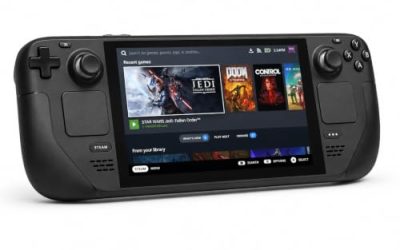
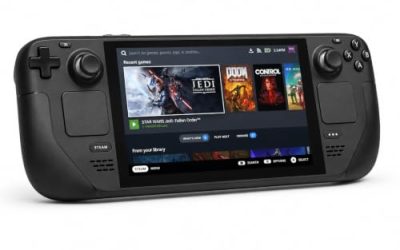
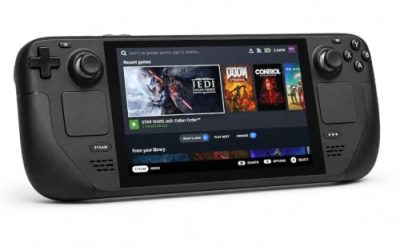
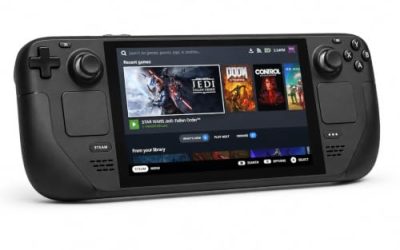
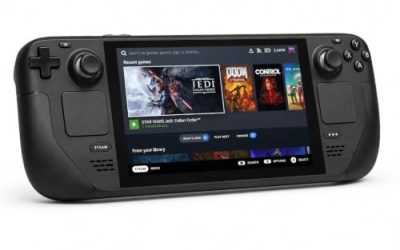
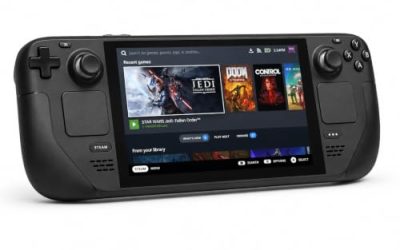
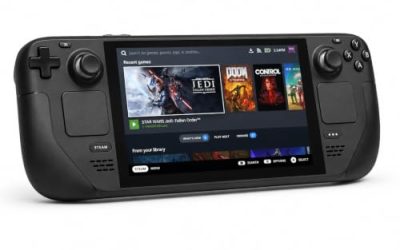
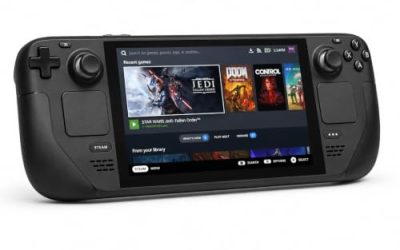
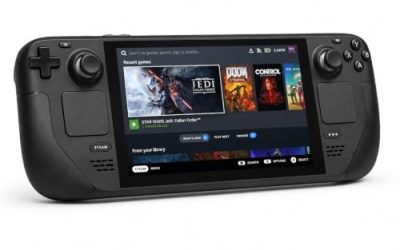
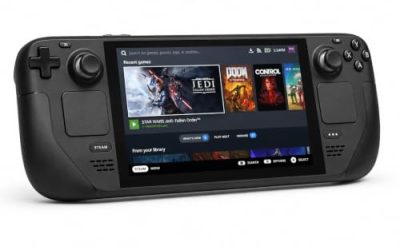
Valve Steam Deck OLED 512GB

The handheld the Verified badge was written for: Valve’s sheet gives the Windows build a clean pass under proton-stable on the build the store still serves, and the 2013 requirements sit far below this APU’s ceiling.
Specs
- Display: 7.4-inch HDR OLED, 1280 by 800, up to 90 Hz
- Processor: AMD Zen 2 and RDNA 2 custom APU
- Memory: 16 GB LPDDR5
- Storage: 512 GB NVMe, plus a microSD slot
- Wireless: Wi-Fi 6E and Bluetooth
- Channel note: Valve sells the Deck mainly through its own store, so Amazon listings are third-party sellers
8BitDo Ultimate 2 Bluetooth Controller

The couch co-op pick: the record lists shared and split-screen co-op, and a wireless pad with its own charging dock fills a second, third or fourth seat without a cable across the room.
Specs
- Connectivity: Bluetooth wireless and USB-C wired
- Joysticks: TMR electromagnetic, anti-drift design
- Triggers: Hall effect, with mode switching
- Extras: two remappable back buttons, motion control
- In the box: charging dock included
Xbox Wireless Controller, Carbon Black

The safest guest pad in PC gaming: Steam Input support is universal, the glyphs match what most games of this era display, and it pairs over Bluetooth or wireless. On the handheld, Valve’s note applies: an external pad may need a manual Quick Access Menu switch before it takes over.
- Connectivity: Xbox Wireless and Bluetooth
- Port: USB-C for wired play
- Controls: hybrid D-pad, dedicated Share button
- Power: AA batteries or optional rechargeable pack
Logitech G502 HERO

A platformer is pad work, but the desktop half of a Linux library is launchers, menus and settings screens, where a precise wired mouse turns housekeeping into single clicks. Eleven programmable buttons cover the inputs a long session repeats.
Specs
- HERO optical sensor, up to 25,600 DPI
- 11 programmable buttons
- Adjustable weight system
- Wired USB connection
- On-board memory profiles
Samsung T9 Portable SSD 2TB

For moving a Linux library between desktop and laptop, or keeping an offline backup of installers, a fast USB-C drive is the simple answer. The headline figure needs a Gen 2×2 host port; on a lesser port the drive runs at that ceiling.
Specs
- Capacity: 2 TB portable SSD
- Interface: USB 3.2 Gen 2×2, USB-C connector
- Maker-rated speeds: up to 2,000 MB per second read, 1,950 MB per second write
- Features: Dynamic Thermal Guard, maker-rated drop resistance
How to choose
Choose the Steam copy, because it is the only PC edition on sale and the exact build both records describe. On a desktop or laptop, install under Proton and leave the compatibility tool at its default; a Gold headline trending Platinum across a strong-confidence file says the route is well worn. On a Steam Deck, the Verified badge means no configuration work is expected, and its paperwork was written against the build you would download today. Set the game up while connected: the Uplay notice and Valve’s internet notes describe a first-launch sign-in. For input, a pad is the native shape of this game.
Who should skip
Skip this one if you are shopping for a native Linux platformer: the record is Windows-only at every layer, and no second storefront sells an alternative. Skip it if you play offline, because Valve’s own sheet says singleplayer gameplay requires an active internet connection. Skip it if a publisher account sign-in is a hard line, since the record carries the Uplay notice in plain print. And skip it if co-op is the draw but your group is remote: the co-op here is shared and split-screen, on one machine.
FAQ
Is Rayman Legends native on Linux?
No. Steam flags Windows alone, the Linux requirements field is an empty list, and the depot table holds one Windows content depot beside the Ubisoft Connect client depot. There is no Linux build in any branch.
Does Rayman Legends need a Ubisoft account?
The record carries an account notice reading “Uplay (Supports Linking to Steam Account)”, the depot database detects the Ubisoft Launcher, and Valve’s Deck sheet notes that setup and singleplayer play require an active internet connection. The record publishes no separate DRM notice, so nothing beyond that is claimed here.
Is Rayman Legends Steam Deck Verified?
Yes: Verified, with SteamOS rated Compatible, and the test behind the badge ran in March 2025 against the build the public branch still serves. The badge names proton-stable as its runtime, so it certifies the Windows build under Proton.
Can I buy Rayman Legends on GOG instead?
No. GOG sells several other Rayman titles, but its catalogue holds no product record for Legends and the game’s address there resolves to the general catalogue. The Steam copy is the only PC edition.
Final verdict
Rayman Legends on Linux is a Proton story with unusually tidy paperwork. The store record is unanimous — one flag, two empty fields, one Windows depot — and the community file grades that single build Gold trending Platinum across 84 reports. Valve’s Verified badge was tested against the build still being served, and its internet notes honestly reflect the printed Uplay layer. Buy the Steam copy if a launcher sign-in and an online first launch are acceptable; look elsewhere if you need native, offline or account-free.
Product and ASIN Reference
| Product | ASIN |
|---|---|
| Valve Steam Deck OLED 512GB | B0CQ3RWQQZ |
| 8BitDo Ultimate 2 Bluetooth Controller | B0F194QFT2 |
| Xbox Wireless Controller, Carbon Black | B08DF248LD |
| Logitech G502 HERO | B07GBZ4Q68 |
| Samsung T9 Portable SSD 2TB | B0CHFS9K14 |