Square Enix brought the genre-defining tactical RPG back on 30 September 2025 as FINAL FANTASY TACTICS – The Ivalice Chronicles, one Steam listing bundling an enhanced version with fully voiced dialogue and the classic original. For Linux players the question is the usual one: it is a Windows release, so does it run under Proton, and does Valve’s Deck badge back it up?
This article answers from the records themselves: Steam’s app record settles the native question, a family sweep checks whether any related app muddies the picture, the ProtonDB file shows how the Windows build behaves under Proton, Valve’s Deck record gives the handheld verdict, and a GOG check settles the DRM-free route.
As an Amazon Associate, we earn from qualifying purchases.
Quick answer
No native Linux build exists: Steam flags the game Windows-only, and its Linux requirements tab is an empty shell. ProtonDB rates it Platinum across 70 reports, and Valve’s Deck record reads Verified, tested 16 October 2025. The Steam copy is the only PC edition; GOG sells none. Buy it on Steam and play under Proton.
| Record | Verdict |
|---|---|
| Steam app | 1004640, Windows-only, no native build |
| ProtonDB | Platinum headline, 70 reports |
| Steam Deck | Verified, tested 16 October 2025 |
| GOG | No edition, Dreamlist entry only |
| DRM | Steam’s record names none |
What Steam’s record actually says
Steam’s appdetails record for app 1004640 is unambiguous: windows true, mac false, linux false. The linux_requirements block is the familiar store-template trap — Minimum and Recommended headings are present, but both lists are empty, so there is no Linux tab in any real sense. The game is a Windows release from Square Enix; nothing in the record promises a port.
The rest of the record is friendly to Linux play. Steam lists full controller support, Steam Achievements, Steam Trading Cards, Steam Cloud, Family Sharing, and Remote Play on phone and tablet. No third-party launcher or account is named anywhere in the record.
One gap deserves a plain statement. Steam’s record carries no drm_notice for this game, so this article names no DRM product — the same gap the Final Fantasy XVI, Final Fantasy VII Rebirth, Final Fantasy VIII Remastered and Final Fantasy IX articles carried. A DRM claim needs a citable record, and Steam’s record does not supply one. One ProtonDB report describes being locked out after switching Proton builds several days in a row, which that reporter links to the game’s copy protection — one reporter’s attribution, not a record fact.
The published Windows minimum is light for a 2025 release: 64-bit Windows 11, a Ryzen 3 2300X or Core i3-8100, 8 GB of RAM, a Radeon RX 460, Intel Arc A380 or GeForce GTX 750 Ti, DirectX 12, and 15 GB of storage. The recommended tier keeps the same processor and memory and steps the graphics up to a Radeon RX 470. Square Enix’s notes add that onboard graphics sit outside the supported specifications and Intel Arc cards need Resizable BAR support.
The family sweep: the soundtrack trap fires
The game’s family is the shortest possible — exactly one related app — and it carries the classic trap. The game’s own record lists a single DLC entry: app 3681880, FINAL FANTASY TACTICS Complete Soundtrack. Read individually, that app is type music, not a game or a DLC pack, and its platform flags read windows true, mac true, linux true, with its fullgame field pointing back at app 1004640.
Across the whole two-app family, then, the Linux-flag count is one — and it belongs to an album of audio files, not to the game. Anyone counting flags without checking types would conclude the game ships a Linux build. It does not. The soundtrack is a separate purchase of music, and its flags say nothing about whether the game itself runs natively on Linux.
The Ivalice Chronicles also bundles two versions inside the single app — the enhanced version with fully voiced dialogue and the classic original — with no separate app or purchase for the classic version. One ProtonDB report notes the flicker quirk it saw appeared only in the enhanced version, a reminder that a quirk in one build does not automatically describe the other.
ProtonDB: Platinum on 70 reports, with one recurring quirk
The ProtonDB summary feed returned a not-found response on every attempt this session, so this article claims no tier split and no confidence figure from that feed. What the game page itself publishes is clear enough: a Platinum headline across 70 reports, a solid pool for a game released in late September 2025. If the summary feed later publishes a split, a one-line update can add it.
The texture behind the headline is mostly smooth. Proton 10.0-3 and Proton 9.0-4 dominate the reports, and the Deck reports repeat the same verdict — perfect out of the box. Desktop reports agree, with full playthroughs on Arch, CachyOS, Linux Mint and Fedora.
One quirk recurs often enough to plan around. Several reporters — on CachyOS, Linux Mint, Fedora, EndeavourOS and Nobara — hit the same failure: the game shows a small dialog box containing only the word “Success” and a button, and clicking it ends the launch. In every one of those reports the fix is the same: switch to Proton Hotfix, after which the game runs. A separate report on Arch needed GE-Proton instead. If the default Proton build greets you with that dialog, change the compatibility tool first.
Smaller quirks appear once or twice each — minor battle graphics artifacts, tutorial flicker fixed by Proton Experimental, HDR trouble in borderless mode fixed by fullscreen — but none is game-breaking. The ProtonDB page also carries the recurring “Natively Supports” header tag contradicting Steam’s flags; the article follows Steam.
Steam Deck: Verified, with a published test date
Valve’s compatibility endpoint returned an empty list this session, so the Deck verdict comes from SteamDB’s republication of Valve’s compatibility data. The verdict is Verified, and this time the record publishes a test date: tested 16 October 2025, on build 19917153, with proton-experimental as the recommended runtime.
All four Verified checks pass: all functionality is accessible with the default controller configuration, the game shows Steam Deck controller icons, in-game interface text is legible, and the default graphics configuration performs well. One note rides on the sheet: first-time setup requires an active Internet connection. SteamOS separately reads Compatible, and the Steam Machine row reads Verified.
That clean sheet lines up with the community file: the Deck reports are the most consistent in the whole file, with the only complaints being the HDR borderless quirk and one early “Success” dialog that Proton Hotfix resolved.
GOG: no edition, Dreamlist only
There is no GOG edition of this game. GOG’s embed search returns zero products, the catalogue search returns zero purchasable products, and the title’s would-be product address redirects to the general catalogue. The catalogue surfaces only a Dreamlist entry — a voting page, not a purchasable edition. That rules out the DRM-free route entirely: the Steam copy is the only PC edition.
The gear for this game
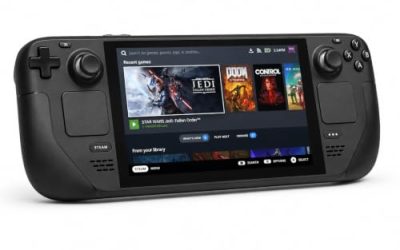
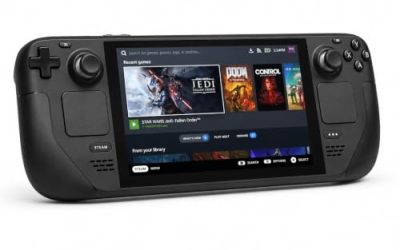
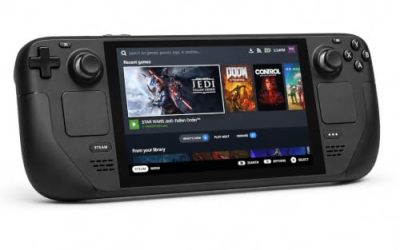
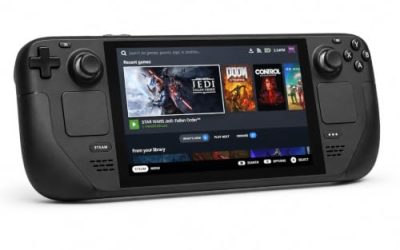
Valve Steam Deck OLED 512GB

The handheld the Verified badge was written for. Valve’s test sheet gives the Windows build a clean pass, tested 16 October 2025. Respect the one sheet note: first-time setup needs an active Internet connection.
Specs
- Display: 7.4-inch HDR OLED, 1280 by 800, up to 90 Hz
- Processor: AMD Zen 2 and RDNA 2 custom APU
- Memory: 16 GB LPDDR5
- Storage: 512 GB NVMe, plus a microSD slot
- Wireless: Wi-Fi 6E and Bluetooth
- Channel note: Valve sells the Deck mainly through its own store, so Amazon listings are third-party sellers
8BitDo Ultimate 2 Bluetooth Controller

The docked and desktop pad pick. Steam lists full controller support, and this pad covers the couch case with modern sticks and triggers plus back buttons for menu shortcuts.
Specs
- Connectivity: Bluetooth wireless and USB-C wired
- Joysticks: TMR electromagnetic, anti-drift design
- Triggers: Hall effect, with mode switching
- Extras: two remappable back buttons, motion control
- In the box: charging dock included
Xbox Wireless Controller, Carbon Black

The safest guest pad in PC gaming: Steam Input support is universal, the glyphs match what most games display, and it pairs over Bluetooth or its own wireless standard.
Specs
- Connectivity: Xbox Wireless and Bluetooth
- Port: USB-C for wired play
- Controls: hybrid D-pad, dedicated Share button
- Power: AA batteries or optional rechargeable pack
Logitech G502 HERO

A tactics game is menu-driven, and at a desk a precise wired mouse turns job changes, ability lists and shop trips into single clicks.
Specs
- HERO optical sensor, up to 25,600 DPI
- 11 programmable buttons
- Adjustable weight system
- Wired USB connection
- On-board memory profiles
Samsung T9 Portable SSD 2TB

For moving a Linux game library between machines, a fast USB-C drive is the simple answer. The game itself needs only 15 GB, so this drive is bought for the rest of the library.
Specs
- Capacity: 2 TB portable SSD
- Interface: USB 3.2 Gen 2×2, USB-C connector
- Maker-rated speeds: up to 2,000 MB per second read, 1,950 MB per second write
- Features: Dynamic Thermal Guard, maker-rated drop resistance
How to choose
Start from the record, not the badge alone. The game is Windows-only on Steam, so the choice is between the Steam build under Proton and waiting for a port that no record promises. ProtonDB’s Platinum headline on 70 reports is the strongest evidence available, and the Verified Deck badge, tested 16 October 2025, corroborates it from Valve’s side.
If you play on the Deck, buy the Steam copy, connect to the internet for the first setup, and expect the game to run from there. If the default Proton build shows the “Success” dialog, switch to Proton Hotfix before trying anything else. On a desktop, the published minimum is light, and Proton 10.0-3 is the build most reporters used.
Try the enhanced version first; the classic version sits in the same listing.
Who should skip
Skip the wait for a native build. Nothing in Steam’s record, GOG’s catalogue or Square Enix’s own listing points at one, and the Windows build already runs well under Proton.
Skip the GOG route. There is no GOG edition at all — only a Dreamlist voting page — so there is nothing to buy there.
Skip churning Proton builds. One report describes being locked out after switching Proton versions several days in a row, which that reporter links to the game’s copy protection. Pick Proton 10.0-3 or Proton Hotfix and stay there.
Frequently asked questions
Is Final Fantasy Tactics: The Ivalice Chronicles native on Linux?
No. Steam’s record for app 1004640 flags Windows only, and the Linux requirements tab is an empty shell. The game runs under Proton instead.
How well does it run under Proton?
ProtonDB rates it Platinum across 70 reports. Most reporters play on Proton 10.0-3 or Proton 9.0-4 without tinkering, and the Deck reports are near-unanimous about out-of-the-box play. The one recurring quirk is a “Success” dialog on launch, fixed by Proton Hotfix.
Is it Steam Deck Verified?
Yes. Valve’s compatibility record reads Verified, with all four checks passing, tested 16 October 2025. First-time setup requires an active Internet connection.
Can I buy it on GOG instead?
No. GOG sells no edition of this game. Its catalogue search returns zero purchasable products, and the only entry is a Dreamlist voting page.
Final verdict
Final Fantasy Tactics: The Ivalice Chronicles is a clean Windows-only case with a strong Proton record behind it. Steam flags Windows only with an empty Linux tab, and the single related app is a soundtrack whose Linux flag belongs to an album rather than the game. ProtonDB’s file is deep at 70 reports and Platinum, Valve’s Deck badge is Verified with a published test date of 16 October 2025, and the GOG question is settled by absence: no edition, Dreamlist only. Buy the Steam copy, set it up once while connected, and play it on the Deck or the desktop.
Product and ASIN Reference
| Product | ASIN |
|---|---|
| Valve Steam Deck OLED 512GB | B0CQ3RWQQZ |
| 8BitDo Ultimate 2 Bluetooth Controller | B0F194QFT2 |
| Xbox Wireless Controller, Carbon Black | B08DF248LD |
| Logitech G502 HERO | B07GBZ4Q68 |
| Samsung T9 Portable SSD 2TB | B0CHFS9K14 |