Rogue Legacy 2, Cellar Door Games’ 2022 sequel to the 2013 roguelite, arrives on Linux the easy way: it ships a native build. Steam’s own record flags all three desktop platforms, and the Linux requirements tab is a real, populated list rather than the empty shell this series usually finds. The question here is not whether the Windows build survives Proton, but how good the native build is and what the compatibility records add on top of it.
The records agree: ProtonDB’s file is unanimous Platinum across 60 reports, Valve rates the game Verified on Deck with a clean four-check sheet, and GOG sells no edition. This piece reads each record separately.
As an Amazon Associate, we earn from qualifying purchases.
Quick answer
Rogue Legacy 2 is native on Linux: Steam flags Windows, Mac and Linux all true, with a populated Linux requirements tab calling for glibc 2.17 or newer, 8 GB of RAM and 2 GB of storage. ProtonDB rates the Windows build Platinum across 60 reports, Valve rates the game Verified on Steam Deck, and GOG sells no edition. Buy the Steam copy and run the native build.
The status at a glance
| Question | Answer from the record |
|---|---|
| Native Linux build | Yes — Steam flags read Windows, Mac and Linux all true |
| Linux requirements tab | Populated — glibc 2.17+, 64-bit, 2.0 GHz, 8 GB RAM, 2 GB storage |
| Add-on apps | None — the record carries no DLC list at all |
| ProtonDB record | Platinum headline, Platinum best, 60 reports |
| Steam Deck verdict | Verified, all four checks pass, clean sheet |
| GOG edition | None — searches return no results |
| Anti-cheat or launcher | None named on the store record |
What Steam’s own record says
Steam’s appdetails record for Rogue Legacy 2 (app 1253920, established from Steam’s own store search) lists the platforms as Windows true, Mac true, Linux true: a native Linux build on the same listing as the Windows and Mac builds, from Cellar Door Games, released 28 April 2022.
The Linux requirements tab is what separates a real native listing from the traps this series tracks. It is not the empty shell, where Minimum and Recommended headings sit over empty lists, and it is not an empty list outright. It is a populated tab. The published minimum calls for a 64-bit system with glibc 2.17 or newer, a 2.0 GHz processor, 8 GB of RAM, a GeForce GTX 680 or Radeon R9 280X class graphics card, and 2 GB of available storage. The recommended tier raises only the processor, to 3.0 GHz.
Steam lists single-player, Steam Achievements, full controller support, Steam Trading Cards, DualShock and DualSense support, Steam Cloud, Remote Play on Tablet and Family Sharing. No anti-cheat is named, no third-party launcher or account is required, and the record carries no DRM notice, so this article names no DRM product: a DRM claim needs a citable record, and Steam’s record does not supply one.
The family sweep: one app, zero flags to misread
Rogue Legacy 2’s own record carries no DLC list at all. The field is absent, not empty, which means no add-on apps hang off the game on the store. A full store search for the name returns exactly one app, the game itself, and a dedicated soundtrack search returns zero results. There is no soundtrack app anywhere in the family, so the soundtrack-flag trap cannot fire: no audio product exists whose platform flags a family scan could misread as the game’s.
The original Rogue Legacy is a separate app with its own listing, and nothing in this game’s record borrows from it.
The Proton file
ProtonDB’s summary record for app 1253920, read directly this session, is unanimous: a Platinum headline tier, a Platinum best-reported tier and a Platinum trending tier, across 60 reports with strong confidence.
One scope note matters. This tier describes the Windows build running under Proton. It does not describe the native build, because the native build does not need Proton at all. The Platinum file is still useful: it tells a reader who already owns the Windows build that it runs cleanly under Proton. But it is the fallback route here, not the route. The route is the native build Steam sells on the same listing. The ProtonDB game page loads as a JavaScript shell with no data in its markup, so no claim is made here about any header or tag on that page.
The Steam Deck sheet
Valve rates Rogue Legacy 2 Verified on Steam Deck, the top category. All four Verified checks pass: the default controller configuration is fully functional, the game shows Steam Deck controller glyphs, in-game interface text is legible, and the default graphics configuration performs well. There are no deductions and no informational notes on the sheet, a clean pass.
One evidence note: Valve’s own compatibility endpoint answered with a method-not-found response this session, so the verdict and its checks were read from Valve’s compatibility record embedded in the game’s own store page, the fallback route this project has used before. No test date is published on that record, and none is claimed here. Because Steam lists full controller support for the game, both pads in the gear section are framed as natively recognised devices.
The storefront ruling
There is no second copy to weigh. GOG’s embed search returns zero products for the title, the site’s filtered search returns zero products, the search page answers with no results found, and the title’s would-be product address redirects to the general catalogue. No GOG edition exists, so the Steam copy is ruled the only PC edition and the buy.
Gear that fits the record
The gear below follows the record’s shape: the handheld the badge was written for, two pads for docked and desktop play, a mouse for menu-heavy desktop sessions, and library storage.
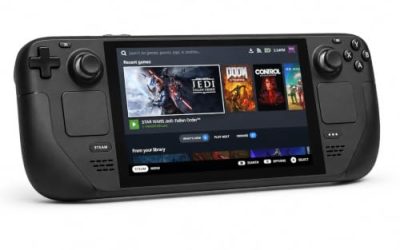
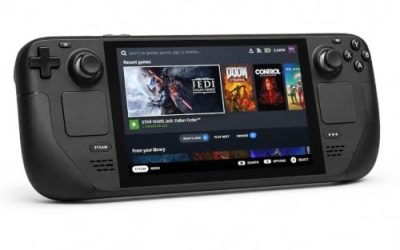
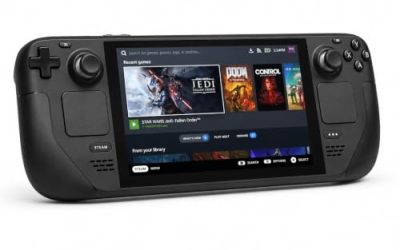
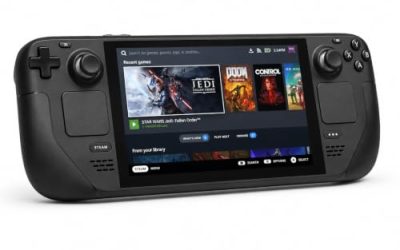
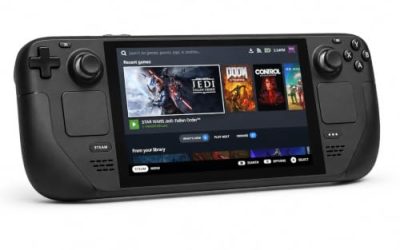
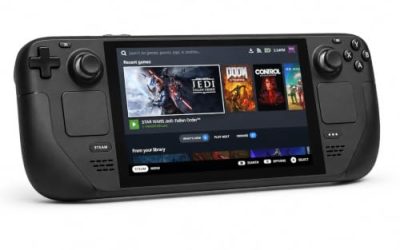
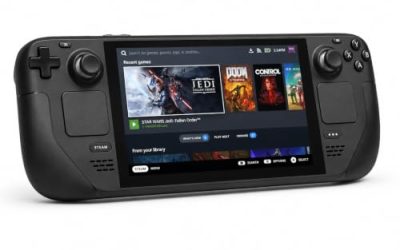
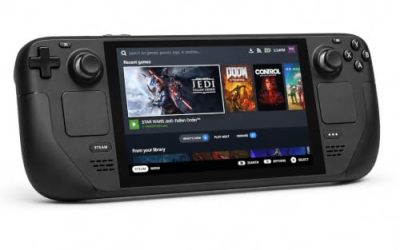
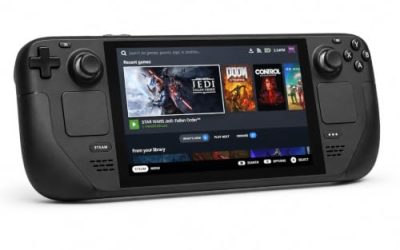
Valve Steam Deck OLED 512GB

The handheld the Verified badge was written for. The game’s published requirements are a rounding error next to the Deck’s APU, and Valve’s own test sheet gives the game a clean four-check pass. A native Linux build plus the Deck’s suspend feature fits run-based play exactly.
Specs
- Display: 7.4-inch HDR OLED, 1280 by 800, up to 90 Hz
- Processor: AMD Zen 2 and RDNA 2 custom APU
- Memory: 16 GB LPDDR5
- Storage: 512 GB NVMe, plus a microSD slot
- Wireless: Wi-Fi 6E and Bluetooth
- Channel note: Valve sells the Deck mainly through its own store, so Amazon listings are third-party sellers
8BitDo Ultimate 2 Bluetooth Controller

The docked and desktop pad pick. Steam lists full controller support for the game, and this pad covers the couch case with modern sticks and triggers plus back buttons for menu shortcuts. Its precise D-pad handles eight-way movement in the game’s 2D castle cleanly.
Specs
- Connectivity: Bluetooth wireless and USB-C wired
- Joysticks: TMR electromagnetic, anti-drift design
- Triggers: Hall effect, with mode switching
- Extras: two remappable back buttons, motion control
- In the box: charging dock included
Xbox Wireless Controller, Carbon Black

The safest guest pad in PC gaming: Steam Input support is universal, the glyphs match what most games display, and it pairs over Bluetooth or its own wireless standard. The test sheet carries no external-controller note, so a paired pad works as a second controller without the manual switching some Deck sheets require.
Specs
- Connectivity: Xbox Wireless and Bluetooth
- Port: USB-C for wired play
- Controls: hybrid D-pad, dedicated Share button
- Power: AA batteries or optional rechargeable pack
Logitech G502 HERO

Rogue Legacy 2 is a pad-first game, but at a desk a precise wired mouse turns the between-run work into single clicks: heir selection, manor upgrades, blacksmith and rune menus.
Specs
- HERO optical sensor, up to 25,600 DPI
- 11 programmable buttons
- Adjustable weight system
- Wired USB connection
- On-board memory profiles
Samsung T9 Portable SSD 2TB

For moving a Linux game library between a desktop and a laptop, or keeping an offline backup of installers, a fast USB-C drive is the simple answer. The headline figure needs a Gen 2×2 host port; on a lesser port the drive runs at that ceiling instead. The game itself needs only 2 GB per Steam’s published minimum, so this drive is bought for the rest of the library.
Specs
- Capacity: 2 TB portable SSD
- Interface: USB 3.2 Gen 2×2, USB-C connector
- Maker-rated speeds: up to 2,000 MB per second read, 1,950 MB per second write
- Features: Dynamic Thermal Guard, maker-rated drop resistance
How to choose
Choose the Steam copy, because it is the only PC edition on sale and the exact build every record describes. On a desktop or laptop, install the native build and play it directly: no compatibility layer, no launch options, no Proton version to pick. On a Steam Deck, the Verified badge means no configuration work is expected either: install and launch, and the four-check sheet covers controller, glyphs, text and performance without a deduction.
Use Proton only if you have a specific reason to run the Windows build instead of the native one. The Platinum file says that route works cleanly, but it is a detour around a build that already exists.
Who should skip
Skip the wait for a GOG edition. GOG’s searches return nothing for this title, the would-be product address redirects to the general catalogue, and no record points at a future listing. The Steam copy is the only PC edition, and waiting changes nothing about the Linux question.
Skip the Proton setup unless you need it. The native build is the route, and the Platinum Proton file describes the Windows build, not the one a Linux player installs by default.
Skip the genre, not the build, if run-based play is not for you. Death ends a run by design, and progress between runs comes from the manor, heirs and unlocks rather than from a single continuous campaign.
Frequently asked questions
Is Rogue Legacy 2 native on Linux?
Yes. Steam’s record for app 1253920 flags Windows, Mac and Linux all true, and the Linux requirements tab is a populated list calling for glibc 2.17 or newer, a 2.0 GHz processor, 8 GB of RAM and 2 GB of storage. The native build is sold on the same listing as the Windows and Mac builds.
How well does Rogue Legacy 2 run under Proton?
ProtonDB rates the Windows build Platinum on all three tiers across 60 reports with strong confidence. That tier describes the Windows build under Proton, not the native build, which needs no compatibility layer.
Is Rogue Legacy 2 Steam Deck Verified?
Yes. Valve’s compatibility record embedded in the game’s store page reads Verified, with all four checks passing: default controller configuration fully functional, glyphs matching the Deck device, legible interface text and a performant default graphics configuration. No test date is published on that record.
Can I buy Rogue Legacy 2 on GOG instead?
No. GOG’s embed and filtered searches return zero products for the title, the search page answers with no results found, and the title’s would-be product address redirects to the general catalogue. The Steam copy is the only PC edition.
Final verdict
Rogue Legacy 2 is the cleanest Linux case in this run: a genuine native build, sold on the same Steam listing as the Windows and Mac builds, with a populated requirements tab that any decade-old machine clears. ProtonDB’s file for the Windows build is unanimous Platinum across 60 reports, Valve’s Deck badge is Verified with all four checks passing and no deductions, the family is a single app with no soundtrack trap to misread, and the GOG question is settled by absence. Buy the Steam copy, install the native build, and play it on the desktop or the Deck with equal confidence.
Product and ASIN Reference
| Product | ASIN |
|---|---|
| Valve Steam Deck OLED 512GB | B0CQ3RWQQZ |
| 8BitDo Ultimate 2 Bluetooth Controller | B0F194QFT2 |
| Xbox Wireless Controller, Carbon Black | B08DF248LD |
| Logitech G502 HERO | B07GBZ4Q68 |
| Samsung T9 Portable SSD 2TB | B0CHFS9K14 |