Pharaoh: A New Era rebuilds the 1999 city builder and its Cleopatra expansion, with fifty missions of Nile-side planning, flood cycles and monument construction. It arrived from Triskell Interactive and Dotemu in February 2023, and for Linux players the question is which storefront record, if any, carries a build for their system.
The answer is written plainly on the game’s own Steam record, and it is not the answer nostalgia hopes for. This article reads that record layer by layer — flags, requirements tab, depots, family, DRM and account fields, the community file, Valve’s Deck sheet and the GOG edition — so the position rests on documents, not reputation.
As an Amazon Associate, we earn from qualifying purchases.
Quick answer
No. Pharaoh: A New Era has no native Linux build: Steam’s record flags Windows only, its Linux requirements tab is an empty shell and its only depot is a Windows one. The Windows build runs through Proton at a Gold tier across 29 reports, Valve rates it Playable on Steam Deck, and the GOG edition is Windows only too.
The platform record: three layers, one answer
Steam’s own record for the game, app 1351080, sets the platform flags at Windows true, Mac false and Linux false. The two layers beneath the flag agree. The record does carry a Linux requirements field, but it is an empty shell: a Minimum heading and a Recommended heading, each above an empty list — headings, not specifications, describing no build a player could install.
SteamDB closes the question. Its depot table holds exactly one content depot, configured for Windows and sized at 5.54 GiB on disk. There is no Linux depot beside it, and SteamDB’s extended operating system string is an empty string as well. A native build needs a depot to ship in; this record has none.
The Windows side of the tab is fully populated: Windows 10, an Intel Core i5-9600K or AMD Ryzen 5 3600XT, 8 GB of memory and 8 GB of storage at minimum — modest figures, so the compatibility layer is the variable.
One app, no family to hide behind
Some games arrive with a crowd of add-on apps, and the sweep matters because a soundtrack app can carry a Linux flag the game lacks. This record has no crowd. The game’s DLC array on Steam is empty outright: no expansions, no demo, and a store search for a soundtrack app under the game’s name returns nothing.
So the family count is the shortest possible: zero of one apps flag Linux, and the one is the game itself. There is no music app to misread and no trap to spring; the Windows-only position is stated by the game’s own flag, empty tab and single depot.
DRM and account fields: silence in both
Two dedicated fields on a Steam record carry this information when a publisher declares it, and both are empty here. The DRM notice field holds nothing: no third-party DRM is named. The external account notice field also holds nothing: no account requirement is declared, which fits a single-player-only category list.
Read that silence precisely. The record makes no DRM or account claim in either direction; it is not a promise about what the Windows build does once installed, and not evidence of a hidden layer either.
Anti-cheat: three sources, all quiet
Anti-cheat decides many Linux verdicts, so it gets its own three-source check even here. Steam names none: no anti-cheat category, no notice on the record. SteamDB’s detected technologies are the Unity Engine with its Mono, UnityBurst, UnityEntities and UnityURP components — engine plumbing, none of it anti-cheat software.
The third source agrees. Are We Anti-Cheat Yet, the community tracker whose dataset runs to well over a thousand games, carries no entry for this app, searched by name and by app number. Three sources, kept separate, all negative: nothing in this layer blocks Linux play.
The Proton file: Gold, with an honest texture
If the game is played on Linux, it is played through Proton. ProtonDB’s summary record for the app gives a headline tier of Gold, a best-reported tier of Platinum and a trending tier of Gold, across 29 reports, at strong confidence with a score of 0.62.
One classification on the game’s ProtonDB page needs naming. Its header presents the game under a “Natively Supports” label, the stray classification this project has met on many Windows-only records. It contradicts Steam on every layer — the false flag, the empty tab, the missing depot — and every report beneath it describes a Proton run. The label is a database artefact; this article follows Steam.
The texture beneath the tier, kept at report weight, is familiar for a Unity city builder. Many reporters describe the game working out of the box on recent Proton builds, including a smooth report from a Steam Deck. The recurring fault is the opening cinematic: several reports say the intro video fails to play or stalls under the stock compatibility build, and community Proton builds are repeatedly credited with fixing it. A minority on integrated graphics never reach a mission. Gold means what it says: playable, usually well, with a weak point at the front door.
The Steam Deck sheet: Playable, from the launch window
Valve’s own compatibility record for the app, read directly from the publisher’s endpoint for this article, resolves to category two: Playable. SteamDB’s republication of the same data supplies the paperwork: tested 24 February 2023, nine days after release, on build 10570583, with the stable Proton build as the recommended runtime. SteamOS separately rates the game Compatible. One caveat: the public branch has since moved to a build assembled in November 2023, so the sheet describes the launch-window build; later Deck reports in the ProtonDB file describe the same workable experience.
The deductions are the classic city-builder three: the game sometimes shows mouse, keyboard or non-Deck controller icons; entering some text requires manually invoking the on-screen keyboard; and some in-game text is small and may be difficult to read. Against those, all functionality is accessible under the default controller configuration, the default graphics configuration performs well, and no internet is required for setup or single-player play.
The GOG edition: it exists, and it is Windows only
GOG’s own product record settles the second storefront. The catalogue entry for this exact title — the remake, identified by its full name in GOG’s product data, not the 1999 original — lists compatibility as Windows true, Mac false and Linux false. A GOG edition therefore exists: the same Windows build in a DRM-free wrapper.
Neither storefront sells a Linux build, because none exists. The Steam copy is the edition the ProtonDB file and the Deck sheet describe; the GOG copy leaves its Linux buyer to arrange a compatibility route alone.
Gear that fits the record
The record points at two setups: the handheld Valve graded Playable, and a desk where a dense city grid gets its mouse.
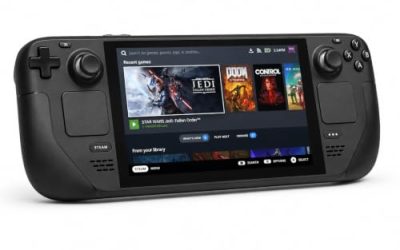
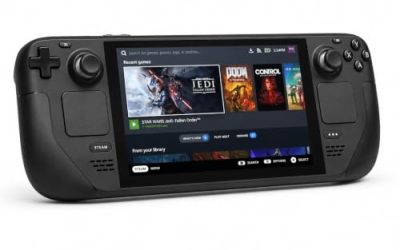
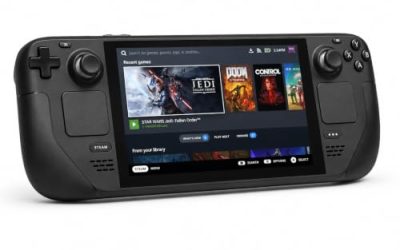
Valve Steam Deck OLED 512GB

The handheld on Valve’s own test sheet: Playable rather than Verified, small text the standing caveat, the stable Proton build the recommended runtime.
Specs
- Display: 7.4-inch HDR OLED, 1280 by 800, up to 90 Hz
- Processor: AMD Zen 2 and RDNA 2 custom APU
- Memory: 16 GB LPDDR5
- Storage: 512 GB NVMe, plus a microSD slot
- Wireless: Wi-Fi 6E and Bluetooth
- Channel note: Valve sells the Deck mainly through its own store, so Amazon listings are third-party sellers
8BitDo Ultimate 2 Bluetooth Controller

The pad for a docked Deck or a couch-facing desktop. Valve’s sheet confirms the game is fully functional on its default controller configuration, and this pad adds back buttons for the menu shortcuts a city builder repeats.
Specs
- Connectivity: Bluetooth wireless and USB-C wired
- Joysticks: TMR electromagnetic, anti-drift design
- Triggers: Hall effect, with mode switching
- Extras: two remappable back buttons, motion control
- In the box: charging dock included
Xbox Wireless Controller, Carbon Black

The second pad for a shared desk, and the one whose button prompts most PC games assume. It pairs over Bluetooth and covers the guest seat without any configuration detour.
- Connectivity: Xbox Wireless and Bluetooth
- Port: USB-C for wired play
- Controls: hybrid D-pad, dedicated Share button
- Power: AA batteries or optional rechargeable pack
Logitech G502 HERO

Placing housing blocks and reading a dense grid are mouse work. A precise wired mouse covers the confirm, cancel and camera inputs a long session repeats.
Specs
- HERO optical sensor, up to 25,600 DPI
- 11 programmable buttons
- Adjustable weight system
- Wired USB connection
- On-board memory profiles
Samsung T9 Portable SSD 2TB

A fast USB-C drive keeps a Linux library portable between machines or holds an offline backup; the headline speeds need a Gen 2×2 host port, and on a lesser port the drive runs at that ceiling.
Specs
- Capacity: 2 TB portable SSD
- Interface: USB 3.2 Gen 2×2, USB-C connector
- Maker-rated speeds: up to 2,000 MB per second read, 1,950 MB per second write
- Features: Dynamic Thermal Guard, maker-rated drop resistance
How to choose
Choose the Steam copy if Linux is the machine: it is the only edition with a graded compatibility record behind it, a Gold ProtonDB file on the desktop and a Playable sheet on the Deck, both describing the same Windows build. Install it as it comes, on the stable Proton build Valve’s sheet recommends.
Expect the opening cinematic to be the friction point; the community file is clear that the city building beyond the intro is the smooth part. On the Deck, weigh the small-text deduction against your session lengths. Choose the GOG copy only if a DRM-free Windows build is the priority in itself.
Who should skip
Skip this entirely if a native build is a condition of purchase: there is none, and nothing in the record suggests one is coming. Skip the Deck as the main screen if small interface text tires you. Skip it if an opening video that may need a community compatibility build sounds like homework rather than play. And skip it if the 1999 original is the game you actually want: a different product, whose records these verdicts do not transfer to.
FAQ
Is Pharaoh: A New Era native on Linux?
No. Steam’s record flags Windows only, the Linux requirements tab is an empty shell of headings, and SteamDB’s depot table holds a single Windows depot with no Linux depot beside it. Every layer agrees.
How well does Pharaoh: A New Era run under Proton?
ProtonDB grades the Windows build Gold overall, best-reported Platinum, trending Gold, across 29 reports at strong confidence. The known weak point is the opening cinematic; the city building itself is widely described as working out of the box.
Is Pharaoh: A New Era Steam Deck Verified?
No — it is rated Playable, one step below Verified. Valve’s sheet, tested in February 2023, passes the game on controller functionality and default performance, and deducts for non-Deck icons, a manually invoked keyboard and small text.
Can I buy Pharaoh: A New Era on GOG for Linux?
A GOG edition exists, but GOG’s product record lists it as Windows only, Mac and Linux both false — the same Windows build in a DRM-free wrapper, without the Steam copy’s graded records.
Final verdict
Pharaoh: A New Era is a Windows game Linux players can genuinely play, and the records let both halves of that sentence be stated precisely. Natively, there is nothing: a false flag, an empty tab, a single Windows depot, a family of one app. Through Proton, there is a Gold file of 29 reports with the intro video as its weakness, a Playable Deck sheet whose deductions concern text and glyphs rather than function, and a GOG edition confirming the same position. Buy the Steam copy with those expectations set.
Product and ASIN Reference
| Product | ASIN |
|---|---|
| Valve Steam Deck OLED 512GB | B0CQ3RWQQZ |
| 8BitDo Ultimate 2 Bluetooth Controller | B0F194QFT2 |
| Xbox Wireless Controller, Carbon Black | B08DF248LD |
| Logitech G502 HERO | B07GBZ4Q68 |
| Samsung T9 Portable SSD 2TB | B0CHFS9K14 |