

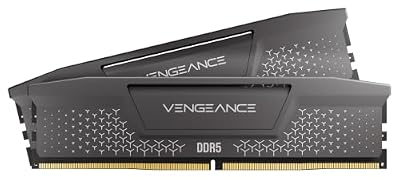
- Top Pick: CORSAIR Vengeance LPX DDR4 RAM 32GB (2x16GB) Up to 3200MHz CL16-20-20-38 1.35V Intel XMP AMD EXPO Computer Memory – Black (CMK32GX4M2E3200C16)
- Best Value: G.SKILL Trident Z5 RGB Series DDR5 RAM (Intel XMP 3.0 & AMD EXPO) 32GB (2x16GB) Up to 6000MT/s* CL36-36-36-96 1.35V Desktop Computer Memory U-DIMM – Matte Black (F5-6000J3636F16GA2-TZ5RK)
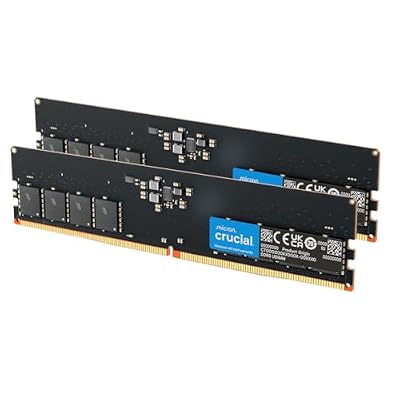
- Premium Choice: Crucial 32GB DDR5 RAM Kit (2x16GB), 5600MHz (or 5200MHz) Desktop Memory, UDIMM 288-Pin, Compatible with 13th Gen Intel Core and AMD Ryzen 7000 – CT2K16G56C46U5
A 16GB graphics card sits in an awkward spot at 4K. It is not the entry-level compromise it once was, nor is it the comfortable headroom you get with 24GB or more. For many titles, 16GB handles 4K without a hiccup. For others, it produces sudden micro-stutters, texture pop-in, or hard crashes that no amount of driver tweaking fixes. The dividing line is not as clean as “enough” or “not enough,” but it is narrower than most people realize.
As an Amazon Associate we earn from qualifying purchases at no extra cost to you.



The Short Answer
Yes, 16GB VRAM is enough for 4K in most current games at high or ultra settings, provided you stay within the typical 10–14 GB usage ceiling. The single condition that changes the answer: if a title supports an optional ultra or high-resolution texture pack and you enable it at 4K, 16GB can fall short and you will hit a hard memory wall that causes stuttering or crashes. Games like Hogwarts Legacy, The Last of Us Part I, and Alan Wake 2 have been documented by multiple outlets pushing past 16GB at 4K when all VRAM-heavy options are maxed. For those titles, either disable the optional texture pack or lower one setting to reclaim headroom.
How to Tell
You do not need to guess whether you are hitting a VRAM ceiling. Several concrete signals tell you exactly where the bottleneck sits.
GPU utilization and frame-time spikes. Open the NVIDIA Performance Overlay or AMD Adrenalin overlay while playing. If GPU utilization sits between 70–90% and frame times show repeated 20–50 ms spikes every few seconds, that pattern is characteristic of VRAM overflow. The GPU is idling while waiting for data to page from system RAM back to VRAM. A true CPU bottleneck, by contrast, produces uniformly low frame rates without those periodic spikes.
Task Manager memory column. In Windows, open Task Manager, go to the Performance tab, and watch the Dedicated GPU Memory graph. If it pins to 100% during gameplay and you notice stuttering, the VRAM is saturated. Windows does not always expose the full picture here, but a pinned 100% reading combined with visible stutter is a reliable indicator.
In-game VRAM counters. Some titles expose VRAM usage directly in their settings menu or debug overlay. Cyberpunk 2077 shows VRAM consumption in the benchmark tool. If the number reads 15.2 GB or higher at 4K, you are within 1 GB of the ceiling and a texture pack or a new title could push you over.
Texture pop-in or muddy surfaces. This is a qualitative signal, but it is unmistakable when you know what to look for. Surfaces that appear blurry for one to three seconds before snapping to high detail mean the GPU is streaming assets from system RAM because VRAM is full.
By Resolution
1080p
16GB is more than sufficient at 1080p for any game currently available. Even with ray tracing maxed and all optional texture packs enabled, VRAM usage rarely exceeds 10–11 GB at this resolution. You will never hit a memory ceiling here unless you are running a game at an absurd configuration (e.g., ultra textures at 1080p with path tracing enabled, which some titles allow). At 1080p, 16GB is functionally infinite.
1440p
1440p is the sweet spot for 16GB. Most titles use between 8 and 13 GB of VRAM at this resolution with high or ultra settings. Hardware Unboxed’s VRAM testing has shown that even demanding titles like Star Wars Jedi: Survivor typically stay under 14 GB at 1440p ultra, leaving a thin but workable margin. The occasional title with an optional 4K texture pack enabled at 1440p can push usage toward 15 GB, but outright failure is rare at this resolution.
4K
4K is where 16GB becomes a real constraint for a subset of games. TechPowerUp and Tom’s Hardware have both documented that titles with native 4K texture sets and optional ultra texture packs can demand 17–20 GB at 4K max settings. When that happens, the game does not gracefully degrade; it stutters, pop-ins, or crashes. For the majority of games that do not offer optional texture packs, 16GB is still workable at 4K, but the margin is slim. As of 2026, the percentage of titles that exceed 16GB at 4K ultra is small but growing, which makes this an increasingly important factor when choosing a GPU.
| Scenario | Expected VRAM Usage | 16GB Experience |
|---|---|---|
| 1080p, ultra settings | 7–11 GB | No issues |
| 1440p, ultra settings | 9–14 GB | Comfortable in nearly all titles |
| 1440p, ultra + optional texture pack | 12–16 GB | Occasional tightness in the worst cases |
| 4K, high settings (no optional pack) | 10–15 GB | Sufficient for most games |
| 4K, ultra settings | 12–16 GB | Borderline; works in many titles |
| 4K, ultra + optional 4K texture pack | 16–21 GB | Stuttering or crashes likely |
What to Do About It
If you already own a 16GB card and are hitting VRAM limits at 4K, the most effective fix is to disable optional high-resolution texture packs or lower texture quality by one notch (ultra to high). This single adjustment can free 3–6 GB of VRAM and eliminate stuttering without a visible quality difference on most games. Ray tracing settings, by contrast, often consume less VRAM than people expect (typically 1–2 GB at 4K), so texture settings are the primary lever.
For games that do not expose a texture pack toggle, check community guides or the game’s settings file for hidden options. Some titles let you edit a config file to cap texture resolution below what the in-game menu offers.
Upscaling technologies like DLSS, FSR, or XeSS do not directly reduce VRAM consumption because the asset set loaded into memory is the same regardless of render resolution. However, they allow you to render at a lower internal resolution and output to 4K, which can reduce frame buffer memory requirements by 1–2 GB in some cases. It is a partial mitigation, not a complete solution.
Recommendation by User Type
Competitive multiplayer players at 1080p or 1440p: 16GB is irrelevant to your experience. These titles use 4–8 GB of VRAM. Buy the card that gives you the highest frame rate at your target resolution.
Single-player enthusiast at 1440p: 16GB is comfortable. You will encounter zero VRAM issues in any current or near-future title unless someone releases a game with an optional 1440p-specific ultra texture pack, which would be unusual.
4K enthusiast willing to manage settings: 16GB is workable but requires attention. You will need to check whether individual games offer optional texture packs and disable them or accept lower texture quality. For a hands-off experience, 24GB or 32GB cards are the safer choice.
Content creator doing 4K video editing or 3D rendering on the same GPU: 16GB is the minimum you should consider, and you will likely want more. VRAM demands for editing suites and rendering engines are additive with gaming when you run both, and 16GB leaves almost no headroom.
FAQ
Does DLSS reduce VRAM usage?
DLSS primarily reduces compute load and frame buffer memory, not asset VRAM. The textures, geometry, and effects data loaded into VRAM remain the same size regardless of whether you render natively at 4K or at 1440p internally and upscale. Expect a reduction of roughly 1–2 GB from the smaller frame buffer, but the dominant VRAM consumers (textures, RT data) are unaffected.
Will 16GB VRAM be enough for games coming next year?
For most titles, yes. The industry has not yet seen a game that demands more than 16GB at 1440p ultra without optional texture packs. At 4K, the trend is moving upward, and a growing minority of titles with optional 4K packs will exceed 16GB. If you are buying a card today for 4K and want it to remain comfortable through the next hardware generation without settings compromises, 24GB or more provides meaningful insurance.
Can I add more VRAM to my GPU?
No. VRAM is soldered onto the GPU board and is not user-upgradable. Your only path to more VRAM is to buy a different graphics card. This makes the initial purchase decision more consequential than most other PC component choices.
Why do some reviews say 16GB is enough while others show it failing?
Both are correct. Reviewers test different settings, different titles, and different combinations of optional features. A reviewer testing at 4K high settings without optional texture packs will find 16GB sufficient. Another reviewer testing at 4K ultra with every optional toggle enabled will find it lacking. The outcome depends entirely on the configuration, which is why the “how to tell” signals matter more than any blanket claim.
Sources and Methodology
VRAM usage ranges cited in this article are synthesized from published testing by TechPowerUp, Tom’s Hardware, Hardware Unboxed, Gamers Nexus, and TechSpot. Each of these outlets has conducted dedicated VRAM limit testing on 16GB-class cards across multiple titles at 1080p, 1440p, and 4K. The ranges presented here reflect the spread of results across their collective test suites and should be understood as approximate indicators of real-world behavior, not exact measurements. No figures in this article were generated by this site’s own testing.
















