As an Amazon Associate we earn from qualifying purchases.
The sticker amount on a gaming PC answers only the first question. It tells you what leaves your wallet on day one, and nothing about the four years that follow. A machine that looks cheap at checkout can turn expensive if it needs an early replacement, while a machine that looks dear can turn out cheaper once upgrades, power, games and resale are counted. The honest question is not what a gaming PC costs, but what it costs to own one for five years.
This guide adds up the whole five-year picture: the purchase itself, the upgrades most owners make, the electricity the machine draws, the screen and accessories around it, the games and subscriptions that fill it, and the value left in it when the five years are done. For the upfront side of the decision, our guide to how much to spend on a gaming PC covers spending tiers and why gaming PCs cost what they do; this guide follows the money across five years of ownership.
What Total Cost of Ownership Actually Includes
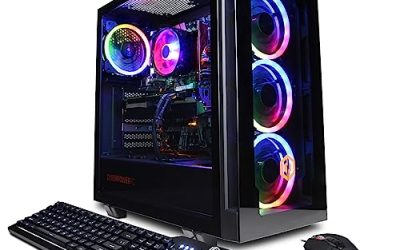
Total cost of ownership has six parts. First, the purchase amount: the PC itself, including the OS licence and any assembly or delivery fees. Second, upgrades: the parts added or swapped during the five years, most often storage, memory and, later on, the graphics card. Third, power: the electricity the machine draws across thousands of hours of play. Fourth, peripherals: the monitor, keyboard, mouse, headset and chair that turn a box into a setup. Fifth, games and subscriptions: the library itself, plus any monthly service kept. Sixth, resale value, which subtracts from the total, because whatever the machine is still worth at the end of five years is money back in your pocket.
Leaving any one of these out distorts the answer. Count only the purchase amount and the cheapest machine always wins, which is rarely true in practice. The five-year view rewards machines that stay useful for longer over machines that are merely cheap to buy. A PC that also serves for work spreads its cost beyond gaming.
The Five-Year Timeline
Year one is the most expensive year by a wide margin, and it should be. The purchase amount lands in one go, and the setup around it usually lands with it: a monitor if you do not already own a good one, a keyboard and mouse, a headset, and the first handful of games. Most major components carry manufacturer warranties ranging from two to five years, according to Gaming PC Guru’s buying guide, so a faulty part in year one costs time rather than money.
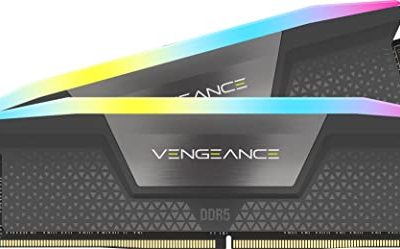
Years two and three are usually the quiet years, and the spending in them is small and predictable. The most common purchase is storage. Modern releases are large, and recent releases list installs of 85GB and more on their store pages, so a single drive fills faster than most first-time buyers expect. A second drive is the classic year-two upgrade: cheap relative to the machine, simple to fit, and it ends the weekly chore of deleting games to make room for new ones. Memory is the other common upgrade here. Most current AAA releases list 16GB of memory among their recommended specs, according to Gaming PC Guru’s requirements guide, so a machine bought with less will ask for more.
Years four and five are when the real decisions arrive. The graphics card bought in year one is usually the first part to feel old, and the question becomes whether to swap it or replace the whole machine. A graphics card swap in year four is often the best value move in PC gaming: the processor, memory, storage, case and power supply all carry over, and a single new card can buy another two years of comfortable play at your monitor’s resolution. The alternative is a full replacement, which resets the clock but also resets the spending. Which choice is right depends on the platform the machine was built on. A board that accepts a newer processor without a full rebuild keeps its options open; AMD has committed to supporting its AM5 socket through 2027, which makes a year-four upgrade cheap instead of painful.
The end of year five is the reckoning. Whatever the machine is still worth can be recovered by selling it whole or in parts, or handed down to a family member. Either way, the five-year cost is everything spent minus whatever value remains, divided by five. That single division is the number to compare between tiers.
Cost Per Year by Tier
The entry tier is built for 1080p play, and its five-year story is dominated by what happens after the purchase. The machine itself is the smallest share of the total, and the games, a storage upgrade and possibly an early replacement make up the rest. The risk at this tier is not the purchase amount but the lifespan: a machine that cannot keep up with new releases in year three or four has to be replaced early, and an early replacement is the most expensive thing that can happen to a five-year plan, because it means paying the purchase amount twice in five years. The entry tier only wins on yearly cost if it genuinely lasts the full five years, which means buying enough memory and storage on day one and accepting lower settings in the final year.
The mid-range tier is where the five-year maths usually looks best. The purchase amount is larger, but the machine is built to last the whole five years with one storage upgrade and no forced replacement. The graphics card in this tier is strong enough for 1440p play across the full period, the memory is already at the level new releases expect, and the power supply has enough headroom for a later card swap if one is wanted. Because the machine survives all five years, the purchase amount divides by five instead of by three or four, and that single fact often makes the mid-range tier cheaper per year than the entry tier, even though it costs more on day one.
The high-end tier is built for 4K play or maximum settings at 1440p, and its five-year story is dominated by the purchase amount itself. Upgrades, power and games are smaller shares here simply because the opening amount is so large. The high-end tier wins on yearly cost only if two things hold: the machine must last the full five years without a replacement, and its resale value at the end must still be meaningful, because a larger opening amount means a larger absolute amount recovered. A high-end machine replaced after three years is the most expensive way to game there is, while the same machine kept for five years and sold onward can be surprisingly reasonable per year. Longevity is not a bonus at this tier; it is the whole plan.
A worked example shows how the arithmetic behaves. Suppose the extras over five years — upgrades, power, peripherals, games and subscriptions, minus resale value — add up to half the purchase amount. The five-year total is then one and a half times the purchase amount, and the yearly cost is that total divided by five, which is thirty percent above the purchase amount divided by five. The lesson is the shape of the result: the extras are never a rounding error.
Where the Money Actually Goes
Games are the second-largest five-year cost for most players, after the PC itself, and they are also the cost with the most room to control. Gaming PC Guru’s PC versus console comparison reports that PC titles typically launch at prices twenty to forty percent lower than the same titles on console, and that Steam seasonal sales routinely cut prices by fifty to seventy-five percent within months of launch. A player who buys at launch pays the most per title; a player who waits for seasonal sales pays a fraction of it for the same game. The Epic Games Store gives away free games every week.
Subscriptions deserve the same honest accounting. A monthly service fee looks small on its own, but paid for sixty months it becomes sixty times the monthly fee, and that is a real share of a five-year total. The question to ask of any subscription is whether it is used every month or only in bursts, because a service paused for the months it is not used costs nothing in those months. On the PC side there is one structural advantage worth noting: online multiplayer is free in most games, with no mandatory subscription, which removes a recurring charge that console owners cannot avoid.
Power is the smallest of the six buckets for most players, but it is not zero, and it follows a simple rule: doubling the wattage doubles the electricity used for the same hours played. Two habits keep this bucket small. The first is matching the machine to the monitor: a system built for 4K play that spends its life on a 1080p screen wastes power rendering frames the screen cannot show. The second is efficiency: a power supply with 80 PLUS Gold certification is rated to run at about ninety percent efficiency at half load, which means less of the electricity drawn from the wall turns into waste heat.
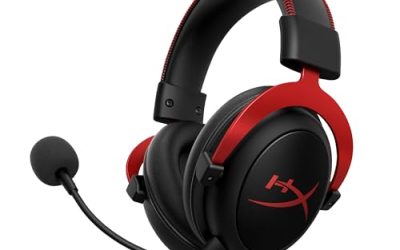
Peripherals follow a different clock from the PC itself. A good monitor often outlasts the machine it is first paired with, because display standards change more slowly than graphics cards, and a monitor bought in year one can reasonably serve through a second PC as well. Keyboards, mice and headsets are cheaper to replace and fail more often, so they belong in the yearly budget as small recurring items rather than in the purchase amount.
Resale and the Hand-Down
What a machine is worth at the end of five years depends on what it is made of. The graphics card and the processor are the parts a second-hand buyer cares about most, because they decide what the machine can still play. The case, the power supply and the cooler are worth far less on their own, because a buyer building a used machine usually has their own. Selling the machine whole is simpler and usually returns less; selling the graphics card and processor separately takes more effort and usually returns more.
The hand-down is the alternative to selling, and for many households it is the better one. A five-year-old gaming PC that can no longer run the newest releases at their best is still a fast machine for schoolwork, office work, older games and streaming, and handing it to a family member recovers its full remaining value in use rather than a fraction of it in cash. When the five-year plan is drawn up, the hand-down deserves a line of its own, because it is the cheapest exit there is.
Frequently Asked Questions
How much should you spend on a gaming PC over five years in total?
Add the purchase amount to everything that follows it: upgrades, power, peripherals, games and subscriptions, then subtract whatever the machine is worth at the end. Divide that total by five and you have the yearly cost.
Is a cheap gaming PC cheaper over five years?
Not always. A cheap machine only wins on yearly cost if it lasts the full five years without a forced replacement. If it cannot keep up with new releases in year three or four and has to be replaced early, the purchase amount is paid twice in five years, and that makes it the most expensive option. Buying enough memory and storage on day one is the cheapest insurance against an early replacement.
When is the best time to upgrade a gaming PC?
Storage and memory are best upgraded in years two and three, when they are cheap and extend the machine’s life. The graphics card is best swapped in year four, when a single new card can buy another two years of comfortable play and everything else in the machine carries over. A full replacement is best left until the platform itself has no upgrade path left.
Does a gaming PC cost more than a console over five years?
The sticker amounts say the console is cheaper, and the five-year picture is closer than most buyers expect. PC games typically launch twenty to forty percent lower and fall fifty to seventy-five percent in seasonal sales, online multiplayer is free in most PC games, and a PC can also serve as a work machine, which spreads its cost across more than gaming.
Conclusion
How much to spend on a gaming PC is a five-year question, not a checkout question. The purchase amount is the largest single item, but the upgrades, the power, the peripherals, the games and the subscriptions add up to a large share beside it, and the resale value at the end takes a share back. The tiers tell the story plainly: the entry tier wins only if it lasts, and the mid-range tier usually wins on yearly cost because it lasts the whole five years.