As an Amazon Associate we earn from qualifying purchases.
The choice between buying a processor now and waiting for Zen 6 comes down to what you can buy today, what the next generation has confirmed, and how long you can wait. Zen 6 is real as a future architecture on the AM5 socket, but AMD has not announced desktop Zen 6 models, specifications, or a launch date.
The Short Answer
Buy now if you need a working gaming PC today, if your current processor limits the frame rate you want, or if you are building on AM5, because the platform keeps the Zen 6 door open. Wait only if your current system already plays your games well and you are comfortable waiting for a launch window that AMD has not confirmed.
On AM5 the two are not mutually exclusive: a motherboard bought today can, in principle, accept a Zen 6 processor later, provided the board maker releases a BIOS update for it.
What Is Confirmed About Zen 6 and What Is Not
The confirmed facts are few. AMD has confirmed that Socket AM5 will continue to be supported through 2029, a statement made in the company’s Computex 2026 blog. AMD’s own Technical Information Portal lists the Zen 6 desktop family, codenamed Olympic Ridge, as an AM5 product, and lists a second Zen 6 family, Medusa1, for AM5 as well. Zen 6 has already reached servers, with 6th Gen EPYC general availability dated November 10, 2026.
Everything else is unconfirmed. AMD has not announced desktop Zen 6 model names, core counts, clock speeds, cache sizes, power figures, or a desktop launch date. Specialist press, including TechSpot, describes a desktop launch in 2027 as widely expected, but those are reports, not AMD announcements. Claims about specific core counts, clock speeds, or model names are unverified rumours.
One more point changes the timing math: the keyword says 2026, but no AMD announcement supports a 2026 desktop launch. If you wait for Zen 6, you are most likely waiting into 2027, based on current reporting.
The AM5 Platform Advantage
AMD’s Computex 2026 statement extended AM5 support through 2029, and Zen 4, Zen 5, and now Zen 6 share the same socket, so a purchase made today does not lock you out of the next generation.
Intel’s Core Ultra 200S desktop chips use the LGA 1851 socket, and Intel has not given that platform the same multi-generation commitment. Intel’s next desktop architecture, Nova Lake, is reported to move to a new socket, so a board bought for a Core Ultra chip today is unlikely to accept the next Intel generation.
There is an important limit to the AM5 promise. A shared socket does not guarantee that every AM5 motherboard will support Zen 6. Support on a specific board depends on a BIOS update from the board maker, and on the board having enough BIOS memory and power delivery. If the Zen 6 upgrade path matters to you, choose a board from a maker with a strong BIOS update record, and check its CPU support list.
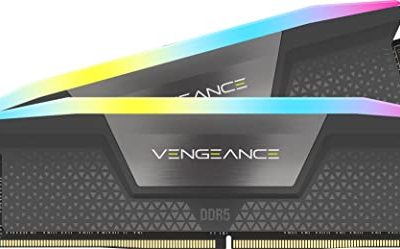
AM5 uses DDR5 exclusively, and a DDR5 kit bought today will carry forward to a Zen 6 upgrade on the same board.
What You Can Buy Now
The table below uses published AMD and Intel specifications only.
| Processor | Cores and Threads | Boost Clock | Cache | TDP | Socket |
|---|---|---|---|---|---|
| AMD Ryzen 7 9800X3D | 8 cores, 16 threads | 5.2 GHz | 96 MB L3, 104 MB total | 120 W | AM5 |
| AMD Ryzen 9 9950X3D | 16 cores, 32 threads | 5.7 GHz | 128 MB L3, 144 MB total | 200 W | AM5 |
| AMD Ryzen 5 9600X | 6 cores, 12 threads | 5.4 GHz | 32 MB L3 | 65 W | AM5 |
| AMD Ryzen 7 7800X3D | 8 cores, 16 threads | 5.0 GHz | 96 MB L3, 104 MB total | 120 W | AM5 |
| Intel Core Ultra 9 285K | 24 cores, 24 threads | 5.7 GHz | 36 MB L2, 40 MB L3 | 125 W base | LGA 1851 |
The Ryzen 7 9800X3D is the gaming flagship: eight Zen 5 cores with second-generation 3D V-Cache, a large stack of extra L3 cache beneath the compute die. Its 120 W TDP is modest for a flagship.
The Ryzen 9 9950X3D adds sixteen cores for production work, but for pure gaming it does not beat the 9800X3D, and its 200 W TDP demands stronger cooling. The Ryzen 5 9600X is the value pick, with six Zen 5 cores, a 5.4 GHz boost, and a 65 W TDP. The Ryzen 7 7800X3D is the previous-generation flagship on Zen 4, still strong at a clear discount.
Intel’s Core Ultra 9 285K combines eight performance cores with sixteen efficiency cores, for 24 cores and 24 threads, with a 5.7 GHz boost. It is stronger for heavily threaded production work, but it trails the X3D chips in the published gaming hierarchies and sits on a platform with a less certain upgrade future.
One note on the brief’s VRAM comparison: VRAM is a graphics card specification, not a processor specification, so it does not belong in a CPU table. What matters is the relationship between the two parts: the CPU determines whether a graphics card can reach its full frame rate at your resolution, and the card’s VRAM determines which texture settings and resolutions it can handle.
Sourced Benchmarks: What the Numbers Actually Say
No Zen 6 gaming benchmarks exist, because no desktop Zen 6 chip has been announced or shipped. The honest proxy is the best published testing of the current generation, used as the baseline Zen 6 will have to beat.
Tom’s Hardware measured the Ryzen 7 9800X3D at roughly 35 percent faster than the Core Ultra 9 285K in average frame rate across its 16-game suite at 1080p, with about 25 percent better 1 percent lows. TechSpot’s larger 45-game comparison put the gap at roughly 24 percent on averages and 29 percent on 1 percent lows, and noted that there was no game in the suite where the Ryzen chip was slower. The gap is largest in simulation, strategy, and high-refresh competitive titles, and smallest in GPU-bound titles at high settings.
Tom’s Hardware’s 2026 CPU gaming hierarchy places the 9800X3D at the top, with the 9950X3D close behind and the 285K further back. That hierarchy aggregates many games at 1080p, the resolution reviewers use to expose processor differences.
For productivity, the picture flips. Tom’s Hardware measured the Core Ultra 9 285K at roughly 81 percent ahead of the 9800X3D in Cinebench 2024 multi-core testing and nearly 99 percent ahead in POV-Ray multi-core, with about 11 percent ahead in single-core. The X3D chip wins where games are concerned, and the 24-core Intel chip wins where heavily threaded work is concerned.
Nobody outside AMD knows what Zen 6 will deliver. A generation only slightly faster than the 9800X3D would not justify months of waiting, because the 9800X3D already sits at the top of the published hierarchy, and every month spent waiting is a month of gaming on your current system.
Power and Cooling
GamersNexus measured average gaming draw near 99 W for the 120 W TDP 9800X3D. The Ryzen 5 9600X carries a 65 W TDP. The Core Ultra 9 285K carries a 125 W base power figure, and Tom’s Hardware measured it drawing far more than the 9800X3D under heavy all-core load, at 287 W against 176 W in one stress test and 325 W against 171 W in another. Those are stress-test figures, not gaming figures, but the pattern is consistent: the X3D chips are efficient in gaming, and the 24-core Intel chip needs serious cooling under full load.
A 9800X3D build works well with a quality mid-range air cooler and a standard power supply sized for the graphics card, while a 9950X3D or 285K build needs a stronger cooler and more airflow. None of this is a reason to wait for Zen 6, so buy a case and cooler with headroom now.
Resolution Changes the Answer
At 1080p with a high-refresh monitor, the processor is often the limiting factor, because frame rates run high enough that the graphics card waits on the processor. For competitive titles at 1080p, the processor choice matters a great deal, and the 9800X3D’s lead in the published hierarchies is directly relevant. Waiting makes the least sense here.
At 1440p the graphics card works harder, the processor matters less, and the gap between flagship and mid-range processors narrows. A Ryzen 5 9600X paired with a strong graphics card will deliver a very close experience to a 9800X3D at 1440p in most titles, and the money saved can go toward a better graphics card, so the smart buy at 1440p is often the mid-range processor.
At 4K the graphics card is the bottleneck, and the difference between processors shrinks to a few percent. Buy a competent current processor, spend the difference on the graphics card and its VRAM, and do not wait for a new processor to improve the experience.
Who Should Buy Now
Buy now if your current processor is several generations old and clearly limits your games. Buy now if you have no working gaming PC and want to play now. Buy now if you are building on AM5, where the purchase preserves the Zen 6 upgrade path, or if you play at 1080p or 1440p on a high-refresh monitor.
For these buyers, the shape of the purchase is a Ryzen 7 9800X3D for a gaming-first flagship build, a Ryzen 5 9600X for a value build, or a Ryzen 9 9950X3D for mixed gaming and production, all on a solid AM5 board with a DDR5 kit with an EXPO profile. Intel’s Core Ultra 9 285K fits buyers who prioritise threaded production work and accept the gaming trade-off.
Who Should Wait
Wait only if your situation genuinely supports it. Your current system already runs your games at the frame rate and settings you want, so waiting costs you nothing in experience. You have a second system or a console that covers your gaming while you wait. You want a Zen 6 X3D variant, which would likely arrive after the standard Zen 6 launch. Or your upgrade budget is tied to a future date anyway.
Waiting is free only when your current system is already good enough. If it is not, waiting costs months of poor performance for a product with no confirmed specifications or date.
For the whole-system version of this decision, see our guide to should you buy a gaming PC now or wait.
How to Build a Buy-Now System That Keeps the Zen 6 Door Open
Choose an AM5 motherboard from a maker with a strong BIOS update record, favour boards with a larger BIOS chip and solid power delivery, and check the board’s CPU support list before buying and again before any future upgrade.
Choose a DDR5 kit that will not need replacing, a cooler with headroom, and a power supply sized for the graphics card you plan to own. Keep the BIOS updated, because Zen 6 support will arrive as a BIOS update, and the upgrade itself is a chip swap, not a rebuild.
FAQ
Should I buy a CPU now or wait for Zen 6 in 2026?
Buy now if you need a gaming PC today or your current processor limits your games, especially on AM5. Wait only if your current system already performs well and you can accept a launch date that reporting places in 2027 rather than 2026.
Will a Zen 6 processor work in my current AM5 motherboard?
AMD has confirmed Zen 6 desktop chips will use the AM5 socket, but that does not guarantee every board will support them. Support depends on a BIOS update for your specific model, so check the maker’s CPU support list.
Is the Ryzen 7 9800X3D still the best gaming CPU to buy now?
In the published 2026 hierarchies it sits at the top for gaming: Tom’s Hardware measured roughly 35 percent faster average frame rates than the 285K at 1080p, and TechSpot measured roughly 24 percent. No Zen 6 gaming numbers exist to compare against.
Does resolution change whether I should wait for Zen 6?
Yes. At 1080p high-refresh gaming the processor matters most, so waiting makes least sense. At 1440p the gap narrows and a mid-range processor is often the smarter buy. At 4K the graphics card decides performance.
Conclusion
For most gamers, buy now on AM5. The current generation is well measured, the flagship sits at the top of every published gaming hierarchy, and the platform preserves the Zen 6 upgrade path. Waiting means giving up months of gaming for a product with no confirmed specifications or launch date. Buy the right chip for your resolution, build on a board that will take a BIOS update, and keep the upgrade door open.