As an Amazon Associate we earn from qualifying purchases.
Planet Coaster rewards patience and big ideas, and both punish weak hardware once a park fills with guests. The published minimum specs look modest, but a park with thousands of guests is a different workload from the first hour of play: the CPU simulates every guest, the memory holds the whole park, and a laptop that only meets the minimum spec will slow down when the park gets interesting, so this guide measures every pick against the recommended specs. The original game recommends an i7-4770 or FX-8350, 12 GB of RAM, and a GTX 980 with 4 GB of video memory or an R9 380. Planet Coaster 2, the 2024 sequel, raises the bar to an i7-10700K or Ryzen 7 5800, 16 GB of RAM, and an RTX 2070 Super with 8 GB of video memory or an RX 6700 XT, with an SSD required. Every laptop below clears both lists.
What Planet Coaster Actually Demands From a Laptop
This is a simulation game before it is a graphics showcase. The game simulates crowds, queues, staff, ride physics, and guest happiness, and that load grows with the park. A fast modern processor matters more here than in most games, and memory matters more too. Large parks and city builders are limited by CPU and RAM first, with 16 GB as a sensible floor. The practical floor is a current eight-core processor, 16 GB of DDR5 memory, a discrete graphics card with 8 GB of video memory, and a fast SSD. A laptop with a strong graphics card and only 8 GB of memory will struggle in a large park, while a balanced machine with 16 GB or 32 GB will stay smooth far longer. The original game needs only 8 GB of space, while the sequel needs 25 GB, and both load far faster from an NVMe SSD. Power limits deserve a close look, because two laptops with the same graphics card name can behave differently. Where a wattage figure is published, this guide states it; where it is not, the guide says so rather than guessing. A 1080p panel at 144 Hz is plenty.
How to Pick a Laptop for Planet Coaster
Start with the processor and memory, then the graphics card, then the screen and the rest of the machine. Look for a modern eight-core CPU from Intel or AMD, 16 GB of DDR5 memory as a minimum, and a graphics card with 8 GB of video memory. Prefer a 1 TB NVMe SSD over a 512 GB drive. 1080p at 144 Hz is the sweet spot, and a 16-inch 16:10 panel adds useful vertical space for menus and the build grid. If you want an AMD-powered shortlist to compare against the Intel models below, see our guide to best gaming laptop AMD Ryzen options for more AMD-powered picks.
The 5 Best Gaming Laptops for Planet Coaster
1. ASUS TUF Gaming A15 (2023) FA507NV-EH74

The ASUS TUF Gaming A15 is the balanced pick, and the one to choose when you want a proven combination at a lower tier. Its Ryzen 7 7735HS has eight cores and sixteen threads with a maximum boost clock of 4.7 GHz, and its RTX 4060 laptop graphics card carries 8 GB of GDDR6 memory and runs at up to 140 W in this chassis, according to the ASUS spec page. The 15.6-inch Full HD display runs at 144 Hz with 100 percent sRGB coverage and G-Sync, with 16 GB of DDR5 memory and a 1 TB PCIe 4.0 NVMe SSD. Two DDR5 SO-DIMM slots and two M.2 PCIe slots make upgrades easy, and ASUS backs it with a 1-year limited warranty in the US; confirm the exact coverage on the listing.
Specs
- CPU: AMD Ryzen 7 7735HS, 8 cores, 16 threads, up to 4.7 GHz. GPU: NVIDIA GeForce RTX 4060 Laptop, 8 GB GDDR6, up to 140 W. Display: 15.6-inch FHD 1920 x 1080 IPS-level, 144 Hz, 100 percent sRGB, G-Sync. RAM: 16 GB DDR5. Storage: 1 TB PCIe 4.0 NVMe SSD. Ports: HDMI 2.1, 2x USB 3.2 Gen 1 Type-A, USB 3.2 Gen 2 Type-C with DisplayPort and power delivery, USB4 Type-C with DisplayPort, RJ45 LAN, 3.5 mm combo audio. Wireless: Wi-Fi 6, Bluetooth 5.2. Battery: 90 Wh. Weight: 2.20 kg. OS: Windows 11 Home. ASIN: B0CJSY4PLN
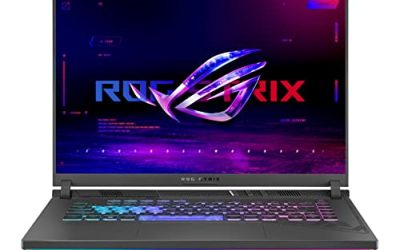
2. ASUS ROG Strix G16 (2025) G615JMR-AS74

The ASUS ROG Strix G16 is the newest machine in this guide and the pick for players who also want to run Planet Coaster 2 at its best. Its Intel Core i7-14650HX has 16 cores and 24 threads with a maximum boost clock of 5.2 GHz, and its RTX 5060 laptop graphics card carries 8 GB of GDDR7 memory, the only card here from the current 50-series generation. The 16-inch FHD+ display runs at 1920 x 1200 with a 165 Hz refresh rate and a 3 ms response time, and the taller 16:10 shape gives more room for the build interface. It ships with 16 GB of DDR5-5600, a 1 TB PCIe 4.0 NVMe SSD, and Wi-Fi 7. Ports cover a full desk setup, including HDMI 2.1, three USB 3.2 Gen 2 Type-A ports, a Thunderbolt 4 port, and RJ45 LAN. Upgrades are generous, with two DDR5 SO-DIMM slots supporting up to 64 GB and two M.2 PCIe slots. The listing does not publish the graphics card wattage.
Specs
- CPU: Intel Core i7-14650HX, 16 cores, 24 threads, up to 5.2 GHz. GPU: NVIDIA GeForce RTX 5060 Laptop, 8 GB GDDR7. Display: 16-inch FHD+ 1920 x 1200, 165 Hz, 3 ms. RAM: 16 GB DDR5-5600. Storage: 1 TB PCIe 4.0 NVMe SSD. Ports: HDMI 2.1, 3x USB 3.2 Gen 2 Type-A, USB 3.2 Gen 2 Type-C with DisplayPort and power delivery, Thunderbolt 4 with DisplayPort and power delivery, RJ45 LAN, 3.5 mm combo audio. Wireless: Wi-Fi 7. OS: Windows 11 Home. ASIN: B0DZZWMB2L
3. Acer Nitro 16 AN16-41-R4CY

The Acer Nitro 16 is the big-screen pick, and the one to choose when you want the largest display in this group. Its 16-inch WUXGA IPS panel runs at 1920 x 1200 with a 165 Hz refresh rate, with the same taller 16:10 shape. The AMD Ryzen 7 7840HS is an octa-core processor, and the NVIDIA GeForce RTX 4060 laptop graphics card carries 8 GB of GDDR6 memory. Together they clear the recommended specs for both games, with 16 GB of DDR5 memory and a 1 TB PCIe Gen 4 SSD. Connectivity includes Wi-Fi 6E, Killer Ethernet E2600, HDMI 2.1, a USB4 Type-C port, and a microSD reader. Upgrades follow the family pattern, with two DDR5 SO-DIMM slots supporting up to 32 GB and a free M.2 slot for a second SSD. The Amazon listing for this configuration ships as a bundle with a USB streaming webcam, so check the listing contents first.
Specs
- CPU: AMD Ryzen 7 7840HS, octa-core. GPU: NVIDIA GeForce RTX 4060 Laptop, 8 GB GDDR6. Display: 16-inch WUXGA 1920 x 1200 IPS, 165 Hz. RAM: 16 GB DDR5. Storage: 1 TB PCIe Gen 4 SSD. Ports: HDMI 2.1, 2x USB 3.2 Gen 2 Type-A, USB 2.0 Type-A, USB4 Type-C, USB 3.2 Gen 2 Type-C with DisplayPort, RJ45 Ethernet, microSD reader, 3.5 mm combo audio. Wireless: Wi-Fi 6E, Killer Ethernet E2600, Bluetooth 5.1. OS: Windows 11 Home. ASIN: B0D3WLV9LC
4. Lenovo LOQ 15 15ARP9

The Lenovo LOQ 15 is the memory pick, and the one to choose when you want the most RAM out of the box. The Amazon listing for this configuration ships with 32 GB of DDR5 memory and a 1 TB SSD, double the memory of the other machines in this guide. The AMD Ryzen 7 7435HS has eight cores and sixteen threads with a maximum boost clock of 4.5 GHz, and the NVIDIA GeForce RTX 4060 laptop graphics card carries 8 GB of GDDR6 memory. Tom’s Hardware measured the RTX 4060 in this model at 115 W. The 15.6-inch Full HD IPS display runs at 144 Hz with G-Sync, and ports include USB-C with power delivery, HDMI 2.1, and Gigabit Ethernet. Upgrades are documented in the Lenovo PSREF sheet: two DDR5 SO-DIMM slots with a maximum of 32 GB and two M.2 2280 PCIe 4.0 slots. The listing ships as a bundle with a laptop cooler.
Specs
- CPU: AMD Ryzen 7 7435HS, 8 cores, 16 threads, up to 4.5 GHz. GPU: NVIDIA GeForce RTX 4060 Laptop, 8 GB GDDR6. Display: 15.6-inch FHD IPS, 144 Hz, G-Sync. RAM: 32 GB DDR5. Storage: 1 TB SSD. Ports: 3x USB-A, USB-C with power delivery and DisplayPort 1.4, HDMI 2.1, RJ45 Ethernet, 3.5 mm combo audio. Wireless: Wi-Fi, Bluetooth. OS: Windows 11 Home. ASIN: B0FG3GDG64
5. HP Victus 16

The HP Victus 16 is the processor pick, and the one to choose when you want the strongest CPU in this group. Its Intel Core i7-14700HX has 20 cores and 28 threads with a maximum boost clock of 5.5 GHz, the most multi-core headroom of any laptop here. That is useful for a simulation game that keeps calculating while you build. The NVIDIA GeForce RTX 4060 laptop graphics card carries 8 GB of GDDR6 memory, and the machine ships with 32 GB of DDR5 memory and a 1 TB PCIe M.2 SSD. The 16.1-inch Full HD display runs at 144 Hz, with an RGB backlit keyboard, RJ45 Ethernet, and Wi-Fi 6. The listing ships as a bundle with a 512 GB external SSD and does not publish the internal slot layout, so confirm the upgrade options on the listing before buying parts.
Specs
- CPU: Intel Core i7-14700HX, 20 cores, 28 threads, up to 5.5 GHz. GPU: NVIDIA GeForce RTX 4060 Laptop, 8 GB GDDR6. Display: 16.1-inch FHD, 144 Hz. RAM: 32 GB DDR5. Storage: 1 TB PCIe M.2 SSD. Ports: RJ45 Ethernet, USB-C, USB-A, HDMI, 3.5 mm combo audio. Wireless: Wi-Fi 6. OS: Windows 11 Home. ASIN: B0DBJ28HTK
Quick Comparison
| Laptop | CPU | GPU | RAM | Storage | Display |
|---|---|---|---|---|---|
| ASUS TUF Gaming A15 | Ryzen 7 7735HS | RTX 4060 8 GB | 16 GB DDR5 | 1 TB SSD | 15.6-inch FHD 144 Hz |
| ASUS ROG Strix G16 | Core i7-14650HX | RTX 5060 8 GB | 16 GB DDR5 | 1 TB SSD | 16-inch FHD+ 165 Hz |
| Acer Nitro 16 | Ryzen 7 7840HS | RTX 4060 8 GB | 16 GB DDR5 | 1 TB SSD | 16-inch WUXGA 165 Hz |
| Lenovo LOQ 15 | Ryzen 7 7435HS | RTX 4060 8 GB | 32 GB DDR5 | 1 TB SSD | 15.6-inch FHD 144 Hz |
| HP Victus 16 | Core i7-14700HX | RTX 4060 8 GB | 32 GB DDR5 | 1 TB SSD | 16.1-inch FHD 144 Hz |
FAQ
Can a laptop with 16 GB of RAM run Planet Coaster with a large park?
Yes. The original game recommends 12 GB of RAM, so 16 GB covers it with room to spare, and Planet Coaster 2 lists 16 GB as both its minimum and its recommended memory. For very large parks, 32 GB gives extra headroom.
Is an RTX 4060 laptop enough for Planet Coaster 2?
Yes. Planet Coaster 2 recommends a desktop-class RTX 2070 Super with 8 GB of video memory, and every laptop here carries a current-generation card with 8 GB of video memory. The Strix G16 goes one step further with an RTX 5060, and all five use NVMe SSD storage.
Do I need a 144 Hz display for Planet Coaster?
No, but it helps. This is not a fast-paced competitive game, so a 60 Hz panel would still show the park correctly. A 144 Hz or 165 Hz panel makes camera movement and scrolling feel smoother, and the taller 16:10 panels on the Strix G16 and Nitro 16 give more room for the build interface.
Can I upgrade the RAM and storage in these laptops later?
Yes, with the usual care. The TUF Gaming A15, Strix G16, Nitro 16, and LOQ 15 all provide two memory slots and a second SSD slot, so RAM and storage can both grow later. The Strix G16 supports up to 64 GB of memory, while the others support up to 32 GB. For the HP Victus 16, the listing does not publish the internal slot layout, so confirm the upgrade options on the listing before buying parts.
Conclusion
The best gaming laptop for Planet Coaster is a balanced machine: a modern eight-core processor, 16 GB or more of DDR5 memory, a graphics card with 8 GB of video memory, and a fast SSD. The ASUS TUF Gaming A15 is the balanced all-rounder, the ASUS ROG Strix G16 is the newest pick, the Acer Nitro 16 has the big 16-inch screen, the Lenovo LOQ 15 ships with the most memory for large parks, and the HP Victus 16 pairs the strongest processor with 32 GB of memory.