Goat Simulator 3 invites an obvious comparison, so it is worth settling first: the original Goat Simulator ships a genuine native Linux build, and this game does not. The two are separate Steam apps with separate records, and the sequel’s record points the other way at every layer. Coffee Stain North released Goat Simulator 3 on Steam on 15 February 2024 as a larger sandbox sequel with four-player online co-op, and its paperwork is a clean Windows-only file.


That cleanliness is itself the story. There is no stranded Linux depot behind the flags, no soundtrack app waving a false green light, and no populated Linux tab to argue over: the flag, the requirements fields, the depot table, the purchase package and all seven DLC apps say the same thing. What Linux players get instead is a Proton route carrying a Steam Deck Verified badge.
As an Amazon Associate, we earn from qualifying purchases.
Quick answer
No. Goat Simulator 3 has no native Linux build: Steam flags Windows only, its Linux requirements field is an empty shell, a single depot carries the game with no Linux split, and the purchase package delivers Windows alone. All seven DLC apps agree. The Linux route is Proton, and Valve rates the Windows build Steam Deck Verified.
The Steam record
Steam’s record for app 850190 names Coffee Stain North as developer and Coffee Stain Publishing as publisher, released 15 February 2024. The genres are Adventure, Casual and Simulation; the categories cover single-player, online co-op for up to four, split screen play, full controller support, Steam Cloud and Family Sharing. The platform flags read windows true, mac false and linux false.
The Windows requirements are genuinely written: the minimum asks for Windows 10, a Core i5 4690k, 8 GB of memory, a GTX 1050 Ti and 12 GB of storage, and the recommended tier steps up to a Core i5 9400F, 16 GB and a GTX 1070. The Linux field exists but holds nothing: both tiers are headings over empty lists, the empty-shell shape. The Mac field is the same shell behind a false flag.
Depots and the purchase package
The depot table is short. SteamDB lists exactly one content depot, sized 15.62 GiB on disk, with no operating-system split of any kind. Beside it sit only the shared Windows redistributables. There is no Linux depot and no Mac depot, in any form, stranded or otherwise.
The package layer closes the question. The game sells through a single purchase package, sub 266597, granting the game app alone, and Steam’s packagedetails record for it reads windows true, mac false and linux false. A normal purchase therefore delivers the Windows build by construction; no edition or bundle changes that arithmetic. The position is live rather than fossilised: the public branch is on a build from October 2026, updated again in November 2026, and nothing in its recent history points at a port.
The DLC family
The DLC array holds exactly seven apps, every one read individually: Digital Downgrade (2666450), Multiverse of Nonsense (2809180), the Hocus Pocus Pack (3204290), the Super Duper Pack (3299590), Baadlands: Furry Road (3708030), the Buck to the Future Pack (4370220) and Ticket to Dizzyworld (4882180), released between February 2024 and November 2026. Each flags Windows true, Mac false and Linux false, agreeing with the base game in full.
That unanimity matters because this series is where a false signal would be easiest to misread: the original game’s family flags all three platforms and means it, while this game’s family flags one platform and means that too. There is no soundtrack app here at all, so the classic trap surface never forms.
Anti-cheat, DRM and accounts
Three sources were checked separately, and none names an anti-cheat for this game. Steam’s record carries no DRM notice and no external account notice, and names no anti-cheat in its categories. SteamDB detects engine and services technology only: Unreal Engine, the Epic Online Services SDK, PhysX, CEF and audio libraries, with no anti-cheat technology in its detection list. Are We Anti-Cheat Yet carries no entry for the game; its full 1,167-game dataset was searched by name and by app id 850190 with zero hits, and holds no Goat title of any kind.
Those are three separate silences, reported as such rather than merged into a ruling. The game runs online co-op, so the absence of a named anti-cheat is a paperwork gap rather than a guarantee; no source describes a Linux-specific block for this title.
What ProtonDB says
This is the one layer that could not be read this session, and the gap is stated rather than papered over. ProtonDB’s summary record returned an error on repeated attempts, and its game page did not load in readable form, so this article claims no tier, no report count and no confidence figure. The requirements-heading check this series usually runs could not be completed either, so nothing is claimed about that heading in either direction. The gear advice below therefore rests on the first-party evidence: Valve’s own test sheet, covered next, and Steam’s record.
Steam Deck
Valve’s record gives the game its top category: Verified, with SteamOS separately rated Compatible. The verdict and paperwork here were read through SteamDB’s republication of Valve’s compatibility data, because Valve’s own endpoint returned no readable sheet this session.
All four Verified items pass: functionality is accessible under the default controller configuration, the game shows Steam Deck controller icons, interface text is legible, and the default graphics configuration performs well. The configuration is clean: gamepad input, no manual keyboard invocation, no launcher step, no small-text flag, no internet requirement for setup or single-player. The sheet’s recommended runtime is proton-stable: the badge certifies the Windows build under the standard Proton build. The one note is that external Bluetooth and USB controllers do not take over by default and may need a manual Quick Access Menu switch.
The paperwork’s date is the caveat. Valve’s test is timestamped 15 February 2024, the game’s launch day, against build 13434008. The public branch has since moved to a build from October 2026, through two years of updates and seven DLC releases, so the sheet describes the launch build rather than today’s download. That makes this file a supplement candidate: the Verified grade is the current store verdict, but the test underneath predates the current build line.
Buying it outside Steam
There is no second PC edition to buy. GOG’s own product searches return no edition of this game, and its only presence there is community wishlist voting, a request list rather than a product. The Steam copy is the only PC edition on sale.
Gear for the Proton route
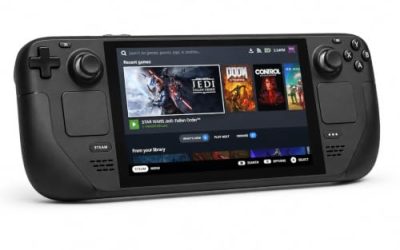
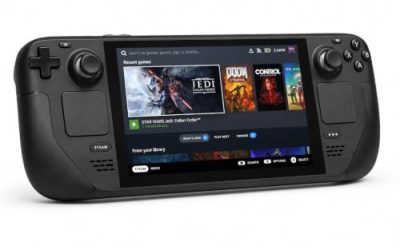
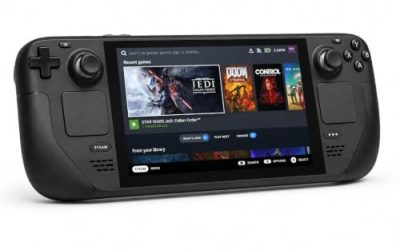
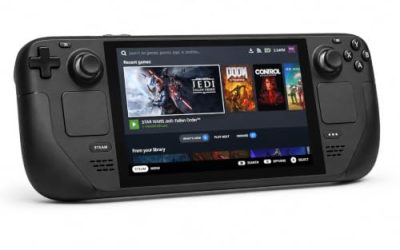
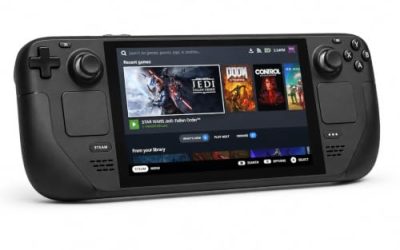
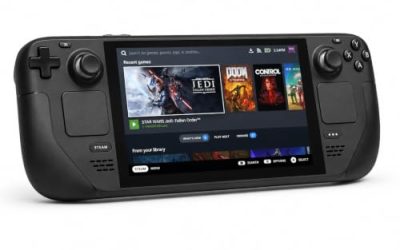
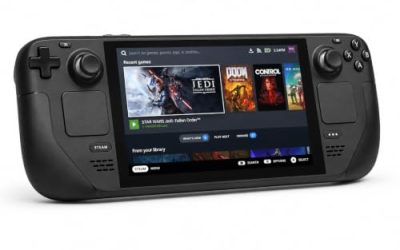
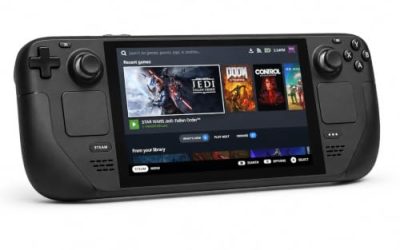
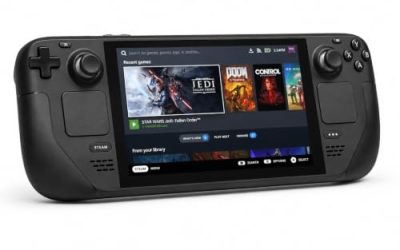
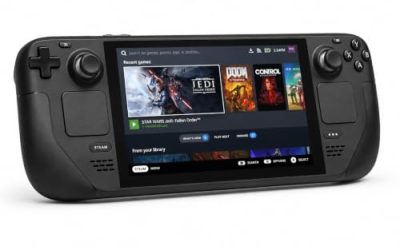
Valve Steam Deck OLED 512GB
The handheld the Verified badge was written for. Valve’s own test sheet gives the Windows build a clean pass under proton-stable, and the game’s published requirements sit comfortably inside the Deck’s APU.
Specs
- Display: 7.4-inch HDR OLED, 1280 by 800, up to 90 Hz
- Processor: AMD Zen 2 and RDNA 2 custom APU
- Memory: 16 GB LPDDR5
- Storage: 512 GB NVMe, plus a microSD slot
- Wireless: Wi-Fi 6E and Bluetooth
- Channel note: Valve sells the Deck mainly through its own store, so Amazon listings are third-party sellers
8BitDo Ultimate 2 Bluetooth Controller
The docked and desktop pad pick. Steam lists full controller support, and this pad covers the couch case with modern sticks and triggers plus back buttons.
Specs
- Connectivity: Bluetooth wireless and USB-C wired
- Joysticks: TMR electromagnetic, anti-drift design
- Triggers: Hall effect, with mode switching
- Extras: two remappable back buttons, motion control
- In the box: charging dock included
Xbox Wireless Controller, Carbon Black
The safest guest pad in PC gaming: Steam Input support is universal and it pairs over Bluetooth or its own wireless standard. On the handheld, the sheet’s note applies: an external pad may need a manual Quick Access Menu switch first.
- Connectivity: Xbox Wireless and Bluetooth
- Port: USB-C for wired play
- Controls: hybrid D-pad, dedicated Share button
- Power: AA batteries or optional rechargeable pack
Logitech G502 HERO
A sandbox this size is played with a pad, but its menus are quicker with a precise wired mouse at a desk. Eleven programmable buttons cover the inputs a long session repeats.
Specs
- HERO optical sensor, up to 25,600 DPI
- 11 programmable buttons
- Adjustable weight system
- Wired USB connection
- On-board memory profiles
Samsung T9 Portable SSD 2TB
For moving a Linux game library between machines, or keeping an offline backup of installers, a fast USB-C drive is the simple answer. The headline figure needs a Gen 2×2 host port; on a lesser port the drive runs at that ceiling.
Specs
- Capacity: 2 TB portable SSD
- Interface: USB 3.2 Gen 2×2, USB-C connector
- Maker-rated speeds: up to 2,000 MB per second read, 1,950 MB per second write
- Features: Dynamic Thermal Guard, maker-rated drop resistance
How to choose
Choose the Steam copy, because it is the only PC edition on sale and the exact build the store record and the Deck sheet describe. On a Steam Deck, the Verified badge means no configuration work is expected: install and launch, and only touch controller settings if you pair an external pad, which may need the Quick Access Menu switch the sheet notes. On desktop or laptop, install under Proton and leave the compatibility tool at its default; the recommended runtime is the standard stable Proton, so no experimental branch is part of the published route. A pad is the native shape of this game on every platform; a mouse earns its place only for desktop menu sessions.
Who should skip
Skip this one if you came looking for the native Linux build the series is known for: that build belongs to the original Goat Simulator, a different app, and nothing here inherits it. Skip it if you only buy DRM-free, since no GOG edition exists. Skip it if you want a community file to inspect before paying: this session could not read the game’s ProtonDB record, so the pre-purchase evidence is Valve’s launch-era test sheet and Steam’s own record.
FAQ
Is Goat Simulator 3 native on Linux?
No. Steam’s record for app 850190 flags Windows only, the Linux requirements field is an empty list under its headings, the depot table holds a single depot with no Linux split, and the purchase package reads Windows only. The native build in this series belongs to the original game, a separate app.
Is Goat Simulator 3 Steam Deck Verified?
Yes. Valve’s record gives the game its top category, Verified, with all four checks passing and SteamOS rated Compatible. The badge certifies the Windows build under Proton. The test underneath it is dated from launch day in February 2024, so it describes the launch build rather than the current one.
Does the DLC change the Linux picture?
No. All seven DLC apps, from Digital Downgrade through Ticket to Dizzyworld, flag Windows only, exactly like the base game. The family contains no soundtrack app and no dissenting flag.
Can I buy Goat Simulator 3 on GOG instead?
No. GOG’s product records hold no edition of this game; its only presence there is community wishlist voting, which sells nothing. The Steam copy is the only PC edition.
Final verdict
Goat Simulator 3 is a Windows-only release whose paperwork never pretends otherwise: a false Linux flag over an empty field, one depot with no split, a Windows-only package and a seven-app family in full agreement. The contrast with its predecessor is the whole story, since the original’s native build is real and this sequel has none. What Linux players get is a Proton route with a Verified Deck badge on the standard stable runtime, full controller support and online co-op, with the caveats that the Deck test predates the current build line and the community record could not be read this session. Buy the Steam copy, play it under Proton, and do not let the first game’s flag sell you a native build that does not exist here.
Product and ASIN Reference
| Product | ASIN |
|---|---|
| Valve Steam Deck OLED 512GB | B0CQ3RWQQZ |
| 8BitDo Ultimate 2 Bluetooth Controller | B0F194QFT2 |
| Xbox Wireless Controller, Carbon Black | B08DF248LD |
| Logitech G502 HERO | B07GBZ4Q68 |
| Samsung T9 Portable SSD 2TB | B0CHFS9K14 |