FANTASY LIFE i: The Girl Who Steals Time is LEVEL5’s slow-life RPG of island rebuilding, fourteen job-like Lives and online co-op expeditions, released on Steam on 21 May 2025 with LEVEL5 Inc. as both developer and publisher. It is exactly the kind of game Linux players ask about: a long, gentle grind built for a handheld, with multiplayer raising the usual anti-cheat question.
The answer splits in two. There is no native Linux build anywhere in Steam’s record. What Linux gets instead is one of the better-supported Windows builds of the year: a Platinum file on ProtonDB, a Steam Deck Verified badge, and an anti-cheat the community tracker lists as working rather than blocking.
As an Amazon Associate, we earn from qualifying purchases.
Quick answer
No native Linux build exists: Steam’s record for FANTASY LIFE i flags Windows only, ships one Windows content depot, and registers no Linux icon or launch entry. The Windows build runs through Proton instead — ProtonDB settles it at Platinum across 39 reports, Valve rates it Steam Deck Verified, and its Easy Anti-Cheat carries a Running status, so online co-op works.
A Windows build, confirmed on every layer of the record
Start with the platform flags, because they are unambiguous. Steam’s record for app 2993780 reads windows true, mac false, linux false, and the delivery record’s operating-system list names windows and nothing else. Steam does not believe this game ships a Mac or Linux build.
The requirements tabs tell the same story. The Windows tab is genuinely populated at both tiers. The Mac and Linux requirement fields exist only as empty shells — the Minimum and Recommended headings printed over empty lists. That is the shape of a store template rendering tabs the developer never filled in, not a port waiting to be switched on.
The depot census settles it. The delivery record holds exactly one content depot, depot 2993781, carrying a public manifest of about 14.2 GiB, flanked only by shared redistributable depots. Every launch entry is configured for Windows at 64-bit: the default entry starts GameBootstrapper.exe, and a second entry starting NFL1.exe is restricted to the developer’s internal branches. There is no Linux launch entry and no Linux depot in any package. The registered artwork agrees — a client icon and a store icon, but no LinuxClientIcon in any form.
So the native ruling is not close: not native, on flags, requirements, depots, launch entries and icons alike. Linux support here means Proton support, and the rest of this article grades exactly that.
The anti-cheat question, answered properly for once
Online co-op is a headline feature here, and the record names its guard plainly. SteamDB’s anti-cheat section for the app reads Easy Anti-Cheat, noting it requires manual removal after uninstall, and its detected-technology list includes the EasyAntiCheat and EpicOnlineServices SDKs — the second being the cross-platform plumbing behind the console-and-PC co-op.
An EAC logo usually ends the Linux conversation, but the decisive document is the community anti-cheat tracker, AreWeAntiCheatYet, whose games file carries a dedicated entry for this title. It lists Easy Anti-Cheat and gives the game a status of Running, with native marked false — the tracker’s way of saying the developer has enabled the Proton path and the anti-cheat passes under Linux rather than refusing it. The ProtonDB file below corroborates it, with long online sessions, including co-op played with console owners, filed as working. The honest caveat is behavioural rather than structural: several filings describe a slow EAC splash on launch, and a minority describe launch failures that file verification or a relaunch fixed. Enabled is not the same as invisible, but enabled is what matters.
A one-item family, and no soundtrack trap
This catalogue reads a game’s whole family before ruling, because soundtrack and artbook apps so often carry the Linux flag the base game lacks. Here the family is a single record. The DLC array holds exactly one entry, app 3464380, the Edition Upgrade for the Digital Deluxe edition, read individually: a dlc-type record flagging windows true, mac false and linux false, matching the base game exactly. No soundtrack app, no artbook app, no stray Linux tick anywhere — the family’s Linux-flag count is zero of two records.
ProtonDB: Platinum, with the launch caveat in the filings
ProtonDB’s full summary reads cleanly: settled tier Platinum, best-reported Platinum, trending Gold, across 39 reports, with confidence rated strong. That is a full read of the summary, not a headline skim, and the control check alongside it answered normally.
One heading on the game’s ProtonDB page needs naming. The page carries the stray “Natively Supports:” heading ProtonDB prints for titles its data treats as native — and Steam’s record, on every layer above, says this game has no native build at all. The heading is wrong; this article follows Steam.
The filings behind the medal are mostly uneventful in the best way: out-of-the-box runs on current Proton builds, a four-hour multiplayer session without issues, cross-platform co-op and cross-save described as working, and Deck owners reporting multi-hour sessions. The minority reports cluster on one theme — starting the game. One desktop filing describes an EAC exit code that persisted until the game files were verified, another needed SDL_VIDEODRIVER unset before EAC would pass, and one NVIDIA filing reports repeated crashes. Platinum describes the destination accurately; a small number of players had to push to reach the launch screen.
Steam Deck: Verified at launch, on launch-era paperwork
Valve’s badge is Verified. One disclosure about sourcing: Valve’s own compatibility endpoint returned unusable output in this session, so the test sheet here is read from SteamDB’s republication of Valve’s data. On that sheet every check passes — default controller configuration fully functional, Deck controller icons shown, interface text legible, default graphics performing well — with a single note: the game does not default to external Bluetooth or USB controllers, and may require manually switching the active controller through the Quick Access Menu. SteamOS is separately rated Compatible, and the recommended runtime is a Proton 9.0 release candidate.
The paperwork’s date matters. Valve tested build 18402276 on 21 May 2025, the game’s launch day, while the current public build is 24685570 — the badge grades a superseded build, as launch-day badges always do. The ProtonDB file, written against much newer builds, is the fresher evidence and supports the same conclusion. Treat the badge as a launch-day pass that later filings have kept honest.
GOG: no edition in any form
There is no GOG copy to fall back on. The natural product address on GOG redirects to the general catalogue, and GOG’s own catalogue records return no FANTASY LIFE i product — the title is not sold there in any edition, for any platform. Steam is the only PC storefront carrying the game, which makes the Proton record above the whole story for Linux buyers.
Gear that fits the record
The record’s shape sets the shortlist: a Verified handheld badge, full controller support on the game’s own record, and a 14.2 GiB install.
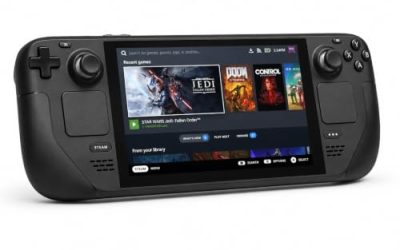
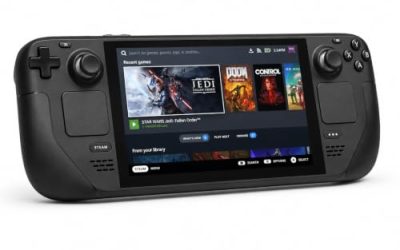
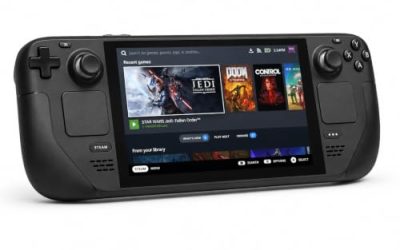
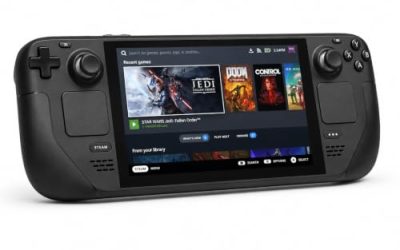
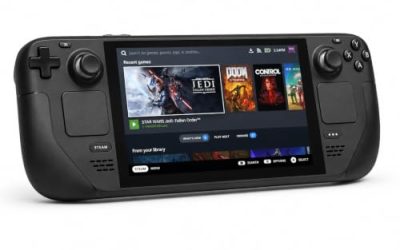
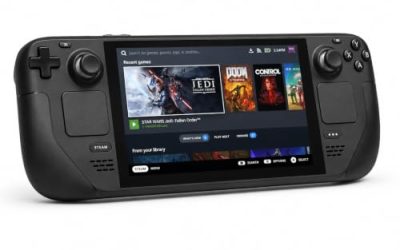
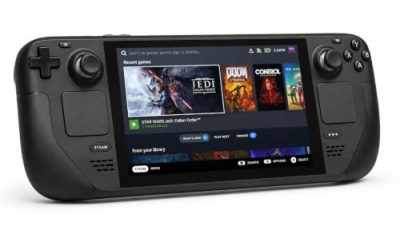
Valve Steam Deck OLED 512GB

The handheld the Verified badge was written for. Valve’s sheet passes the game on every check, and ProtonDB’s Deck reports describe long, uneventful sessions.
Specs
- Display: 7.4-inch HDR OLED, 1280 by 800, up to 90 Hz
- Processor: AMD Zen 2 and RDNA 2 custom APU
- Memory: 16 GB LPDDR5
- Storage: 512 GB NVMe, plus a microSD slot
- Wireless: Wi-Fi 6E and Bluetooth
- Channel note: Valve sells the Deck mainly through its own store, so Amazon listings are third-party sellers
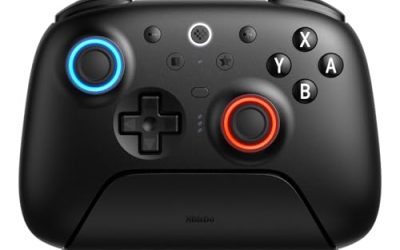
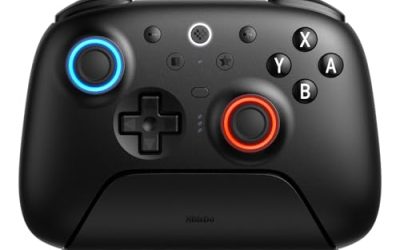
8BitDo Ultimate 2 Bluetooth Controller
The docked and desktop pad pick. The game’s own record lists full controller support, and this pad covers the couch case with modern sticks and triggers plus back buttons for menu shortcuts.
Specs
- Connectivity: Bluetooth wireless and USB-C wired
- Joysticks: TMR electromagnetic, anti-drift design
- Triggers: Hall effect, with mode switching
- Extras: two remappable back buttons, motion control
- In the box: charging dock included
Xbox Wireless Controller, Carbon Black
The safest guest pad in PC gaming: Steam Input support is universal, the glyphs match what most games display, and it pairs over Bluetooth or its own wireless standard. On the handheld, this game’s own test-sheet note applies — an external pad may need a manual Quick Access Menu switch before it takes over.
- Connectivity: Xbox Wireless and Bluetooth
- Port: USB-C for wired play
- Controls: hybrid D-pad, dedicated Share button
- Power: AA batteries or optional rechargeable pack
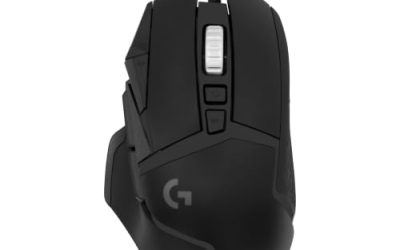
Logitech G502 HERO
Fourteen Lives means menus, inventories and crafting lists, and at a desk a precise wired mouse turns those trips into single clicks. Eleven programmable buttons cover the confirm, cancel and camera inputs.
Specs
- HERO optical sensor, up to 25,600 DPI
- 11 programmable buttons
- Adjustable weight system
- Wired USB connection
- On-board memory profiles
Samsung T9 Portable SSD 2TB
For moving a Linux game library between machines, or keeping an offline backup of installers, a fast USB-C drive is the simple answer. The headline figure needs a Gen 2×2 host port; on a lesser port the drive runs at that ceiling instead.
Specs
- Capacity: 2 TB portable SSD
- Interface: USB 3.2 Gen 2×2, USB-C connector
- Maker-rated speeds: up to 2,000 MB per second read, 1,950 MB per second write
- Features: Dynamic Thermal Guard, maker-rated drop resistance
How to choose
Decide first where the game will live. On a Steam Deck, the Verified badge plus the Platinum file make it easy: install, leave the default Proton alone, and expect the one documented quirk — switch the active controller manually if an external pad does not take over. On a desktop, pick your pad by where you sit: the 8BitDo for a dock and couch, the Xbox pad for guests and glyph familiarity, and keep a mouse in reach for the crafting menus. Storage is the only sizing question: the install is about 14.2 GiB, trivial internally, and the T9 earns its place only if the library moves between machines. Nobody needs to buy around the anti-cheat — it is enabled, and co-op is part of the package.
Who should skip
Skip this one if you buy native Linux builds on principle: there is none, and no layer of the record hints at one coming. Skip it if your tolerance for anti-cheat friction is zero — most filings are clean, but the minority describing EAC exit codes and verification rituals are describing a real, if uncommon, first-launch experience. And skip it if you wanted a GOG copy: GOG sells no edition of this game at all.
FAQ
Is FANTASY LIFE i native on Linux?
No. Steam’s record flags Windows only, the Linux requirements field is an empty shell, the single content depot is delivered through Windows launch entries, and no LinuxClientIcon is registered. Linux play is Proton play, full stop.
Does the online co-op work on Linux, given the anti-cheat?
Yes, on the documented evidence. The game uses Easy Anti-Cheat, and the AreWeAntiCheatYet tracker lists this title as Running, meaning the Proton path is enabled. ProtonDB filings describe long co-op sessions, including cross-platform play, working.
Is FANTASY LIFE i Steam Deck Verified?
Yes. Valve’s sheet shows every check passing, with one note about external controllers needing a manual switch. The test ran against the launch-day build in May 2025, so the badge grades a superseded build; newer ProtonDB filings report the same smooth experience.
Can I buy FANTASY LIFE i on GOG instead?
No. GOG’s catalogue holds no product for this title in any edition or for any platform. The Steam version is the only PC copy, and its Proton record is the one graded in this article.
Final verdict
FANTASY LIFE i is not a native Linux game, and its record never pretends otherwise once you read past the stray ProtonDB heading. What it is, is a model Proton citizen: a Platinum settled tier on a strong-confidence file, a Verified Deck badge whose only note concerns external pads, and an Easy Anti-Cheat deployment the tracker confirms as enabled rather than blocking — co-op included. Buy it on Steam with confidence; just do not file it under native.
Product and ASIN Reference
| Product | ASIN |
|---|---|
| Valve Steam Deck OLED 512GB | B0CQ3RWQQZ |
| 8BitDo Ultimate 2 Bluetooth Controller | B0F194QFT2 |
| Xbox Wireless Controller, Carbon Black | B08DF248LD |
| Logitech G502 HERO | B07GBZ4Q68 |
| Samsung T9 Portable SSD 2TB | B0CHFS9K14 |