Dragon’s Dogma 2, Capcom’s March 2024 RE Engine sequel, is the kind of release Linux players check twice: a huge single-player RPG from a publisher whose store pages occasionally tick more platforms than they ship. Steam’s record settles it without drama — the flags read Windows true, Mac false, Linux false, and nothing underneath contradicts them.
What makes this title worth a full page is the noise around that clean answer. A soundtrack app in the same family flags all three platforms. ProtonDB’s game page carries a heading that implies native support Steam’s record denies. And Valve’s Deck sheet splits in two: Unsupported on the handheld, Compatible on SteamOS.
As an Amazon Associate, we earn from qualifying purchases.
Quick answer
Dragon’s Dogma 2 is not native on Linux. Steam’s record flags the game Windows only, its Linux requirements are an empty shell, and no Linux depot exists in the package. The practical route is the Windows build under Proton: ProtonDB’s headline tier is Gold across 254 reports. Valve rates the game Unsupported on Steam Deck, and GOG sells no edition.
The verdict in one table
| Question | Answer from the record |
|---|---|
| Native Linux build | No — Steam flags read Windows only |
| Linux requirements tab | Empty shell — headings over empty lists |
| Linux depot in the package | None — all four base depots are Windows |
| Add-on apps | Four store-listed; the soundtrack flags Linux, the game does not |
| ProtonDB record | Gold headline, 254 reports (headline figures only — see below) |
| Steam Deck verdict | Unsupported; SteamOS separately rated Compatible |
| GOG edition | None — no product page exists |
| Anti-cheat or account | None named on the record; AWACY is silent |
One build on the record: Windows
Steam’s appdetails record for Dragon’s Dogma 2 (app 2054970) names CAPCOM Co., Ltd. as developer and publisher, dates the release 21 March 2024, and shows the game on sale, not upcoming. The platform flags are the whole story in miniature: Windows true, Mac false, Linux false.
The Windows requirements tab is genuinely populated at both tiers: minimum asks for Windows 11, an Intel Core i5 8500 or Ryzen 5 3500, 16 GB of RAM and a GeForce GTX 1660 or Radeon RX 5500 XT; recommended raises the graphics bar to an RTX 2070 Super or RX 6600 XT class card, and the notes recommend an SSD. The Mac and Linux requirements fields are empty shells — a Minimum and a Recommended heading over an empty list — headings a skimming reader could mistake for real tabs.
The depot census closes the door. The base package holds four depots: two of about 147.5 MiB and two of about 64.67 GiB, and the main content depot’s file census is a Windows build — one large executable, 29 DLL files and a single 64.27 GiB pak archive. Filtering the depot list to Windows, English and no add-ons accounts for all four at about 129.63 GiB on disk; no depot carries a Linux or macOS configuration, and the record’s extended OS field is an empty string. The registered assets agree: no Linux client icon exists in any form.
Two smaller record points deserve exact wording. The record’s own controller-support field reads partial, even though the store categories also list DualShock and DualSense support and a gamepad-recommended tag; partial is the field’s verdict, and the one this article uses. And the record carries no DRM notice and no third-party account notice at all — Steam’s record names neither, so neither does this page.
The Linux tick lives on the soundtrack
The store record lists four add-on apps, each read individually. The Dark Arisen Expansion (app 2593290) — an add-on for this game, not the standalone Dark Arisen release covered elsewhere on this site — flags Windows only, as do the Explorer’s Camping Kit (2593180) and the Music and Sound Collection (2593190).
The fourth app creates the confusion. The Original Soundtrack (app 3350020), a music download, flags Windows, Mac and Linux all true — the family’s only Linux flag, sitting on an audio product rather than the game. A soundtrack ships as plain files any platform can hold; the game ships one Windows build. Any scan that rolls the family’s flags up to the parent title will report this game as Linux-supported, and it will be wrong.
ProtonDB says Gold, with two asterisks
ProtonDB’s headline for the Windows build is Gold across 254 reports — a strong community file for a demanding game. Two qualifications belong beside it, stated plainly.
First, the figures are headline figures only. ProtonDB’s summary feed, which normally supplies the settled, best-reported and trending tiers plus a confidence score, returned an error page for this game and for a control title read alongside it, so no tier breakdown is claimed. The game’s own page shows the Gold headline and the 254-report count, and that is all this article asserts.
Second, that same page carries a “Natively Supports:” heading above its requirements block. Against Steam’s record — Linux false, empty-shell requirements, no Linux depot — the heading does not hold; it is the stray-tag pattern this series keeps meeting, and the article follows Steam. The reports underneath remain useful: desktop reporters largely describe a game that runs well once settings are tamed, with complaints aimed at crowded-city performance rather than launching.
Unsupported on Deck, Compatible on SteamOS
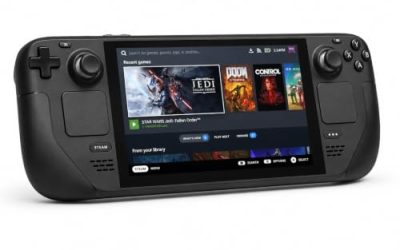
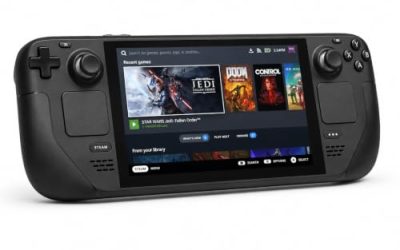
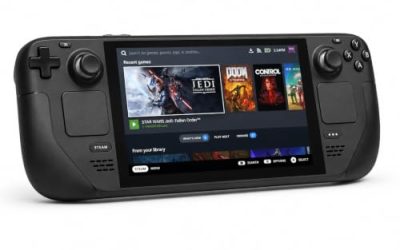
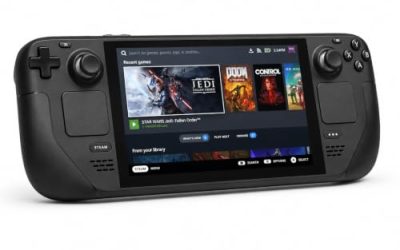
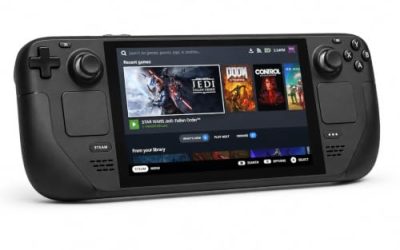
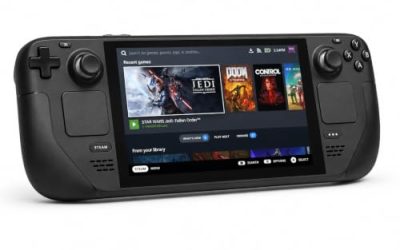
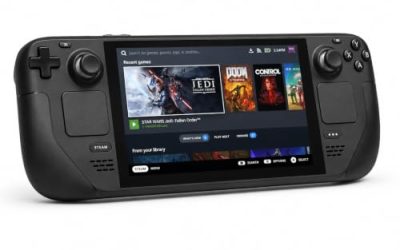
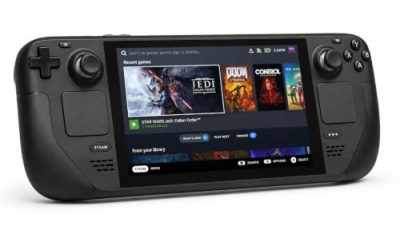
Valve’s own compatibility endpoint returned no usable answer in this session, so the test sheet here is Valve’s data as republished by SteamDB. The verdict for the handheld is Unsupported, the stated reason performance: the game’s graphics settings cannot be configured to run well on Steam Deck. The same sheet rates SteamOS separately as Compatible — the build runs successfully on SteamOS — which is why the desktop route and the Deck verdict can both be true. ProtonDB’s display of the badge agrees: Unsupported.
The test was run on 6 October 2026 against build 24831693; the current public build, 26256634, is newer, so the badge describes a superseded build, and no retest is on the record. The configuration notes add: small text is flagged, the recommended runtime is Proton Experimental, and on SteamOS the game does not default to external Bluetooth or USB controllers, so a docked pad may need a manual Quick Access Menu switch. Individual reporters describe playable low-settings Deck sessions, honestly part of the file — but they are user reports, not a Valve verdict, and the rating to plan around is Unsupported.
No anti-cheat entry, and no second storefront
The game is single-player on its record, which names no anti-cheat. The Are We Anti-Cheat Yet database was read in full — 1,167 entries — and holds no entry for this game in either direction. That is documentation silence, not a clearance: nothing suggests a compatibility blocker beyond the game’s own performance demands, and nothing certifies one absent.
GOG is simpler: the address a product page for this game would occupy resolves to the store’s general catalogue, and no GOG edition is on sale in any form. There is no DRM-free copy to weigh; the Steam copy is the only PC edition.
Desktop gear for a Proton-only game
With the Deck rated out, this gear is framed for desktop and laptop play under Proton.
Keychron V3
The keyboard pick for a game full of menus, pawn management and inventory screens. QMK and VIA remapping happens at the keyboard level, so the layout follows you across every Linux install.
Specs
- Tenkeyless layout with rotary knob
- QMK and VIA remapping support
- Hot-swappable K Pro Brown switches
- Wired USB-C connection
- Maker-rated 1,000 Hz polling
8BitDo Ultimate 2 Bluetooth Controller

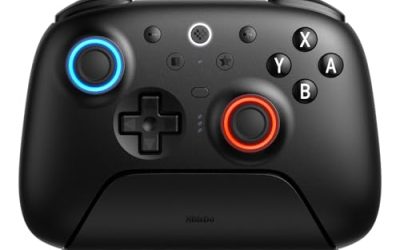
The desktop pad pick. The record lists partial controller support, and this pad covers the third-person combat case with modern sticks, Hall effect triggers and back buttons for the inputs a long session repeats.
Specs
- Connectivity: Bluetooth wireless and USB-C wired
- Joysticks: TMR electromagnetic, anti-drift design
- Triggers: Hall effect, with mode switching
- Extras: two remappable back buttons, motion control
- In the box: charging dock included
Xbox Wireless Controller, Carbon Black
The safest guest pad in PC gaming: Steam Input support is universal, the glyphs match what most games display, and it pairs over Bluetooth or its own wireless standard.
- Connectivity: Xbox Wireless and Bluetooth
- Port: USB-C for wired play
- Controls: hybrid D-pad, dedicated Share button
- Power: AA batteries or optional rechargeable pack
Logitech G502 HERO
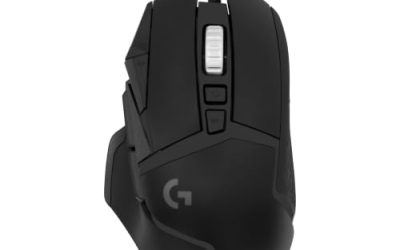
Much of this game lives in menus, maps and inventory grids, where a precise wired mouse turns screens into single clicks. Eleven programmable buttons cover the confirm, cancel and camera inputs a long session repeats.
Specs
- HERO optical sensor, up to 25,600 DPI
- 11 programmable buttons
- Adjustable weight system
- Wired USB connection
- On-board memory profiles
Samsung T9 Portable SSD 2TB
This is a heavy install — the Windows depot set alone runs to about 129.63 GiB before add-ons — and a fast USB-C drive is the simple answer for library moves and offline backups. The headline figure needs a Gen 2×2 host port; on a lesser port the drive runs at that ceiling.
Specs
- Capacity: 2 TB portable SSD
- Interface: USB 3.2 Gen 2×2, USB-C connector
- Maker-rated speeds: up to 2,000 MB per second read, 1,950 MB per second write
- Features: Dynamic Thermal Guard, maker-rated drop resistance
How to choose
Choose the Steam copy: it is the only PC edition on sale and the exact build both records describe. Install under Proton on a desktop or laptop, and start from the store page’s recommended-tier hardware guidance — the Gold headline assumes hardware in that class, and crowded cities will be the performance test. For input, plan around partial controller support: a pad is the game’s natural shape, Steam Input covers the mapping, and a keyboard and mouse earn their place for the menu-heavy hours. Buy for the desktop, not the handheld.
Who should skip
Skip this one if you are shopping for a native Linux Dragon’s Dogma: this game is not it, and the family’s only Linux flag belongs to a soundtrack. Skip it if the Steam Deck is your only machine — Valve’s verdict is Unsupported on performance grounds, whatever low-settings user reports say. Skip it if you want a DRM-free offline installer, because no GOG edition exists. And skip it if your hardware sits below the minimum tier; Proton does not lower a game’s demands, and this one’s are high everywhere.
FAQ
Is Dragon’s Dogma 2 native on Linux?
No. Steam’s record flags the game Windows true, Mac false and Linux false; the Linux requirements field is an empty shell, and every depot in the sold package is a Windows depot.
Why does the soundtrack show a Linux tick if the game has none?
Because the soundtrack is a separate app (3350020) whose files any platform can hold, and its record flags all three operating systems. Add-on flags do not transfer; the base game’s own record is Windows only on every layer.
Can I play Dragon’s Dogma 2 on Steam Deck?
Valve rates it Unsupported: its graphics settings cannot be configured to run well on the Deck. SteamOS on desktop hardware is rated Compatible separately, and some reporters describe playable sessions at the lowest settings — but the verdict to plan a purchase around is Unsupported.
Is there a GOG or DRM-free version?
No. No GOG product page for Dragon’s Dogma 2 exists and no edition is on sale there; the Steam copy is the only PC edition. The store record carries no DRM notice — a statement about the record, not a promise about the build.
Final verdict
Dragon’s Dogma 2 on Linux is a desktop Proton story with a handheld warning attached. The native question is closed on every layer — flags, empty-shell requirements, an all-Windows depot census — and the family’s one Linux tick belongs to a music download. What remains is genuinely usable: a Gold headline across 254 reports for players with recommended-class hardware, and no anti-cheat or account friction named anywhere. Just do not buy it for the Deck, and do not let a soundtrack’s flag sell you a native build that does not exist.
Product and ASIN Reference
| Product | ASIN |
|---|---|
| Keychron V3 | B0B2DMMMG2 |
| 8BitDo Ultimate 2 Bluetooth Controller | B0F194QFT2 |
| Xbox Wireless Controller, Carbon Black | B08DF248LD |
| Logitech G502 HERO | B07GBZ4Q68 |
| Samsung T9 Portable SSD 2TB | B0CHFS9K14 |