Slipways is Beetlewing’s condensed take on space grand strategy: colonise planets, wire their industries into a self-supporting trade web, and finish a whole run in under an hour. It launched on 3 June 2021 as a single-player strategy and puzzle blend, and its store page shows two platform ticks beside the usual Windows one. Only one of them survives a look at the record.
The split is clean. Steam’s record for app 1264280 flags Windows and macOS true and Linux false, and the delivery layer backs the Mac flag with a real macOS depot inside the package Steam actually sells, while Linux gets nothing at all: no depot, no requirements tab, no client icon. The one Linux flag anywhere in the family sits on the soundtrack, a paperwork trap this article names rather than repeats.
As an Amazon Associate, we earn from qualifying purchases.
Quick answer
No. Slipways has no native Linux build: Steam flags Linux false, publishes no Linux requirements, and the sold package holds only Windows and macOS depots. The Mac version is genuinely real, with a populated Mac requirements tab and a full-size macOS build. On Linux the route is Proton, where 31 reports settle at Platinum, and the Deck badge is Playable.
The record, layer by layer
Start with the flags. The store record lists Windows true, macOS true and Linux false. Flags alone have lied in both directions on other games, so the deciding evidence is what the purchase delivers. The sold package, sub 439647, contains exactly two content depots: 1264281, the Windows build at 716.38 MiB, and 1264282, the macOS build at 763.26 MiB, both last updated in October 2024. There is no Linux depot in the package, in any other package, or referenced anywhere on the record.
The requirements tabs tell the same story in a second hand. The Windows tab is fully written at both tiers: Windows 7 or higher, 4 GB of RAM, a GeForce 7xx series card with 1 GB of VRAM and DirectX 11 at minimum, rising to Windows 10, 8 GB of RAM and a GeForce 9xx series card recommended, with 1 GB of storage either way. The Mac tab is also genuinely populated at both tiers, asking for macOS 10.14 Mojave or higher with 4 GB of RAM at minimum and macOS 10.15 Catalina or higher with 8 GB recommended. The Linux requirements field is absent entirely: the record returns an empty list, not even an empty shell with headings. The registered assets close the question: clienticon, clienttga, icon and logo are present, with no Linux client icon in any form. SteamDB detects a Unity build on the Mono runtime, and the app carries an osextended value of macos64, a 64-bit Mac delivery marker that further supports the Mac build’s reality.
The Mac leg is not a mirage
Mac flags on Steam records deserve suspicion, because plenty of games carry a macOS tick backed by nothing. Slipways is not one of them. Three layers agree: the flag reads true, the requirements tab is written out in full at both tiers with named macOS versions, and a 763.26 MiB macOS depot, marginally larger than the Windows depot, sits inside the only package the store sells, updated on the same day as the Windows depot. That is a shipped, maintained build. Mac players get the game natively; the asymmetry is entirely on the Linux side.
The one Linux flag belongs to the soundtrack
The base record’s DLC array holds a single entry, app 1654850, the Slipways Soundtrack, released 6 August 2021 as a music product. Read on its own record, the soundtrack flags Windows, macOS and Linux all true. It is the family’s only Linux flag, and it describes an audio download, not a playable build. This is the recurring soundtrack trap: a store filter that sweeps DLC flags into the family can show a Linux tick for Slipways that the game itself never earned. The article rules on the base game, and the base game is unambiguous.
Controllers, accounts and anti-cheat
The record carries no controller-support field at all, and none of its store categories mention controllers. That fits the game: Slipways is a mouse-driven strategy title, and Valve’s Deck sheet lists the supported input as other, with the primary player not locked to controller slot 0. A pad works only as a Steam Input mouse emulation, through the default configuration or a community layout. No third-party account is required anywhere on the record, and the game is single-player only, so there is no anti-cheat layer in play.
The Proton file
With no native build, Linux play means Proton, and the summary record is strong. ProtonDB’s settled, best-reported and trending tiers are all Platinum, across 31 reports with strong confidence. One caution belongs beside that medal: the game’s ProtonDB page carries the stray Natively Supports heading, which contradicts Steam’s record on every layer checked here. The heading is wrong; the Platinum describes the Windows build under Proton, and this article follows Steam.
The filings themselves are mostly calm. Recent desktop reports on current Proton builds describe the game working out of the box. The rough history is documented rather than hidden: an older launch-stuck problem was fixed when the developer changed how Unity assets load at boot in March 2024, tutorial videos were a casualty on older Proton versions, and one Deck filing on a recent Proton build reports frequent crashes even as other Deck filings describe flawless runs.
The Steam Deck sheet
Valve rates Slipways Playable on the Deck, with SteamOS separately marked Compatible and proton-stable as the recommended runtime. The deductions are all input and legibility items: some functionality is not accessible under the default controller configuration and needs the touchscreen, the virtual keyboard or a community configuration; the game sometimes shows mouse, keyboard or non-Deck controller icons; entering text requires manually invoking the on-screen keyboard; and some in-game text is small. The performance check passes. Two sourcing notes matter. Valve’s own endpoint returned unusable output in this session, so the sheet was read through SteamDB’s republication of Valve’s data. And the test ran on 1 December 2022 against build 9224584, while the current public build is 15946357 from October 2024, so the paperwork grades a superseded build.
The GOG ruling
GOG sells Slipways, and its live product page is in stock. The page’s own works-on line reads Windows and Mac OS X, with no Linux entry: the DRM-free edition covers the same two platforms as Steam and offers no Linux version. The ruling rests on the product page itself, not on search surfaces. A Linux buyer on either storefront is buying the Windows build and a Proton run.
Gear that fits the record
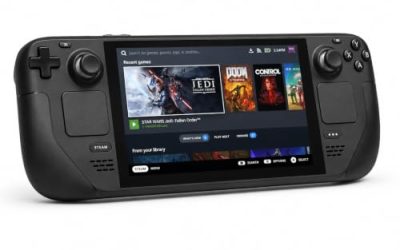
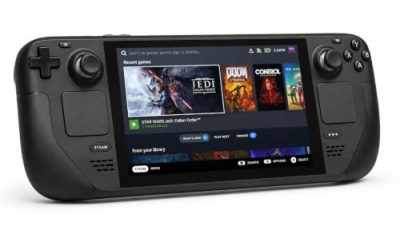
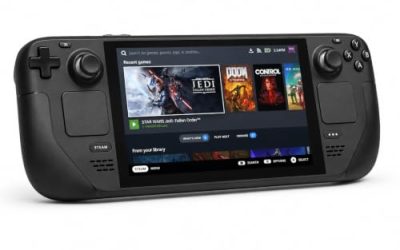
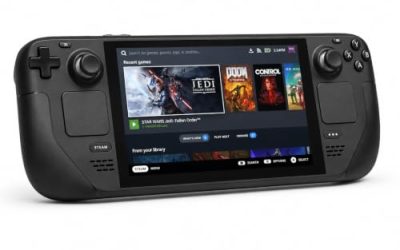
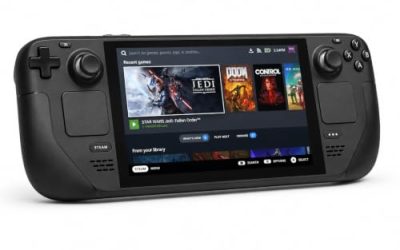
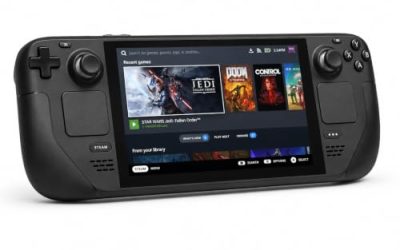
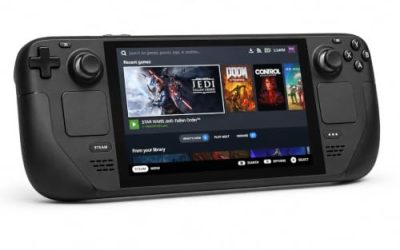
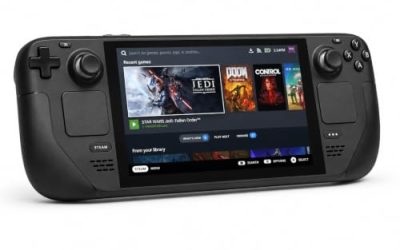
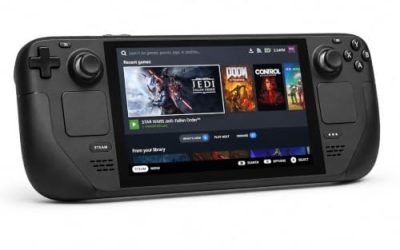
Valve Steam Deck OLED 512GB
The handheld the Playable badge was written for. Slipways’ published requirements are a rounding error next to the Deck’s APU, and Valve’s test sheet passes the Windows build’s performance under proton-stable, with input and small-text deductions to plan around.
Specs
- Display: 7.4-inch HDR OLED, 1280 by 800, up to 90 Hz
- Processor: AMD Zen 2 and RDNA 2 custom APU
- Memory: 16 GB LPDDR5
- Storage: 512 GB NVMe, plus a microSD slot
- Wireless: Wi-Fi 6E and Bluetooth
- Channel note: Valve sells the Deck mainly through its own store, so Amazon listings are third-party sellers
8BitDo Ultimate 2 Bluetooth Controller
The docked and desktop pad pick. Slipways has no native controller support on its record, so a pad is a Steam Input mouse emulation either way; this one covers the couch case with modern sticks and triggers plus back buttons.
Specs
- Connectivity: Bluetooth wireless and USB-C wired
- Joysticks: TMR electromagnetic, anti-drift design
- Triggers: Hall effect, with mode switching
- Extras: two remappable back buttons, motion control
- In the box: charging dock included
Xbox Wireless Controller, Carbon Black
The safest guest pad in PC gaming: Steam Input support is universal, the glyphs match what most games display, and it pairs over Bluetooth or its own wireless standard. On the handheld, the test sheet’s note applies: an external pad may need a manual Quick Access Menu switch before it takes over.
- Connectivity: Xbox Wireless and Bluetooth
- Port: USB-C for wired play
- Controls: hybrid D-pad, dedicated Share button
- Power: AA batteries or optional rechargeable pack
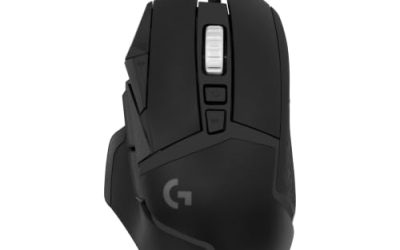
Logitech G502 HERO

Slipways is played with a mouse: every colony decision is a click, and a precise wired mouse turns trade-route planning into single, deliberate inputs. Eleven programmable buttons cover the confirm, cancel and camera inputs a session repeats.
Specs
- HERO optical sensor, up to 25,600 DPI
- 11 programmable buttons
- Adjustable weight system
- Wired USB connection
- On-board memory profiles
Samsung T9 Portable SSD 2TB
For moving a Linux game library between a desktop and a laptop, or keeping an offline backup of installers, a fast USB-C drive is the simple answer. The headline figure needs a Gen 2×2 host port; on a lesser port the drive runs at that ceiling.
Specs
- Capacity: 2 TB portable SSD
- Interface: USB 3.2 Gen 2×2, USB-C connector
- Maker-rated speeds: up to 2,000 MB per second read, 1,950 MB per second write
- Features: Dynamic Thermal Guard, maker-rated drop resistance
How to choose
Decide which platform you are actually buying for. A Mac owner can buy Slipways on Steam or GOG and play the native build today; a Linux owner is buying the Windows build in both stores, so the storefront choice comes down to the DRM-free installer, not the platform list. On the Deck, budget a minute for setup: pick a community layout or accept the touchscreen for menus, and expect to invoke the on-screen keyboard for text entry. On a Linux desktop, current Proton is the whole story, and the filings say it is a good one. For hardware, the mouse is the primary purchase here; a pad is a comfort extra for couch play.
Who should skip
Skip the purchase if a native Linux build is a condition rather than a preference: none exists, none is promised on the record, and the only Linux flag in the family belongs to the soundtrack. Skip the Deck plan if small text and touchscreen fallbacks rule a game out for you, since both deductions are printed on Valve’s sheet. And skip the game itself if an hour-long, combat-free optimisation puzzle sounds thin; Slipways deliberately removes the military layer its genre usually leans on.
FAQ
Is Slipways native on Linux?
No. Steam flags Linux false, the record returns no Linux requirements at all, and the sold package contains only Windows and macOS depots. The Linux tick sometimes shown for the family comes from the soundtrack DLC, a separate music product.
Is the Mac version of Slipways real?
Yes. The Mac flag is backed by a fully populated Mac requirements tab at both tiers and a 763.26 MiB macOS depot inside the package Steam sells, updated alongside the Windows build. It is a shipped native port, not a mirage.
How well does Slipways run on Linux through Proton?
ProtonDB settles it at Platinum on 31 reports with strong confidence, with the best-reported and trending tiers also Platinum. Recent filings describe out-of-the-box runs on current Proton; one Deck filing reports frequent crashes, recorded here rather than smoothed over.
Is Slipways Steam Deck Verified?
No, it is rated Playable. Valve’s sheet passes performance and marks SteamOS Compatible, with deductions for the default controller configuration, manual keyboard invocation and small text. The test ran in December 2022 against an older build than the one now on sale.
Final verdict
Slipways is a two-platform game wearing a third platform’s rumour. The Mac build is real in every layer that matters, the Linux build does not exist in any of them, and the soundtrack’s all-true flags are the whole source of the confusion. Linux players are routed through Proton, where the game holds a settled Platinum and a Playable Deck badge with clearly printed input caveats. Buy it as a Proton title, or as a native Mac title, and the record supports you.
Product and ASIN Reference
| Product | ASIN |
|---|---|
| Valve Steam Deck OLED 512GB | B0CQ3RWQQZ |
| 8BitDo Ultimate 2 Bluetooth Controller | B0F194QFT2 |
| Xbox Wireless Controller, Carbon Black | B08DF248LD |
| Logitech G502 HERO | B07GBZ4Q68 |
| Samsung T9 Portable SSD 2TB | B0CHFS9K14 |