FANTASIAN Neo Dimension is Mistwalker’s diorama RPG, first released as an Apple Arcade title and brought to PC by Square Enix in December 2024. Anyone hoping the PC release quietly included a Linux build can stop hoping: Steam’s record is Windows-only at every layer this project checks, from the platform flags down to its single depot.
That is not the end of the story, because the Windows build travels unusually well. Valve has tested the game on Steam Deck and awarded its top badge, and the small ProtonDB file sits at the top tier as well. This piece separates the two questions the listing blurs together: is there a native port (no), and does the one build that exists run properly through Proton (yes, on the current evidence).
As an Amazon Associate, we earn from qualifying purchases.
Quick answer
FANTASIAN Neo Dimension has no native Linux build. Steam flags the game Windows only, its Linux requirements tab is an empty shell, and its single depot holds the Windows build. Proton carries it well instead: ProtonDB rates it Platinum, and Valve marks it Steam Deck Verified. On Linux, Proton is not a fallback here; it is the only route.
One depot, one platform: the record layer by layer
Start with the flags. The store record for app 2844850 lists Windows true, Mac false, Linux false. Flags alone can be paperwork, so the next layer is the requirements tabs. The Windows tab is genuinely populated in both tiers: Windows 10 or 11 in 64-bit, a Ryzen 3 1200 or Core i3-6100, 8 GB of RAM, a Radeon RX 460 or GeForce GT 1030 at minimum, and 15 GB of storage. The Mac and Linux tabs exist only as headings: each opens with its Minimum and Recommended labels and then lists nothing at all. That is the populated-but-empty shell shape, filled in by the store template rather than by a porting team.
The depot census settles what the flags suggest. SteamDB’s depot list holds exactly one content depot, 2844851, at 12.95 GiB on disk, beside the shared Windows VC 2022 redistributable. There is no Linux depot, no Mac depot, no shared depot and no ghost depot: one build, for one platform. The registered assets agree: a client icon, a client TGA and a community icon, and no Linux client icon in any form. A native build leaves traces somewhere; here every layer is silent at once.
The add-on shelf: a demo, a bonus stone and no soundtrack trap
Family-level scans go wrong when an add-on carries a flag the base game does not, so the family gets its own sweep. This one is short. The base game’s record exposes no DLC array at all: no expansions, no upgrade pack and, notably, no soundtrack app, so the familiar soundtrack all-true trap, where an audio app flags Linux beside a Windows-only game, cannot fire here. Nothing in the family holds a Linux flag.
Two relatives do exist, and neither is a port. A free demo, app 3347730, hangs off the store page; a demo is a slice of the same Windows build, not a separate edition. SteamDB’s depot list also shows one inner depot belonging to app 3065990, an in-game bonus item listed as the Vibran Secret Stone, at 0 B. That app’s own store record does not resolve through the app details feed, and a zero-byte item depot is not a build in any case. The family, counted plainly, is the base game alone.
What the six Proton reports actually say
ProtonDB’s summary, read in full, is Platinum on every line: settled, best-reported and trending tiers all Platinum, across 6 reports, with confidence marked low simply because the file is thin. The control check behaved normally, so the summary stands at face value: a small file, unanimously at the top tier.
The individual reports agree and add texture. Desktop filings on current Proton builds describe clicking Play and playing, with no tinkering steps; one Fedora report needed nothing beyond its Proton build’s standard hotfix behaviour. Deck reports describe the game running perfectly out of the box, and one Deck player notes the touchscreen works, a leftover of the game’s touch-first origins. One filing used a custom GE-Proton build with the same clean result. Nothing describes a workaround or a missing feature; the worst thing in the file is its own small size, which is why the confidence label, not the tier, is the honest caveat.
One heading on the page does need correcting. ProtonDB carries the stray “Natively Supports:” heading found on many of its game pages, and here it is simply wrong: Steam’s record contradicts it at the flags, the requirements tabs and the depot. The article follows Steam: this is a Proton title, not a native one.
Nor is there an anti-cheat layer to untangle: the record names none, the game is single-player, and the Are We Anti Cheat Yet database (1,167 entries, read at its root file) holds no entry for this title in either direction. That is documentation silence, not a clearance.
The Deck badge, and the date printed on it
Valve’s verdict is Verified, the top category, with SteamOS marked Compatible separately. One evidence note: Valve’s own compatibility endpoint returned empty and garbled responses this session, so the verdict, its checks and its paperwork were read through SteamDB’s republication of Valve’s record, this project’s established fallback route.
All four Verified checks pass: the default controller configuration is fully functional, the game shows Steam Deck controller icons, interface text is legible, and the default graphics configuration performs well, with no manual keyboard invoke and no small-text deduction. Two notes ride along: first-time setup requires an active internet connection, and the primary player is not controller slot zero, so an external pad may need a manual switch before it takes over.
The paperwork has a date on it, and the date matters. Valve tested the game on 9 November 2024, before the December launch, against build 15898635, with proton-stable as the recommended runtime. The current public build is 20313671, from October 2025, so the badge certifies a pre-release build rather than the copy on sale today. Nothing since suggests a regression, but strictly the stamp grades an ancestor of the current build: a supplement candidate, accurate for its build and awaiting a retest.
The storefront ruling
There is no second copy to weigh. GOG’s catalogue search surfaces only unrelated titles, and its embedded games search returns no product at all; its presence there is the community wishlist, not a listing. No GOG edition exists, so the Steam copy is ruled the only PC edition and the buy.
Gear that fits the record
The gear below follows the record’s shape: the handheld the badge was written for, two pads, a mouse for menu-heavy desktop sessions, and library storage. One input fact from the game’s own record frames the pad picks: Steam rates its controller support partial, with a gamepad recommended and DualShock and DualSense support listed.
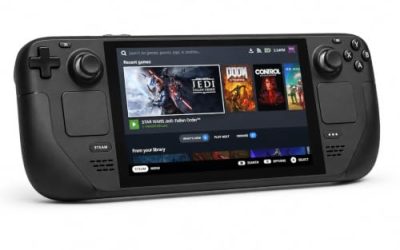
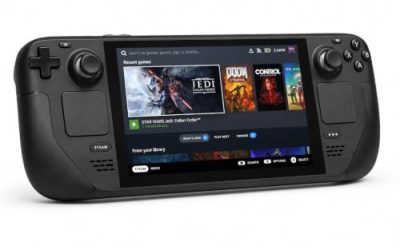
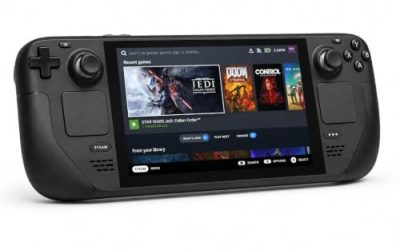
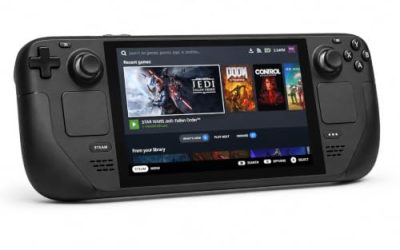
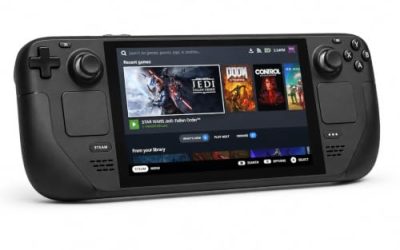
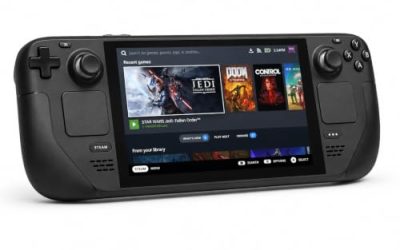
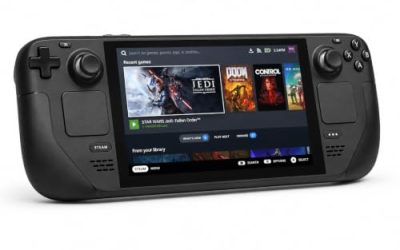
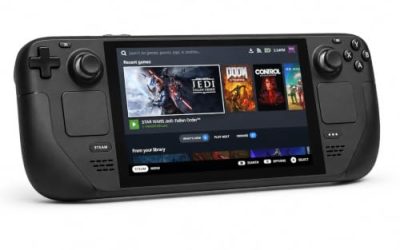
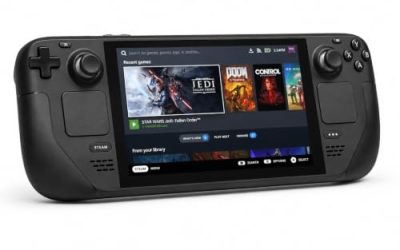
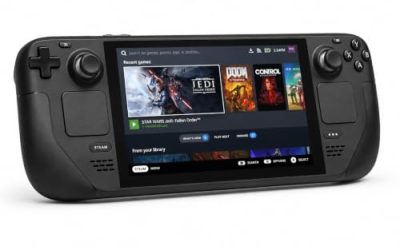
Valve Steam Deck OLED 512GB

The handheld the Verified badge was written for. The game’s requirements sit comfortably inside the Deck’s APU, and Valve’s test sheet gives the Windows build a clean pass under proton-stable.
Specs
- Display: 7.4-inch HDR OLED, 1280 by 800, up to 90 Hz
- Processor: AMD Zen 2 and RDNA 2 custom APU
- Memory: 16 GB LPDDR5
- Storage: 512 GB NVMe, plus a microSD slot
- Wireless: Wi-Fi 6E and Bluetooth
- Channel note: Valve sells the Deck mainly through its own store, so Amazon listings are third-party sellers
8BitDo Ultimate 2 Bluetooth Controller
The docked and desktop pad pick. The game’s record recommends a gamepad, and this pad covers the couch case with modern sticks, triggers and back buttons.
Specs
- Connectivity: Bluetooth wireless and USB-C wired
- Joysticks: TMR electromagnetic, anti-drift design
- Triggers: Hall effect, with mode switching
- Extras: two remappable back buttons, motion control
- In the box: charging dock included
Xbox Wireless Controller, Carbon Black
The safest guest pad in PC gaming: Steam Input support is universal, the glyphs match what most games display, and it pairs over Bluetooth or its own wireless standard. On the handheld, the test sheet’s note applies: an external pad may need a manual switch before it takes over.
- Connectivity: Xbox Wireless and Bluetooth
- Port: USB-C for wired play
- Controls: hybrid D-pad, dedicated Share button
- Power: AA batteries or optional rechargeable pack
Logitech G502 HERO
A turn-based RPG lives in its menus, and at a desk a precise wired mouse turns inventory and shop trips into single clicks.
Specs
- HERO optical sensor, up to 25,600 DPI
- 11 programmable buttons
- Adjustable weight system
- Wired USB connection
- On-board memory profiles
Samsung T9 Portable SSD 2TB
For moving a Linux game library between machines, or keeping an offline backup of installers, a fast USB-C drive is the simple answer. The headline figure needs a Gen 2×2 host port; on a lesser port the drive runs at that ceiling.
Specs
- Capacity: 2 TB portable SSD
- Interface: USB 3.2 Gen 2×2, USB-C connector
- Maker-rated speeds: up to 2,000 MB per second read, 1,950 MB per second write
- Features: Dynamic Thermal Guard, maker-rated drop resistance
How to choose
Choose the Steam copy, because it is the only PC edition on sale and the exact build both records describe. On a Linux desktop or laptop, install it and leave the compatibility tool at its default: the Platinum file contains no tinkering steps, and proton-stable is the runtime Valve’s sheet names. On Steam Deck, the Verified badge means the default configuration is the tested one; the only setup caveat is the first-time internet requirement. For input, follow the record: a gamepad is the recommended shape.
Who should skip
Skip this one if you are shopping for a native Linux RPG: this game is not it, and no layer of its record hints at a port in progress. Skip it if you want a DRM-free offline installer, because no GOG edition exists to buy. Skip it if a six-report file is too thin for you regardless of tier: the Platinum headline rests on a small base, promising rather than proven at scale. And skip it if badge dates matter to you, since the Verified stamp grades a pre-release build.
FAQ
Is FANTASIAN Neo Dimension native on Linux?
No. Steam flags the game Windows only, the Linux requirements tab is an empty shell, and the single content depot holds the Windows build. ProtonDB’s page carries a “Natively Supports:” heading, but Steam’s record contradicts it at every layer, and the community reports are all Proton reports.
How well does FANTASIAN Neo Dimension run under Proton?
On the current file, perfectly. ProtonDB’s summary is Platinum across settled, best-reported and trending tiers over 6 reports, confidence low because the file is small. The reports describe out-of-the-box runs on desktop and Deck, with no tinkering steps recorded.
Is FANTASIAN Neo Dimension Steam Deck Verified?
Yes. Valve rates it Verified, all four checks passing, SteamOS Compatible, read through SteamDB’s republication after Valve’s own endpoint returned unusable output this session. The test dates to 9 November 2024 against a pre-release build, so the badge grades an earlier build than the one on sale.
Can I buy FANTASIAN Neo Dimension on GOG instead?
No. GOG’s catalogue and embedded searches return no product for this game; there is no GOG edition, DRM-free or otherwise. The Steam copy is the only PC edition, and its free demo is the same Windows build in trial form.
Final verdict
FANTASIAN Neo Dimension is a Windows-only release with no native Linux build, no Linux depot and no second storefront. What it has instead is the next best thing: a unanimous, if small, Platinum Proton file and a Verified Deck badge whose only blemish is the age of the build it tested. Buy the Steam copy, run it under the default Proton, play it with a pad or the touchscreen, and file it under Proton, not native.
Product and ASIN Reference
| Product | ASIN |
|---|---|
| Valve Steam Deck OLED 512GB | B0CQ3RWQQZ |
| 8BitDo Ultimate 2 Bluetooth Controller | B0F194QFT2 |
| Xbox Wireless Controller, Carbon Black | B08DF248LD |
| Logitech G502 HERO | B07GBZ4Q68 |
| Samsung T9 Portable SSD 2TB | B0CHFS9K14 |