Fairy Fencer F: Advent Dark Force is Compile Heart and Idea Factory’s expanded return to the world of Fang and his fairy-fused weapons, released on Steam in February 2017. It tells its story across three routes, with up to six party members on the battlefield at once, weapon customisation through fairy fusion, and the Fairize transformation in combat. It is a separate, later Steam app from the original Fairy Fencer F, and this article covers Advent Dark Force only.
The Linux question has an unusually clean shape here, because the records split by device. On a desktop, this is a Proton game with a settled community file behind it. On Steam Deck, Valve’s own verdict closes the door entirely. And the one alternative storefront that sells the game offers the same Windows build, so there is no native escape hatch anywhere.
As an Amazon Associate, we earn from qualifying purchases.
Quick answer
No. Fairy Fencer F: Advent Dark Force is not native on Linux: Steam’s record for the game flags Windows only, and all eight of its DLC apps do the same. It runs on a Linux desktop through Proton with a Gold community tier, but Valve rates it Unsupported on Steam Deck, and the GOG edition is Windows-only too.
| Question | Answer |
|---|---|
| Native Linux build? | No — the game app flags Windows only |
| Linux requirements tab? | None — the field is an empty list |
| ProtonDB tier | Gold headline, Platinum best-reported, 31 reports |
| Steam Deck | Unsupported, per Valve’s own record |
| GOG edition | Exists, but Windows-only |
Steam’s record: no Linux flag, and no Linux tab either
Steam’s appdetails record for the game app flags its platforms as windows true, mac false and linux false. That alone settles the native question, but this record goes one step further than most. Many Windows-only games carry an empty-shell Linux requirements block, with the Minimum and Recommended headings present and nothing under them. Advent Dark Force does not even have that: its linux_requirements field is an empty list, so there is no Linux specification tab in any form.
The category record is a straightforward single-player shape: Steam Achievements, full controller support, Steam Trading Cards, Steam Cloud and Family Sharing. No anti-cheat is named anywhere in the record, there is no DRM notice, and no third-party launcher or account is required. The published Windows minimum is modest, as a 2017 release would suggest: a 64-bit Windows 7, an Intel i5 2.3 GHz class processor, 6 GB of RAM, a GeForce GTX 650 class graphics card, DirectX 11 and 17 GB of storage. Any current Linux desktop clears that bar with room to spare, which is why the practical questions are about Proton and the Deck, not about power.
The family sweep: eight DLC apps, zero Linux flags
A soundtrack app carrying a Linux flag does not make its game native, so every attached app was checked individually. Advent Dark Force lists eight of them, and the sweep is the quietest in this series for a simple reason: there is no soundtrack app in the family at all. All eight attached apps are ordinary downloadable content — the Veteran Fencer and Ultimate Fencer armor and accessory sets, three Fairy Sets, and the Deluxe Pack — every one is type dlc, every one points back at the game app as its parent, and every one flags Windows only.
Across all nine apps in the family, the Linux-flag count is zero. Family-level catalogue scans sometimes mislead, because one music app can make a Windows-only game look Linux-supported; here the scan and the game app agree exactly, and the verdict rests on the game app alone.
How it runs through Proton
ProtonDB’s summary record for the game is a split file, and this article presents it as one. The headline tier is Gold, the best-reported tier is Platinum, and the trending tier is Gold, across 31 reports at strong confidence. Read plainly, that says the strongest individual reports reach the top tier, while the aggregate across the file’s whole history, and its recent trend, sit one step below at Gold. For a 2017 JRPG with no anti-cheat in its Steam record, that is a settled, workable desktop picture: install it on a Linux desktop, let Proton do its work, and expect a game that the community file treats as a known quantity rather than an experiment.
Two honest limits belong with that verdict. The pool is 31 reports, a moderate census rather than a deep one, and the Gold headline means the file’s history includes reports that needed more coaxing than the Platinum-best entries did. Neither point changes the route: desktop Proton is how this game is played on Linux.
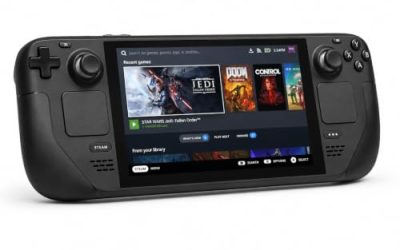
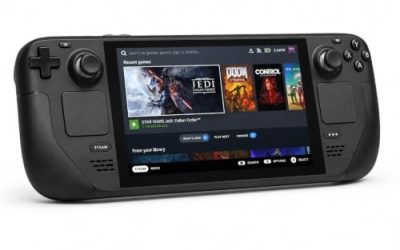
Steam Deck: Unsupported in Valve’s strongest wording
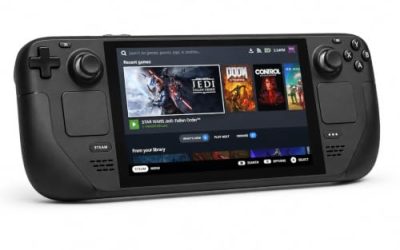
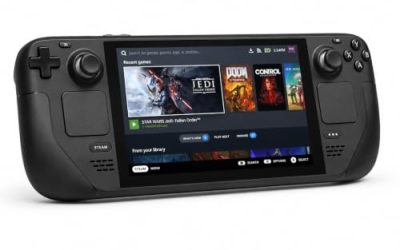
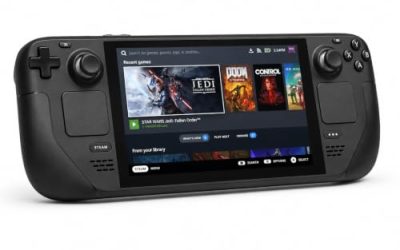
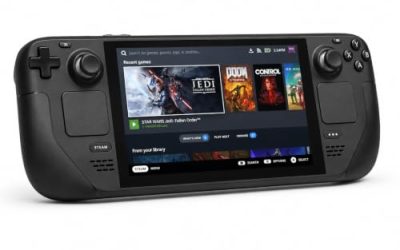
Valve’s own compatibility endpoint was read directly for this article, and it returns the strongest negative the system publishes. The resolved category for the game is Unsupported on Steam Deck, and Unsupported again on the SteamOS row, and the single resolved item under both is the token stating that SteamOS does not support this game. There is no list of partial passes to weigh: the handheld ruling is a closed door, stated in one line.
That endpoint publishes no test date for this title, so none is claimed here. What can be said is what the record says today: Valve’s position is that this game does not run on its handheld, and anyone whose Linux gaming happens mainly on a Steam Deck should treat Advent Dark Force as a desktop-only title. The gear section below is built on that basis.
The GOG edition: it exists, and it is Windows-only
GOG’s own search endpoints are the trap in this section: both its embed search and its products search return zero results for this title, which in earlier cases has hidden games that GOG demonstrably sells. So the ruling here does not rest on the search. GOG’s catalogue record for the game exists, under its own product entry, and that record’s system compatibility line reads windows true, osx false, linux false. A GOG edition of Advent Dark Force exists — it is simply a Windows edition.
That makes the route ruling symmetrical. Neither copy is a native route, and no other PC storefront changes the picture. Linux players choose between the two Windows builds on storefront preference alone, and play through Proton on a desktop either way. The Steam copy is the one this article’s Proton and Deck records describe, so it is the default recommendation; the GOG copy’s value is its DRM-free installer, not any platform advantage.
Desktop gear for playing it on Linux
Logitech G502 HERO

A menu-heavy JRPG puts the pointer to work: party grids, weapon fusion screens and inventory lists fill a long campaign. This wired mouse brings a precise sensor and enough programmable buttons for the common menu actions.
Specs
- HERO sensor, up to 25,600 DPI
- 11 programmable buttons
- Adjustable weight system with five 3.6 g weights
- LIGHTSYNC RGB lighting
- Wired USB connection
8BitDo Ultimate 2 Bluetooth Controller

The controller-first pick for desktop play. Steam lists full controller support for this game, so a pad is recognised natively rather than mapped, and this one adds TMR joysticks, Hall effect triggers and two back buttons for the inputs a long RPG session repeats most.
Specs
- Connectivity: Bluetooth wireless and USB-C wired
- Joysticks: TMR electromagnetic, anti-drift design
- Triggers: Hall effect, with mode switching
- Extras: two remappable back buttons, motion control
- In the box: charging dock included
Xbox Wireless Controller, Carbon Black

The safest guest pad in PC gaming: Steam Input support is universal, the glyphs match what most games display, and it pairs over Bluetooth or its own wireless standard. With full controller support on the record, it is recognised natively by the game.
Specs
- Connectivity: Xbox Wireless and Bluetooth
- Port: USB-C for wired play
- Controls: hybrid D-pad, dedicated Share button
- Power: AA batteries or optional rechargeable pack
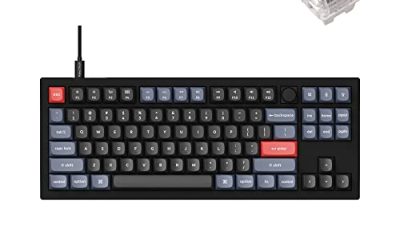
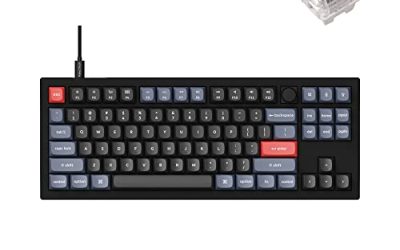
Keychron V3

Deck owners shut out by the badge will play at a desk, where a tenkeyless board with QMK and VIA support lets you remap keys at the keyboard level, which keeps working across every Linux install you plug it into.
Specs
- Tenkeyless layout with rotary knob
- QMK and VIA remapping support
- Hot-swappable K Pro Brown switches
- Wired USB-C connection
- Maker-rated 1,000 Hz polling
Samsung T9 Portable SSD 2TB

For moving a Linux game library between a desktop and a laptop, or keeping an offline backup of DRM-free installers from GOG and itch, a fast USB-C drive is the simple answer. The headline figure needs a Gen 2×2 host port; on a lesser port the drive runs at that ceiling instead.
Specs
- Capacity: 2 TB portable SSD
- Interface: USB 3.2 Gen 2×2, USB-C connector
- Maker-rated speeds: up to 2,000 MB per second read, 1,950 MB per second write
- Features: Dynamic Thermal Guard, maker-rated drop resistance
How to choose
Choose the desktop first, because the records leave no other platform standing: there is no native build, the Deck badge is Unsupported, and the GOG edition is the same Windows build in a DRM-free wrapper. On a desktop, buy the Steam copy unless the DRM-free installer matters more to you, and expect the Gold-tier experience the community file reports — broadly smooth, with the file’s history suggesting the occasional rough edge rather than a flawless run. Set the pad question aside: full controller support means either pad above simply works, so the choice is about sticks, triggers and back buttons, not compatibility.
Who should skip
Skip this game if Steam Deck is your only Linux machine: Valve’s Unsupported ruling is stated in its strongest wording, with no partial credit to build a workaround on. Skip it if you buy native Linux games only, because no native build exists on any storefront and the GOG edition does not change that. And skip it if a Gold headline tier is not settled enough for you — the best reports reach Platinum, but the aggregate file says Gold, and players who want a unanimous top-tier record may prefer to wait.
FAQ
Is Fairy Fencer F: Advent Dark Force native on Linux?
No. Steam’s record for the game app flags Windows only, its Linux requirements field is an empty list with no specification tab at all, and all eight of its DLC apps flag Windows only as well. Linux play runs through Proton.
Does it run on Steam Deck?
No. Valve’s own compatibility record rates the game Unsupported on Steam Deck and on SteamOS, with the single stated reason that SteamOS does not support the game. Treat it as a desktop title.
How well does it run on a Linux desktop?
ProtonDB’s file is split but settled: a Gold headline tier, a Platinum best-reported tier and a Gold trending tier across 31 reports at strong confidence. That is a workable, known-quantity desktop record for a 2017 JRPG with no anti-cheat in its Steam record.
Is the GOG version a native Linux edition?
No. A GOG edition exists, but GOG’s own product record lists its system compatibility as Windows only. It is a DRM-free Windows build, not a Linux route.
Final verdict
Fairy Fencer F: Advent Dark Force is a Windows-only game on every record that matters: the game app, its eight DLC apps, and its GOG product entry all flag Linux false, and there is no soundtrack app hiding a stray flag anywhere in the family. What saves it for Linux players is the desktop: a Gold-tier Proton file with Platinum best reports, no anti-cheat in the record, and modest 2017 requirements that any current machine clears. Buy it for a Linux desktop and play it through Proton; leave it alone if the Steam Deck is the plan, because Valve’s answer there is a no.
Product and ASIN Reference
| Product | ASIN |
|---|---|
| Logitech G502 HERO | B07GBZ4Q68 |
| 8BitDo Ultimate 2 Bluetooth Controller | B0F194QFT2 |
| Xbox Wireless Controller, Carbon Black | B08DF248LD |
| Keychron V3 | B0B2DMMMG2 |
| Samsung T9 Portable SSD 2TB | B0CHFS9K14 |