Death end re;Quest is Compile Heart’s turn-based RPG about a game developer pulled into the corrupted remains of a cancelled online game, alternating dungeon battles inside that broken world with visual novel segments in the real one. It reached Steam in May 2019, and its Linux position is settled here from the records themselves.
The short version is that there is no native Linux build, and the longer version is unusually clean. This is one of the rare families in this series where the usual trap cannot even be set: the game has add-on content, but no soundtrack app exists anywhere in its family, so no audio product can lend it a Linux flag it does not have. What follows is the full audit — the game app, all ten attached apps, the community file, the Deck sheet and the second storefront.
As an Amazon Associate, we earn from qualifying purchases.
Quick answer
No. Steam’s record for Death end re;Quest flags Windows as the only platform, and all ten of its add-on apps do the same — there is no soundtrack app hiding a Linux flag. Linux play runs through Proton, where the file reads Gold with Platinum best reports, and Valve rates the game Verified on Steam Deck.
Steam’s record for the game app
Store search surfaces the game as app 990050, developed by Idea Factory and Compile Heart and published by Idea Factory International, released 16 May 2019. A sequel sits beside it as a separate app; everything here was read from the first game’s record and its family.
That record is unambiguous. The platform flags read windows true, mac false and linux false. The Linux requirements field is an empty shell: the Minimum and Recommended headings are present, but both lists beneath them are blank — a store-template leftover, not a real Linux specification tab. The category record lists single-player, Steam Achievements, full controller support, Steam Trading Cards, Steam Cloud, Remote Play on TV and Family Sharing. It names no anti-cheat, carries no DRM notice, and asks for no third-party launcher or account. The published Windows minimum is modest: a 64-bit Windows 7 system with DirectX 11, a Core i5 2.3 GHz class processor, 4 GB of RAM and a graphics card with 1 GB of video memory. Any current Linux desktop clears that bar easily; the deciding records are the community file and the Deck sheet, not raw power.
The family sweep: ten add-ons and no soundtrack
Every app attached to the game was read individually, and the family is plain. All ten attached apps are downloadable content pointing back at the game app: the Healing Item Set, the Early Bird Special, the Alternate Costume Set, Rook’s Warrior Set, Rook’s Traveler Set, the Dungeon re;Quest Pack, the Additional Character Ripuka pack, the Extra Boss and Items pack, the Deluxe Pack and the Swimsuit Costume Set. Every one is type dlc, and every one flags Windows only.
The point worth stating plainly is what is absent. In many families covered in this series, a soundtrack app registered as a music product flags all three platforms and makes a family-level scan report the game as Linux-supported when it is not. This family contains no soundtrack app at all, so that trap never gets built. Across all eleven apps the Linux-flag count is zero, and the verdict rests exactly where it should: on the game app alone, which says Windows only.
How it runs through Proton
ProtonDB’s summary record for the game reads as a split file, and this article presents it as one. The headline tier is Gold, the best-reported tier is Platinum, and the trending tier is Gold, across 37 reports at strong confidence: the strongest individual reports reach the top tier, but the file as a whole — aggregate and recent trend alike — settles one step below, at Gold.
That is a workable position rather than a warning. A Gold headline at strong confidence over 37 reports describes a game that runs through Proton with, at most, the minor friction that keeps a file off Platinum, and nothing in the record points at a blocker: no anti-cheat and no third-party account stands in Proton’s way. Desktop players should expect a playable game whose file is honest about not being flawless.
Steam Deck: Verified, with one docked caveat
Valve’s own compatibility record rates the game Verified on Steam Deck. All four Verified checks pass: the default controller configuration is fully functional, the controller glyphs shown match the Deck, the interface text is legible, and the default graphics configuration performs well on the device. SteamOS is separately rated Compatible. The record was read from Valve’s own compatibility endpoint, and that record publishes no test date, so none is claimed here.
One note sits underneath the four passes, stated exactly as Valve publishes it: external controllers are not supported for the primary player. It does not cancel the Verified category — the badge is about playing on the Deck itself, where everything passes — but docked players who want a separate pad as the primary controller should know the sheet flags it. On a desktop the position is simpler: Steam lists full controller support, so a pad there is a natively recognised device rather than a mapping exercise.
The GOG edition exists — and it is Windows only
This title shows why this series never rules on a second storefront from search results alone. Both of GOG’s search endpoints return zero products for the game. GOG’s live product page for it, however, exists, and its own system line reads Works on: Windows — nothing else. GOG’s product record confirms the same title and the same single-platform support.
So a GOG edition does exist, and it is Windows only. The DRM-free copy is not a native route and changes nothing about the Linux position: it is the same Windows build from a different shop. For a Linux player the Steam copy remains the practical buy, because the ProtonDB file and the Deck verification above were both measured against the Steam app.
Gear for playing it on Linux
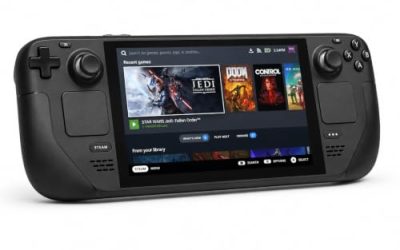
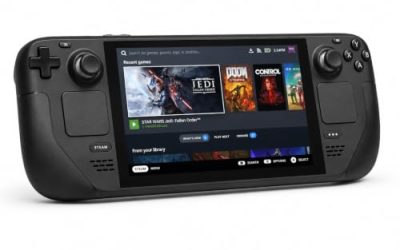
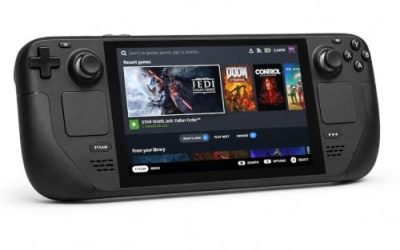
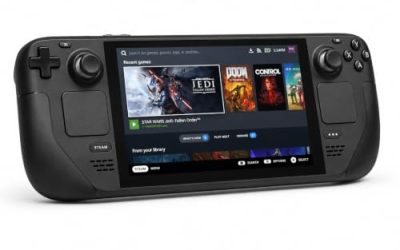
Valve Steam Deck OLED 512GB

The handheld this game’s Verified sheet was written for: all four checks pass, including legible interface text — the check that matters most in a game half spent in visual novel scenes.
Specs
- Display: 7.4-inch HDR OLED, 1280 by 800, up to 90 Hz
- Processor: AMD Zen 2 and RDNA 2 custom APU
- Memory: 16 GB LPDDR5
- Storage: 512 GB NVMe, plus a microSD slot
- Wireless: Wi-Fi 6E and Bluetooth
- Channel note: Valve sells the Deck mainly through its own store, so Amazon listings are third-party sellers
8BitDo Ultimate 2 Bluetooth Controller

The desktop pad pick. Steam lists full controller support, so a pad is recognised natively on a Linux desktop, and this one adds TMR sticks, Hall effect triggers and two back buttons.
Specs
- Connectivity: Bluetooth wireless and USB-C wired
- Joysticks: TMR electromagnetic, anti-drift design
- Triggers: Hall effect, with mode switching
- Extras: two remappable back buttons, motion control
- In the box: charging dock included
Xbox Wireless Controller, Carbon Black

The safest guest pad in PC gaming: Steam Input support is universal, the glyphs match what most games display, and it pairs over Bluetooth or its own wireless standard. With full controller support, it works as a natively recognised device.
Specs
- Connectivity: Xbox Wireless and Bluetooth
- Port: USB-C for wired play
- Controls: hybrid D-pad, dedicated Share button
- Power: AA batteries or optional rechargeable pack
Logitech G502 HERO

The visual novel half of this game is pointer work — menus, logs and choice prompts — and a wired mouse with a precise sensor and programmable buttons suits those stretches.
Specs
- HERO sensor, up to 25,600 DPI
- 11 programmable buttons
- Adjustable weight system with five 3.6 g weights
- LIGHTSYNC RGB lighting
- Wired USB connection
Samsung T9 Portable SSD 2TB

For moving a Linux game library between machines or backing up installers offline, a fast USB-C drive is the simple answer. The headline figure needs a Gen 2×2 host port; on a lesser port the drive runs at that ceiling.
Specs
- Capacity: 2 TB portable SSD
- Interface: USB 3.2 Gen 2×2, USB-C connector
- Maker-rated speeds: up to 2,000 MB per second read, 1,950 MB per second write
- Features: Dynamic Thermal Guard, maker-rated drop resistance
How to choose
Choose the Steam copy. Both storefronts sell a Windows build, but the records that matter to a Linux player — the 37-report ProtonDB file and Valve’s Verified Deck sheet — were measured on the Steam app, and the GOG edition’s own page confirms it offers no Linux support of its own. Handheld players are the best served here: a Verified badge with all four checks passing is the strongest sheet this series records. Desktop players get the more measured version of the same story, a Gold community file at strong confidence, with full controller support on the record. If you already own the GOG copy, its build is the same game — but no Linux record attaches to that edition, so the expectations above are set by the Steam one.
Who should skip
Skip this game if a native build is a hard requirement: eleven apps were checked and none contains one. Skip it for now if you only buy on a settled Platinum file — the best reports reach Platinum, but the headline and trending tiers sit at Gold, and that split is the honest state of the record. Skip the docked-Deck plan if your setup depends on an external controller as the primary player’s device, because Valve’s sheet flags exactly that as unsupported. And skip it if the presentation is not for you: this is a horror-flavoured RPG built around death and game-over mechanics in its dungeon design — players who want a gentler loop have better options.
FAQ
Is Death end re;Quest native on Linux?
No. Steam’s record for the game app flags Windows as the only platform, its Linux requirements tab is an empty shell, and all ten add-on apps flag Windows only. There is no soundtrack app in the family to hide a Linux flag, so nothing in the record supports a native claim.
How well does Death end re;Quest run through Proton?
ProtonDB’s file reads Gold on its headline and trending tiers, with Platinum as the best-reported tier, across 37 reports at strong confidence — a game that runs through Proton with at most minor friction, with no anti-cheat or third-party account in Steam’s record to block it.
Does Death end re;Quest run on Steam Deck?
Yes — Valve rates it Verified, with all four checks passing: functional default controls, matching glyphs, legible text and a performant default configuration. The one published caveat is that external controllers are not supported for the primary player, which matters only for docked play. Valve’s record publishes no test date.
Is there a GOG version of Death end re;Quest?
Yes, but it is Windows only. GOG’s search endpoints miss the title entirely, yet its live product page exists, its system line reads Works on: Windows, and GOG’s product record confirms the same. The DRM-free edition is not a native route; the Steam copy is the one the Linux records attach to.
Final verdict
Death end re;Quest is the tidy version of this series’ usual story. The game is not native, and its family cannot pretend otherwise — ten add-ons, no soundtrack app, zero Linux flags anywhere — while its second storefront sells the same Windows build under a Windows-only label. Against that plain background, the play records are good ones: a Gold ProtonDB file whose best reports reach Platinum, and a Verified Deck sheet with every check passing. Buy it on Steam, play it through Proton, and the corrupted world runs where the records say it should.
Product and ASIN Reference
| Product | ASIN |
|---|---|
| Valve Steam Deck OLED 512GB | B0CQ3RWQQZ |
| 8BitDo Ultimate 2 Bluetooth Controller | B0F194QFT2 |
| Xbox Wireless Controller, Carbon Black | B08DF248LD |
| Logitech G502 HERO | B07GBZ4Q68 |
| Samsung T9 Portable SSD 2TB | B0CHFS9K14 |