Dual PC Streaming Setup Guide 2026: Gaming and Encoding on Separate Machines
A dual PC streaming setup splits the work between two computers. The gaming PC runs the game and sends its video out through a capture device or a network link. The second PC handles the scene composition, the encoding and the stream upload. Done well, the game keeps its frame rate and the stream keeps its quality. Done badly, the second machine adds latency, sync problems and cost that a single PC would not have. This guide explains when the split is worth it, what hardware each role needs, and where the common mistakes happen.
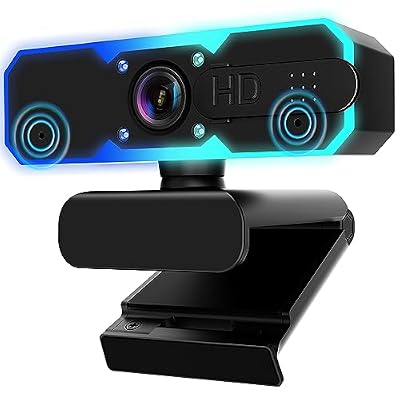
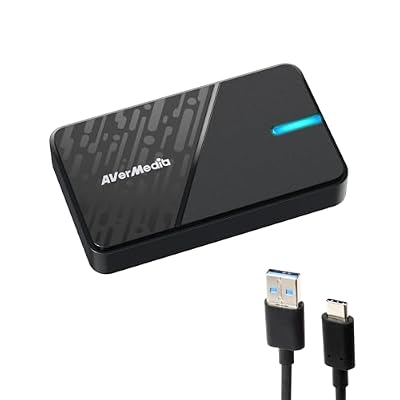
The hero listing above is the main pick for the query “dual PC streaming setup”, with four alternatives that support the same two-machine layout. Treat the card as the closest match for its category, not as a guarantee that one product is the exact model you need. Check the card for the model, the connection type and the current price before you order.


When a Second PC Makes Sense
A single PC can stream a game well when the graphics card has a capable hardware encoder and the processor has spare capacity. The case for a second PC begins when the game itself is demanding, when you run several scenes with heavy overlays, or when the single machine drops frames in long sessions. The second PC removes encoding and scene work from the gaming machine, so the game can use its full budget.
The split also has a cost in complexity. You need a way to get the game picture onto the second machine, a network or device that carries audio cleanly, and a way to keep both machines in sync. Each link is a possible failure. For a streamer who plays casually, a single PC with a good encoder remains the simpler and cheaper route. The best gaming streaming PC guide explains which single machines handle encoding well on their own.
Three Common Dual PC Layouts
There are three practical layouts. In the first, the gaming PC sends its video through a capture card into the streaming PC. In the second, the gaming PC sends video over the network using a software transport, and the streaming PC receives it. In the third, the streaming PC captures the game through a passthrough device that splits the signal. Each layout trades latency, cost and reliability differently.
Capture Card Into the Streaming PC
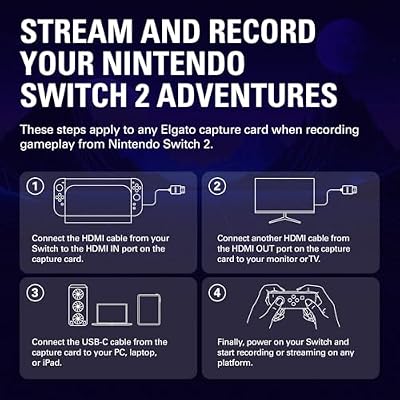
This is the most common layout and the most predictable. A capture device sits between the gaming PC’s output and the streaming PC’s input, and the stream PC treats the feed like a camera. Latency is usually low, and the gaming PC does not need to run any extra software. Check that the capture device supports the resolution and frame rate you plan to use, because downgrading to a lower mode later can be frustrating.
Network Transport Between Machines
Sending video over the network avoids a capture card, but it depends on a stable local network and enough bandwidth. Wired Ethernet is essential here, and a Wi-Fi link is a poor choice for a live feed. This layout also uses some processing on the gaming PC, so measure the effect on frame rate before committing.
Passthrough Splitter Setup
A passthrough device sends the game picture to your monitor and a copy to the capture input at the same time. It keeps the gaming PC’s work light and avoids most latency concerns. The trade-off is that the device must support your display’s resolution and refresh rate, so confirm that before you buy.

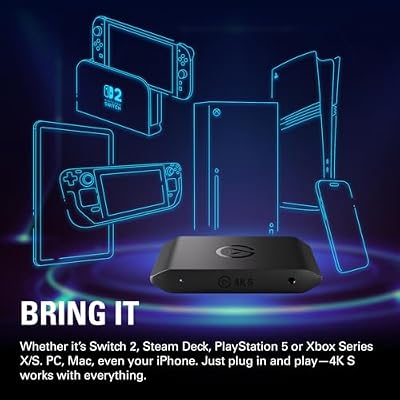
Elgato 4K S Capture Card, for Streaming, 4K60 HDR10, Near-Zero Latency | For PS5, Xbox Series X/S, Switch 2, 1440p120 or 1080p240 passthrough, VRR, USB-C, Analog audio input, PC, Mac, iPad




As an Amazon Associate we earn from qualifying purchases. Product prices and availability are accurate as of the date/time indicated.
Hardware Roles and Specifications
The gaming PC needs a strong graphics card and processor for the game itself. The streaming PC does not need the same level of graphics power, but it needs enough processing for the scene composition, the audio mixing and the encoder. A modest but reliable machine with a fast processor and an encoder-capable graphics card can handle the streaming role well. Do not put the entire budget into the second PC, because the game still has to run.
Audio deserves attention early. The game audio, the microphone and any alert sounds should reach the streaming PC with the same timing. If the game audio arrives later than the picture, viewers notice a lip sync problem. Route the audio through the capture path where possible, and test the delay with a clap or a clear sound before you go live.
For the camera side of the desk, the webcam review for streaming shows the kind of camera that pairs well with a dedicated streaming machine, and the HDMI capture review explains how an external capture device behaves in a two-machine chain.
Comparing Dual PC Components
The table compares the hero listing and four alternatives by role. It does not list prices or ratings, because those move often and vary by seller. Confirm each number on the live listing before buying.
| Option | Role in this guide | Best for | What to confirm | Price |
|---|---|---|---|---|
| Hero listing | Primary pick for the dual PC query | Two-machine streamers with a capture input | Input resolution and frame rate support | Check current price |
| Alternative 1 | Same layout, different connection | Streamers who want low-latency passthrough | Passthrough behaviour at your refresh rate | Check current price |
| Alternative 2 | Supporting hardware for the streaming PC | Builders adding a second input | Driver support and cable reach | Check current price |
| Alternative 3 | Audio path between the machines | Creators who need clean voice capture | Pickup pattern and mounting | Check current price |
| Alternative 4 | Network or switching accessory | Streamers with a fixed desk layout | Port count and wired speed | Check current price |
Use the table to find the one missing link in your chain. Most dual PC problems come from a single weak component rather than from the whole system.

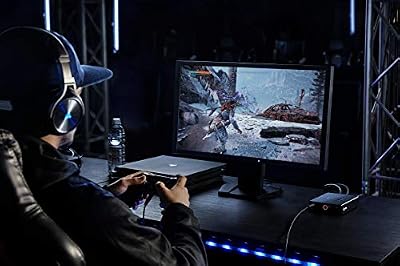
Elgato 4K60 S+, External Capture Card, Record in 4K60 HDR10 with ultra-low latency to PC or SD Card on PS5/PS4, Xbox Series X/S, Xbox One X/S, in OBS and other broadcasting software, for Windows




As an Amazon Associate we earn from qualifying purchases. Product prices and availability are accurate as of the date/time indicated.
Network and Latency Checks
Wire Both Machines
Connect both PCs to the router with Ethernet. A wired link keeps upload speed steady and avoids the spikes that Wi-Fi can cause during a live broadcast. If the desk layout blocks a cable run, a powerline or a mesh backhaul can help, but test it under load before relying on it.
Measure the Delay
Film the screen and your face with a phone, then compare the timing of a visible event with the sound it makes in the stream. A small delay is normal. A growing or uneven delay is a sign that something in the chain needs attention. The router guide for gaming and streaming covers the network settings that keep a wired link predictable.
Plan the Upload Budget
The streaming PC uses the upload connection, so the usual headroom rules apply. Leave room for other devices in the house, and keep background downloads off during a stream. The internet speed guide explains how to set a realistic upload target.
For the wider build, the gaming PC for streaming guide covers single-machine options, the CPU guide for gaming and streaming helps size the streaming PC, the ultimate gaming setup guide shows how two machines share one desk, and the roundup of streaming setups compares complete layouts.
Frequently Asked Questions
Do I need two full gaming PCs for a dual PC setup?
No. The second machine only needs enough performance for scene composition and encoding. It does not need to run the game, so a mid-range system can work well if the rest of the chain is sound.
Is a capture card better than a network transport?
For most streamers, a capture card is the simpler and more predictable choice because it keeps the gaming PC’s workload light. A network transport can cost less in hardware but depends more on the local network and on the gaming PC’s spare capacity.
Will a dual PC setup add noticeable latency?
Some delay is normal, and a good capture chain keeps it small. Measure the delay with a phone recording and check that it stays steady during a long session, rather than growing over time.
Is the dual PC layout worth it for a casual streamer?
Usually not. A casual streamer can often get a good result from a single PC with a capable hardware encoder, and that route has fewer parts to maintain.