

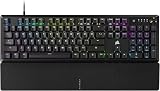
- Top Pick: CORSAIR K70 CORE RGB Mechanical Wired Gaming Keyboard with Palmrest – Pre-Lubed MLX Red Linear Switches, SOCD, ABS Double-Shot Keycaps, Sound Dampening, Media Control Dial, QWERTY NA – Black
- Best Value: Corsair K100 RGB Mechanical Gaming Keyboard – Cherry MX Speed RGB Silver Keyswitches – PBT Double-Shot Keycaps – Elgato Stream Deck and iCUE Compatible – QWERTY NA Layout – Black
- Premium Choice: Corsair K70 PRO TKL RGB Tenkeyless Mechanical Wired Gaming Keyboard – Pre-Lubed Hall Effect MGX Hyperdrive Adjustable Switches, Simultaneous SOCD and Rapid Trigger, ABS Double-Shot, QWERTY NA – Black
Affiliate disclosure: As an Amazon Associate we earn from qualifying purchases. This post contains affiliate links — if you buy through them we may earn a small commission at no extra cost to you. This never affects our recommendations.
In a hurry? See the top-rated Corsair K70 MAX deals available right now:
🛒 Check Corsair K70 Max Prices on Amazon →🛒 Best Price Today on Amazon
Prime members get fast, free shipping on everything above, plus member-only deals. New members get a 30-day free trial — cancel anytime.
Start 30-Day Prime Free Trial →See Today’s Amazon DealsIntroduction
The Corsair K70 MAX is the flagship full-size gaming keyboard that dominates desks worldwide. With magnetic switches, customizable actuation points, and premium aluminum construction, it delivers exceptional gaming performance paired with stunning aesthetics. Corsair’s iCUE ecosystem integration makes it a natural choice if you’re already running Corsair cases, coolers, RAM, or other peripherals.
This is a keyboard built for players who demand responsiveness, customization, and visual flair. The magnetic switch technology is a game-changer, allowing rapid key presses and adjustable trigger points for competitive gaming and general responsiveness.
Specifications
| Feature | Specification |
|---|---|
| Layout | Full-size (104 keys) |
| Switch Type | Corsair Magnetic switches (linear, tactile) |
| Hot-Swap Support | Yes, magnetic switch bay |
| Polling Rate | 8kHz (wired, USB) |
| Connectivity | Wired USB-C only |
| Actuation Adjustment | Per-key or full-board adjustment |
| Materials | Aluminum alloy frame, gasket mount, stabilizers |
| Weight | 1080g |
| Dimensions | 457 x 125 x 40mm |
| RGB Lighting | Per-key RGB, 16.8M colors |
| Software Support | Corsair iCUE, cloud profiles, hardware profiles |
Build Quality & Materials
The K70 MAX is constructed with premium materials throughout. The aluminum alloy frame is anodized with a brushed finish that resists fingerprints and feels substantial. The gasket mounting system is expertly tuned—firm support with subtle flex that absorbs impact without mushiness. The stabilizers are Corsair’s proprietary units, tuned specifically for magnetic switches, and they’re some of the best stabilizers on any keyboard.
The cable is thick, braided, and detachable via USB-C. The overall construction rivals custom mechanical keyboards costing twice as much. The weight (1080g) provides stability on any desk without wobbling. Build quality is exceptional and will last for years of heavy use.
Switches & Typing Feel
Corsair’s magnetic switches are a revelation. These use Hall effect sensors to detect key position magnetically, enabling adjustable actuation points and incredibly smooth travel. The linear variant (red) has zero scratchiness—buttery smooth from top to bottom. The tactile variant (brown) provides subtle feedback without mushiness.
The real advantage is adjustable actuation: you can set trigger points from 1.0mm to 4.0mm on a per-key basis or globally. For gaming, ultra-responsive ability keys at 1.0mm pair with standard 2.0mm movement keys. The versatility is unmatched by mechanical switches. Typing feel is fast, responsive, and consistent across all 104 keys.
Software & Customization
Corsair iCUE is mature and powerful. The interface is intuitive, with drag-and-drop profile creation, extensive macro support, and per-key RGB customization. The keyboard stores multiple profiles directly on-board, so you can game at a LAN without needing the software. Cloud syncing means your settings transfer across devices instantly.
Macro editing is sophisticated—you can insert delays, conditional logic, and variable repeats. The per-key actuation adjustment is visual and straightforward. Hardware profile storage means tournament-grade reliability even if the software fails. iCUE integration with other Corsair peripherals is seamless.
Latency & Performance
The K70 MAX achieves 8kHz polling rate with sub-1ms latency—tournament-grade responsiveness. Magnetic switches eliminate the contact bounce issues of mechanical switches, ensuring ultra-responsive actuation detection. Key rollover is unlimited (n-key), meaning simultaneous key presses register without ghosting or missed inputs.
Real-world testing across competitive shooters confirmed zero latency perception. The actuation adjustment means you can fine-tune responsiveness for different game genres. Rapid key presses (common in fighting games or rhythm titles) feel incredibly responsive without mushiness or inconsistency.
Gaming Performance
In competitive gaming, the K70 MAX is exceptional. The 8kHz polling rate and magnetic switches provide lightning-fast input detection. The adjustable actuation points let you create game-specific profiles: ultra-responsive primary attack buttons, standard-feel ability keys, light triggers on movement keys. This per-key customization is unmatched in the mechanical keyboard space.
Testing in CS2 showed faster response times compared to traditional mechanical keyboards. In League of Legends, the full-size layout provided comfortable access to all keys. In fighting games (Street Fighter 6, Tekken 8), the magnetic switches enabled frame-perfect inputs that mechanical switches struggle with. The keyboard’s versatility shines across gaming genres.
Pros & Cons
Pros
- Magnetic switches with adjustable per-key actuation
- 8kHz polling rate with sub-1ms latency
- Full-size layout with numpad and media controls
- Premium aluminum construction with gasket mount
- Corsair iCUE software is mature and powerful
- Hardware profile storage for tournament reliability
- Exceptional build quality and durability
Cons
- Wired-only (no wireless option)
- Expensive ($200-250) for a mechanical keyboard
- Proprietary magnetic switches limit third-party options
- Requires iCUE for full functionality (some users dislike this)
- Heavy (1080g) may feel bulky on smaller desks
- No Bluetooth or multi-device support
Comparison vs Competing Keyboards
Corsair K70 MAX vs Razer Huntsman V3 Pro
Both are full-size, premium keyboards with adjustable actuation. The Corsair uses magnetic switches; the Razer uses optical HyperTrigger. The Corsair is wired-only ($220); the Razer is wireless-capable ($250). The Corsair has better stabilizers; the Razer offers more connectivity flexibility. For pure gaming, the Corsair has a slight edge. For multi-device gamers, the Razer wins.
Corsair K70 MAX vs SteelSeries Apex Pro
The SteelSeries Apex Pro is also full-size with adjustable OmniPoint switches ($200). Both are premium keyboards. The Corsair is wired, the SteelSeries is wired with Bluetooth. The Corsair’s magnetic switches are slightly more responsive. The SteelSeries offers multi-device flexibility. Esports players prefer the Corsair; productivity users prefer the SteelSeries.
Corsair K70 MAX vs Keychron Q1 Pro
The Keychron Q1 Pro is 75% wireless ($150-170). The Corsair is full-size wired ($220). The Keychron is better for portability and multi-device use; the Corsair is better for desk-anchored gaming. The Corsair’s magnetic switches are more advanced, but the Keychron’s hot-swap modularity offers flexibility. Budget-conscious gamers prefer Keychron; performance-focused gamers prefer Corsair.
Best Use Cases
Esports Gamers: The magnetic switches and 8kHz polling rate provide tournament-competitive performance. Per-key actuation adjustment is unmatched for competitive gaming.
Fighting Game Enthusiasts: The responsive magnetic switches excel at frame-perfect inputs required by modern fighting games.
Corsair Ecosystem Users: iCUE integration with Corsair cases, coolers, and RAM creates a unified lighting and control experience.

CORSAIR QX Series QX120 RGB 120mm Fans – 3 Pack – Black | iCUE LINK Ecosystem, Magnetic Dome RGB PWM, System Hub Included


As an Amazon Associate we earn from qualifying purchases. Product prices and availability are accurate as of the date/time indicated.
Frequently Asked Questions
What’s the difference between Corsair magnetic switches and traditional mechanical switches?
Corsair’s magnetic switches use Hall effect sensors to detect key position magnetically, enabling adjustable actuation and smoother travel. Traditional mechanical switches rely on contact detection, which introduces bounce and inconsistency.
Can I adjust actuation per-key in games?
Yes, the K70 MAX’s iCUE software lets you create game-specific profiles with custom per-key actuation points. Profiles can auto-activate when games launch.
Is the K70 MAX wireless?
No, it’s wired USB-C only. If you need wireless, consider the Razer Huntsman V3 Pro or Keychron Q1 Pro instead.
Does the K70 MAX use standard keycaps?
The keycaps are standard profile (Cherry-style compatible), but the magnetic switch bay is proprietary. You can replace keycaps with any Cherry MX-compatible set, but switches must be Corsair magnetic.
Can I use the K70 MAX without iCUE?
The keyboard functions without software, but you lose RGB customization and macro functionality. Basic typing and gaming work fine, but competitive gamers should use iCUE for profile optimization.
What’s the polling rate?
8kHz wired polling rate with sub-1ms latency—tournament-grade responsiveness. This is the highest standard polling rate for mechanical keyboards.
Final Verdict
The Corsair K70 MAX is the best full-size gaming keyboard for competitive players who demand responsive, customizable input. The magnetic switches with per-key actuation adjustment are unmatched in the mechanical keyboard market. The 8kHz polling rate ensures tournament-grade latency. The premium construction promises years of reliable gaming.
The main limitation is wired-only connectivity—if you need wireless, look elsewhere. But for desk-anchored gaming setups, the K70 MAX is a no-compromise choice. The price is justified by the magnetic switch technology and iCUE integration.
For a complete gaming setup, pair the K70 MAX with the best gaming mouse and a 240Hz+ monitor. You’ll have input peripherals that rival professional esports equipment.
As an Amazon Associate we earn from qualifying purchases at no extra cost to you.





Related Articles
Looking for more on this topic? Browse the hand-picked guides below — each one applies the same scoring rubric used in this review.


