Our Short List of 3

- Display: 7.4-inch HDR OLED, 1280 by 800, up to 90 Hz
- Processor: AMD Zen 2 and RDNA 2 custom APU
- Memory: 16 GB LPDDR5
- Storage: 512 GB NVMe, plus a microSD slot

- Connectivity: Bluetooth wireless and USB-C wired
- Joysticks: TMR electromagnetic, anti-drift design
- Triggers: Hall effect, with mode switching
- Extras: two remappable back buttons, motion control

- Connectivity: Xbox Wireless and Bluetooth
- Port: USB-C for wired play
- Controls: hybrid D-pad, dedicated Share button
- Power: AA batteries or optional rechargeable pack
All 5 Picks at a Glance
| Product | Specs | Action |
|---|---|---|
| Valve Steam Deck OLED 512GB |
| Check price on Amazon |
| 8BitDo Ultimate 2 Bluetooth Controller |
| Check price on Amazon |
| Xbox Wireless Controller, Carbon Black |
| Check price on Amazon |
 Logitech G502 HERO |
| Check price on Amazon |
 Samsung T9 Portable SSD 2TB |
| Check price on Amazon |
Cogmind, Grid Sage Games’ long-running robot roguelike, has been in Early Access since October 2017 and is still receiving beta branches today. What it has never received is a Linux build. Steam’s record flags the game for Windows alone, and every supporting layer underneath the flags agrees: there is no Linux depot, no Linux requirements tab, and no Linux client icon registered anywhere on the app.
That makes the Linux question a Proton question, and there the picture flips. The developer has publicly committed to keeping the game working under Wine since its public alpha days, and the community file reflects that care: dozens of reports settle at the top tier. This piece reads the record layer by layer: the flags and depots, the Proton file, Valve’s Deck test sheet, and the second-storefront ruling.
As an Amazon Associate, we earn from qualifying purchases.
Quick answer
Cogmind has no native Linux build: Steam flags it Windows only, its Linux requirements field is an absent empty list, and its single content depot ships Windows files. The working route is Proton, where 46 reports settle at Platinum with strong confidence, and Valve rates the game Playable on Steam Deck.
The record, layer by layer
Start with the platform flags on the full Steam record: Windows true, Mac false, Linux false. Flags alone can mislead in both directions, so the layers underneath matter. The Windows requirements tab is genuinely populated, and modestly so: Windows 7 or newer, a 1.8 GHz processor, 1 GB of RAM, any graphics hardware at all, and 80 MB of storage. The Mac and Linux requirements fields, by contrast, are absent fields: empty lists with no headings, no shell text, and no placeholder specs. Nothing was ever written into them.
The depot census is just as plain. SteamDB lists exactly one content depot, 722731, named Windows Cogmind Content at 50.66 MiB, plus a shared Visual C++ 2010 redistributable. There is no Linux depot, no Mac depot, no shared cross-platform depot, and no size-less ghost depot waiting in the wings. The registered store assets tell the same story: clienticon, clienttga, icon, logo and logo_small, with no LinuxClientIcon in any form and no Mac clienticns either. The detected technology underneath is SDL with Sodium and Vorbis, a stack that could travel, but the publishing record shows it was never packaged for Linux.
The add-on family offers no trap because there is no add-on family: the record exposes no DLC array at all, so the familiar soundtrack-with-all-true-flags pattern has nothing to attach to. There is also no DRM notice and no third-party account requirement on the record, and the game is single-player only. The anti-cheat catalogue maintained by AreWeAntiCheatYet, all 1,167 entries of it, holds no Cogmind entry in either direction, which for a single-player roguelike reads as documentation silence rather than a clearance or a warning.
One honest limitation: the discrete launch-entry list was not separately extractable this session, so the ruling rests on flags, requirements, depots and assets, which here all point the same way.
A developer who maintains the Wine route
ProtonDB’s full summary for Cogmind is about as strong as a Windows-only game can post: settled tier Platinum, best-reported Platinum, trending Platinum, across 46 reports, with strong confidence. That is not a launch-week snapshot either. The reports span Proton 4.11 through current GE-Proton builds, and the recent filings on Proton 9.0-4 and GE-Proton report the game running out of the box on Arch, CachyOS, Debian, Manjaro and openSUSE systems alike.
The colour in those reports explains the tier. One long-standing report notes that the developer has been committed since the public alpha to making sure the game works on Linux and fixing bugs that arise in Wine, and another observes that the developer appears to have done explicit work targeting Proton compatibility. The recurring fixes are small and specific: Wayland users who hit an SDL video-device error unset the inherited SDL_VIDEODRIVER variable, a sway user wraps the game in gamescope to get clean fullscreen, and one filer warns against installing to a mounted external drive. None of that is tinker-heavy by Proton standards.
ProtonDB’s own page, however, carries the stray Natively Supports heading above its requirements box. Steam’s record contradicts that heading on every layer checked above: no flag, no requirements, no depot, no icon. The article follows Steam. The heading is wrong, and anyone citing it as evidence of a native port is citing a label, not a build.
The Deck sheet: Playable, with fine print
Valve’s own compatibility endpoint rates Cogmind Playable on Steam Deck, category 2, with SteamOS marked Compatible and a Proton 9.0 release candidate named as the recommended runtime. The sheet’s one clean pass is performance: the default graphics configuration performs well. The deductions cluster exactly where a keyboard-first roguelike would collect them. The default controller configuration is not fully functional, the game sometimes shows mouse, keyboard or non-Deck controller glyphs, entering text requires manually invoking the on-screen keyboard, and some in-game text is small and may be difficult to read. The configuration block lists gamepad as the supported input class; note that this is Valve’s test-sheet classification, since the game’s own Steam record carries no controller-support field at all.
The paperwork also predates the current build. Valve tested on 14 March 2024 against build 13631239, while the public branch now sits on build 25147406 from September 2026, several beta generations later, with legacy branches for Betas 13 through 17 preserved alongside it. The Playable verdict describes a build the game has since moved past, so treat the badge as a floor set in 2024 rather than a fresh measurement. Deck-side ProtonDB reports echo the sheet: playable, with the small text the recurring complaint, and one docked player recommending an external monitor for comfortable reading.
The storefront ruling
There is no second PC storefront to retreat to. The natural GOG product address resolves to the general games catalogue rather than a product page, and GOG’s catalogue and product records return no Cogmind product at all, so the ruling is no GOG edition, with or without Linux. Steam is the only storefront selling the game, and the only copy it sells is the Windows build.
Gear that fits the record
The picks below follow the record’s shape: the handheld Valve tested, two pads for docked and desktop sessions, a mouse for a game built around pointing, and fast storage for a library that travels.
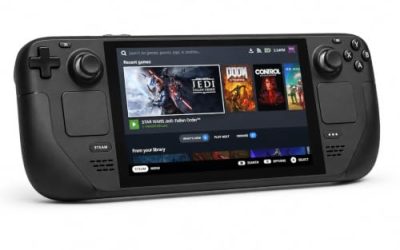
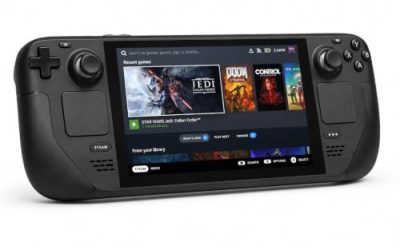
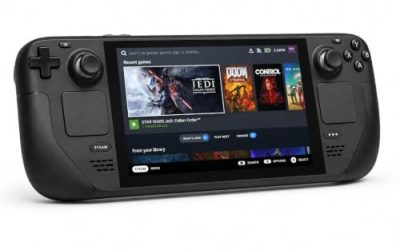
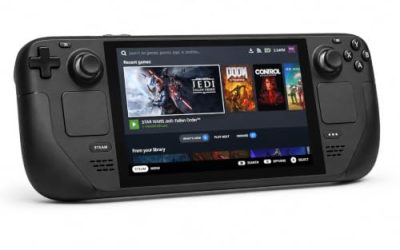
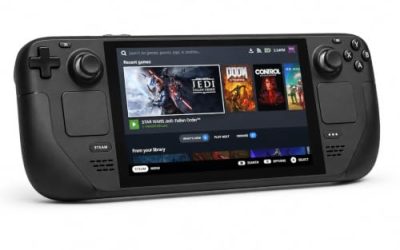
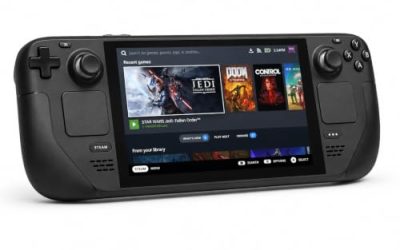
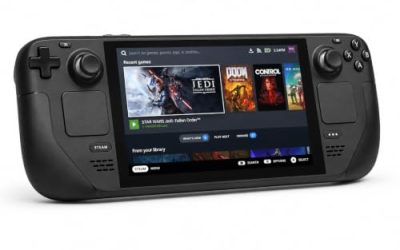
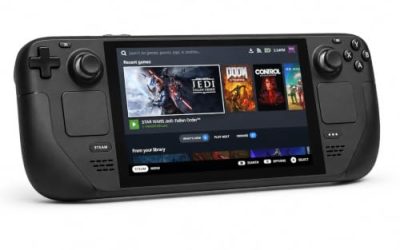
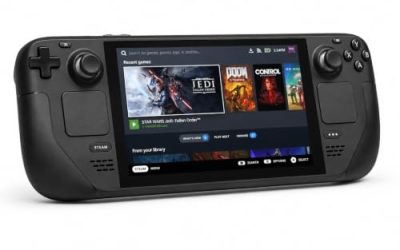
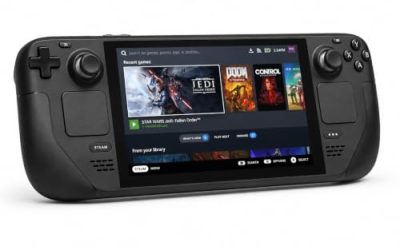
Valve Steam Deck OLED 512GB
- Display: 7.4-inch HDR OLED, 1280 by 800, up to 90 Hz
- Processor: AMD Zen 2 and RDNA 2 custom APU
- Memory: 16 GB LPDDR5
- Storage: 512 GB NVMe, plus a microSD slot
The handheld the Playable badge was written for. Cogmind’s published requirements are trivial next to the Deck’s APU; the honest caveats are Valve’s own: small text and a controller configuration that leans on the touchscreen and community layouts.
8BitDo Ultimate 2 Bluetooth Controller
- Connectivity: Bluetooth wireless and USB-C wired
- Joysticks: TMR electromagnetic, anti-drift design
- Triggers: Hall effect, with mode switching
- Extras: two remappable back buttons, motion control
The docked and desktop pad pick. It covers the couch case with modern sticks and triggers plus back buttons for menu shortcuts, and pairs with the Deck or a Linux desktop without extra receivers in the way.
Xbox Wireless Controller, Carbon Black
- Connectivity: Xbox Wireless and Bluetooth
- Port: USB-C for wired play
- Controls: hybrid D-pad, dedicated Share button
- Power: AA batteries or optional rechargeable pack
The safest guest pad in PC gaming: Steam Input support is universal, the glyphs match what most games display, and it pairs over Bluetooth or its own wireless standard. On the handheld, the test sheet’s note applies: an external pad may need a manual Quick Access Menu switch before it takes over.
Logitech G502 HERO
- HERO optical sensor, up to 25,600 DPI
- 11 programmable buttons
- Adjustable weight system
- Wired USB connection
Cogmind is fully playable by mouse, and its dense tactical interface rewards a precise wired pointer at a desk. Eleven programmable buttons cover the confirm, cancel and targeting inputs a long run repeats.
Samsung T9 Portable SSD 2TB
- Capacity: 2 TB portable SSD
- Interface: USB 3.2 Gen 2×2, USB-C connector
- Maker-rated speeds: up to 2,000 MB per second read, 1,950 MB per second write
- Features: Dynamic Thermal Guard, maker-rated drop resistance
For moving a Linux game library between a desktop and a laptop, or keeping an offline backup of installers, a fast USB-C drive is the simple answer. The headline figure needs a Gen 2×2 host port; on a lesser port the drive runs at that ceiling instead.
How to choose
Choose the Steam copy and the Proton route without hesitation if you are comfortable with community layouts on Deck and a keyboard or mouse at the desk; the Platinum file across 46 reports is the substance of this article, and the game asks almost nothing of your hardware. On a Wayland desktop, keep the two known fixes in mind before judging a failed launch: unset SDL_VIDEODRIVER, and consider a gamescope wrapper if fullscreen misbehaves. Install to an internal drive rather than a mounted external one. On Deck, budget for the on-screen keyboard and expect to zoom or dock for the smallest interface text.
Who should skip
Skip Cogmind on Linux if a native build is a hard requirement: none exists, none is flagged anywhere on the record, and ProtonDB’s heading does not change that. Skip the Deck as your only screen if small text strains your eyes, since Valve flags legibility and at least one Deck report recommends an external monitor outright. And skip it if Early Access bothers you: the game has been in beta development since 2017, actively and transparently, but it is still a beta.
FAQ
Is Cogmind native on Linux?
No. Steam flags the game Windows only, its Linux requirements field is an absent empty list, its only content depot is the Windows one, and no LinuxClientIcon is registered. ProtonDB’s Natively Supports heading contradicts the record and should not be relied on.
How well does Cogmind run under Proton?
Very well by the community record: ProtonDB settles at Platinum on its settled, best-reported and trending tiers, across 46 reports with strong confidence. The known fixes are minor, chiefly unsetting SDL_VIDEODRIVER on some Wayland setups and wrapping the game in gamescope for fullscreen on sway.
Is Cogmind Steam Deck Verified?
No, it is one step down: Valve rates it Playable, tested in March 2024 against an older build. The deductions are a not-fully-functional default controller configuration, non-Deck glyphs, manual keyboard invocation for text entry, and small in-game text. Performance itself passes cleanly.
Can I buy Cogmind on GOG instead?
No. GOG carries no Cogmind product: the product address resolves to the general catalogue and its records return nothing for the game. Steam is the only storefront, and it sells the Windows build only.
Final verdict
Cogmind on Linux is a Windows-only record with an unusually well-kept Proton file. The native answer is a clean no, with no traps hiding a build and no second storefront to check. The practical answer is nearly as clean: Platinum across 46 reports, a developer who has treated Wine compatibility as a maintenance duty for years, and a Playable Deck badge whose only real enemies are small text and a keyboard-first control scheme. Buy it on Steam, play it through Proton, and keep a mouse or a dock nearby.
Product and ASIN Reference
| Product | ASIN |
|---|---|
| Valve Steam Deck OLED 512GB | B0CQ3RWQQZ |
| 8BitDo Ultimate 2 Bluetooth Controller | B0F194QFT2 |
| Xbox Wireless Controller, Carbon Black | B08DF248LD |
| Logitech G502 HERO | B07GBZ4Q68 |
| Samsung T9 Portable SSD 2TB | B0CHFS9K14 |