Counter-Strike: Global Offensive rewards a mouse that disappears from your thinking. You hold an angle, clear a corner, or flick to a head, and the mouse has to translate the movement of your hand into exactly the crosshair movement you intended, with nothing extra in between. That is the decision behind this guide: not which mouse has the longest feature list, but which ZOWIE shape and sensor combination fits the way you already aim, so your setup stops being something you adjust between rounds.


This guide is for CS:GO players who want a ZOWIE mouse and want to pick the right one first time, whether you play face-off matches after work, grind ranked ladders, or practise aim routines every day. The four mice below were chosen from the names and specifications on their Amazon product pages, covering wired and wireless options, medium and small sizes, and ergonomic and symmetrical shapes.
Quick Picks
As an Amazon Associate we earn from qualifying purchases
| Product | Best for | Key spec from title |
|---|---|---|
| BenQ ZOWIE EC2-C | Palm and claw players who want a simple wired mouse | 3360 sensor, 3,200 DPI, paracord cable |
| BenQ ZOWIE EC2-CW | Players who want the EC2 shape without a cable | Wireless, 3,200 DPI, 70-hour battery life |
| BenQ ZOWIE EC2-DW | Competitive players who want the lightest EC2 with 4K polling | Wireless, PAW3950 sensor, 4,000 Hz polling |
| BenQ ZOWIE S2-DW | Fingertip players who want a small symmetrical wireless mouse | Wireless, PAW3950 sensor, 4,000 Hz polling |
How to Choose
Match the shape to your grip before anything else
ZOWIE builds the same idea in different shapes for a reason, and shape decides comfort more than any sensor number. The EC series has an asymmetric, right-handed ergonomic shell that supports the palm and suits palm and claw grips, while the S series is symmetrical and lower, which suits fingertip and claw players who steer the mouse with their fingers. Hold your current mouse and notice where your palm rests and whether your fingertips or your whole hand do the work. A player who palms a large mouse will feel cramped on a small symmetrical shell, and a fingertip player will feel clumsy steering a tall ergonomic body. Pick the shape first, then worry about the sensor.
Choose the size from your hand, not from a recommendation
Every ZOWIE series comes in sizes, and the EC2 and S2 are the middle and small options in their lines. Measure your hand from the base of your palm to the tip of your middle finger, then compare it with the size chart on the product page. Hands around 17 to 19 centimetres usually sit well on a medium EC2, while smaller hands often suit the S2. If you play with a low sensitivity and sweep your whole arm across the pad, a mouse that is too small will leave your fingers curled and your aim inconsistent. If you play with a high sensitivity and flick from the wrist, a mouse that is too large will slow your micro-adjustments.
Understand what the DPI ceiling actually means in CS:GO
Every mouse here tops out at 3,200 DPI, which looks modest next to mice that advertise far higher numbers, but CS:GO players almost always play between 400 and 1,600 DPI with a low in-game sensitivity. The four DPI steps on these mice, 400, 800, 1,600 and 3,200, cover that whole range, and the extra steps on the DW models add 1,000 and 1,200 for finer tuning. What matters more is that the sensor tracks cleanly at your chosen DPI without smoothing or acceleration, so a flick at 400 DPI lands where your hand sent it. Do not pay extra for a higher DPI ceiling you will never use in a match.
Decide between wired simplicity and wireless freedom
The wired EC2-C has no battery to charge, no receiver to lose, and nothing to configure, which is why it still appears on tournament desks. The wireless EC2-CW and the DW models remove cable drag entirely and add a charging dock that doubles as the receiver, but they ask you to keep an eye on battery life and to charge between sessions. If your desk is tidy and your cable already runs cleanly, wired saves money and removes a variable. If your cable catches on the edge of your pad during wide arm sweeps, wireless is worth the extra cost, and the DW models add 4,000 Hz polling for players who want the fastest possible report rate.
The 4 Best Options
BenQ ZOWIE EC2-C
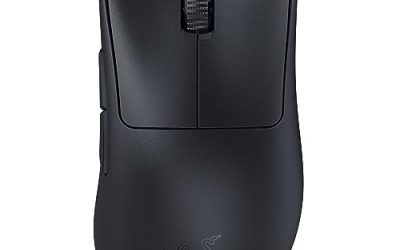
The EC2-C is the classic ZOWIE pick for CS:GO, and its appeal is how little it asks of you. The medium, right-handed ergonomic shape fills a medium hand comfortably for palm and claw grips, the 3360 optical sensor tracks cleanly at the low DPI settings CS:GO players use, and the paracord cable stays out of the way during wide arm movements. There is no software to install and no lighting to configure, so you plug it in, set the DPI with the button underneath, and play. It is the right starting point if you want the tournament-proven shape at the lowest cost in this guide.
Specs
- Sensor: PixArt 3360 optical sensor
- DPI: 400 / 800 / 1,600 / 3,200
- Polling rate: 125 / 500 / 1,000 Hz
- Weight: 73 g without cable
- Buttons: 5
- Cable: Paracord cable
- Scroll wheel: 24-step scroll wheel
- Shape: Right-handed ergonomic, medium size
- Software: Driverless, no software required
- Connection: Wired USB
Best for: Palm and claw players who want a simple, wired ZOWIE mouse for CS:GO.
Watch out for: The wired connection means cable routing matters, so check that your cable has a clear path across the pad before a match.
BenQ ZOWIE EC2-CW
The EC2-CW takes the same medium ergonomic shape as the EC2-C and cuts the cable, which suits players who found their wired cable dragging during fast flicks. It uses the PixArt 3370 sensor with the four DPI steps, and the enhanced receiver doubles as a charging dock, so the mouse charges where it sits. Battery life is rated at 70 hours of constant movement, which covers a full week of evening matches for most players. The weight rises to 77 grams, so it feels a touch more planted than the wired version, and that extra stability helps players who like a mouse that stays put during small adjustments.
Specs
- Sensor: PixArt 3370 optical sensor
- DPI: 400 / 800 / 1,600 / 3,200
- Polling rate: 125 / 500 / 1,000 Hz
- Weight: 77 g
- Buttons: 7
- Battery life: 70 hours of constant movement
- Scroll wheel: 24-step optical scroll wheel
- Shape: Right-handed ergonomic, medium size
- Software: Driverless, no software required
- Connection: 2.4 GHz wireless with enhanced receiver
Best for: Players who love the EC2 shape but want wireless freedom and a charging dock.
Watch out for: The 77-gram weight is heavier than the newer DW models, so check the weight if you are moving from a very light mouse.
BenQ ZOWIE EC2-DW
The EC2-DW is the current flagship version of the EC2 shape, and it is the pick for players who want the newest sensor and the fastest polling ZOWIE offers. The PixArt PAW3950 sensor pairs with polling up to 4,000 Hz through the enhanced receiver, and the weight drops to 61 grams, which makes the same ergonomic shell feel noticeably quicker during flicks and micro-adjustments. Battery life is rated at 80 hours at 1,000 Hz and 24 hours at 4,000 Hz, so players at the highest polling rate should charge more often. Extra skates are included in the box, with a speed set and a control set for different pad surfaces.
Specs
- Sensor: PixArt PAW3950 optical sensor
- DPI: 400 / 800 / 1,000 / 1,200 / 1,600 / 3,200
- Polling rate: 125 / 500 / 1,000 / 2,000 / 4,000 Hz
- Weight: 61 g
- Buttons: 7
- Battery life: 80 hours at 1,000 Hz, 24 hours at 4,000 Hz
- Shape: Right-handed ergonomic, medium size
- Software: Driverless, no software required
- Connection: 2.4 GHz wireless with enhanced receiver
- Included: Extra skates in the box
Best for: Competitive players who want the lightest EC2 with the newest sensor and 4,000 Hz polling.
Watch out for: Battery life drops sharply at 4,000 Hz polling, so plan charging around your match schedule if you use the highest rate.
BenQ ZOWIE S2-DW
The S2-DW is the pick for fingertip and claw players who find ergonomic mice too tall and too shaped. Its small symmetrical shell has a lower hump than the EC series, which lets the fingers steer the mouse with small, precise movements, and it suits players who aim with their fingertips rather than their palm. It shares the DW line hardware with the EC2-DW, so you get the same PAW3950 sensor, the same 4,000 Hz polling through the enhanced receiver, and the same driverless setup. At 65 grams it is light enough for fast flicks without feeling insubstantial, and the symmetrical shape works for players who switch hands between grips.
Specs
- Sensor: PixArt PAW3950 optical sensor
- DPI: 400 / 800 / 1,000 / 1,200 / 1,600 / 3,200
- Polling rate: 125 / 500 / 1,000 / 2,000 / 4,000 Hz
- Weight: 65 g
- Buttons: 7
- Shape: Symmetrical, small size
- Software: Driverless, no software required
- Connection: 2.4 GHz wireless with enhanced receiver
- Grip: Suits fingertip and claw grips
Best for: Fingertip and claw players who want a small, light, symmetrical wireless mouse.
Watch out for: The small symmetrical shell gives little palm support, so palm-grip players should check the EC models instead.
Which One Fits Your Situation
You play palm grip with a medium hand and want the simplest setup
Pick the BenQ ZOWIE EC2-C. The ergonomic shape supports your whole hand, the wired connection removes battery worries, and the 3360 sensor covers every DPI setting a CS:GO player needs. It is also the least expensive option here, so it is the sensible first ZOWIE if you are still learning which shape suits you.
You love the EC2 shape but your cable keeps catching
Pick the BenQ ZOWIE EC2-CW. It keeps the same medium ergonomic shell and DPI steps, removes the cable entirely, and charges on its dock between sessions. The 70-hour battery life means you will rarely think about charging, and the wireless connection removes the one thing that used to interrupt your aim.
You want the fastest, lightest version of the EC shape
Pick the BenQ ZOWIE EC2-DW. The PAW3950 sensor and 4,000 Hz polling give you the most responsive version of the shape, and the 61-gram weight makes flicks feel quicker. Just remember to charge it more often if you run the highest polling rate, since battery life falls to 24 hours at 4,000 Hz.
You aim with your fingertips and want a small symmetrical mouse
Pick the BenQ ZOWIE S2-DW. Its lower hump and small symmetrical shell let your fingers do the aiming, and it shares the same PAW3950 sensor and 4,000 Hz polling as the EC2-DW. It is the best fit here for players who find ergonomic shells too tall and too prescriptive. That freedom also helps in fast duels, where a tall shell would push your aim wide.
Common Mistakes
- Choosing a mouse by its maximum DPI instead of by shape, size, and grip, even though most CS:GO players use 400 to 1,600 DPI.
- Buying a large mouse for a small hand, or a small mouse for a large hand, without measuring the hand against the size chart on the product page.
- Picking a wireless mouse and then forgetting to charge it, so the battery runs out in the middle of a match.
- Running 4,000 Hz polling on a DW model without noticing that battery life drops sharply at the highest rate.
- Expecting a new mouse to fix aim on its own, instead of pairing it with a consistent sensitivity and regular practice on the same pad.
Frequently Asked Questions
Which ZOWIE mouse is best for CS:GO?
The EC2-C is the best starting point for most CS:GO players, because its medium ergonomic shape suits palm and claw grips, its 3360 sensor tracks cleanly at low DPI, and its wired, driverless design removes setup variables. Players who want wireless should look at the EC2-DW, while fingertip players should consider the S2-DW instead.
What DPI should I use for CS:GO?
Most CS:GO players use 400 or 800 DPI with a low in-game sensitivity, which gives precise control for holding angles and smooth tracking. All four mice here offer 400, 800, 1,600 and 3,200 DPI steps, so you can switch between them with the button underneath the mouse and find the setting that matches your sensitivity.
Is a wireless ZOWIE mouse good enough for competitive CS:GO?
Yes, the wireless models here are built for competitive play, with a 2.4 GHz connection and polling up to 4,000 Hz on the DW models. The EC2-CW runs at 1,000 Hz polling with 70 hours of battery life, while the DW models add the faster polling rate. Keep the receiver close and charge the mouse between sessions.
Do ZOWIE mice need software?
No, all four mice in this guide are driverless, so they work as soon as you plug them in or connect the receiver. DPI and polling rate are changed with buttons on the underside of the mouse rather than through an app, which means there is nothing to install, update, or configure before a match.