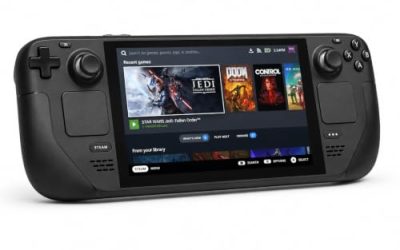
- Top Pick: Valve Steam Deck OLED 512GB
- Runner-up: Raspberry Pi 5 8GB (SC1112)
- Also consider: ViewSonic TD1655 15.6 Inch Touch Portable Monitor
Android has a gaming library no Linux desktop can match, from deep strategy ports to gacha titles that never leave mobile. Waydroid promises to bring that library to a Linux PC by running a full Android system alongside your desktop, with games opening as ordinary windows. It is a genuinely clever piece of software, and for the right games it works well.
The honest version is narrower. Waydroid is not an emulator in the BlueStacks sense, and its limits are not about raw speed. Two structural walls decide what you can actually play: Google Play certification, which locks out many headline titles, and ARM translation, which taxes most x86 PCs. This guide walks through the container model, both walls, the Steam Deck situation, and the genres where Waydroid genuinely earns its place.
As an Amazon Associate, we earn from qualifying purchases.
Quick answer
Waydroid runs a full Android system in a lightweight container on a Linux PC, so Android games open as ordinary windows in a Wayland session. It is not an emulator and costs little performance, but two walls decide what plays: Google Play certification blocks many big titles, and ARM-only games need translation on x86 hardware.
A container, not an emulator
Waydroid runs Android inside an LXC container that shares your host machine’s Linux kernel instead of simulating a phone. There is no virtual machine and no emulated hardware layer: the Android system talks to the same kernel your desktop uses, renders through your real GPU drivers, and presents each app as a window inside your desktop session. That design is why Waydroid feels light compared with the Windows emulator scene. When an app runs natively, it runs at close to the speed the hardware allows, because almost nothing is being translated at the system level.
The container model has two hard requirements. First, the Android system needs kernel support for its inter-process plumbing, the binder and ashmem mechanisms, which on many distributions means loading a binder module your stock kernel may not ship enabled. Second, Waydroid only works inside a Wayland desktop session. Its windowing design is built on Wayland from the ground up, and there is no supported X11 session mode. If your desktop still runs X11, Waydroid is a non-starter until you log into the Wayland session your distribution almost certainly offers.
The certification wall: Google Play decides your library
Waydroid offers two system images. The vanilla image is a clean Android build with no Google services at all. The GAPPS image adds the Google apps and the Play Store. Neither image makes your machine a certified Android device, and that single fact shapes your game library more than any hardware choice.
Out of the box, the Play Store on an uncertified device is restricted. Waydroid’s own documentation describes the workaround: registering the device’s Google services ID through Google’s device registration page, which restores normal Play Store sign-in and downloads for apps that only check basic certification. Many games stop there and simply work. The problem is the second layer, Play Integrity, the attestation system that replaced SafetyNet. Competitive titles, big-budget gacha games and anything with aggressive anti-cheat routinely demand strong integrity verdicts that a container on an uncertified device cannot produce. Those games refuse to start, hide from the store, or fail at login, and no setting inside Waydroid changes that verdict.
What remains is still a real library. Games distributed through open-source stores, titles you already own that only check basic certification, and the long tail of indie and retro-styled Android releases generally install and run. The dividing line is not quality or age; it is whether the publisher leans on Google’s integrity checks. A beloved premium strategy port may work perfectly while a free-to-play headline title will not open at all.
The translation wall: ARM games on x86 hardware
Android games are overwhelmingly built for ARM processors. On an ARM machine, Waydroid runs that code natively. On a typical x86 desktop or laptop, ARM-only games need a translation layer, and Waydroid relies on community tooling to install one: the widely used options are Intel’s libhoudini and Google’s libndk translation libraries, added through installer scripts the community maintains. Translation is not emulation of a whole phone, but it is real work per instruction, and it shows up as lower frame rates, longer load times and occasional crashes in games that mix native libraries with unusual instruction patterns. Some ARM-only titles never start under translation at all.
This creates a strange inversion. A modest ARM board runs Android games in their native instruction set with no translation tax, but its GPU is usually too weak for demanding 3D titles. A powerful x86 gaming PC has GPU headroom to spare, yet pays the translation cost on the CPU side and still loses some titles entirely. Neither host is the phone replacement the concept suggests; each fails a different half of the library.
Steam Deck: the awkward middle
The Steam Deck looks like the perfect Waydroid host: a gaming handheld with a touch screen, running Linux. In practice it stacks both walls at once. The Deck’s processor is x86, so ARM-only games need translation there too. SteamOS is also an immutable system with a read-only root filesystem, and Waydroid’s install expects to modify system areas that SteamOS protects. Community installer scripts exist specifically for the Deck and do get Waydroid running in Desktop Mode, but a SteamOS update can undo the setup, and the arrangement is best understood as a tinkerer’s project rather than a stable platform. Players who want Android games on the Deck should expect maintenance after major system updates.
Which Android games actually make sense
The genres that shine on Waydroid share three traits: they avoid Play Integrity, they are comfortable with a mouse, keyboard or controller, and they do not depend on fast multi-touch. Turn-based tactics and strategy ports fit perfectly, and the bigger desktop screen improves them. Visual novels, point-and-click adventures and digital board games translate naturally to a windowed desktop. Card battlers and idle games that predate strict integrity checks, or that ship through alternative stores, run happily for months. Older gacha titles with basic certification checks are a case-by-case gamble worth trying with an account you can afford to experiment with.
The poor fits are equally predictable. Competitive shooters and MOBAs combine integrity checks, anti-cheat and touch-first controls, and several publishers restrict non-phone play by policy as well as technology. Rhythm games that expect precise multi-touch suffer on a mouse, and anything built around phone sensors has no home on a desktop. For those, a phone or tablet remains the right device.
Hardware that shapes the experience
Waydroid itself is free software; the hardware below is the supporting cast that decides how comfortable Android gaming on Linux feels, from a native ARM board to a proper touch display.
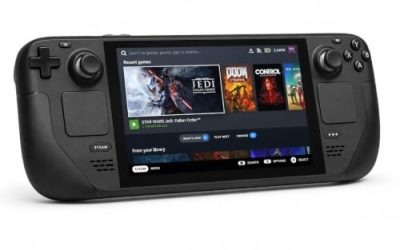
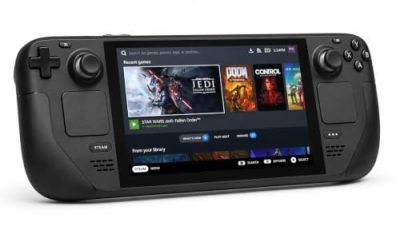
Valve Steam Deck OLED 512GB

The Deck is the most gaming-shaped Waydroid host most people already own, with a touch screen and full controller built in, subject to the SteamOS caveats above.
- Display: 7.4-inch HDR OLED touchscreen
- Storage: 512GB NVMe SSD
- Controls: thumbsticks, trackpads, gyro and touch
- System: SteamOS, x86 processor
Raspberry Pi 5 8GB
The native-ARM route: Android games run without translation, and the board suits lighter 2D and retro-styled titles rather than heavy 3D.
- Processor: quad-core Arm Cortex-A76 at 2.4GHz
- Memory: 8GB LPDDR4X
- Graphics: VideoCore VII GPU
- Model: SC1112
ViewSonic TD1655 Touch Portable Monitor
A 15.6-inch touchscreen that gives a desktop PC the input Android games were designed for, over USB-C or mini HDMI.
- Display: 15.6-inch 1080p IPS touchscreen
- Input: 10-point touch
- Connectivity: USB-C and mini HDMI
- Extras: built-in stand and smart cover
8BitDo Pro 2 Bluetooth Controller, Black Edition
Many Android games with gamepad support play far better on a real controller than on mapped mouse input, and the Pro 2’s gyro suits Android titles that use it.
- Sticks: Hall effect analog sticks
- Connectivity: Bluetooth and USB-C
- Layout: Switch-style face buttons with back paddles
- Extras: profile switching and gyro controls
Xbox Wireless Controller (2025) Carbon Black
The safe default for Android games that expect an Xbox-style pad, pairing over Bluetooth with the layout most games map correctly by default.
- Connectivity: Bluetooth and USB-C
- Layout: Xbox standard with Share button
- Model: EP2-29929
- Power: AA batteries or rechargeable packs
How to choose
Choose Waydroid when your target games are turn-based, story-driven or store-flexible, and you want them in desktop windows on a machine you already own. Choose native Linux or Windows ports first whenever they exist, since a real port beats a container every time. Choose your phone or tablet when the game is competitive, integrity-checked or touch-first, because no host choice fixes those walls. ARM hardware suits lightweight native libraries; x86 hardware suits the translated middle of the catalogue.
Who should skip this
Skip Waydroid if your Android gaming is mostly competitive shooters, MOBAs or headline gacha titles guarded by Play Integrity, because those are blocked by design rather than by fixable settings. Skip it if your desktop session is X11 with no plans to move to Wayland. Skip it on the Steam Deck if you want a set-and-forget system, since SteamOS updates can break the install. A phone remains the better tool for all three cases.
FAQ
Is Waydroid an emulator?
No. Waydroid runs a real Android system in a container that shares the host Linux kernel, so there is no virtual hardware layer. The only translation involved is for ARM game code on x86 processors, which is a separate, narrower cost.
Why does the Play Store say my device is not certified?
Waydroid devices are not Google-certified hardware. Registering the device’s Google services ID, as Waydroid’s documentation describes, restores basic Play Store access, but games that demand Play Integrity verdicts still refuse to run, because an uncertified container cannot produce them.
Can Waydroid run on X11?
No. Waydroid is built for Wayland sessions only. Most modern distributions offer a Wayland session at the login screen, and switching to it is the practical route; there is no supported X11 mode.
Is Waydroid worth it on the Steam Deck?
For tinkerers, yes; for everyone else, cautiously. Community installers make it work in Desktop Mode, but the Deck is x86, so translation applies, and SteamOS updates can break the setup. Treat it as a project, not a platform.
Final verdict
Waydroid is the most elegant way to run Android on Linux, and its elegance is real: a container that costs almost nothing when software runs natively. Its library, though, is decided by Google certification and ARM translation, not by your hardware budget. For strategy ports, visual novels, board games and the store-flexible long tail, it is genuinely good. For the integrity-guarded headline titles, the phone in your pocket is still the only honest answer.