A desk mat forces one decision that a small mouse pad never does: how much of the desk should become a single working surface. A compact pad leaves the keyboard on bare wood, so the keyboard slides during a tense round, the mouse runs off the edge on a wide sweep, and coffee rings mark the desk by the end of the week. A full desk mat puts the keyboard and the mouse on the same cloth, steadies both, and gives the whole setup one clean boundary.


This guide is for players who switch between ranked matches and a full workday at the same desk, for home-office workers who want a mouse surface that also protects the desk, and for anyone whose keyboard keeps drifting across bare wood. The five mats below were chosen from names and specifications on their Amazon product pages, covering a thin cloth classic, a thick cushioned mat, a spill-proof surface, a low-profile XL pad, and one with RGB lighting.
Quick Picks
As an Amazon Associate we earn from qualifying purchases
| Product | Best for | Key spec from title |
|---|---|---|
| SteelSeries QcK XXL | Full desk coverage for keyboard and mouse | 35 x 16 inch micro-woven cloth surface |
| Razer Gigantus V2 XXL | Thick cushioned feel for long sessions | 940 x 410 x 4 mm textured micro-weave cloth |
| Logitech G840 XL | Low-DPI play on a thin, flat surface | 900 x 400 x 3 mm performance-tuned cloth |
| Corsair MM350 PRO Extended XL | Spill-proof coverage for drinks at the desk | 930 x 400 x 4 mm spill-proof micro-weave cloth |
| Razer Goliathus Extended Chroma | RGB lighting that matches the rest of the setup | 920 x 294 x 3 mm micro-textured cloth with Chroma RGB |
How to Choose
Measure the desk before the mat
A desk mat is sized like a piece of furniture, so the tape measure comes first. The mats in this guide run from 900 mm wide to 940 mm wide, with depths from 294 mm to 410 mm, and the SteelSeries QcK XXL measures 35 by 16 inches. Compare those numbers with the clear space on the desk, remembering that a monitor stand, a speaker, or a desk lamp can eat into the usable area. Leave a margin at the front edge so the mat does not hang over the desk, and check the depth against the keyboard position, because a mat that is too deep pushes the keyboard toward the monitor and crowds the wrists.
Pick the surface by the workday, not just the game
Cloth is the common choice here, but the weave decides how the mat behaves across a whole day. A smoother, lower-friction surface suits fast flicks and quick cursor jumps between windows, while a slightly rougher weave gives more control for slow, deliberate tracking and fine spreadsheet work. The Logitech G840 XL describes moderate surface friction for low-DPI gaming, which fits arm aimers who want the mouse to stop where they expect. The Razer Gigantus V2 XXL uses a textured micro-weave cloth aimed at a balance of speed and control. Think about whether the mouse usually overshoots or stops short, and let that answer point toward a faster or a more controlled surface.
Check thickness, base, and how the mat handles spills
Thickness changes how the mat feels under the wrist and how it sits against the desk edge. A thin mat, such as the Logitech G840 XL at 3 mm, keeps the wrist close to desk level and rolls up neatly for transport. A thicker mat, such as the Razer Gigantus V2 XXL at 4 mm of high-density foam, cushions the wrist more. The base matters as much: every mat here lists a non-slip rubber base, which stops the whole sheet from creeping across a smooth desk during a tense round. If drinks sit on the desk during work, the Corsair MM350 PRO Extended XL adds a spill-proof coating that lets liquid slide off instead of soaking into the cloth.
Look at the edges, the lighting, and the long-term wear
Edges decide how long a cloth mat looks new. Stitched edges, such as the anti-fray stitching on the Corsair MM350 PRO Extended XL, resist fraying after months of daily use, while an unstitched edge can start to lift and curl at the corners. Lighting is the other long-term question: the Razer Goliathus Extended Chroma adds Chroma RGB around the edge, which looks sharp in a gaming setup but needs a USB connection and software to control, so it adds a cable and a setup step that a plain mat avoids. For a shared home office, a plain black mat disappears into the room, while RGB makes the desk unmistakably a gaming desk.
The 5 Best Options
SteelSeries QcK XXL
The QcK XXL is the default answer for a reason: it is a large, uncomplicated cloth mat that covers the keyboard and the mouse without asking for anything in return. At 900 by 400 mm, it turns the desk into one continuous surface, so the mouse never runs off the edge during a wide sweep and the keyboard stops drifting across bare wood. The micro-woven cloth gives a smooth, consistent glide that suits both flick aim and everyday cursor work, and the thin profile keeps the wrist close to desk level.
Specs
- Size: 900 x 400 mm (35 x 16 inches)
- Thickness: 2 mm
- Surface: Micro-woven cloth
- Base: Non-slip rubber base
- Model: 67500
Best for: A first full-size desk mat that has to work for gaming at night and office work during the day.
Watch out for: The plain black cloth shows dust and crumbs, so it needs a regular wipe to keep looking tidy.
Razer Gigantus V2 XXL
The Gigantus V2 XXL is the cushioned option in this group, built around 4 mm of high-density rubber foam that softens the wrist during long sessions. At 940 by 410 mm, it is the widest mat here, so a full-size keyboard and a low-sensitivity mouse sweep fit with room to spare. The textured micro-weave cloth aims at a balance of speed and control, giving the mouse a smooth start without letting it run away when the hand stops. The thick foam also flattens well over a slightly uneven desk.
Specs
- Size: 940 x 410 mm (37.01 x 16.14 inches)
- Thickness: 4 mm
- Surface: Textured micro-weave cloth
- Base: High-density rubber foam, anti-slip base
- Sizes available: Medium, Large, XXL, 3XL
Best for: Long evening sessions where wrist comfort matters as much as aim.
Watch out for: The thick foam needs a deep desk, and a new mat can carry a rubber smell until it airs out.
Logitech G840 XL
The G840 XL is the thin, flat specialist of the group, and that restraint is its appeal. At 900 by 400 mm with a 3 mm profile, it gives full desk coverage without raising the wrist off the desk, and its performance-tuned cloth surface is built for consistent sensor imaging and peak cursor accuracy. The stable rubber base keeps the whole sheet in place during rapid sweeping movements, and the mat rolls up for transport when the setup has to move. It is the mat for a player who wants the surface to disappear under the hand.
Specs
- Size: 900 x 400 mm (35.43 x 15.75 inches)
- Thickness: 3 mm
- Surface: Performance-tuned cloth
- Base: Stable rubber base
- Model: 943-000776
Best for: Low-DPI players who want a thin, flat surface with consistent tracking.
Watch out for: No stitched edges are stated on the listing, so check the edge finish before buying if fraying is a concern.
Corsair MM350 PRO Extended XL
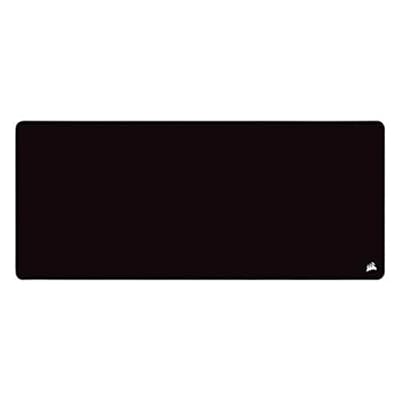
The MM350 PRO Extended XL is the mat for a desk where drinks, snacks, and long workdays all happen in the same place. At 930 by 400 mm, it holds a full-size keyboard and a mouse with room to spare, and the spill-proof micro-weave surface lets liquids slide off instead of soaking into the cloth. The 4 mm plush rubber base cushions the wrist, the anti-fray stitched edges run around all four sides, and the textured rubber base keeps the mat from moving. It is the most complete everyday mat here.
Specs
- Size: 930 x 400 mm (36.6 x 15.7 inches)
- Thickness: 4 mm
- Surface: Spill-proof micro-weave textile
- Base: Plush rubber, textured non-slip
- Edges: Anti-fray stitched
- Model: CH-9413770-WW
Best for: A desk that doubles as a workspace, where coffee and long sessions are both part of the day.
Watch out for: The black surface shows dust and pet hair, and 930 mm of width needs a desk to match.
Razer Goliathus Extended Chroma

The Goliathus Extended Chroma is the mat for a setup where the desk itself is part of the look. At 920 by 294 mm, it is narrower than the other mats here, so it fits desks where depth is tight, while still holding a keyboard and a mouse. The micro-textured cloth surface gives responsive tracking with a fast glide and good stopping power, and the Chroma RGB lighting around the edge syncs with Razer hardware, games, and Philips Hue gear. It turns a plain desk into a lit gaming station without changing anything else.
Specs
- Size: 920 x 294 x 3 mm (36.25 x 11.58 inches)
- Thickness: 3 mm
- Surface: Micro-textured cloth
- Base: Non-slip natural-foam rubber base
- Lighting: Razer Chroma RGB, 16.8 million colors
- Model: RZ02-02500300-R3U1
Best for: A gaming setup where RGB lighting ties the desk together.
Watch out for: The lighting needs a USB connection and Razer software, and the narrower depth leaves less room for a low-sensitivity sweep.
Which One Fits Your Situation
One desk for gaming at night and office work by day
Pick the SteelSeries QcK XXL. Its plain black cloth looks at home in a work call and performs in a ranked match, and the 900 by 400 mm surface holds the keyboard and the mouse without drawing attention to itself. Nothing on it needs software, a cable, or an explanation, so it fits a shared room as easily as a dedicated gaming corner.
Long sessions that leave the wrist sore
Pick the Razer Gigantus V2 XXL. The 4 mm high-density foam is the thickest cushioning in this guide, and the 940 by 410 mm surface gives the arm room to sweep without lifting. The textured micro-weave keeps the mouse controlled, so the wrist gets support without giving up stopping power.
A desk where coffee sits next to the keyboard
Pick the Corsair MM350 PRO Extended XL. The spill-proof coating is the feature that matters most here, because a knocked-over cup slides off the micro-weave instead of soaking in. The stitched edges and 4 mm plush base add durability and comfort, making it the safest choice for a desk that is used all day.
A setup that should look like a gaming station
Pick the Razer Goliathus Extended Chroma. The Chroma RGB edge syncs with the rest of a Razer setup and turns the desk into a lit display, while the micro-textured cloth keeps tracking responsive. Measure the 294 mm depth first, since it is the narrowest mat in this guide, and check that a wide mouse sweep still fits before ordering.
Common Mistakes
- Buying by width alone and forgetting depth, so the mat crowds the keyboard or hangs over the desk edge.
- Choosing a fast, low-friction surface for low-sensitivity play, then fighting a mouse that will not stop where it should.
- Ignoring the base on a glass or glossy desk, where a mat without a proper non-slip rubber base creeps during every session.
- Picking an RGB mat for a shared office without checking whether the lighting, the USB cable, and the software fit the room.
- Assuming every cloth mat handles spills, when only a coated surface such as the Corsair MM350 PRO Extended XL is built to shed liquid.
Frequently Asked Questions
What size desk mat covers a keyboard and a mouse?
A mat around 900 by 400 mm covers a full-size keyboard and a mouse with room for wide sweeps, and every mat in this guide except the Razer Goliathus Extended Chroma meets that size. Measure the clear desk space first, subtract room for a monitor stand or speakers, and leave a margin at the front edge so the mat does not hang over the desk.
Is a thicker desk mat better for long sessions?
A thicker mat cushions the wrist, so the 4 mm Razer Gigantus V2 XXL and Corsair MM350 PRO Extended XL suit long evenings at the desk. A thin mat such as the 3 mm Logitech G840 XL keeps the wrist closer to desk level and rolls up for travel, so the better choice depends on whether comfort or a flat, low profile matters more.
Can one desk mat work for gaming and office work?
Yes, and that is the point of this guide. A plain cloth mat such as the SteelSeries QcK XXL or the Logitech G840 XL looks neutral in a work call and tracks well in a game. Keep the RGB lighting for a dedicated gaming corner, and choose a spill-proof surface if drinks sit on the desk during the workday.
How do I keep a cloth desk mat clean?
Shake loose dust off the mat, wipe the surface with a damp cloth, and let it dry flat before putting gear back on it. A spill-proof mat such as the Corsair MM350 PRO Extended XL wipes clean more easily, while a plain cloth mat needs quicker attention after a spill so liquid does not soak into the weave.