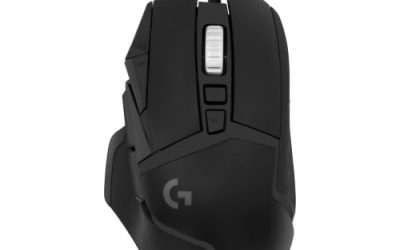
A G502 asks more of a mouse pad than a lightweight esports mouse does. It is a substantial, button-heavy mouse, and its HERO sensor is happiest on a surface with a consistent texture it can read cleanly at both slow tracking speeds and fast flicks. A pad that is too slick makes the G502 feel like it overshoots on stops; a pad with worn or uneven texture shows up as inconsistent tracking long before the sensor itself is at fault. The right pairing is a pad with a uniform cloth surface, enough friction for controlled stops, a base that does not creep, and a size matched to the sensitivity you play at. Our top pick: Logitech G640 SE Large Cloth Gaming Mouse Pad, Optimized for Gaming Sensors, Moderate Surface Friction, Non-Slip Mouse Mat – 10th Anniversary. Runner-up: SteelSeries QcK Heavy – Large – Gaming Mouse Pad – Extra Thick Non-Slip Rubber Pad – Exclusive Microfiber Surface – Peak Tracking and Stability – Optimized for Gaming Sensors.
This guide is for G502 owners — HERO, Lightspeed and X variants share the same pairing logic — who want a pad chosen for that mouse rather than a generic desk mat. The four pads below were chosen from the names and specifications on their Amazon product pages, with priority given to surface friction and texture consistency, sensor-matched surfaces, size options for different sensitivities, and base stability.
Quick Picks
As an Amazon Associate we earn from qualifying purchases.
| Product | Best for | Key spec from title |
|---|---|---|
| Logitech G640 SE | A surface matched to Logitech G sensors | Optimized for gaming sensors, moderate surface friction, 460 x 400 mm |
| SteelSeries QcK Heavy | Maximum cushion and stability under a heavier mouse | Extra thick 6 mm base, 450 x 400 mm, microfiber surface |
| Logitech G840 XL | A full desk surface for keyboard and mouse together | 900 x 400 mm XL cloth, performance-tuned surface |
| Razer Gigantus V2 XXL | The largest area for very low sensitivity play | 940 x 410 mm, thick high-density foam, micro-weave cloth |
How to Choose
Match the surface friction to a heavier mouse
Friction is the spec that decides how a G502 feels in motion. A heavier mouse carries more momentum into a stop, so a moderate-friction cloth surface — the G640 SE and G840 XL both describe theirs this way — gives you a defined braking feel without making small adjustments sticky. Very slick surfaces reward light mice and fast flicks but can make a G502 feel loose at the end of a swipe. The listings here describe the G640 SE’s cloth as providing medium friction that improves control for low DPI play, which is exactly the regime where a G502 is usually run. Treat friction as the first filter when you compare pads.
Check that the surface texture is consistent
A gaming sensor reads the pad’s texture thousands of times per second, and it tracks best when that texture does not change across the pad. Logitech states that the G640’s surface materials are matched to the test conditions used for Logitech G sensors, which is the closest thing to a guaranteed pairing with a G502’s HERO sensor. The QcK Heavy takes the other route to consistency: an exclusive micro-woven cloth over an extra-thick base, so desk imperfections underneath do not telegraph through to the tracking surface. Consistency matters more than novelty — a worn, shiny patch in the middle of a pad is enough to make tracking feel uneven.
Size the pad to your sensitivity, not your desk
Pad size should follow the distance your mouse travels. At the low sensitivities common in tactical shooters, a single turn can use most of a 450 to 460 mm wide pad, which is why the G640 SE at 460 x 400 mm and the QcK Heavy at 450 x 400 mm are the standard large footprint for one mouse. If you play at very low sensitivity or never want to lift and recenter, the desk-size options — the G840 XL at 900 x 400 mm and the Gigantus V2 XXL at 940 x 410 mm — put the keyboard and mouse on one continuous surface. Measure your actual mouse area before ordering: a large pad is only an upgrade if your swipes use it.
Pay attention to thickness and the base
Thickness changes both comfort and stability under a heavier mouse. The QcK Heavy’s 6 mm rubber base is the thickest here: it cushions the wrist, smooths over uneven desk surfaces and gives the pad a planted feel during hard swipes. The G640 SE and G840 XL are 3 mm, which keeps the edge step low where your wrist crosses it and lets both pads roll up for transport. Every pad in this guide uses a non-slip rubber base, and that base is doing real work with a G502 — repeated directional changes will walk a poorly gripped pad across the desk over a session.
The 4 Best Options
Logitech G640 SE Large Cloth Gaming Mouse Pad, Optimized for Gaming Sensors, Moderate Surface Friction, Non-Slip Mouse Mat – 10th Anniversary

OUR TOP PICK
The G640 SE is the most direct answer to the question this guide asks, because Logitech builds the surface around its own sensors. The listing states that the G640’s surface materials match the optimal test lab conditions for Logitech G mouse sensors, complementing them for greater sensor performance — and the G502’s HERO sensor is exactly the hardware that pairing is aimed at. This SE edition marks the G502’s 10th anniversary, but the pad underneath the branding is the established G640 formula: a large cloth surface with moderate friction tuned for control.
The dimensions are 460 x 400 mm with a 3 mm profile, which gives a low-sensitivity G502 player a generous tracking area while keeping the keyboard on the desk beside it. The cloth and rubber construction rolls up for transport and flattens back out, and the rubber base holds the pad in place during play. For a G502 owner who wants the pairing the manufacturer itself tuned, rather than a third-party approximation of it, this is the straightforward first choice — and the moderate friction suits the stopping control a heavier mouse benefits from.
Specs
- Size: 460 x 400 mm
- Thickness: 3 mm
- Surface: Cloth, moderate surface friction
- Sensor pairing: Surface matched to Logitech G sensor test conditions
- Base: Non-slip rubber base
- Construction: Cloth and rubber, rolls up for transport
- Model number: 943-001334
Best for: G502 owners who want the pad surface Logitech tunes for its own gaming sensors, in a large single-mouse size.
Watch out for: The 460 mm width is a mouse-only footprint; players at very low sensitivity who also want the keyboard on the pad should step up to the G840 XL or Gigantus V2 XXL.
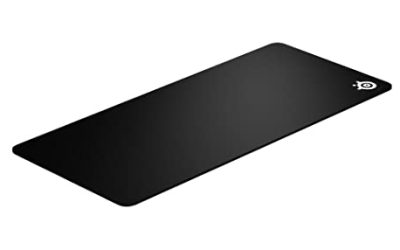
SteelSeries QcK Heavy – Large – Gaming Mouse Pad – Extra Thick Non-Slip Rubber Pad – Exclusive Microfiber Surface – Peak Tracking and Stability – Optimized for Gaming Sensors

RUNNER-UP
The QcK Heavy is the comfort-and-stability pick of this guide. Its defining spec is the base: at 6 mm thick, it is twice the depth of the Logitech pads here, and that extra rubber does three useful things under a G502 — it cushions the wrist through long sessions, it irons out small bumps and seams in the desk surface so tracking stays even, and it gives the pad enough mass and grip to stay planted when a heavier mouse changes direction hard. SteelSeries describes the line as built for peak tracking and stability, and the Heavy is the member of the family that leans hardest into the stability half of that promise.
The surface is SteelSeries’ exclusive micro-woven cloth, a smooth, consistent texture that optical sensors read reliably, in a 450 x 400 mm large footprint that matches the G640 class for swipe room. Choose it if your desk surface is less than perfect, if you rest real weight on your wrist while you play, or if thinner pads have felt harsh under your G502. The trade is portability: a 6 mm pad is a fixture, not a travel accessory.
Specs
- Size: 450 x 400 mm (Large)
- Thickness: 6 mm
- Surface: Exclusive micro-woven cloth (microfiber)
- Base: Extra thick non-slip rubber base
- Model: 63008
- Sensor support: Optimized for gaming sensors, optical and laser
Best for: G502 players who want maximum cushioning and a pad that smooths over an uneven desk while staying firmly in place.
Watch out for: The 6 mm thickness makes it bulky to roll or transport, and the higher edge takes adjustment if you are used to a thin pad.
Logitech G840 XL Cloth Gaming Mouse Pad – 0.12 in Thin, Stable Rubber Base, Performance-Tuned Surface – Black

The G840 XL stretches the G640 idea across the whole desk. At 900 x 400 mm it holds both the keyboard and the mouse on one continuous, performance-tuned cloth surface, so a G502 never crosses a pad edge mid-swipe and the tracking texture is identical wherever the mouse lands. Logitech describes the surface as performance-tuned with moderate friction, the same control-oriented character as the G640, so moving to the XL size does not change how the mouse feels — only how much room it has.
At 3 mm (0.12 in) thick, the pad keeps a low profile under the wrists, and the stable rubber base keeps a surface this large from bunching or drifting when a keyboard rests on one half of it. This is the right choice for a G502 player at low sensitivity who also wants a unified desk surface, or for anyone whose current large pad still runs out during wide turns. Confirm the desk can take a 900 mm width before ordering.
Specs
- Size: 900 x 400 mm
- Thickness: 3 mm (0.12 in)
- Surface: Cloth, performance-tuned, moderate friction
- Base: Stable non-slip rubber base
- Layout: XL size covers keyboard and mouse
- Model number: 943-000776
Best for: G502 owners who play at low sensitivity and want one full-width surface under both keyboard and mouse.
Watch out for: It needs a desk that can fit a 900 mm wide pad flat; if a monitor stand or speakers crowd the surface, the large single-mouse pads will serve you better.
Razer Gigantus V2 Cloth Gaming Mouse Pad (XXL): Thick, High-Density Foam – Non-Slip Base – Classic Black
The Gigantus V2 XXL is the largest pad in this guide at 940 x 410 mm, and it earns its place as the maximum-space option for a G502. The surface is a textured micro-weave cloth built for a balance of speed and control, which gives the G502 a slightly freer glide than the Logitech pads while keeping a consistent texture for the sensor to read. If your sensitivity is very low and your turns are full arm movements, this is the pad least likely to run out from under the mouse.
Under the cloth is a thick, high-density rubber foam base with an anti-slip backing, so the mat stays flat and fixed even though it covers most of the desk. The XXL turns the whole desktop into the mouse area, keyboard included. Choose it over the G840 XL if you want the extra width and depth and a touch more glide; choose the Logitech if the sensor-matched surface matters more to you.
Specs
- Size: 940 x 410 mm (XXL)
- Surface: Textured micro-weave cloth, speed and control balance
- Base: Thick, high-density rubber foam, anti-slip
- Layout: Desk-size mat for keyboard and mouse
Best for: G502 players at very low sensitivity who want the largest possible tracking area on one mat.
Watch out for: At 940 mm wide it dominates a desk; measure first, and note the freer glide feels different from the more planted, moderate-friction Logitech surfaces if you are switching from those.
Which One Fits Your Situation
You want the pairing Logitech itself tuned
Choose the Logitech G640 SE. Its surface is matched to Logitech G sensor test conditions, its 460 x 400 mm size suits a single mouse, and its moderate friction gives a heavier G502 clean, controlled stops.
Your desk is uneven or your wrist wants cushion
Choose the SteelSeries QcK Heavy. The 6 mm base smooths out desk imperfections, supports the wrist through long sessions, and keeps the pad planted, while the micro-woven cloth keeps tracking consistent.
You want the keyboard and mouse on one surface
Choose the Logitech G840 XL. The 900 x 400 mm footprint unifies the desk with the same performance-tuned, moderate-friction surface as the G640, so your G502 gets an uninterrupted tracking area.
You play at very low sensitivity with full arm swipes
Choose the Razer Gigantus V2 XXL. At 940 x 410 mm it is the biggest target here, with a micro-weave surface that balances speed and control and a thick foam base.
Common Mistakes
- Buying a pad for its artwork or size alone and ignoring friction, then fighting a G502 that overshoots on stops because the surface is too slick for a heavier mouse.
- Replacing the mouse but keeping a worn pad with a polished, shiny centre; the inconsistent texture, not the new sensor, is what makes tracking feel uneven.
- Ordering a 900 mm or 940 mm desk pad without measuring, then folding it under a monitor stand and creating a ridge exactly where the mouse travels.
- Assuming any large pad suits low sensitivity play without checking the base; a pad that creeps a few millimetres per swipe will quietly shift your whole setup during a session.
- Letting dust, skin oil and drink spills build up in a cloth surface and never cleaning it, which changes the glide over time and makes the mouse feel different week to week.
Safety Notes
A mouse pad is a passive accessory, but a few habits keep it and your setup in good shape. Keep drinks in closed containers away from cloth pads, since a spill soaks in and changes the surface until it is cleaned and fully dry. Clean cloth pads gently with a damp cloth and mild soap, then let them dry flat and completely before playing, because a damp surface tracks differently. Keep pads flat rather than folded to avoid permanent creases in the tracking area, and replace a pad whose rubber base has dried out and started to crumble. Finally, pad choice supports comfort but does not replace it: keep your desk and chair height sensible and take breaks during long sessions.
Frequently Asked Questions
Does the G502 need a special pad, or will any pad work?
Any flat, consistent pad will let a G502 track, but the pairing matters for feel and consistency. The HERO sensor reads surface texture continuously, so a uniform cloth with moderate friction — such as the G640 SE, whose surface is matched to Logitech G sensor test conditions — gives the most predictable tracking and stopping behaviour. Pads that are very slick or worn in patches make a heavier mouse feel inconsistent in a way that is easy to misread as a sensor problem.
What size pad is right for a G502?
It depends on your sensitivity. If your mouse stays in one area and your turns are wrist movements, a large pad around 450 to 460 mm wide, like the QcK Heavy or G640 SE, is plenty. If you play at low sensitivity with arm swipes, step up to a desk-size pad: the G840 XL at 900 x 400 mm or the Gigantus V2 XXL at 940 x 410 mm. Measure the space your mouse travels during your widest in-game turn and buy for that distance.
Cloth or hard pad for a G502?
Every pick in this guide is cloth, and that is deliberate for this mouse. A heavier mouse benefits from the control and stopping friction of cloth, and cloth is quieter and easier on mouse feet over long sessions. Hard pads glide faster, but they give a G502 less braking assistance and wear feet faster. If your priority is controlled stops and consistent tracking, cloth in a moderate-friction weave is the safer default.
How thick should the pad be?
Thickness is a comfort and stability choice. A 3 mm pad such as the G640 SE or G840 XL keeps a low edge where your wrist crosses and rolls up easily for transport. A 6 mm pad such as the QcK Heavy adds real cushioning and can smooth over an uneven desk, at the cost of a higher edge and more bulk. Neither thickness changes how the sensor reads the surface; choose based on your desk and your wrist.