- Top Pick: ASUS Prime Z390-P LGA1151 (Intel 8th and 9th Gen) ATX Motherboard for Cryptocurrency Mining(BTC) with Above 4G Decoding, 6xPCIe Slot and USB 3.1 Gen2
- Best Value: Gigabyte Z390 AORUS Elite (Intel LGA1151/Z390/ATX/2xM.2/Realtek ALC1220/RGB Fusion/Gaming Motherboard)
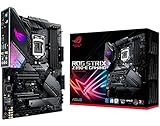
- Premium Choice: Asus ROG Strix Z390-E Gaming Motherboard LGA1151 (Intel 8th 9th Gen) ATX DDR4 DP HDMI M.2 USB 3.1 Gen2 802.11AC Wi-Fi
Buying a Z390 motherboard in 2026 is a very specific kind of decision. The chipset belongs to Intel’s LGA1151 era and supports 8th and 9th generation Core processors, which means you are almost certainly doing one of three things: refreshing an existing Coffee Lake build, replacing a failed board in a system you do not want to rebuild, or assembling a budget PC around a processor you already own. In each case the goal is the same, which is to get the most capable board for a platform that no longer receives new CPUs.
That focus narrows the shopping list. You do not need to worry about future processor upgrades, since the socket has reached the end of its road, but you do need to pay attention to M.2 slots, audio, networking, and display outputs. The seven boards below are compared using only what each listing says, from a mining-oriented Asus Prime to an enthusiast ROG Strix, so you can match the board to the way you will use it rather than to a spec that looks impressive on paper.
Quick Picks
As an Amazon Associate we earn from qualifying purchases at no extra cost to you.



| Product | Best for | Key spec from the title |
|---|---|---|
| ASUS Prime Z390-P | Multi-GPU and mining rigs | Above 4G Decoding, 6 PCIe slots |
| Gigabyte Z390 AORUS Elite | Balanced gaming build | 2 M.2 slots, Realtek ALC1220, RGB Fusion |
| ASUS ROG Strix Z390-E Gaming | Feature-rich enthusiast build | DDR4, DP and HDMI, M.2, 802.11AC Wi-Fi |
| Gigabyte Z390 AORUS PRO Wi-Fi | Wireless and storage-heavy builds | 2 M.2 with Thermal Guard, onboard AC Wi-Fi |
| MSI Z390-A PRO | Dual LAN and CrossFire | Dual Gigabit LAN, CFX, USB 3.1 Gen 2 |
| ASUS Prime Z390-A | Straightforward ATX build | DDR4, DP, HDMI, M.2, Gigabit LAN |
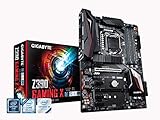
| Gigabyte Z390 Gaming X | Budget-tier gaming build | 2 M.2, Realtek ALC892, Intel LAN |
How to Choose
Confirm Your Processor and BIOS Support
Start with the socket, because it settles most questions. Z390 boards use the LGA1151 socket and support 8th and 9th generation Intel Core processors. They do not fit 10th generation chips, which use a different socket. Because boards from the early production run may need a BIOS update for the newest chips, check the manufacturer’s CPU support list for your exact processor and revision before assuming it will boot out of the box. Memory is DDR4 on these boards, so reuse your existing kit if it is on the support list.
M.2 Slots and Storage Layout
Several listings advertise two M.2 slots, which lets you run a fast boot drive alongside a second solid-state drive for games. Heat can throttle high-speed drives, so a board listing a thermal guard cover offers a tangible benefit over bare slots. If you only plan one drive, a single M.2 slot is enough, and you can ignore the slot count. Also check which M.2 drive types each slot accepts, because some slots share lanes with other ports.
Audio, Networking, and Wi-Fi
Audio codecs differ: the ALC1220 chip named on some Gigabyte boards is a step above the ALC892 on the Gaming X. For networking, dual Gigabit LAN, as on the MSI, helps if you run a home server or bridge connections. Wi-Fi is built into only some of these boards, so factor in a separate adapter if you pick one without wireless. Remember that a board with an Intel LAN controller is a different proposition from one that does not name its network chip, and that a wired connection remains the steadier choice for gaming.
Display Outputs and What Budget Boards Skip
If you rely on integrated graphics for a while, check for HDMI and DisplayPort outputs. Budget-tier boards trim RGB headers, heatsink coverage, and power delivery, which matters most if you overclock a K-series chip. Z390 is the chipset that allows overclocking on supported processors, so a board with stronger cooling suits that goal better than a basic model. Whichever you choose, update the BIOS before installing a ninth generation chip if the manufacturer lists it as required, and keep the original box and manual for reference.
The 7 Best Options
ASUS Prime Z390-P
This ATX board for 8th and 9th generation Intel processors is marketed for cryptocurrency mining, with Above 4G Decoding, six PCIe slots, and USB 3.1 Gen2. That slot count points to multi-GPU and expansion-card builds rather than a typical gaming desktop. Builders who need to seat several GPUs or add-in cards, such as a compute or capture rig, will care more about the slot layout and decoding support than about lighting or audio. Treat it as a purpose-built workhorse and expect to bring your own wireless adapter.
- Strength: six PCIe slots and Above 4G Decoding suit multi-card setups.
- Strength: USB 3.1 Gen2 support is listed.
- Trade-off: the title shows no M.2, Wi-Fi, or audio details.
Skip it if you want a polished gaming board with RGB and modern storage options.
Gigabyte Z390 AORUS Elite
A gaming ATX board for LGA1151 processors that lists two M.2 slots, a Realtek ALC1220 audio codec, and RGB Fusion lighting. It sits in the middle of the Gigabyte lineup, with enough features for most gaming builds. It suits a player assembling a mid-range Coffee Lake system who wants fast storage in two places, decent onboard sound, and lighting control through a single software suite, without stepping up to the Wi-Fi-equipped model.
- Strength: two M.2 slots for a dual-drive layout.
- Strength: ALC1220 audio is a step up from basic codecs.
- Trade-off: no built-in Wi-Fi is listed.
Skip it if you need wireless networking without buying an adapter, or if you want covers over the M.2 drives for extra heat control.
ASUS ROG Strix Z390-E Gaming
An ATX Republic of Gamers board supporting 8th and 9th generation Intel processors with DDR4 memory, DisplayPort, HDMI, M.2, USB 3.1 Gen2, and 802.11AC Wi-Fi. It is the more enthusiast-oriented ASUS choice here. A builder who plans to run integrated graphics while waiting on a new video card, or who wants wireless from day one, gets both from a single board, which simplifies a compact desk setup with no antenna to add later.
- Strength: built-in 802.11AC Wi-Fi and USB 3.1 Gen2.
- Strength: both DP and HDMI outputs for integrated graphics use.
- Trade-off: the title lists only one M.2 reference, with no slot count.
Skip it if you want the fewest possible extras on the board.
Gigabyte Z390 AORUS PRO Wi-Fi
This ATX board lists two M.2 slots with Thermal Guard, onboard AC Wi-Fi, and RGB Fusion lighting. It is the most complete Gigabyte option for someone who wants wireless and drive cooling in one board. If your case is cramped and airflow is modest, covers over the solid-state drives are a practical benefit, and the integrated wireless keeps cables and adapters off the desk.
- Strength: Thermal Guard on the M.2 slots helps keep drives cooler.
- Strength: onboard AC Wi-Fi removes the need for an adapter.
- Trade-off: an extra step up over the Elite, with wireless as the main change.
Skip it if you use wired Ethernet only.
MSI Z390-A PRO
An ATX board with M.2, USB 3.1 Gen 2, DDR4, HDMI, DisplayPort, CrossFire support, and dual Gigabit LAN. It is a practical board for builders who need two network ports. A home-lab user could separate a main network from a storage or camera network, while a gamer could use the second port for a direct connection to another machine, and the CrossFire mention hints at multi-GPU use for AMD fans.
- Strength: dual Gigabit LAN suits servers and bridged networks.
- Strength: CrossFire support is named.
- Trade-off: no Wi-Fi or audio codec is listed.
Skip it if you want a flashy, RGB-focused design, or if you rely on wireless networking rather than a cable.
ASUS Prime Z390-A
A straightforward ATX board with DDR4 support, DisplayPort, HDMI, M.2, USB 3.1 Gen2, and Gigabit LAN. It aims at a clean, reliable build rather than flashy extras. It suits a workstation or office build where steady operation, a wired network, and both video outputs matter more than lighting effects, and where the owner would rather spend attention on the processor and memory choices.
- Strength: DP and HDMI outputs plus USB 3.1 Gen2.
- Strength: a simple feature set that is easy to understand.
- Trade-off: no Wi-Fi is listed.
Skip it if you want wireless built in, or if you prefer a board with a long list of lighting and audio extras.
Gigabyte Z390 Gaming X
A gaming ATX board with two M.2 slots, a Realtek ALC892 audio codec, Intel LAN, and HDMI. It is the budget-tier Gigabyte choice here. A first-time builder pairing it with a mid-range Core i5 or i7 gets enough storage flexibility to add a second solid-state drive later, while accepting that the audio and extras are plainer than on the premium boards.
- Strength: two M.2 slots at an entry-level tier.
- Strength: Intel LAN is named.
- Trade-off: ALC892 audio is a step below the ALC1220 on other Gigabyte boards.
Skip it if audio quality matters or you want Wi-Fi.
Which One Fits Your Situation
You Are Building a Gaming PC Around a K-Series CPU
The ASUS ROG Strix Z390-E Gaming and Gigabyte Z390 AORUS PRO Wi-Fi bring the most features, with the Strix adding both video outputs and the Gigabyte adding drive cooling and wireless.
You Run a Home Server or Network Bridge
The MSI Z390-A PRO’s dual Gigabit LAN suits this role, since the second port lets you split traffic without buying an extra network card.
You Need Many Expansion Cards
The ASUS Prime Z390-P lists six PCIe slots and Above 4G Decoding, which is the reason to choose it over the more consumer-focused boards.
You Want a Simple Build or a Straight Board Swap
The Gigabyte Z390 Gaming X gives two M.2 slots at a budget tier, so you can start with one drive and add another later. For a plain like-for-like swap in an office or family PC, the ASUS Prime Z390-A keeps things equally simple with DDR4, both video outputs, M.2, and Gigabit LAN.
Common Mistakes
- Buying a Z390 board for a 10th generation processor.
- Skipping the BIOS support list for your exact CPU.
- Ignoring whether a board has Wi-Fi.
- Choosing a basic board for heavy overclocking.
- Assuming every M.2 slot supports the same drive types, or that using one slot never disables a neighboring port.
Related guides
- Aio Liquid Coolers For High Performance Gaming
- How To Lower Input Delay In Competitive Shooters
- External Hard Drives For Music Production
Frequently Asked Questions
Which processors work on Z390?
8th and 9th generation Intel Core processors on LGA1151. Check each board’s support list, because some chips need a BIOS update before the board will start with them.
Does Z390 support overclocking?
Yes, on unlocked K-series processors. Good power delivery and cooling matter.
Do these boards support DDR4?
Yes, DDR4 memory is the standard for this platform, and the titles that mention memory list DDR4. Confirm the supported speeds and capacity on the manufacturer page before buying kits.
Is Z390 still worth building on?
It makes sense if you already own a compatible processor and memory, or you are repairing an existing system. For a brand-new build with no parts on hand, a newer platform gives you an upgrade path that this socket no longer offers.