

3D rendering is one of the most storage-hungry things a workstation does. A single production scene can pull in gigabytes of textures, geometry caches and simulation data; a render writes large output frames in sequence; and scratch and cache files balloon while the software works. That puts two demands on a drive above all others: large capacity to hold sprawling scene assets and output, and sustained write performance so the drive does not choke when it has to commit big files continuously rather than in short bursts. A drive that is fast for a moment but slows under a long write is a poor match here. This guide rounds up the best SSDs for 3D rendering in 2026 with capacity and sustained throughput front of mind.
- Best SSDs for 3D Rendering at a Glance
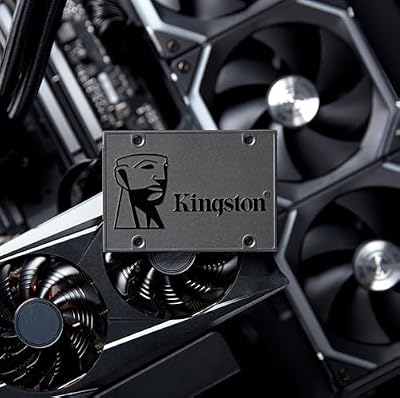
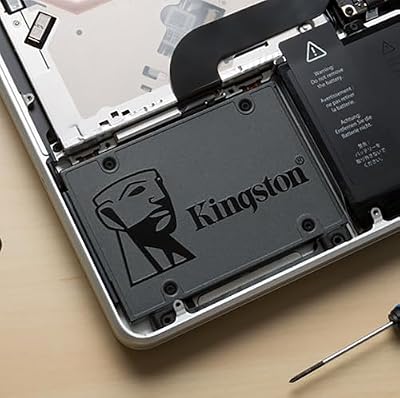
- 1. Kingston 960GB A400 SATA3 2.5″ Internal SSD
- 2. SANDISK 4TB Extreme Portable SSD, USB-C, USB 3.2
- 3. SAMSUNG 970 EVO Plus 2TB NVMe M.2 Internal SSD
- 4. Samsung 870 EVO SATA III SSD 1TB 2.5″ Internal SSD
- 5. Samsung T7 Portable SSD 1TB External, up to 1050MB/s
- 6. Samsung 980 PRO 2TB PCIe NVMe Gen 4 M.2 Internal SSD
- How to Choose an SSD for 3D Rendering
- Frequently Asked Questions
- Related Guides
- Related Articles
Our picks lead with the high-capacity and high-bandwidth options that suit scene storage and scratch work, and include both internal and external drives, with prices from around $180 up to around $486. The list spans a large 4TB external USB-C SSD, fast internal NVMe drives, big SATA drives and a portable, and we are clear about which is internal and which connects over a cable. For rendering, where you put your scratch disk, your asset library and your render output each calls for different priorities. Below is an at-a-glance comparison of all six, then a closer look at each for rendering work and a buyer’s guide built around capacity, sustained writes and the NVMe-versus-SATA decision.
As an Amazon Associate we earn from qualifying purchases at no extra cost to you.



🛒 Best Price Today on Amazon
Prime members get fast, free shipping on everything above, plus member-only deals. New members get a 30-day free trial — cancel anytime.
Best SSDs for 3D Rendering at a Glance
| SSD | Best For | Standout Spec | Approx Price |
|---|---|---|---|
| Kingston A400 960GB SATA | Affordable asset/OS drive | 960GB 2.5-inch SATA internal | around $180 |
| SanDisk 4TB Extreme Portable | Huge external scene archive | 4TB USB-C, up to 1050MB/s | around $450 |
| Samsung 970 EVO Plus 2TB NVMe | Fast scratch and cache | 2TB NVMe M.2, V-NAND | around $365 |
| Samsung 870 EVO 1TB SATA | Reliable internal asset store | 1TB SATA III, up to 560MB/s | around $486 |
| Samsung T7 1TB Portable | Portable project transfer | 1TB USB-C, up to 1050MB/s | around $235 |
| Samsung 980 PRO 2TB NVMe Gen4 | Top-tier sustained NVMe | 2TB PCIe Gen4 M.2 | around $482 |
1. Kingston 960GB A400 SATA3 2.5″ Internal SSD

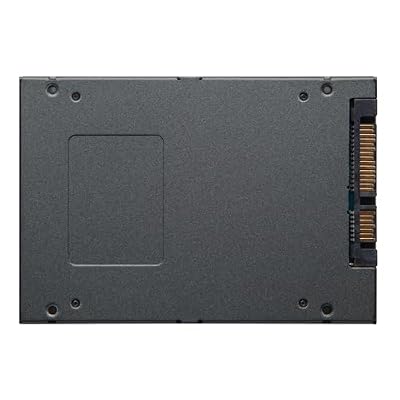
Kingston 960GB A400 SATA3 2.5" Internal SSD SA400S37/960G - HDD Replacement for Increase Performance



As an Amazon Associate we earn from qualifying purchases. Product prices and availability are accurate as of the date/time indicated.
The Kingston A400 960GB opens the list as the affordable asset-and-OS drive. It is a 2.5-inch SATA SSD with a near-1TB capacity that drops into any machine and gives a render workstation a dependable, low-cost home for the operating system, the 3D application and a working set of assets. At around $180 it is the budget-friendly foundation of a rendering storage setup.
In a rendering context this drive is best as a supporting player rather than the scratch disk. The 960GB capacity holds your OS, your DCC software and a useful library of textures and models, and an SSD keeps loading those assets quick. Where it is less suited is heavy sustained scratch and cache writing — SATA bandwidth and the A400’s entry-tier controller are not built for continuous large-file output the way a fast NVMe drive is. Treat it as the affordable system-and-assets drive, and pair it with a faster drive for scratch, and it earns its place in the workflow.
Pros: Affordable 960GB, dependable for OS and assets, easy 2.5-inch install, trusted Kingston.
Cons: SATA and entry-tier controller limit sustained write; not ideal as a scratch disk.
2. SANDISK 4TB Extreme Portable SSD, USB-C, USB 3.2

SANDISK 4TB Extreme Portable SSD, Up to 2000MB/s Transfer Speeds-New Model | External Solid State Drive, IP65 Water & Dust Resistant, Up to 3M Drop Protection, 256-bit AES Encryption, USB-C 3.2 Gen 2







As an Amazon Associate we earn from qualifying purchases. Product prices and availability are accurate as of the date/time indicated.
The SanDisk 4TB Extreme Portable is the huge external scene-archive pick, and the largest-capacity drive on this list. It is a rugged USB-C portable SSD with a massive 4TB of space and speeds up to 1050MB/s, built to hold the enormous asset libraries and finished renders that 3D work generates. At around $450 it is a serious investment in capacity.
For rendering, this drive’s value is honestly framed as an external archive and transfer powerhouse, not an internal scratch disk. 4TB is enough to store entire project archives, vast texture and model collections, and rendered frame sequences without constantly clearing space, and the rugged build lets you carry a whole project between studios or machines. Over USB-C it is quick enough to pull assets from directly, but for active scratch and cache during a render you will want an internal NVMe drive. As the spacious, portable home for everything a render project accumulates, the 4TB Extreme is unmatched here.
Pros: Massive 4TB capacity, fast USB-C up to 1050MB/s, rugged, ideal for asset libraries and archives.
Cons: External USB drive, not internal; not the right choice for an active scratch disk.
3. SAMSUNG 970 EVO Plus 2TB NVMe M.2 Internal SSD

SAMSUNG (MZ-V7E500BW) 970 EVO SSD 500GB - M.2 NVMe Interface Internal Solid State Drive with V-NAND Technology, Black/Red


As an Amazon Associate we earn from qualifying purchases. Product prices and availability are accurate as of the date/time indicated.
The Samsung 970 EVO Plus 2TB is the fast scratch-and-cache pick. It is an M.2 NVMe drive on Samsung’s V-NAND, combining a large 2TB capacity with the high bandwidth and strong write performance the NVMe interface enables. At around $365 it is the drive to handle the continuous, demanding writes that rendering throws at a scratch disk.
This is where rendering performance is won. A render’s scratch files, simulation caches and large output frames are written heavily and continuously, and the 970 EVO Plus’s NVMe bandwidth keeps that data flowing where a SATA drive would bottleneck. The 2TB capacity is ample for active project caches and working scenes, and as an M.2 drive it installs directly on the motherboard for the lowest-overhead connection. Confirm you have a free M.2 slot. As a fast, roomy internal drive dedicated to scratch, cache and render output, the 970 EVO Plus is one of the strongest picks here.
Pros: Fast NVMe writes, large 2TB, Samsung V-NAND, excellent as a scratch and cache drive.
Cons: Requires an M.2 NVMe slot; Gen3 rather than the Gen4 of the 980 PRO.
4. Samsung 870 EVO SATA III SSD 1TB 2.5″ Internal SSD
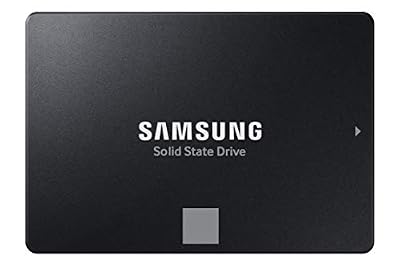
Samsung SSD 870 EVO SATA III 2.5” 1TB, Read Speeds Up to 560MB/s | SATA Internal Solid State Drive, Upgrade PC or Laptop Memory & Storage for IT Pros, Creators, Everyday Users (MZ-77E1T0B/AM)


As an Amazon Associate we earn from qualifying purchases. Product prices and availability are accurate as of the date/time indicated.
The Samsung 870 EVO 1TB is the reliable internal asset-store pick. The 870 EVO is among the most respected SATA SSDs available, prized for consistent performance and dependability, here as a 1TB 2.5-inch drive reading up to 560MB/s. At around $486 it sits at the premium end for a 1TB SATA drive, with Samsung’s reputation behind it.
In a rendering setup this drive shines as a dependable place to keep your asset library and project files rather than as a high-throughput scratch disk. The 870 EVO’s well-known consistency means textures, models and scene files load reliably and the drive holds up to years of use, which matters when it stores work you cannot easily recreate. SATA bandwidth makes it less suited to heavy sustained scratch writing than an NVMe drive, but for steady, trustworthy asset storage on a 2.5-inch connection nearly any machine supports, the 870 EVO is a quality choice.
Pros: Highly reliable 870 EVO, consistent SATA performance up to 560MB/s, dependable asset storage.
Cons: SATA limits sustained write throughput; premium price for a 1TB capacity.
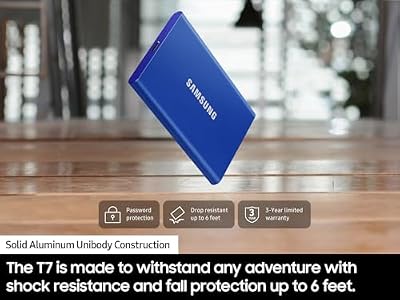
5. Samsung T7 Portable SSD 1TB External, up to 1050MB/s

Samsung T7 Portable SSD 1TB Titan Gray, USB 3.2 Gen 2, Up to 1,050MB/s | Reliable External Solid State Drive Storage for Gaming, Students, Professionals (MU-PC1T0T/AM)



As an Amazon Associate we earn from qualifying purchases. Product prices and availability are accurate as of the date/time indicated.
The Samsung T7 1TB is the portable project-transfer pick. It is a sleek, pocket-sized external SSD connecting over USB-C at up to 1050MB/s, with 1TB of capacity in a compact, well-built shell. At around $235 it is the most portable option on this list and a popular choice for moving creative work between machines.
For 3D artists its role is honest and useful: a fast, portable drive for carrying active projects, delivering scenes to a render farm or another workstation, and keeping a quick external copy of work in progress. The USB-C speed makes transferring multi-gigabyte project folders genuinely quick, and the slim T7 slips into a pocket or bag. As an external drive it is not where you would point a render’s scratch files, and 1TB is modest for a full asset archive, but for portable transfer and project mobility it is an excellent, dependable companion to an internal render drive.
Pros: Compact and portable, fast USB-C up to 1050MB/s, well-built, great for moving projects.
Cons: External drive, not internal; 1TB is modest for large asset libraries or scratch.
6. Samsung 980 PRO 2TB PCIe NVMe Gen 4 M.2 Internal SSD

Samsung 980 PRO SSD 2TB PCIe NVMe Gen 4 Gaming M.2 Internal Solid State Drive Memory Card, Maximum Speed, Thermal Control MZ-V8P2T0B/AM


As an Amazon Associate we earn from qualifying purchases. Product prices and availability are accurate as of the date/time indicated.
The Samsung 980 PRO 2TB is the top-tier sustained NVMe pick of this list. It is a PCIe Gen4 M.2 drive — a step beyond the Gen3 970 EVO Plus — pairing a large 2TB capacity with the very high bandwidth Gen4 unlocks. At around $482 it is among the priciest drives here, and the performance is the reason.
For rendering this is the drive when you want maximum sustained write performance for the most demanding scratch, cache and output work. Gen4 NVMe bandwidth handles continuous large-file writes — simulation caches, frame sequences, heavy scratch — about as well as a single consumer drive can, keeping the render pipeline fed when storage would otherwise be the limit. The 2TB capacity gives ample active project room, and it installs in an M.2 slot, so confirm your board supports Gen4 to get the full benefit. For a serious render workstation’s primary scratch and output drive, the 980 PRO is the performance flagship here.
Pros: Top-tier Gen4 NVMe bandwidth, strong sustained writes, 2TB, ideal scratch and output drive.
Cons: Highest-tier price; needs a Gen4 M.2 slot to deliver full speed.
How to Choose an SSD for 3D Rendering
For 3D rendering, the two traits that matter most are large capacity and sustained write performance. Scenes pull in gigabytes of textures and geometry, renders write large frames continuously, and scratch and cache files grow rapidly while the software runs. A drive that posts a high burst speed but slows under a long, continuous write is a poor scratch disk. Prioritise drives that hold up under sustained load — which is where NVMe drives like the Samsung 980 PRO and 970 EVO Plus pull clearly ahead of SATA.
Think about your storage in layers, because rendering does not need one drive to do everything. A fast NVMe drive is the ideal scratch and cache disk, where sustained writes matter most — the 980 PRO (Gen4) and 970 EVO Plus (Gen3) are built for exactly this. A large, reliable drive is best for your asset library and project files, where capacity and dependability matter more than peak speed — the roles the Samsung 870 EVO and the affordable Kingston A400 fill. Matching each drive to its layer gives a faster, smoother pipeline than overspending on one disk.
Capacity should reflect the sheer size of 3D assets and output. Texture libraries, model collections, simulation caches and rendered frame sequences consume space quickly, so a 1TB drive can fill during a single large project. For active work, 2TB drives like the 970 EVO Plus and 980 PRO give real headroom; for archiving entire projects and asset collections, a huge external drive like the 4TB SanDisk Extreme is invaluable. Always leave free space, since a nearly full SSD writes more slowly — the last thing you want during a long render.
Finally, weigh NVMe versus SATA and internal versus external honestly. NVMe is the clear choice for the scratch and output drive thanks to its sustained throughput, but it needs a free M.2 slot (and a Gen4 slot for the 980 PRO’s full speed). SATA drives are fine for asset and project storage. And the external drives here — the SanDisk 4TB Extreme and Samsung T7 — are superb for archiving and moving projects between machines or to a render farm, but not for active scratch. Match capacity, sustained write, interface and form factor to each role, and pick the drives on this list that build the pipeline you need.
Frequently Asked Questions
What kind of SSD do I need for a render scratch disk?
A fast NVMe drive with strong sustained write performance is ideal, because scratch and cache files are written heavily and continuously during a render. Drives like the Samsung 980 PRO (PCIe Gen4) and 970 EVO Plus (Gen3) handle that sustained load far better than SATA, keeping the render pipeline fed. Make sure you have a free M.2 slot, and leave headroom on the drive since a nearly full SSD writes more slowly.
How much storage do I need for 3D rendering?
More than you might expect, because assets and output are large. Texture libraries, models, simulation caches and rendered frame sequences fill space fast, so a single 1TB drive can run out during a big project. For active work, 2TB drives like the 970 EVO Plus or 980 PRO give headroom; for archiving whole projects and asset collections, a large external like the 4TB SanDisk Extreme is extremely useful. Leave free space for performance.
Is SATA fast enough for 3D rendering work?
It depends on the role. SATA drives like the Samsung 870 EVO or Kingston A400 are perfectly good for storing assets, project files and the OS, where loading speed and reliability matter. But for the scratch and output drive — where large files are written continuously — SATA’s bandwidth becomes a bottleneck, and an NVMe drive like the 980 PRO or 970 EVO Plus is the better choice for sustained writes.
Can I render directly from an external SSD?
You can pull assets from one for many tasks, but it is not the ideal place for active scratch and output. The SanDisk 4TB Extreme and Samsung T7 connect over USB-C and are excellent for archiving large libraries and moving projects between machines or to a render farm. For the heavy, continuous writes a render generates, use an internal NVMe scratch drive and keep the external drives for storage and transfer.
Related Guides
- Best NVMe SSDs
- Best External SSDs
- Best GPUs for Rendering
- Best CPUs for Rendering
- Best Monitors for Content Creation
- Best Prebuilt Workstation PCs
Affiliate Disclosure: As an Amazon Associate, we earn from qualifying purchases. If you click a link and make a purchase, we may earn a small commission at no extra cost to you. Prices and availability are accurate as of publication and may change.










