

🛒 Best Price Today on Amazon
Prime members get fast, free shipping on everything above, plus member-only deals. New members get a 30-day free trial — cancel anytime.
- Top Mesh Wifi Systems Gaming Picks for 2026
- Best Mesh WiFi Systems for Gaming at a Glance
- 1. TP-Link Archer A6 AC1200 Gigabit WiFi Router (single router — not mesh)
- 2. TP-Link Deco S4 Mesh AC1900 WiFi System — Up to 5,500 sq.ft.
- 3. TP-Link Deco X20 WiFi 6 Mesh System — Up to 5,800 sq.ft.
- 4. TP-Link Deco X55 AX3000 WiFi 6 Mesh System — Up to 6,500 sq.ft.
- 5. ASUS RT-AX1800S Dual-Band WiFi 6 Extendable Router (AiMesh)
- 6. TP-Link Archer AX55 AX3000 WiFi 6 Router (OneMesh-ready)
- How to Choose a Mesh System for Gaming
- Related Guides
- Frequently Asked Questions
- Related Guides
- Related Articles
- Related Guides
Top Mesh Wifi Systems Gaming Picks for 2026
Here are our current top mesh wifi systems gaming picks, compared on real Amazon owner reviews, price, and features. Live prices update below.
As an Amazon Associate we earn from qualifying purchases at no extra cost to you.





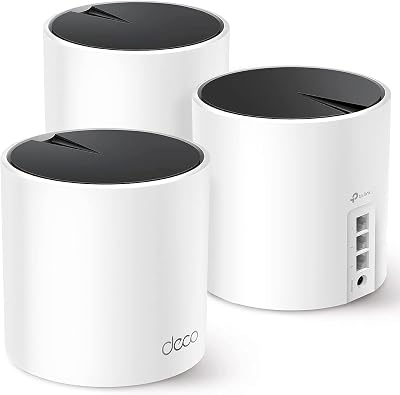

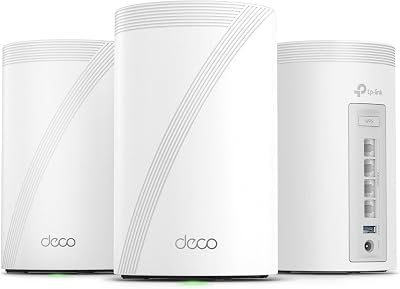


A mesh WiFi system is the answer when one router cannot cover your whole home. Instead of a single box trying to push a signal through walls and up stairs, a mesh deploys multiple nodes that share the same network name and hand devices off between them seamlessly, killing dead zones in larger or awkwardly-shaped houses. For gaming, the real win is not raw single-room throughput — a good single router will usually beat a mesh node in the same room — but consistent, dead-zone-free connectivity, so your console in the back bedroom, your handheld on the patio, and your PC in the office all sit on a stable signal. This guide rounds up the best mesh WiFi systems for gaming in 2026, with prices from around $40 up to around $150, and is honest about which products on this list are genuine mesh systems and which are single routers that work alongside one.
An important honesty note first, because one item on this list is not a mesh system at all. The TP-Link Archer A6 is a single AC1200 router, not a mesh — we have kept it on the list and positioned it for what it really is: an inexpensive starter router that can pair with a Deco mesh kit later as you build out coverage, or stand in as a budget upgrade for a small flat where one router is genuinely enough. The other key honesty point is backhaul: mesh systems can carry the traffic between their nodes either wirelessly or over Ethernet (wired backhaul), and for gaming, wired backhaul is dramatically better — it keeps the wireless airtime free for your devices and removes a major source of jitter on remote nodes. Below is the at-a-glance table, then a closer look at each system, plus a honest ‘How to Choose’ for gamers and an FAQ focused on what mesh actually buys you.
Best Mesh WiFi Systems for Gaming at a Glance
| System | Best For | Standout Spec | Approx Price |
|---|---|---|---|
| TP-Link Archer A6 (single router, not mesh) | Starter router or pair-with-mesh upgrade | AC1200 dual-band MU-MIMO | around $40 |
| TP-Link Deco S4 Mesh AC1900 | Budget whole-home mesh | Up to 5,500 sq.ft., 3-pack mesh | around $96 |
| TP-Link Deco X20 WiFi 6 Mesh | WiFi 6 mesh sweet spot | Up to 5,800 sq.ft., WiFi 6 AX1800 | around $130 |
| TP-Link Deco X55 AX3000 WiFi 6 Mesh | Larger homes, faster nodes | Up to 6,500 sq.ft., AX3000 | around $150 |
| ASUS RT-AX1800S Extendable Router | AiMesh build-out base | WiFi 6 AX1800, AiMesh-extendable | around $70 |
| TP-Link Archer AX55 AX3000 Router | Mesh-ready WiFi 6 router (OneMesh) | AX3000, OneMesh extendable | around $80 |
1. TP-Link Archer A6 AC1200 Gigabit WiFi Router (single router — not mesh)

21
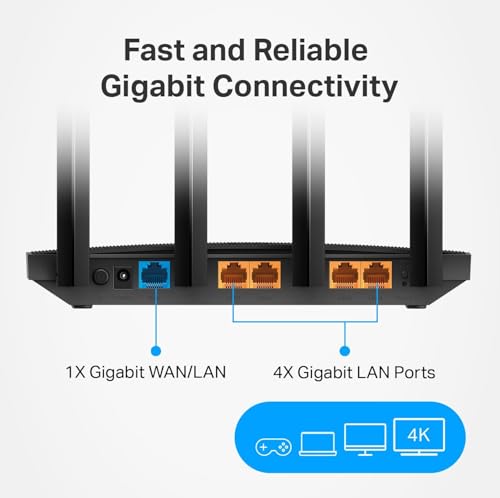
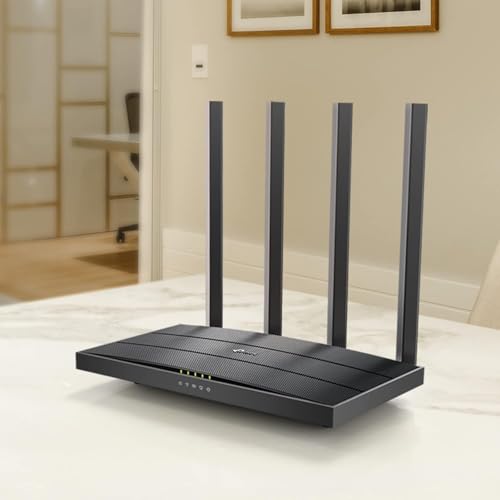
TP-Link AC1200 Gigabit WiFi Router (Archer A6) – Dual Band MU-MIMO Wireless Internet Router, 4 x Antennas, OneMesh and AP Mode, Long Range Coverage
In Stock



As an Amazon Associate we earn from qualifying purchases. Product prices and availability are accurate as of the date/time indicated.
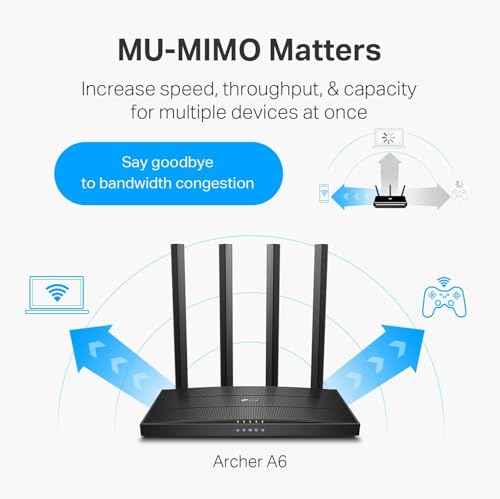
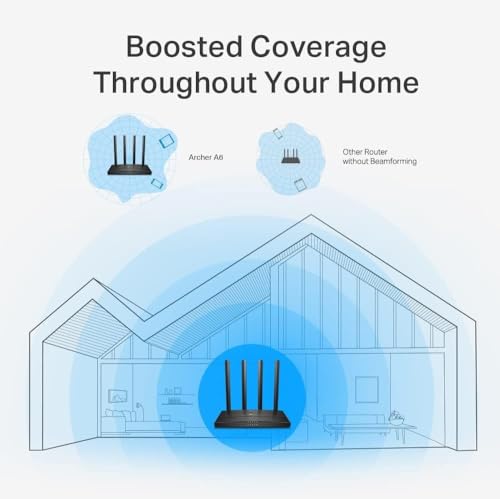
An upfront honesty note: the TP-Link Archer A6 is not a mesh system. It is a single AC1200 dual-band MU-MIMO router on the older WiFi 5 standard, and we have included it deliberately because it pairs naturally with the Deco mesh systems that follow — as a cheap starter router for a small flat, or as a wired access point on the edge of a larger mesh setup. At around $40 it is by far the cheapest option in this guide, and at this price the right framing matters more than fancy specs.
For a single-bedroom flat, a small apartment, or a renter’s first router upgrade, the Archer A6 is genuinely fine — AC1200 with MU-MIMO is plenty for one or two gamers and a handful of phones in a compact space. For a larger home, treat it as the starter on a path: pair it with one of the Deco kits below for the rooms it cannot reach, or use it as a temporary stopgap until you can afford a proper mesh kit. Just be clear-eyed that AC1200 is the older WiFi 5 standard, single-router coverage will not magically extend to a multi-storey house, and the real mesh systems below are what kill dead zones.
Pros: Cheapest in this guide, AC1200 dual-band, MU-MIMO, fine for a small flat or as a starter.
Cons: Not actually a mesh system; single router on the older WiFi 5 standard.
2. TP-Link Deco S4 Mesh AC1900 WiFi System — Up to 5,500 sq.ft.
29
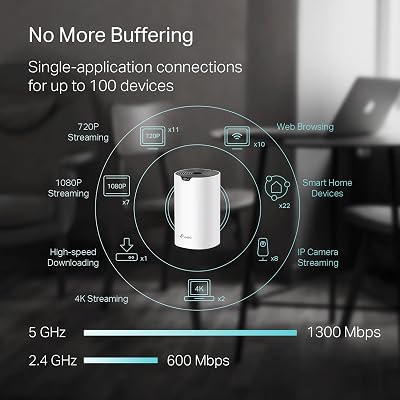
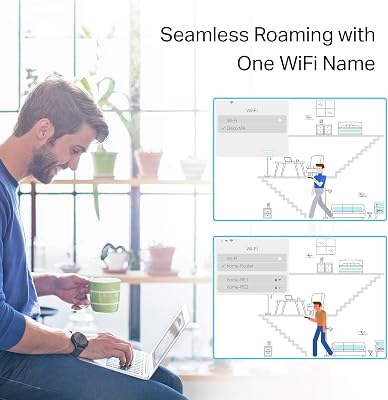
TP-Link Deco S4 Mesh AC1900 WiFi System – Up to 5,500 Sq.ft. Coverage, Replaces WiFi Router and Extender, Gigabit Ports, Works with Alexa, Deco S4(3-Pack)
In Stock
















As an Amazon Associate we earn from qualifying purchases. Product prices and availability are accurate as of the date/time indicated.
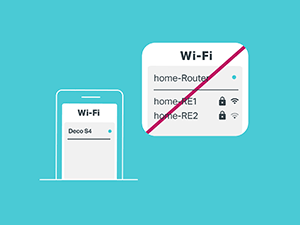
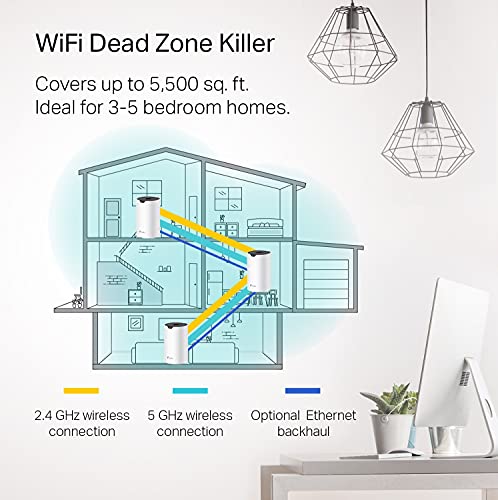
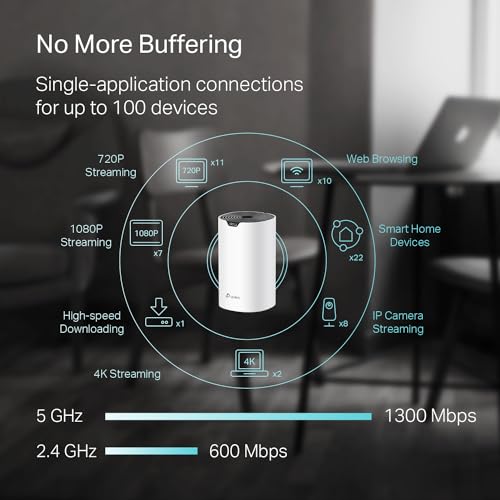
The TP-Link Deco S4 is the budget whole-home mesh pick. It is a true mesh kit of multiple nodes that work together to cover up to around 5,500 sq.ft. from a single network name, on the AC1900 dual-band WiFi 5 standard. At around $96 it is the cheapest genuine mesh system here and an honest entry-level choice for a larger home where dead zones are the actual problem.
Be straightforward about what AC1900 means in 2026: this is the older WiFi 5 standard, so per-device speeds will trail the WiFi 6 Deco kits below. For gaming, however, mesh’s real value is consistency and coverage, not peak Mbps in one room — a stable connection on a back-bedroom console beats a faster signal you cannot reach. As a budget mesh kit to blanket a modest two-storey home in dependable WiFi, the S4 still does a respectable job. For wired-backhaul setups where you can run Ethernet between nodes, the performance becomes notably steadier and the WiFi 5 ceiling matters less, since the inter-node link is no longer competing for airtime.
Pros: True mesh covering up to 5,500 sq.ft., kills dead zones, budget-friendly whole-home option.
Cons: AC1900 is older WiFi 5; not as fast per-device as the WiFi 6 Deco kits.
3. TP-Link Deco X20 WiFi 6 Mesh System — Up to 5,800 sq.ft.

19
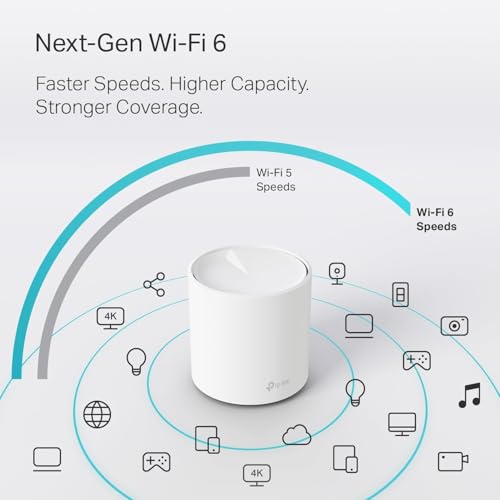
TP-Link Deco WiFi 6 Mesh System (Deco X20) – Covers up to 5800 Sq.Ft, Replaces Wireless Routers and Extenders, 3-Pack, 6 Ethernet Ports in Total, Supports Wired Backhaul, Dual-Band WiFi
In Stock







As an Amazon Associate we earn from qualifying purchases. Product prices and availability are accurate as of the date/time indicated.
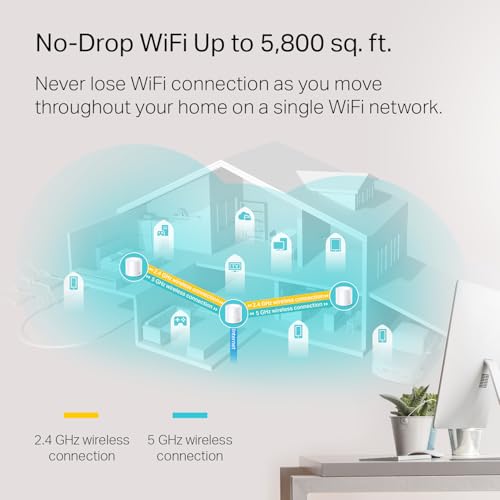
The TP-Link Deco X20 is the WiFi 6 mesh sweet spot. It steps up from the S4 to the newer WiFi 6 (AX1800) standard while keeping the same easy-to-set-up Deco app workflow and now covers up to around 5,800 sq.ft. from a multi-node kit. At around $130 it is the entry into WiFi 6 mesh and the price-to-performance sweet spot for most households.
For gaming, the move from WiFi 5 to WiFi 6 on a mesh matters more than the raw Mbps number suggests. WiFi 6’s OFDMA and improved client handling are what keeps many devices happy on the same network without trampling each other’s airtime — exactly the scenario that creates jitter in a busy household. The Deco X20 is the right pick if you have a larger home, multiple gamers and streamers, and want a clean app-driven mesh that blankets the place with modern WiFi. Run wired backhaul between the nodes if you can — even one Ethernet drop between the main and a far node makes a noticeable difference for online gaming on the remote node.
Pros: WiFi 6 AX1800 mesh, up to 5,800 sq.ft., excellent app, much better client handling than AC1900.
Cons: AX1800 per-band is mainstream rather than flagship; gains require WiFi 6 devices.
4. TP-Link Deco X55 AX3000 WiFi 6 Mesh System — Up to 6,500 sq.ft.
27
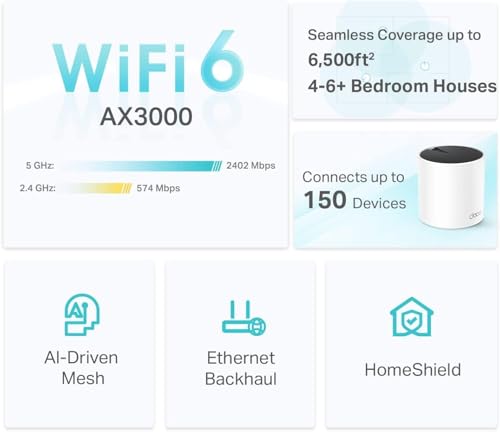
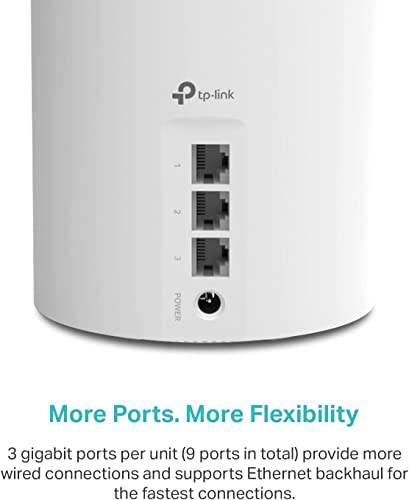
TP-Link Deco X55 AX3000 WiFi 6 Mesh System – Covers up to 6500 Sq.Ft, Replaces Wireless Router and Extender, 3 Gigabit Ports per Unit, Supports Ethernet Backhaul, Deco X55(3-Pack)
In Stock




As an Amazon Associate we earn from qualifying purchases. Product prices and availability are accurate as of the date/time indicated.
The TP-Link Deco X55 is the larger-home, faster-node mesh pick. It bumps the per-node spec up to AX3000 and extends coverage up to around 6,500 sq.ft. across a multi-node kit, with the same Deco mesh experience as the X20 but with more headroom per device. At around $150 it is the most expensive option in this guide and the strongest pure-mesh choice for bigger houses.
AX3000 on each node means more capacity for high-bitrate streaming, downloads and gaming at the same time without choking, while the wider coverage footprint comfortably handles a multi-storey home with several rooms of dead-zone risk. For a gaming-first household where one person is downloading a game, another is streaming, and you are queueing into matches in the back bedroom, this is the kit that keeps everyone happy with the fewest compromises. As ever, wired backhaul between Deco nodes remains the biggest single upgrade for jitter — wireless mesh is great, but Ethernet between nodes is the next level.
Pros: Higher-spec AX3000 nodes, up to 6,500 sq.ft., strongest pick for larger houses with multiple gamers.
Cons: Most expensive here; full benefit needs many WiFi 6 clients.
5. ASUS RT-AX1800S Dual-Band WiFi 6 Extendable Router (AiMesh)

25
Prime
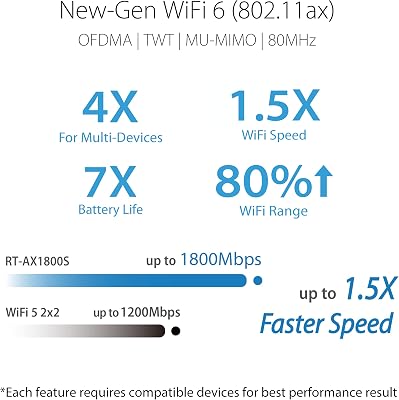
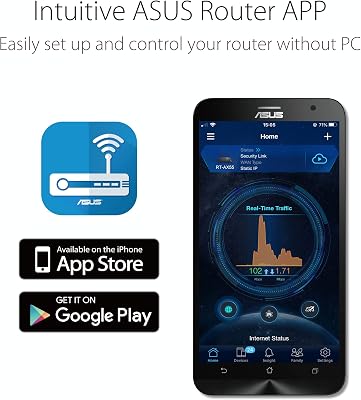
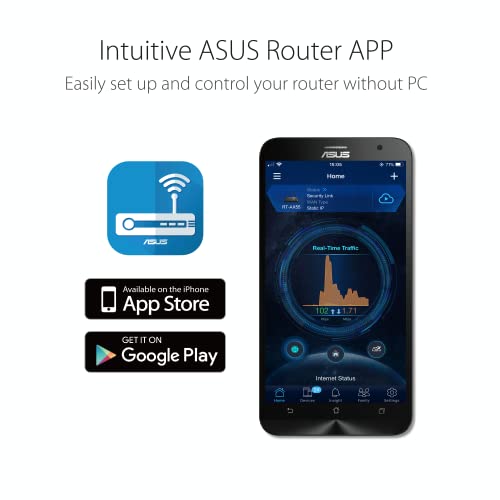
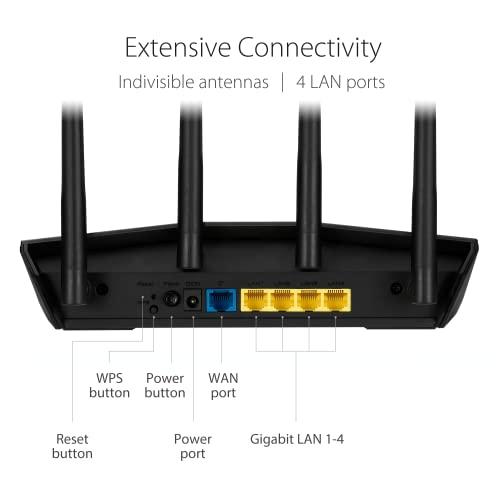
ASUS RT-AX1800S Dual Band WiFi 6 Extendable Router, Subscription-Free Network Security, Parental Control, Built-in VPN, AiMesh Compatible, Gaming & Streaming, Smart Home
In Stock





As an Amazon Associate we earn from qualifying purchases. Product prices and availability are accurate as of the date/time indicated.
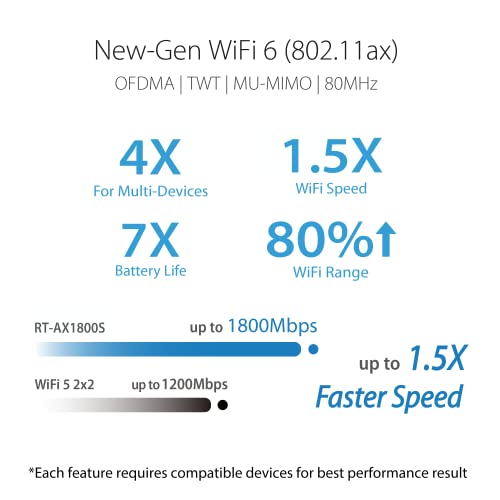
The ASUS RT-AX1800S is the AiMesh build-out base — a single WiFi 6 AX1800 router designed to be the start of an ASUS AiMesh network rather than the whole solution out of the box. Buy one for a small home; add a compatible ASUS node later, link them, and the two become a single mesh. At around $70 it is a deliberately phased upgrade path.
This is the pick for the buyer who likes the idea of mesh but does not want to commit to a multi-node kit on day one. Start with the AX1800S alone in a small or medium space — it is a respectable WiFi 6 router on its own, with subscription-free network security included — and bring in additional AiMesh-capable ASUS routers as your needs grow. Just be honest that ‘extendable’ is a future option, not present-day mesh: with one unit you have a single router, full stop, and it will not blanket a large house until you add nodes. For a phased, ASUS-ecosystem mesh build, however, the AX1800S is a sensible foundation.
Pros: Sensible WiFi 6 base for a phased AiMesh build, included security, broad ASUS compatibility.
Cons: Single unit out of the box is just a router; mesh only kicks in when you add nodes.
6. TP-Link Archer AX55 AX3000 WiFi 6 Router (OneMesh-ready)

23
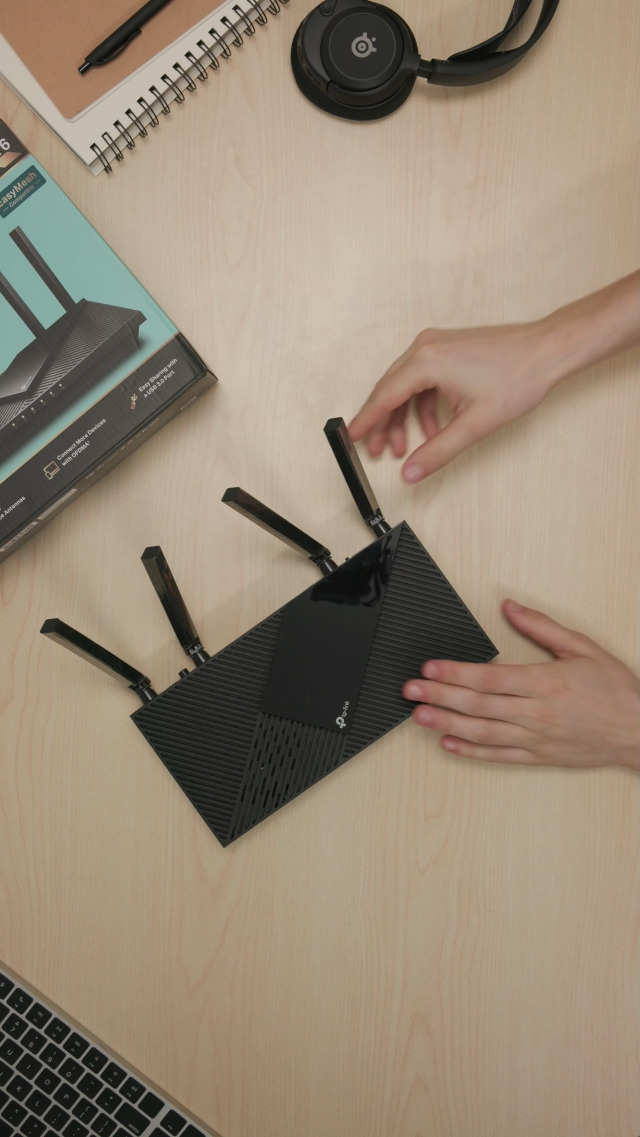
TP-Link Dual-Band AX3000 Wi-Fi 6 Router Archer AX55 | Wireless Gigabit Internet Router for Home | EasyMesh Compatible | VPN Clients & Server | HomeShield, OFDMA, MU-MIMO | USB 3.0 | Secure by Design
In Stock



As an Amazon Associate we earn from qualifying purchases. Product prices and availability are accurate as of the date/time indicated.
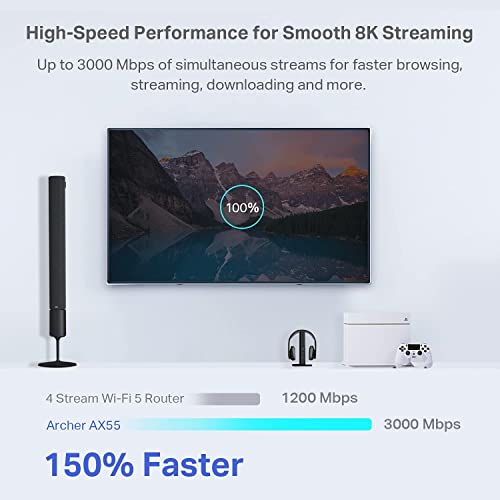
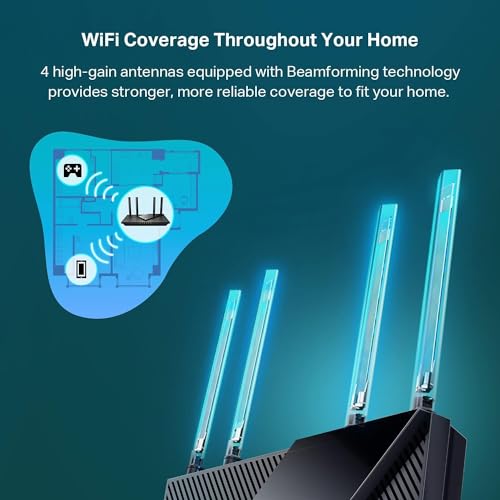
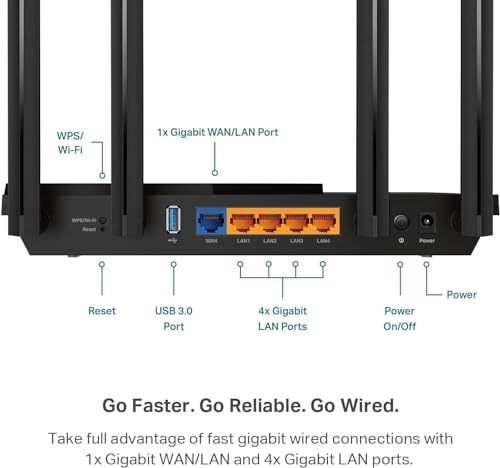
Rounding out the lineup is the TP-Link Archer AX55, a single AX3000 WiFi 6 router with TP-Link’s OneMesh support, so it can later be paired with compatible OneMesh extenders to grow into a small mesh. It is dual-band, with full WiFi 6 features and gigabit Ethernet, and at around $80 it sits as a strong standalone router with a clear upgrade path.
Like the ASUS RT-AX1800S, the AX55’s role here is the cheapest way into TP-Link’s broader mesh ecosystem from a single-router starting point. On its own it is a perfectly capable WiFi 6 router for a smaller home — AX3000 is more headroom than most households will ever fully use — and the OneMesh support means you can add a compatible extender or another OneMesh router later to widen coverage instead of replacing the whole system. For renters or anyone unsure about committing to a full Deco kit, this is a flexible, low-cost route into mesh-style coverage that does not ask you to throw out a perfectly good box if you move.
Pros: AX3000 WiFi 6 router with OneMesh upgrade path, strong standalone performance, sensible price.
Cons: OneMesh extension requires a compatible second device and is more limited than a true Deco kit.
How to Choose a Mesh System for Gaming
The first decision is whether you actually need mesh at all. If you live in a small flat or a compact apartment where a single router can already cover every room, you may not — a strong single router will usually beat a mesh node in the same room for raw throughput. Mesh is the right call when you have genuine dead zones, multiple storeys, awkward layouts, or rooms with thick walls that one router cannot punch through. If that describes your home, mesh is transformational; if it does not, a quality single router will serve you better and cost less.
Wired versus wireless backhaul is the single most important spec for a gaming-focused mesh, and it gets less attention than it should. Backhaul is the link that carries traffic between mesh nodes; wireless backhaul is convenient and avoids running cables, but it competes for airtime with your client devices and adds latency hops. Wired backhaul — an Ethernet run between nodes — is dramatically better for jitter and far more consistent for online gaming, especially on the remote nodes. If you can run even one Ethernet drop between your main node and a far one, do it; it is the single biggest performance win for a gaming mesh.
Next, check the standard and the coverage figure honestly. WiFi 6 mesh kits like the Deco X20 and X55 will outclass older WiFi 5 kits like the Deco S4 for many-device households with modern phones and laptops, even at similar nominal coverage areas, because OFDMA and other WiFi 6 improvements deal with client congestion far better than WiFi 5 ever could. Coverage figures on the box are best-case marketing numbers; assume real-world coverage will be smaller in a thick-walled or multi-storey home, and size the kit slightly above your floor area for headroom.
Finally, decide between a single-router-with-upgrade-path approach and a true mesh kit from day one. Single routers with OneMesh (TP-Link Archer AX55) or AiMesh (ASUS RT-AX1800S) are sensible foundations if you want to spread the cost over time, and a basic router like the Archer A6 works alongside a full mesh as a wired access point on the edge of the network. For a larger home where dead zones are already a problem, a true mesh kit such as the Deco X20 or Deco X55 is the cleanest, least-fiddly answer. Match the system to your home’s footprint, your willingness to run Ethernet, and your budget — and you will solve the dead-zone problem that no single router can.
Frequently Asked Questions
Does a mesh WiFi system improve my gaming performance?
Not in the sense of FPS, ping or render speed — a router or mesh cannot do any of that. What a mesh fixes is the coverage problem: a console in a back bedroom or a handheld on a patio that previously had a weak, drop-prone connection can now sit on a strong, consistent signal from a nearby node. Better network stability and reduced jitter on the device matter for online gaming, even though the headline frame rate does not change.
Should I run wired backhaul between mesh nodes?
If you can, yes — it is the single biggest performance upgrade for a gaming-focused mesh. Wired backhaul (an Ethernet run between nodes) removes the airtime competition that wireless backhaul creates and produces dramatically more consistent connections on the far nodes. Even a single Ethernet drop between your main and a remote node makes a noticeable difference for online play and game downloads.
Is a single high-end router better than a mesh for gaming?
For a single room where one strong router can already cover everything, yes — a quality single router will usually beat a mesh node in the same room for raw throughput, and a wired connection to that router beats any wireless link. Mesh’s job is solving coverage in larger or awkward homes. Choose mesh when dead zones are the real problem, not just because more nodes sound better.
Why is the Archer A6 in a mesh guide?
Honest framing: it is not actually a mesh system — it is a single AC1200 WiFi 5 router. We have kept it on the list with that caveat because it is a useful pairing piece for a mesh setup (a cheap starter, a wired access point at the edge of a Deco network, or a stopgap for a small flat before you commit to a full mesh kit). For true whole-home mesh, the Deco S4, X20 or X55 are the real picks here.
Related Guides
- Best WiFi 7 Gaming Routers
- Best WiFi 6E Gaming Routers
- Best ASUS ROG Gaming Routers
- Best Budget Gaming Routers
- Best Ethernet Cables for Wired Backhaul
- Best Network Switches
- Best Gaming PC Builds
- Best Gaming Headsets
Affiliate Disclosure: As an Amazon Associate, we earn from qualifying purchases. If you click a link and make a purchase, we may earn a small commission at no extra cost to you. Prices and availability are accurate as of publication and may change.










