

- Top Pick: ASUS RT-AX1800S Dual Band WiFi 6 Extendable Router, Subscription-Free Network Security, Parental Control, Built-in VPN, AiMesh Compatible, Gaming & Streaming, Smart Home
- Best Value: TP-Link AXE5400 Tri-Band WiFi 6E Router, 2025 PCMag Editors' Choice
- Premium Choice: ASUS TUF Gaming BE6500 WiFi 7 Router – Dual-Band, Up to 6.5 Gbps Wireless, Game Accelerator, Multi-Link Operation (MLO), (x4) 2.5GbE Ports, Mesh + VPN Compatible, & Subscription-Free Network Security
A ‘budget gaming router’ is mostly marketing shorthand for a good WiFi 6 router at a sensible price — relatively few sub-$200 routers genuinely have dedicated gaming hardware or software in a way that matters, and the ones that do tend to come from the established Nighthawk Pro Gaming, ASUS ROG and TP-Link gaming sub-brands. For most upgraders, however, the real value of shopping in this bucket is simple: ditch the rented, mediocre, two-or-three-generations-old WiFi box your ISP gave you, and put a current WiFi 6 router in its place. The improvements — better QoS handling, far better behaviour under load with many devices, longer ranges, modern security — translate into a smoother experience for everyone in the household, even if no game literally renders a frame faster. This guide rounds up the best budget gaming routers in 2026, with prices from around $40 to around $300, mostly in the WiFi 6 sweet spot.
- Best Budget Gaming Routers at a Glance
- 1. TP-Link Archer AX11000 Tri-Band WiFi 6 Gaming Router
- 2. NETGEAR Nighthawk RAX50 6-Stream AX5400 WiFi 6 Router
- 3. NETGEAR Nighthawk CAX30 DOCSIS 3.1 Cable Modem + AX2700 WiFi 6 Router Combo
- 4. NETGEAR R6700AX 4-Stream WiFi 6 Router (AX1800)
- 5. HYPEREV AX3000 Gaming Router WiFi Booster for PS5, PC and Consoles (no-name brand)
- 6. NETGEAR Nighthawk RAX43 5-Stream AX5 AX4200 WiFi 6 Router
- How to Choose a Budget Gaming Router
- Related Guides
- Frequently Asked Questions
- Related Guides
- Related Articles
As an Amazon Associate we earn from qualifying purchases at no extra cost to you.


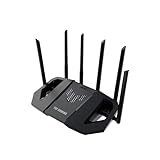


Two honest notes before the picks. First, the HYPEREV AX3000 on this list is a low-cost, no-name brand router sold primarily through Amazon — we have included it because the listing genuinely targets the ‘gaming router on a budget’ search, but treat it with the usual caution that comes with unfamiliar brands: warranty support, long-term firmware updates and resale value will not match the established names like NETGEAR, TP-Link or ASUS. Second, the NETGEAR Nighthawk RAX50 and Nighthawk modem-router CAX30 are genuine Nighthawk-grade WiFi 6 hardware, while the ASUS RT-AX1800S and Nighthawk R6700AX and RAX43 are mainstream WiFi 6 routers — none of these are ‘gaming-only’ boxes, but they are the kind of solid, current-generation WiFi 6 hardware most budget gamers will benefit most from. Below is the at-a-glance comparison, then a closer look at each pick, an honest ‘How to Choose’ section and an FAQ.
🛒 Best Price Today on Amazon
Prime members get fast, free shipping on everything above, plus member-only deals. New members get a 30-day free trial — cancel anytime.
Best Budget Gaming Routers at a Glance
| Router | Best For | Standout Spec | Approx Price |
|---|---|---|---|
| TP-Link Archer AX11000 Tri-Band WiFi 6 | Stretch-budget tri-band gaming | Tri-band WiFi 6, gigabit ports | around $198 |
| NETGEAR Nighthawk RAX50 AX5400 WiFi 6 | Mainstream Nighthawk WiFi 6 | Dual-band AX5400, 6 streams | around $200 |
| NETGEAR Nighthawk CAX30 Modem-Router AX2700 | Cable-modem + WiFi 6 in one box | DOCSIS 3.1 + WiFi 6, integrated | around $300 |
| NETGEAR R6700AX 4-Stream WiFi 6 (AX1800) | Cheap solid WiFi 6 upgrade | AX1800 4-stream, simple setup | around $72 |
| HYPEREV AX3000 Budget Gaming Router (no-name brand) | Rock-bottom budget WiFi 6 | AX3000, dual-band, console-marketed | around $40 |
| NETGEAR Nighthawk RAX43 AX4200 5-Stream WiFi 6 | Sub-$70 Nighthawk WiFi 6 | AX4200 5-stream, dual-band | around $61 |
1. TP-Link Archer AX11000 Tri-Band WiFi 6 Gaming Router

13





As an Amazon Associate we earn from qualifying purchases. Product prices and availability are accurate as of the date/time indicated.
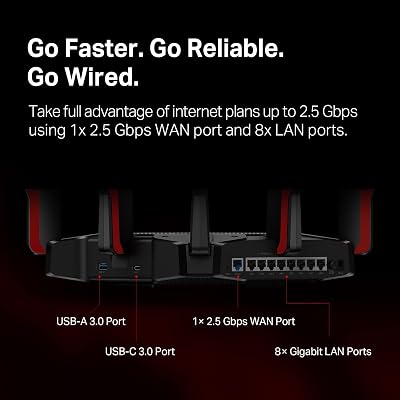
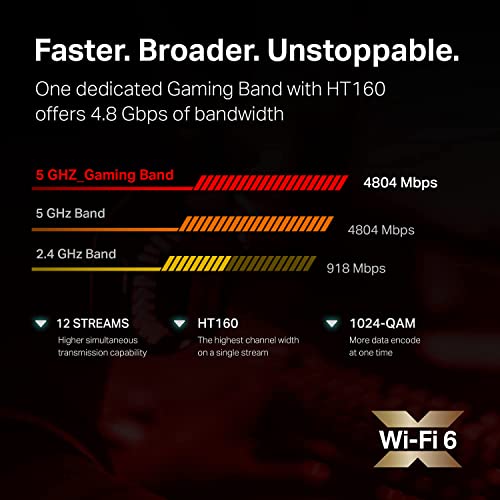
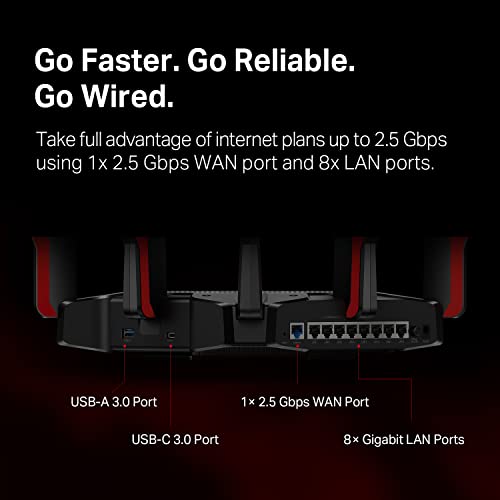
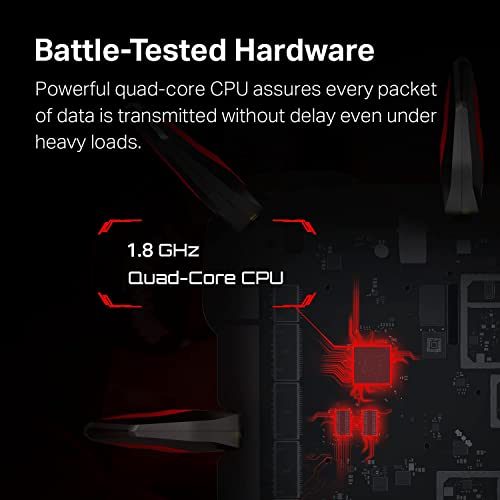
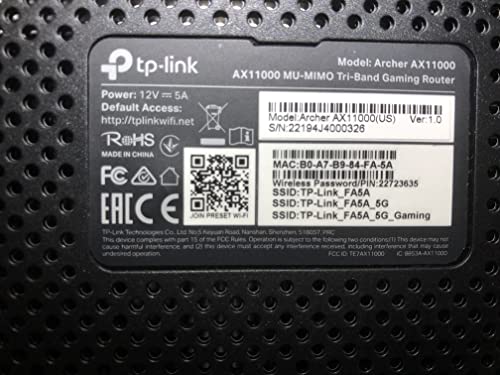
The TP-Link Archer AX11000 is the stretch-budget tri-band pick — at around $198 it sits right at the top of what most people would call a budget category but pulls flagship-style spec along for the ride. It is a tri-band WiFi 6 (AX11000) router with two 5GHz radios for dedicated gaming and AiMesh-style use, gigabit Ethernet across the board, and TP-Link’s mature gaming firmware and app experience.
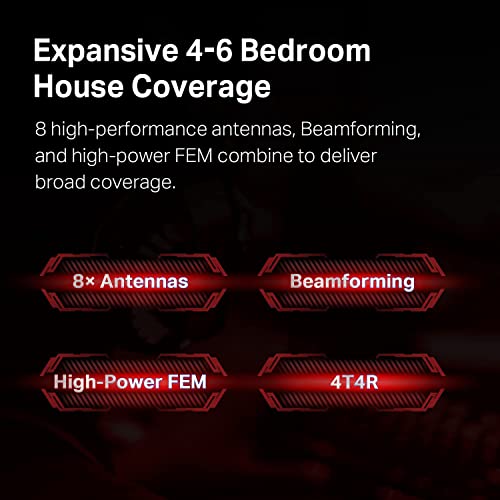
Pricing this kind of tri-band hardware right at the edge of the budget tier is unusual, and that is the real reason this router is on the list. Tri-band gives you genuine flexibility — one 5GHz radio for your gaming PC and console, the other for everyday devices and streaming — which reduces the chance of household traffic stomping on a competitive online match. The wider antenna array also helps in a medium-sized home, and TP-Link’s app makes setup and QoS approachable. For a gamer ready to spend up to the budget ceiling and get a serious tri-band WiFi 6 setup that will not feel outgrown in two years, this is the strongest pick here.
Pros: Tri-band WiFi 6 at the top of the budget bracket, dedicated gaming radio capacity, mature firmware.
Cons: Right at the top of ‘budget’; smaller flats may not need tri-band capacity.
2. NETGEAR Nighthawk RAX50 6-Stream AX5400 WiFi 6 Router

6
NETGEAR Nighthawk 6-Stream AX5400 WiFi 6 Router (RAX50) – AX5400 Dual Band Wireless Speed (Up to 5.4 Gbps) | 2,500 sq. ft. Coverage
In Stock


As an Amazon Associate we earn from qualifying purchases. Product prices and availability are accurate as of the date/time indicated.
The NETGEAR Nighthawk RAX50 is a mainstream Nighthawk WiFi 6 pick. It is a dual-band AX5400 router with a 6-stream radio configuration, the familiar Nighthawk industrial design and app, and is positioned squarely as a solid current-generation home router that happens to handle gaming traffic well. At around $200 it sits next to the TP-Link Archer AX11000 as a stretch-budget option.
This is the pick for the buyer who wants the trusted Nighthawk feel — the app, the firmware, the security tooling — at a price that does not climb into flagship territory. AX5400 with 6 streams is a respectable dual-band WiFi 6 setup that comfortably serves most households, delivering meaningful gains over an aging ISP-supplied box, and the Nighthawk QoS handles gaming traffic prioritisation well in practice. It is honestly not a tri-band, no-compromises gaming router like the ASUS ROG Rapture or TP-Link AX11000 — but for households where dual-band is sufficient and the priority is dependable, well-supported hardware from a name-brand pedigree, the RAX50 makes a strong case.
Pros: Dual-band AX5400 with 6 streams, mature Nighthawk experience, dependable QoS for gaming.
Cons: Dual-band — no dedicated second 5GHz radio for gaming-only use.
3. NETGEAR Nighthawk CAX30 DOCSIS 3.1 Cable Modem + AX2700 WiFi 6 Router Combo

25
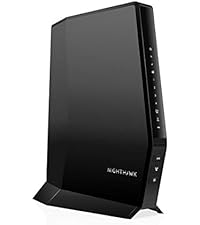
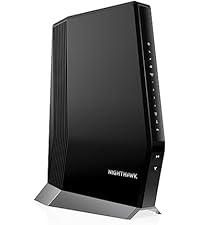
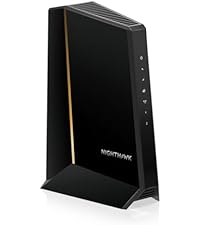
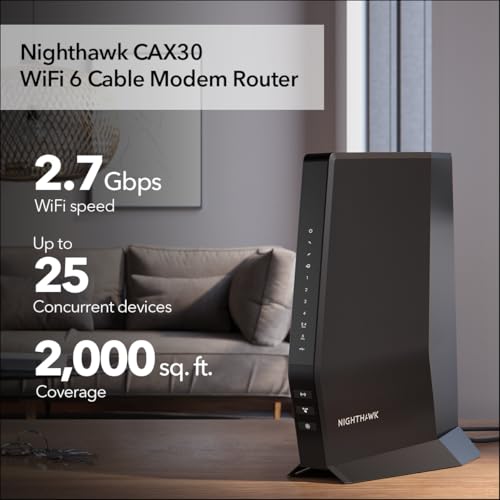
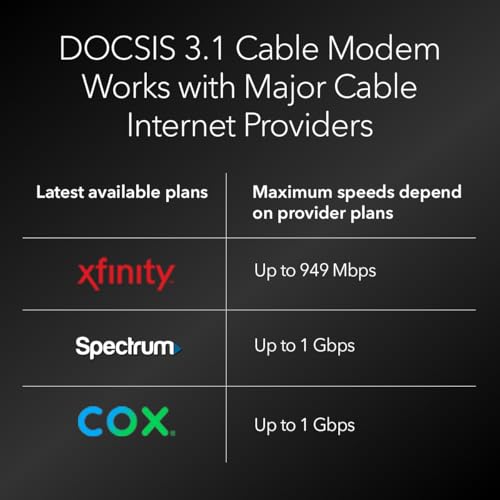
NETGEAR Nighthawk Modem Router Combo (CAX30) DOCSIS 3.1 Cable Modem and WiFi 6 Router – AX2700 2.7 Gbps – Compatible with Xfinity, Spectrum, Cox, and More – Gigabit Wireless Internet
In Stock






As an Amazon Associate we earn from qualifying purchases. Product prices and availability are accurate as of the date/time indicated.
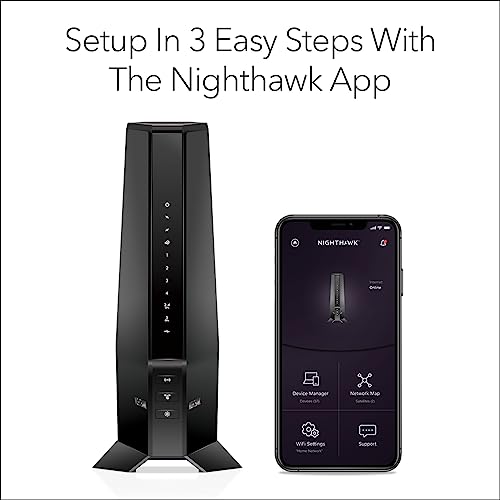
The NETGEAR Nighthawk CAX30 is the modem-router combo pick — a DOCSIS 3.1 cable modem and an AX2700 WiFi 6 router in a single box. For households on cable internet who currently rent both a modem and a router from their ISP, this is the one purchase that potentially eliminates the monthly equipment fee entirely while also delivering a modern WiFi 6 network. At around $300 it is the highest-priced pick in this guide, but the rental savings often pay for it within two years.
This is the pick for the cable-internet customer whose biggest ‘budget’ win is dropping the ISP rental fee, not just buying a separate router. The DOCSIS 3.1 modem supports modern cable plans up to multi-gig, the AX2700 WiFi 6 side gives you a current-generation network across dual-band, and having both functions in one device simplifies the rack (or shelf) you set everything up on. The trade-off is the usual one for combo units: when one side eventually needs upgrading, you replace the whole box. For most cable-internet households, however, that is a trade-off worth taking for the upfront savings and tidier setup.
Pros: Eliminates ISP modem-rental fee, integrated DOCSIS 3.1 + WiFi 6 AX2700, tidy single-box install.
Cons: Most expensive here; combo units are harder to upgrade piecemeal than separate boxes.
4. NETGEAR R6700AX 4-Stream WiFi 6 Router (AX1800)

26
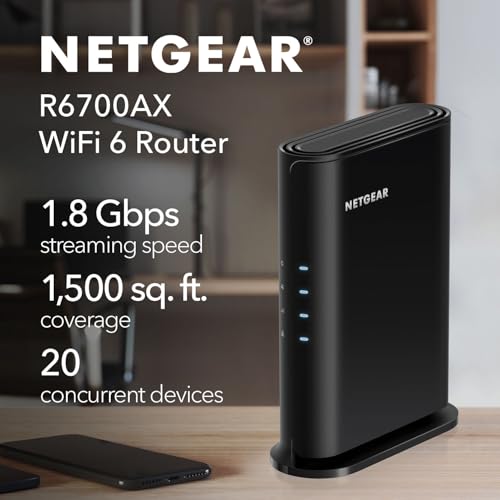
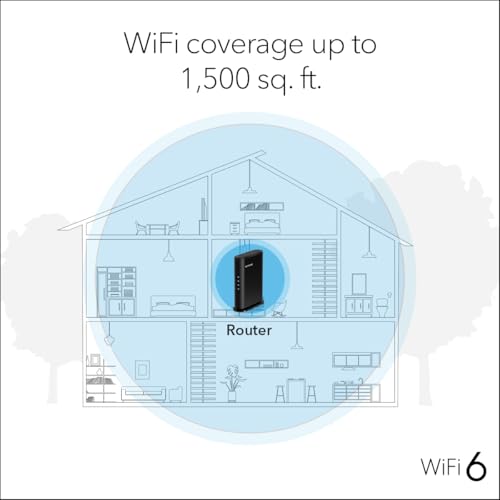
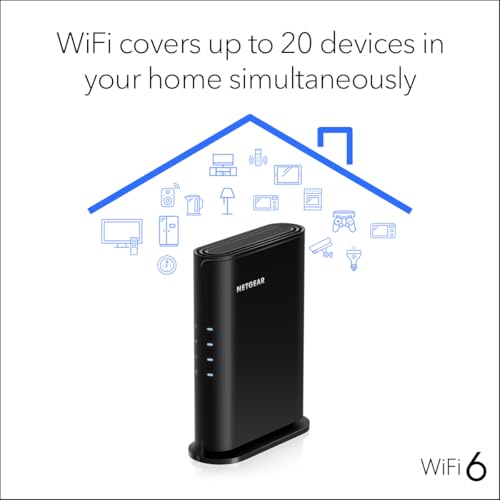
NETGEAR WiFi 6 Router 4-Stream (R6700AX) – Router Only, AX1800 Wireless Speed (Up to 1.8 Gbps), Covers up to 1,500 sq. ft., 20 Devices – Free Expert Help, Dual-Band
In Stock







As an Amazon Associate we earn from qualifying purchases. Product prices and availability are accurate as of the date/time indicated.
The NETGEAR R6700AX is a cheap solid WiFi 6 upgrade for a small home. It is a 4-stream AX1800 dual-band router with NETGEAR’s standard Nighthawk app workflow, designed to be the budget-friendly entry into the WiFi 6 generation. At around $72 it is one of the cheapest current-generation routers from a name brand in this guide and an honest step up from an ISP-supplied box.
This is the pick for the upgrader whose main problem is that the rented router is several generations old and clearly the bottleneck for their home network. AX1800 WiFi 6 is a meaningful improvement over WiFi 5 even at the entry tier, the 4-stream radio configuration handles a handful of devices well, and the NETGEAR app keeps setup and security tooling approachable. It is honestly not a gaming-specific router, and the AX1800 spec is the lower edge of WiFi 6, but for a single gamer in a small flat who just wants to drop the rental fee and put modern WiFi behind their console or PC, the R6700AX is a credible budget choice.
Pros: Cheapest brand-name WiFi 6 here, simple setup, real upgrade over WiFi 5 ISP boxes.
Cons: Entry-tier AX1800 spec; not gaming-feature-heavy and best for smaller homes.
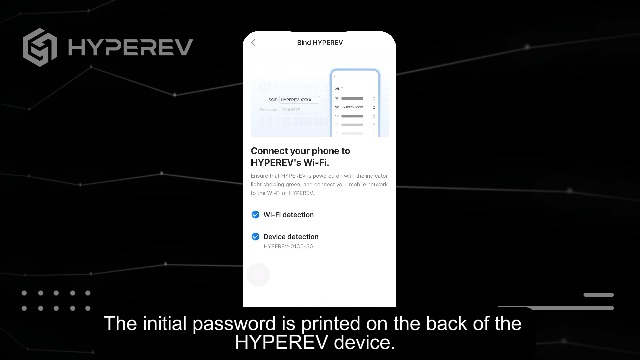
5. HYPEREV AX3000 Gaming Router WiFi Booster for PS5, PC and Consoles (no-name brand)

29
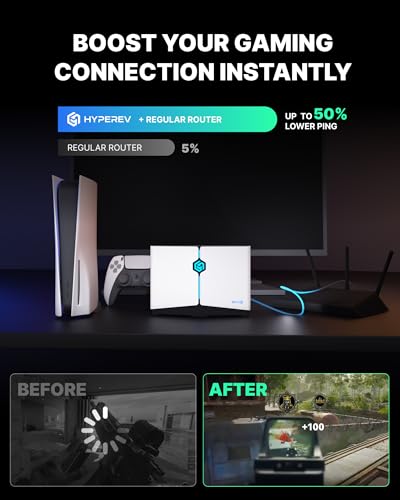
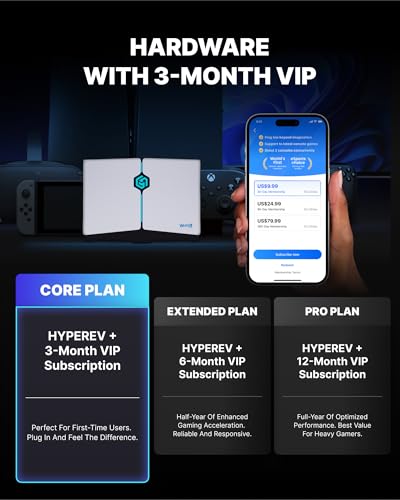
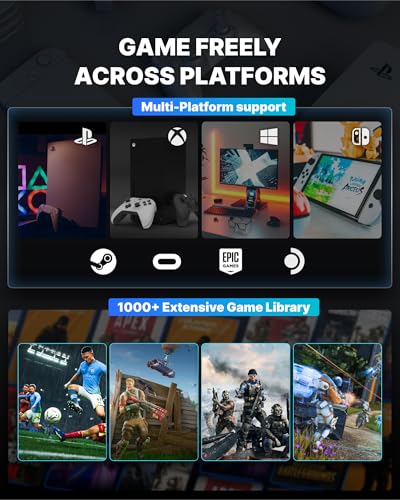
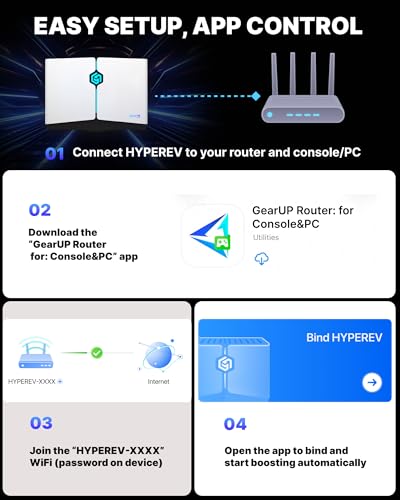
HYPEREV AX3000 Gaming Router WiFi Booster for PS5, PC & Consoles – Dual Band WiFi 6 Game Accelerator, Low Ping & Lag Reduction, 2402Mbps, Includes 90-Day GearUP VIP Core Plan
In Stock





As an Amazon Associate we earn from qualifying purchases. Product prices and availability are accurate as of the date/time indicated.
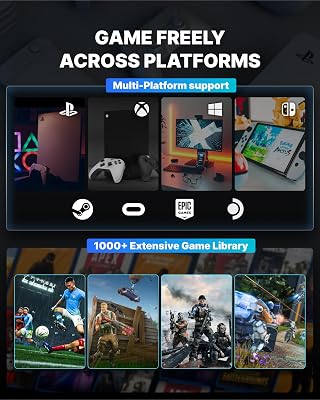
A clear honesty note: the HYPEREV AX3000 is a low-cost, no-name brand router sold primarily through Amazon, marketed specifically at PS5, PC and console buyers. We have included it because the listing genuinely targets the ‘gaming router on a budget’ search at around $40, but treat it with the usual caution that comes with unfamiliar brands: long-term firmware updates, warranty support and resale value will not match established names like NETGEAR, TP-Link or ASUS.
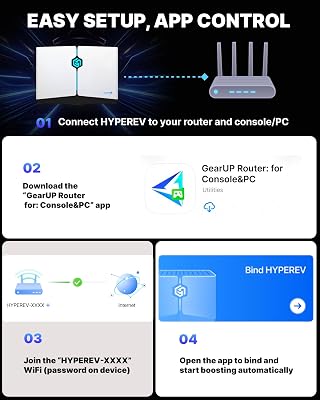
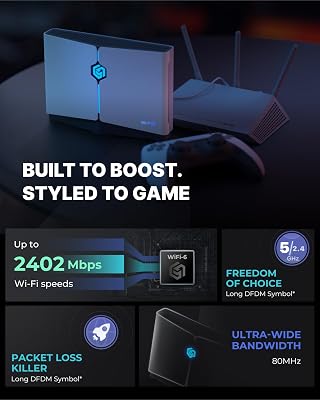
If you accept the brand caveat, what you get is a dual-band WiFi 6 (AX3000) router at a rock-bottom price, with simple console-friendly marketing and basic gigabit Ethernet for wired connectivity. For secondary setups — a console in a guest room, a budget upgrade for a second household, or a stopgap before committing to a name-brand router — the hardware spec on paper is comparable to mainstream WiFi 6 competitors, and the price is genuinely low. For a primary, everyday-network router, however, the established brands on this list (NETGEAR Nighthawk RAX43, R6700AX or the Nighthawk RAX50 if you can stretch the budget) are the safer recommendations.
Pros: Lowest price on this list, dual-band AX3000 WiFi 6 spec on paper, console-focused marketing.
Cons: No-name brand — limited long-term firmware, warranty and resale assurance compared with major makers.
6. NETGEAR Nighthawk RAX43 5-Stream AX5 AX4200 WiFi 6 Router

8
NETGEAR Nighthawk 5-Stream AX5 WiFi 6 Router (RAX43) AX4200 Wireless Speed (Up to 4.2 Gbps) | 2,000 sq. ft. Coverage (Renewed)
In Stock


As an Amazon Associate we earn from qualifying purchases. Product prices and availability are accurate as of the date/time indicated.
Rounding out the lineup is the NETGEAR Nighthawk RAX43, a sub-$70 Nighthawk WiFi 6 router that arguably represents the best brand-name value on this list. It is a dual-band AX4200 5-stream router from the Nighthawk line, available at around $61, and packs a noticeably stronger spec than the entry-tier R6700AX at a similar price point.
This is the pick for the budget gamer who wants a real Nighthawk-brand WiFi 6 router and refuses to compromise on the established-brand ecosystem. AX4200 with 5 streams is comfortably above the AX1800 entry level — meaningful for households with a handful of streaming devices, phones and a console all online at once — and the Nighthawk firmware, app and security tooling are the same mature platform as the more expensive RAX50 above. As an honest budget upgrade from an ISP-supplied WiFi 5 box for a single-gamer household or a small home with several active devices, the RAX43 is one of the strongest value picks in this entire guide.
Pros: Brand-name Nighthawk WiFi 6, AX4200 with 5 streams, well above entry-tier specs at a sub-$70 price.
Cons: Dual-band; lacks the dedicated gaming radio of more expensive tri-band gaming routers.
How to Choose a Budget Gaming Router
Start by being honest about what ‘budget gaming router’ actually means in 2026. Genuinely gaming-specific routers — with dedicated gaming dashboards, WTFast or DumaOS integration, multiple radios dedicated to gaming traffic — mostly start above $200, and even then the gains over a good non-gaming WiFi 6 router are incremental for most households. Below $200, the smart play is to buy a solid current-generation WiFi 6 router (or a stretch-budget tri-band like the TP-Link Archer AX11000) and let the basic QoS, broader antenna array and modern radio scheduling do the heavy lifting. The real win is replacing an aging WiFi 5 ISP box, not chasing a ‘gaming’ label on the chassis.
Decide between dropping the ISP rental fee and just buying a router. If you are on cable internet and currently rent both a modem and a router from your ISP, a combo unit like the NETGEAR Nighthawk CAX30 (DOCSIS 3.1 modem plus WiFi 6 AX2700 in one box) can pay for itself in equipment-rental savings inside a couple of years and leaves you with a tidier setup. If you are on a service that does not bundle modem and router, a standalone WiFi 6 router like the NETGEAR Nighthawk RAX43 or RAX50 is the right shape — and you can keep your ISP’s modem (or buy one separately).
Next, weigh dual-band vs tri-band at the top of the budget tier. The TP-Link Archer AX11000 is the only tri-band router on this list, and at around $198 it brings flagship-style two-5GHz capacity right to the edge of the budget bracket. For a multi-gamer household where one person plays online while another streams and a third downloads a game, tri-band is genuinely useful — the router can keep these workloads on different radios and away from each other. For a smaller home with one or two active gamers, a dual-band WiFi 6 router like the RAX50, RAX43 or R6700AX is plenty.
Finally, weigh brand and warranty against rock-bottom price. The HYPEREV AX3000 at around $40 is the cheapest router here, and on paper its AX3000 dual-band WiFi 6 spec is competitive — but it is a no-name Amazon-only brand, with the usual caveats around long-term firmware updates, warranty support and resale value. The brand-name picks — NETGEAR Nighthawk RAX43, R6700AX, RAX50, CAX30 and TP-Link AX11000 — cost more but bring proven firmware, mature apps, security tooling and resale value. For a secondary network or stopgap, no-name budget gear can be fine; for your primary household network, the brand-name picks are the safer recommendation, and a Nighthawk RAX43 at around $61 is a particularly strong honest budget answer for most readers.
Frequently Asked Questions
What actually counts as a ‘budget gaming router’ in 2026?
Mostly a solid WiFi 6 router at a sensible price, rather than a purpose-built gaming-only box. Genuinely gaming-specific routers — with dedicated gaming dashboards, multiple gaming radios and esports-grade firmware — mostly start above $200. Below that, the best value is replacing an aging ISP-supplied WiFi 5 router with a current WiFi 6 model like the Nighthawk RAX43, RAX50 or TP-Link AX11000 and getting the broad performance lift that brings.
Is the HYPEREV AX3000 a safe budget pick?
Be honest: HYPEREV is a no-name brand sold primarily through Amazon. The AX3000 dual-band WiFi 6 spec on paper is competitive at around $40, but warranty support, long-term firmware updates and resale value are unlikely to match established brands like NETGEAR, TP-Link or ASUS. For a secondary setup or short-term stopgap, it can be a rock-bottom budget option; for your primary household network, the name-brand picks here are the safer choice.
Should I buy a modem-router combo or keep them separate?
Combo units like the Nighthawk CAX30 are great if you are on cable internet and currently rent both a modem and a router from your ISP — the equipment-rental savings often pay for the unit within two years, and the setup is tidier. The trade-off is that when one half eventually needs upgrading, you replace the whole box. Separate modem and router units offer more flexibility for piecemeal upgrades but more cables and more devices to manage.
Do I need a tri-band router in a budget?
Not for most homes. Dual-band WiFi 6 routers like the Nighthawk RAX43, RAX50 and R6700AX comfortably handle typical households with a couple of gamers and some streaming devices. Tri-band — like the TP-Link Archer AX11000 at the top of this guide — pays off in multi-gamer or many-device homes where you want one 5GHz radio dedicated to gaming and another to everything else. Pick tri-band only if your household actually generates the traffic to justify it.
Related Guides
- Best WiFi 7 Gaming Routers
- Best WiFi 6E Gaming Routers
- Best Mesh WiFi Systems for Gaming
- Best ASUS ROG Gaming Routers
- Best Budget Gaming Setup
- Best Gaming PC Builds
- Best Ethernet Cables for Gaming
- Best Gaming Monitors
Affiliate Disclosure: As an Amazon Associate, we earn from qualifying purchases. If you click a link and make a purchase, we may earn a small commission at no extra cost to you. Prices and availability are accurate as of publication and may change.










