

- Top Pick: Redragon Mechanical Gaming Keyboard Wired, 11 Programmable Backlit Modes, Hot-Swappable Red Switch, Anti-Ghosting, Double-Shot PBT Keycaps, Light Up Keyboard for PC Mac
- Best Value: AK96 Red Switch Mechanical Keyboard 96 Keys, Black | Compact 96% Layout,Clicky Creamy Sounding,Top Mount,Hot-Swappable,Wired USB-C,LED Colorful Backlit,USB Wired,Volume Knob
- Premium Choice: Redragon K552 Mechanical Keyboard, LED Gaming Keyboard with Red Switches | 87-Key TKL Compact, Anti-Ghosting, Metal Frame for PC Gaming & Typing, Beginner-Friendly, Redragon Classic Gaming Keyboard
Red switches are the quiet middle child of the mechanical keyboard world, loved for a light touch that rarely tires the fingers. They are linear, meaning each press travels straight down with no tactile bump and no click, which is why gamers who chain rapid inputs and typists who want a hushed office keyboard end up in the same aisle. The search for “best red switch mechanical keyboards” is therefore less about the switch itself and more about everything wrapped around it: layout size, wired or wireless, backlighting and whether the switches can be swapped later.
This guide suits first-time mechanical buyers, players moving up from a membrane board and desk-setup tinkerers. Seven red switch keyboards are compared using only their listing details: key count, layout, connection, lighting, keycap material and extras like hot-swap sockets. A Redragon K582 also appeared in the shortlist, but its title never names the switch type, so it is left out rather than guessing. Tactile and clicky buyers should look at other families, since this list is strictly about linear reds. The seven boards also span wired and wireless, full size and 60 percent, so there is a realistic option for most desks and most budgets, from a first board to a carefully chosen daily driver.
Quick Picks
As an Amazon Associate we earn from qualifying purchases at no extra cost to you.


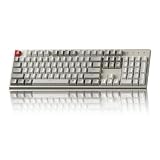
| Product | Best for | Key spec from the title |
|---|---|---|
| Redragon Hot-Swappable Keyboard | First hot-swap board | 11 backlit modes, PBT keycaps |
| AK96 96% Keyboard | Compact with a number pad | 96 keys, volume knob, USB-C |
| Redragon K552 | Tight desks, beginners | 87-key TKL, metal frame |
| Newmen GM611 | Portable and minimal | 61 keys, 60 percent, linear reds |
| Redragon K565 | Programmable RGB | Aluminum frame, fully programmable |
| Keychron C2 | Quiet, no-frills typing | Full size, non-backlit, USB-C |
| Keychron K2 75% | Wireless desk and travel | Bluetooth, 84 keys, Silent K Pro Red |
How to Choose
Pick the layout before the brand
Full size boards of about 104 keys keep the number pad, TKL layouts of 87 keys drop it, 75 percent boards fit arrows and function keys into around 84 keys, and 60 percent boards at 61 keys remove nearly everything beyond the main block. Smaller frees mouse space for low-sensitivity play, while larger helps spreadsheets and accounting. Decide how often you need that number pad, because it is the biggest single factor in how much desk the board occupies and how far your mouse hand has to reach.
Hot-swap sockets matter long-term
A hot-swappable board lets you pull a switch out and push another in without a soldering iron. If you are unsure whether you will love linear reds forever, that flexibility is worth a lot. Boards without it lock you into the switches they ship with, and replacing a worn switch then means a repair rather than a two-second swap. Even if you never change switch types, sockets make cleaning and repair easier.
Keycaps and frame shape the feel
Double-shot PBT keycaps resist the shiny wear that ABS plastic develops, while metal or aluminum frames add rigidity. Backlighting is a matter of taste: single-color white is easy on the eyes, while RGB with programmable modes suits a themed desk. Listings that mention anti-ghosting or N-key rollover help ensure simultaneous key presses register, which matters in fast games more than in documents. If you mainly type, those features matter less than keycap material and layout, so weigh them against your own use.
Wired or wireless
Wired USB-C boards give the steadiest connection for gaming, while Bluetooth models, like the Keychron K2, trade a little immediacy for desk freedom. Watch out for contradictions in a title, such as a board that claims red switches and also a clicky sound, since a title that contradicts itself is a signal to read the full specification before buying.
The 7 Best Options
Redragon Hot-Swappable Red Switch Keyboard
This wired Redragon lists 11 programmable backlit modes, hot-swappable red switches, anti-ghosting and double-shot PBT keycaps, for both PC and Mac. The title does not name a layout size, so check the product page for the exact key count before ordering. It is the natural first board for someone who wants to try other switches down the line.
- Strength: Hot-swap sockets let you change switch types later without soldering.
- Strength: Double-shot PBT keycaps are a durability upgrade over thin ABS caps.
- Trade-off: The layout and key count are not stated in the title.
Skip it if you want wireless freedom or need the layout confirmed up front.
AK96 96% Keyboard
A compact 96 percent board with a top-mount build, hot-swap sockets, wired USB-C, colorful LED backlighting and a volume knob. It keeps the number pad that a TKL drops, which suits a desk that mixes spreadsheets, chat and games without needing a full-size footprint.
- Strength: The 96 percent layout holds the number pad in a smaller footprint.
- Strength: Hot-swap sockets and a volume knob add flexibility and convenience.
- Trade-off: The title calls the sound “clicky creamy” while naming a red switch, which is contradictory.
Skip it if you need a clearly linear, quiet sound with no ambiguity in the listing.
Redragon K552
An 87-key tenkeyless layout with LED backlighting, red switches, anti-ghosting and a metal frame, pitched as beginner-friendly and suitable for both gaming and typing. Dropping the number pad hands the right side of the desk back to the mouse, a real advantage at low sensitivity. The K552 also pairs LED lighting with a simple look, so it avoids the loud style of some gaming boards.
- Strength: The compact 87-key TKL layout frees up space for wide mouse swipes.
- Strength: A metal frame adds rigidity that plastic-only boards lack.
- Trade-off: The title lists no hot-swap sockets, so the switches are fixed.
Skip it if you want to change switches later, need a number pad or would like more than plain LED lighting.
Newmen GM611
A mini 61-key board using the 60 percent layout, with LED backlighting, a wired connection and linear red switches named outright. It compresses the main typing block into a small body that slips into a bag, ideal for a student or a console player with a cramped table. The Windows laptop and PC compatibility in the title makes it a handy travel companion, though layers or shortcuts may be needed to reach missing keys.
- Strength: At 61 keys it is small enough to carry between rooms.
- Strength: Linear red switches are stated plainly with no ambiguity.
- Trade-off: There are no dedicated arrow keys, function row or number pad.
Skip it if you use arrows and function keys in daily work.
Redragon K565
The listing pairs red switches with RGB backlighting, full programmability, a durable aluminum frame and anti-ghosting for Windows and Mac. It speaks to a player who wants macro control and a solid-feeling body from a recognizable gaming brand. Because it lists RGB rather than a single color, it also fits setups where lighting is part of the look.
- Strength: Full programmability suits macro-heavy genres and custom lighting.
- Strength: An aluminum frame gives a rigid feel on the desk.
- Trade-off: The title offers no layout size or hot-swap detail.
Skip it if you want wireless operation or switch swapping.
Keychron C2
A full-size wired board with red switches, retro styling, ABS keycaps, USB-C and an ergonomic support design that is explicitly non-backlit. It is aimed at typists and office users who want mechanical feel and a number pad with fewer lighting effects to distract them. Retro styling and ABS keycaps point toward a classic typewriter-inspired look rather than a gamer aesthetic, and the title also mentions ergonomic support.
- Strength: A full-size layout keeps the number pad for data entry.
- Strength: Compatibility with both Mac and Windows suits mixed households.
- Trade-off: The board has no backlighting at all.
Skip it if you play in dim rooms or want hot-swap sockets.
Keychron K2 75% Version 2
A wireless 75 percent board with Silent K Pro red switches, Bluetooth, a white LED backlight, USB-C, anti-ghosting and N-key rollover across 84 keys. It stands out as the only wireless pick, a good fit for a tidy desk and a laptop on the move. The silent switch wording makes it the best fit here for shared spaces, and the N-key rollover mention is a bonus for gaming sessions.
- Strength: Bluetooth connection cuts cable clutter and works across Mac and Windows.
- Strength: The 84-key layout keeps arrow keys and a function row in a compact body.
- Trade-off: Lighting is white only, so there are no RGB effects.
Skip it if you want full RGB or the fastest wired response for competitive play.
Which One Fits Your Situation
You want to experiment with switches
The Redragon hot-swappable board and AK96 both list hot-swap sockets, so you can start with reds and try a tactile or clicky switch later without buying a new keyboard.
You share a quiet room
The Keychron K2 with Silent K Pro reds is the most noise-conscious choice, and its Bluetooth link means no cable running across a shared desk.
You need a number pad for work
The Keychron C2 offers a full-size layout, while the AK96 squeezes a number pad into 96 keys. Either one keeps accounting and data entry painless between game sessions.
You game on a small desk
The Newmen GM611 or Redragon K552 save space. The GM611 goes smallest, while the K552 keeps arrows and a function row, which many players prefer for shortcuts. If lighting is part of the appeal, the Redragon K565 with RGB and full programmability is worth a look at the same size class of desk.
Common Mistakes
- Assuming red switches are silent, when the keys still make a noise as they bottom out.
- Ignoring layout size and discovering later that the arrow keys or function row are gone, which can break habits built over years on a standard keyboard.
- Buying a non-backlit board for dark rooms, then straining to find the keys at night.
- Overlooking hot-swap support, then being stuck with the switches that shipped.
- Trusting contradictory listings, such as a red switch board whose title also says clicky.
Related guides
- Aio Liquid Coolers For High Performance Gaming
- How To Lower Input Delay In Competitive Shooters
- External Hard Drives For Music Production
Frequently Asked Questions
Are red switches good for gaming?
Yes, their linear travel suits fast repeated presses, such as strafing and rapid ability taps, because there is no bump to overcome between actuations. Some players still prefer tactile switches for careful, deliberate inputs, so treat reds as a strong default rather than a rule.
Are red switches quiet?
They are quieter than clicky switches, but bottoming out is still audible, which is why silent variants like the one in the Keychron K2 title exist. In a shared 2026 office, pick the silent model or add dampening.
What does hot-swappable mean?
You can pull a switch out of its socket and push in another without a soldering iron, which makes it easy to change feel or replace a faulty switch.
Do I need wireless?
Only if you value desk freedom and tidy cables, or if you move between a desk and a couch. Wired boards avoid battery management and keep latency steady, so competitive players often stay wired. For a living room setup or a laptop on the go, a Bluetooth board is more convenient, and the Keychron K2 is the only wireless choice on this list.
















