

- Top Pick: Liene M100 4×6'' Photo Printer, Phone Printer 100 Sheets & 3 Cartridges, Full-Color Photo, Portable Instant Photo Printer for iPhone Android, Thermal Dye Sublimation, Wi-Fi Picture Printer 100 Papers
- Best Value: HPRT 4×6 Photo Printer with 108 Sheet Photo Paper& 2 Ribbon | Desktop Instant Picture Printer for iphone, Thermal Dye Sublimation, WI-Fi Connnecting, Home Use, Beige
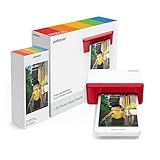
- Premium Choice: Polaroid Hi-Print Bluetooth 4×6 Photo Printer + Photo Paper Bundle (80 Sheets Included) (6552)
For most people the best way to print 4×6 photos is a dedicated dye-sublimation printer: the Canon SELPHY CP1500 is the widely cited all-rounder for home use, the Liene Amber M100 or M110 gets the best color marks in some comparisons, the Kodak Dock Plus is the value-minded pick, and the HP Sprocket Studio Plus suits people who want Wi-Fi printing from a phone. If you also print documents, a six-ink tank printer like the Canon PIXMA G620 prints 4×6 photos at low cost and doubles as an everyday all-in-one.
- At a Glance: 4×6 Photo Printers
- Two Ways to Print 4×6: Dye-Sub or Inkjet
- Best 4 by 6 Photo Printer: The Main Contenders
- Portable 4×6 Photo Printer
- Small Dye Sublimation Photo Printer: Why Choose One
- Photo Printer for Postcards
- Best Budget Photo Printer
- Setup and Compatibility Notes
- Pick X If… Decision Table
- Alternatives Worth Considering
- Frequently Asked Questions
This guide focuses on the specific job of 4×6 prints, the standard snapshot and postcard size. It compares the two printer families that handle it well, explains running costs in relative terms with no dollar figures, and covers the related questions people ask about portable 4×6 printers, small dye-sublimation printers, postcards and budget photo printers.
As an Amazon Associate we earn from qualifying purchases at no extra cost to you.



At a Glance: 4×6 Photo Printers
| Model | Technology | Best for | Key stated or reported specs | Limits |
|---|---|---|---|---|
| Canon SELPHY CP1500 | Dye-sublimation | Reliable home and event prints | Canon lists 4×6 in about 41 seconds; 300 dpi, 3.5-inch screen, Wi-Fi, AirPrint, SD slot, USB-C; optional battery | Reviewers time 4×6 prints closer to 57 to 59 seconds; photos only |
| Liene Amber M100 / M110 | Dye-sublimation | Color accuracy, printing from a computer | Liene lists Wi-Fi hotspot and Type-C; reviewers cite about a minute per print | Newer brand; Liene’s own comparison is a biased source |
| Kodak Dock Plus | Dye-sublimation, 4Pass | Value-minded home use | Reported 315 dpi, Wi-Fi, USB, roughly 50 to 67 seconds per print | Reviewers say others look better |
| HP Sprocket Studio Plus | Dye-sublimation | Phone-first printing with Wi-Fi and Bluetooth 5.0 | Up to 2400 x 600 dpi; no SD slot or computer printing per Fstoppers | Slow end-to-end, slight tint reported |
| HPRT CP4100 | Dye-sublimation | Color accuracy plus wireless control | PhotoWorkout scored it 97 out of 100 | Less widely covered |
| Canon PIXMA G620 | Six-ink tank inkjet | Photos plus everyday printing | Black, cyan, magenta, yellow, gray, red dye inks; Canon rates up to 3,800 4×6 prints per ink set; about 47 seconds borderless 4×6 | Heavy at about 17 lb; listings mark it end of life |
Two Ways to Print 4×6: Dye-Sub or Inkjet
Dye-sublimation printers
Dye-sub printers heat a ribbon to transfer dye onto special paper in layers, and finish with a clear overcoat. The Canon SELPHY CP1500 works this way and prints in four passes, which is why prints come out dry, smudge-resistant and glossy. Paper and ribbon come together in a cassette, and Canon’s KP-108IN pack bundles an ink ribbon with 108 sheets of 4×6 paper. That fixed pack makes cost per print easy to predict, and one long-term user report put the per-print cost in the same range as drugstore-lab prints, though per-print estimates are approximate and depend on pack sizes. The drawbacks are a single size, a single job and no document printing.
Inkjet photo printers
A photo-capable inkjet, especially a tank model, prints 4×6, larger photos and documents. Canon states the PIXMA G620 yields up to 3,800 4×6 photos from a full ink set and puts the ink cost per 4×6 at a low figure compared with cartridge printers. Its six dye-based inks include gray and red, which broadens color range. The Gadgeteer called its prints beautiful but noted that great results took some experimenting with settings. It supports borderless 4×6 up to letter size, takes about 47 seconds for a 4×6 borderless print per listings, and uses a plain paper tray of up to 100 sheets.
Best 4 by 6 Photo Printer: The Main Contenders
Canon SELPHY CP1500
PC Guide ranks it the best of the lot, and other reviewers describe it as the easiest recommendation for casual home 4×6 printing. Canon lists dye-sublimation at 300 x 300 dpi with 256 levels per color, a 3.5-inch LCD, SD card slots, Wi-Fi, AirPrint and USB-C. It prints credit-card-size photos in about 23 seconds. The optional battery makes it portable. Digital Camera World found quality essentially identical to the previous CP1300 because the cassette and paper are shared. Trusted Reviews rated quality as good but not brilliant.
Liene Amber M100 and M110
One photographer’s comparison ranked the M110 first, the M100 second and the CP1500 a very close third on color. The Liene accepts prints from computers as well as phones, which the HP does not. Because Liene’s own marketing makes bolder speed claims than independent reviewers, rely on third-party timings, which cluster around a minute per print.
Kodak Dock Plus
It uses Kodak’s 4Pass process and is positioned as the value pick. Reviewers describe it as fine rather than best, so choose it if cost of entry matters more than a small color advantage.
HP Sprocket Studio Plus
This is the Wi-Fi-first option for printing around the house from a phone, with Bluetooth 5.0 and the HP Sprocket app. Fstoppers calls it a capable dye-sublimation 4×6 printer but notes it lacks an SD slot and computer printing. Total time from tapping print to a finished print was about 1 minute 45 seconds in that review, and the same source mentions a slight green-yellow tint.
HPRT CP4100
PhotoWorkout gave it a very high score for accurate color and reliable wireless control. It is less widely reviewed, so cross-check before buying.
Portable 4×6 Photo Printer
A 4×6 printer is portable only in a loose sense. The CP1500 weighs about 850 g with dimensions of roughly 182 x 133 x 58 mm and runs from an optional battery pack. Liene and Kodak units are similar in size. For true pocket portability, mini ZINK printers such as the Canon Ivy 2 print 2×3 inch photos instead. If your use is a party, event or craft table, a 4×6 dye-sub with a battery or a power outlet beats tiny prints.
Small Dye Sublimation Photo Printer: Why Choose One
- Prints emerge dry with a protective overcoat, so they resist fingerprints and moisture.
- Costs per print are predictable because paper and ribbon are sold in matched packs.
- There are no clogged nozzles, so a printer used once a month still works.
- Everything else, including documents, is off the table.
Photo Printer for Postcards
4×6 is the standard postcard size, which makes these printers natural for craft and small-business postcards. Some dye-sub cassettes offer postcard-format paper with a mailing layout on the back, but check the paper pack specifications. If you print postcards with text on the reverse in volume, an inkjet that can print on plain card stock is more flexible. For a limited number of photo postcards, a dye-sub gives a bright, durable front.
Best Budget Photo Printer
Budget here means a low entry tier. The Kodak Dock Plus and entry Canon SELPHY models are usually in that tier, while the PIXMA G620 is mid-range upfront but cheap to run. The decision framework is simple: if you print under a few dozen photos a month, the cheapest upfront dye-sub is fine. If you print hundreds of photos or need documents too, a tank printer has a lower lifetime cost despite a higher starting tier.
Setup and Compatibility Notes
- Phones: Canon SELPHY and HP Sprocket have apps for iOS and Android, and AirPrint support is listed on the CP1500.
- Computers: Liene models are noted for computer printing, while the Sprocket Studio Plus is not.
- Memory cards: the CP1500 has SD, SDHC and SDXC slots for camera cards.
- Wi-Fi band: the CP1500 is reported as 2.4 GHz only, so set your phone to the same band during setup.
- Paper: use only the maker’s matched cassette or ribbon-and-paper set to avoid jams.
- Space: allow clearance behind the printer, because paper moves in and out during printing.
Pick X If… Decision Table
| Pick this | If you… |
|---|---|
| Canon SELPHY CP1500 | want a proven, simple 4×6 printer with SD slot and a battery option |
| Liene Amber M100 or M110 | want strong color and printing from a computer |
| Kodak Dock Plus | want the lowest entry tier and accept a small quality trade |
| HP Sprocket Studio Plus | print mostly from your phone over Wi-Fi |
| HPRT CP4100 | care most about accurate color and wireless control |
| Canon PIXMA G620 | need one printer for photos and documents with low ink cost |
Alternatives Worth Considering
- Canon Ivy 2 and HP Sprocket 2×3 printers: pocket ZINK printers for stickers rather than 4×6 prints.
- Fujifilm Instax Link Wide: real instant film in a wide format, not 4×6.
- Online or store photo lab: for large batches, a lab may be simpler than owning a printer.
Frequently Asked Questions
What is the best printer for 4×6 photos overall?
The Canon SELPHY CP1500 is the most commonly named all-rounder, with strong ease of use and an SD card slot. Some comparisons score the Liene Amber M110 higher on color. Your choice comes down to whether you value convenience or the last bit of color accuracy.
Is dye-sublimation better than inkjet for 4×6 prints?
Dye-sub prints are dry, durable and predictable in cost, but the printer only does photos. Inkjets like the PIXMA G620 are more versatile and can be cheaper per print at volume. Pick by whether you need documents too.
How long does one 4×6 print take?
Makers list times from about 41 seconds for the CP1500 to roughly 47 seconds for the G620, but independent reviewers measure around a minute. Reviews of the HP Sprocket Studio Plus report longer total times including phone transfer.
Can I print 4×6 photos from my phone?
Yes. The CP1500 supports AirPrint and Canon’s app, the Sprocket Studio Plus uses its own app, and most inkjets support Mopria on Android and AirPrint on iPhone. Make sure the phone and printer use the same network.
Do 4×6 photo printers use ink cartridges?
Dye-sub printers use a ribbon cassette packaged with paper, such as Canon’s KP-108IN pack with 108 sheets. Tank inkjets use refillable bottles. Cartridge-based inkjets use traditional ink cartridges.
Can I use any 4×6 paper in a dye-sublimation printer?
No. Dye-sub printers need their maker’s matched paper and ribbon sets. Using other paper can jam the machine or give poor results, so follow the manual.

















