

- Top Pick: White Cardstock 5×7, 100 Pack Heavyweight 74lb / 200GSM Cardstock Paper | Blank Card Stock for Printer, Invitations, Greeting Cards, Postcards, Wedding Invitations, DIY Crafts
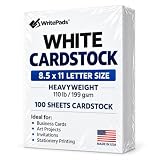
- Best Value: Cardstock 8.5 x 11”, 110LB Index/199GSM Heavyweight Card Stock, 100 Sheets, Thick Cardstock Printer Paper for Copy, Printing, Art Projects, Invitations, Made In USA
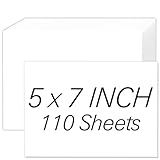
- Premium Choice: White Cardstock 5×7, 110 Sheets 5×7 Cardstock Paper, 200GSM Cardstock 5 x 7 | Premium Blank White Card Stock Paper for Printer, DIY Cards, Greeting Cards, Wedding Invitations, Postcards
For cardstock and invitations, the Epson EcoTank Photo ET-8550 is the strongest fit when you print heavy stock and large sheets, the HP OfficeJet Pro 9135e suits a home office that also makes the occasional card, and the Epson EcoTank ET-2800 or ET-2980 handles light cardstock at low ink cost. The key spec is not resolution but the paper path: a rear straight-through feed and a stated media weight limit decide whether thick stock feeds cleanly.
- What makes a printer good with cardstock
- Best printers for cardstock at a glance
- Epson ET-8550 and ET-15000: when you need thick or wide stock
- HP OfficeJet Pro 9135e: a home office all-rounder
- Best printers for wedding invitations and greeting cards
- Best printers for card making and business cards
- Best paper for printers
- Running cost
- Pick X if…
- Alternatives
- Setup and compatibility notes
- A practical workflow for invitations
- Trimming, folding and finishing
- When a printer is not the right tool
- Frequently Asked Questions
As an Amazon Associate we earn from qualifying purchases at no extra cost to you.


What makes a printer good with cardstock
Most printers are designed around 20 lb office paper. Cardstock is stiffer and thicker, and it can jam if it has to curl around a roller path. Before buying, look for these points in the maker’s specifications:
- Rear or straight-through feed: thick stock travels flat instead of bending.
- Stated media thickness or weight: Epson lists the ET-8550 at 1.3 mm through the rear pass. A retailer listing for the HP OfficeJet Pro 9135e gives card stock of 90 to 110 lb, though you should confirm with HP’s own page.
- Borderless printing: invitations and cards often use full-bleed color.
- Ink type: pigment ink resists smudging and water; dye ink gives bright, glossy photo color.
- Manual feed tray size: custom sizes for 5 x 7 in cards and A6 envelopes.
Best printers for cardstock at a glance
| Model | Best for | Key stated specs | Limits |
|---|---|---|---|
| Epson EcoTank Photo ET-8550 | Heavy stock, large sheets, photo cards | Six inks; to 13 x 19 in; cardstock to 1.3 mm via rear pass (Epson); borderless to 13 x 19 | Large footprint; higher up-front tier |
| Epson EcoTank ET-15000 | Wide-format invitations | Up to 13 x 19 in; rear feed for large media; pigment black | Four inks; bulky |
| HP OfficeJet Pro 9135e | Home office plus occasional card stock | Two 250-sheet trays; automatic duplex; AirPrint; four cartridges | Ink program terms may restrict third-party cartridges |
| Canon PIXMA G620 | Photo-style greeting cards | Six dye inks; borderless 4×6 to 8.5×11 | Dye ink fades faster than pigment; Letter-size focus |
| Epson EcoTank ET-2800 / ET-2980 | Light cardstock on a budget | Tank ink; Epson rates the ET-2800 at about 4,500 black and 7,500 color pages per bottle | Check the maker’s weight limit before using thick stock |
| Brother HL-L2460DW (mono laser) | Black text cards, programs and name tags | 36 ppm; 250-sheet tray; manual feed supports custom sizes | No color |
Epson ET-8550 and ET-15000: when you need thick or wide stock
The ET-8550 is the standout for cardstock. Epson lists support for glossy photo paper, matte presentation paper, velvet fine art and cardstock, with borderless printing to 13 x 19 in. Six inks (including photo black and gray) improve photo reproduction. The ET-15000 prints to 13 x 19 in with four inks and a pigment black, which suits text-heavy invitations; Consumer Reports says it accepts bond paper up to 79 lb. Always read the manual for the thickest stock before inserting it.
HP OfficeJet Pro 9135e: a home office all-rounder
HP lists the 9135e as a thermal inkjet all-in-one with ISO speeds of up to 25 ppm black and 20 ppm color, two 250-sheet trays, a 4.3 in touchscreen and AirPrint. Retail data sheets describe pigment-based ink cartridges, which suit text. HP offers an Instant Ink subscription, and reviewers such as RTINGS note that subscription use can block third-party cartridges. If you want to print a few wedding invitations and a lot of regular documents, it is a flexible option.
Best printers for wedding invitations and greeting cards
For photo-style invitations, six-ink models like the Canon G620 and Epson ET-8550 reproduce gradients and skin tones better than four-ink units. For text-based invitations with a script font and a monogram, pigment black on a cardstock sheet looks crisp on nearly any printer. Many couples print sample sheets first, then order final prints from a print shop if the run is large or if the stock is heavier than the printer’s rating. Heavy textured or cotton stock, metallic paper and foil-coated stock can behave differently from smooth cardstock, so test with a single sheet.
Best printers for card making and business cards
Card making usually means 5 x 7 in or A2 sheets. Choose a printer with a manual feed for custom sizes and a rear slot. For business cards, perforated sheets work in most inkjets, and cutting from a printed full sheet gives cleaner edges. Laser printers print black text on cardstock well, but color laser printers can crack on heavily folded stock; read the toner and paper recommendations of the maker.
Best paper for printers
- Match the paper weight to the maker’s maximum.
- Smooth, coated stock gives sharper color; uncoated stock feels softer but absorbs ink.
- Choose inkjet-rated cardstock for inkjets and laser-rated stock for lasers.
- Store paper flat and sealed.
Running cost
For heavy-coverage invitations, tank printers keep the cost per sheet low. Makers’ yield ratings are based on standard documents, so expect lower yields for full-color cards. Cartridge printers cost more per page but are fine for small runs. Toner printers such as the Brother HL-L2460DW offer long-lasting black toner; Brother lists a starter yield of about 700 pages and a drum yield of about 15,000.
Pick X if…
| Pick this if… | Choose |
|---|---|
| You print thick stock or 13 x 19 in sheets | Epson ET-8550 |
| You need pigment black for text invitations | Epson ET-15000 or HP OfficeJet Pro 9135e |
| You make photo greeting cards | Canon PIXMA G620 |
| You print light cardstock occasionally | Epson ET-2800 or ET-2980 |
| You print black-only programs and tags | Brother HL-L2460DW |
Alternatives
- Local print shop: best for large runs, metallic or textured stock and exact color matching.
- Online printing services: give a finished cut and envelope set.
- Color laser all-in-ones: good for text and logos on smooth cardstock; follow the maker’s media chart.
Setup and compatibility notes
- Choose the heavy or cardstock paper type in the driver so the printer slows the feed and adjusts drying.
- Feed one sheet at a time through the rear or manual slot.
- Let prints dry before stacking.
- All models listed support Wi-Fi, and Epson, Canon, HP and Brother list AirPrint for Macs and iPhones.
A practical workflow for invitations
Good results come from a repeatable routine more than from any one model. Start by choosing the stock first, because the printer has to match it. Read the paper pack for the weight, finish and whether it is made for inkjet or laser use. Then set up the design at the final trimmed size, adding bleed if the artwork runs to the edge. Print one test sheet on plain paper to check alignment and spelling, then a single sheet on the real stock before committing the whole pack.
When you print on both sides, remember that many printers feed thick stock more reliably one sheet at a time, so print the front of every card, let the ink dry, and then reload for the back. Automatic duplex is designed for ordinary paper and can struggle with heavy stock. If the printer offers a setting for thick or specialty media, select it, because it slows the feed and gives the ink more time to settle. Envelopes need their own setting, and a manual or rear slot usually handles them better than the main tray.
Trimming, folding and finishing
Most invitation projects need a cutter or a steady hand after printing. A paper trimmer gives straight edges on cardstock, and a scoring tool prevents cracking along folds, especially on heavier stock and on areas with solid color. Laser toner can crack on a fold because it sits on top of the paper, while inkjet ink soaks into coated or uncoated surfaces and tends to fold more cleanly, though glossy coatings can still scuff. If your design uses a dark solid background, plan on extra drying time and consider a lighter background with dark text to save ink and reduce the chance of marks.
Envelopes deserve a mention because many people forget them. Printing return addresses on envelopes is possible on printers with a rear feed or an envelope setting, but thick, lined or square envelopes can jam. Test one envelope first, and keep flaps closed or open as the maker’s manual describes.
When a printer is not the right tool
There are limits. Heavy textured cotton stock, thick letterpress-style card, metallic and foil-coated sheets, dark stock that needs white ink, and runs of more than a few dozen pieces are better handled by a print shop. A shop can also match colors consistently across a large run, something a home printer struggles with when ink levels or humidity change. Treat home printing as the right option for small runs, drafts, place cards, tags, thank-you notes and projects where you want to control timing.
Frequently Asked Questions
What cardstock weight can a home printer handle?
It varies by model. Epson lists 1.3 mm for the ET-8550 rear pass; many all-in-ones are rated around 80 to 110 lb. Check the manual before you buy paper.
Can I print wedding invitations at home?
Yes, with a printer that supports your stock and a test run. For large guest lists or specialty stock, a print shop is more consistent.
Is inkjet or laser better for cardstock?
Inkjet gives better color on photo cards. Laser gives crisp black text and smudge resistance. Use media made for your printer type.
Why does my printer jam on cardstock?
The stock may be too thick for the paper path, or it is loaded in the wrong tray. Use the rear feed if there is one, and feed a single sheet.
Do I need borderless printing for invitations?
Only for full-bleed designs. You can also print with margins and trim to size.
How do I stop ink smearing on glossy cardstock?
Use stock rated for your ink type, select the matching paper type, and let sheets dry before stacking. Pigment ink usually smears less.

















