Picture a location shoot: your laptop sits on a folding table, the client wants to see frames as they land, and the built-in screen is too small and too reflective to judge anything. A portable monitor solves that by giving you a second, bigger display that folds into a bag. For photographers, though, the usual gaming-monitor shopping list is the wrong one. Color coverage, aspect ratio and brightness matter far more than refresh rate.
The decision has three parts: how much of the sRGB color space the panel claims to cover, how sharp and bright it is outdoors, and how it connects to your laptop, camera or tablet. The eight models below span 10.5 to 16.1 inches and run from plain 1080P panels to 4K-class screens, so the real question is which compromises suit your editing and tethering habits. None of them replaces a calibrated studio display, but several make a capable companion for a laptop.
Quick Picks
| Product | Best for | Key spec from the title |
|---|---|---|
| DZVW 16″ 2.5K | A roomy edit screen | 16″, 2.5K QHD, 100 percent sRGB, HDMI/USB-C/USB-A |
| UPERFECT True Color 15.6″ | Color-conscious editing | 15.6″, 1080P, 125 percent sRGB, flicker-free, VESA |
| InnoView 15.6″ | Simple travel use | 15.6″, 1080P, 90 degree stand, storage bag |
| Yodoit 4K 16″ | Bright outdoor review | 3840×2400 UHD, 1200nit, 145 percent sRGB |
| ViewSonic VP1656 | Validated color on the go | 15.6″, 1200p, Pantone Validated, 40W USB-C |
| 10.5 Inch 3:2 Portable Monitor | Tight bags and tablet-style use | 10.5″, 3:2 IPS, damping stand |
| ARZOPA 16.1″ Z1FC | Gaming and editing in one screen | 16.1″, 144Hz, 106 percent sRGB, 1080P |
| KEEPTIME 4K 13.4″ | Sharp, compact travel kit | 13.4″, 3840×2400, 100 percent sRGB, speakers |
How to Choose
Color coverage you can read
sRGB is the standard color space for web and most screen output, so a monitor claiming 100 percent sRGB covers that range. Be careful with figures above 100, such as 125 or 145: those often describe gamut volume, which is a different measurement from coverage, and they do not guarantee accurate color. Search the listing for the word “validated” or “calibrated” and for any included color report. Where the claim is vague, check the full spec sheet on the listing.
Resolution, aspect ratio and size
Resolution sets how much detail you can inspect at once: 1080P is 1920 by 1080, 2.5K QHD is 2560 by 1440, and the 3840 by 2400 panels here are a 16:10 4K variant. A 3:2 panel matches the proportions of many camera files and tablets, which leaves less letterboxing. On a small screen, higher pixel density looks crisp, but it can make interface text tiny, so check the scaling on your laptop.
Brightness and finish
Outdoor review needs real brightness, and the nit figure in the title is your clue. A panel rated near 1200nit is aimed at daylight, while many others list no brightness at all. A matte finish tames reflections; glossy glass does not. If you shoot in sunlight, look for a stated brightness and consider a shade. Otherwise treat the monitor as an indoor or shaded tool.
Ports, power and stands
Match the monitor’s inputs to your gear. USB-C with video output handles a single-cable link to a modern laptop, while HDMI or micro HDMI suits cameras and older machines. Check whether the title lists USB-C power delivery, whether a stand is built in, and whether VESA mounting is mentioned. Power draw matters on location, so read what the listing says about bus power.
The 8 Best Options
DZVW 16″ 2.5K Portable Monitor

The DZVW is a 16-inch 2.5K QHD display with 100 percent sRGB and three inputs: HDMI, USB-C and USB-A. The extra resolution gives photographers more working area for culling and retouching, and the stand is included. It suits someone who wants desktop-like space on the road.
- Strength: 2.5K QHD resolution on a 16-inch panel.
- Strength: 100 percent sRGB and multiple inputs.
- Limit: the title is cut off, so check the full spec sheet on the listing for brightness and power details.
Skip it if you carry a small bag and need something under 14 inches.
UPERFECT True Color 15.6″
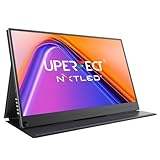
UPERFECT markets this 15.6-inch 1080P panel on color, listing 125 percent sRGB, a flicker-free, low-blue-light design, USB-C, HDMI and VESA support. It fits long editing sessions where eye comfort matters as much as a bigger canvas.
- Strength: flicker-free, low-blue-light design.
- Strength: USB-C, HDMI and VESA in the title.
- Limit: 125 percent sRGB describes gamut size, not accuracy, so check the full spec sheet on the listing.
Skip it if you want a resolution above 1080P.
InnoView 15.6″ Portable Monitor

InnoView keeps things plain: 15.6 inches, 1080P, USB-C and HDMI, a built-in stand that adjusts to 90 degrees and a storage bag. It is a practical second screen for tethering or checking images, with less emphasis on color claims.
- Strength: storage bag and adjustable built-in stand.
- Strength: slim body with USB-C and HDMI.
- Limit: the title offers no sRGB or brightness figures.
Skip it if color coverage is your top priority.
Yodoit 4K Portable Monitor 16″

Yodoit goes for the sharpest and brightest spec sheet here: a 16-inch 3840×2400 UHD IPS panel, 1200nit, 145 percent sRGB and 2000:1 contrast, marketed for sunlight and photo editing. It suits photographers who review frames outdoors.
- Strength: 1200nit brightness for outdoor viewing.
- Strength: 3840×2400 resolution for fine detail.
- Limit: 145 percent sRGB is a gamut volume claim, not proof of accuracy.
Skip it if your laptop cannot drive a 4K-class panel over one cable.
ViewSonic VP1656
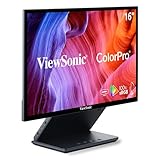
The VP1656 is a 15.6-inch 1200p portable monitor with Pantone Validation, 100 percent sRGB, USB-C with 40W, micro HDMI and dual speakers. It is the most color-focused pick for people who want a validated claim rather than a bare gamut number.
- Strength: Pantone Validated and 100 percent sRGB.
- Strength: 40W USB-C and micro HDMI.
- Limit: 1200p is lower than the 4K-class panels here.
Skip it if you need maximum resolution or outdoor brightness.
10.5 Inch 3:2 Portable Monitor

This 10.5-inch IPS display, listed without a brand name in the title, uses a 3:2 aspect ratio, an adjustable damping stand and plug-and-play use as a laptop second monitor. Its small size suits a camera bag, a tight desk and quick image checks.
- Strength: 3:2 shape fits photo proportions.
- Strength: ultra-slim body with a damping stand.
- Limit: small screen and no color or brightness figures in the title.
Skip it if you need to edit with several panels open.
ARZOPA 16.1″ Z1FC

The Z1FC is a gaming-oriented monitor: 16.1 inches, 144Hz, 1080P, HDR and 106 percent sRGB with a kickstand. It suits a creator who edits in the evening and plays on a laptop or console afterward.
- Strength: 144Hz refresh for smoother games.
- Strength: 16.1-inch 1080P panel with HDR.
- Limit: the focus is gaming, so check the full spec sheet on the listing for color accuracy.
Skip it if you only need a color-focused editing display.
KEEPTIME 4K 13.4″

KEEPTIME packs a 13.4-inch 3840×2400 UHD IPS panel with 100 percent sRGB, HDR, USB-C, HDMI and speakers. The pixel density is high for the size, which makes it a sharp review screen for travel.
- Strength: very sharp 13.4-inch UHD screen.
- Strength: 100 percent sRGB with USB-C and HDMI.
- Limit: 13.4 inches is small for long editing sessions.
Skip it if you want a larger canvas for retouching.
Which One Fits Your Situation
Tethered shooting on location
The ViewSonic VP1656 and DZVW 16″ are strong starting points: one for validated color, the other for a bigger, higher-resolution canvas. For bright locations, the Yodoit 4K is the one built around daylight. Whichever you pick, bring a short, certified cable and a stand-friendly surface, because a wobbling screen on a folding table is how a tethered session turns sloppy.
Editing at a hotel or coffee shop
Pick the UPERFECT True Color for its flicker-free, low-blue-light design and VESA support, or the KEEPTIME 4K 13.4″ if bag space is tight. Both let you spread a gallery across one screen while the laptop holds your editing panels, which speeds up culling without needing a desk.
A gaming PC that doubles as an editing rig
The ARZOPA Z1FC adds 144Hz to a console or PC session, while still giving a respectable canvas for photos. If your gaming and editing happen on the same desktop PC, a second display like this can sit beside the main monitor and hold your gallery, a browser or a stream chat window.
Lightest possible setup
The 10.5 Inch 3:2 monitor and the InnoView 15.6″ are the easiest to carry and set up.
Common Mistakes
- Reading a gamut figure above 100 as proof of accurate color.
- Ignoring whether the laptop’s USB-C port actually carries video.
- Choosing a 4K-class panel without checking scaling and power draw.
- Expecting outdoor visibility from a panel with no stated brightness.
- Skipping the stand, cable and sleeve details in the box.
Frequently Asked Questions
Does a portable monitor replace a calibrated display?
Not by default. Validation or sRGB claims are a good sign, but accurate color work calls for a calibration tool and a controlled environment, with the screen brightness set consistently from session to session.
Can I connect a camera directly?
Only if the camera outputs video over HDMI and the monitor accepts it. Check the connector type, such as micro HDMI, on both devices.
Why does the aspect ratio matter?
A 3:2 or 16:10 panel shows more of a vertical photo and leaves less empty space than a 16:9 screen.
Do I need USB-C video output on my laptop?
For single-cable use, yes. Without it, use HDMI and a separate power source. Check the laptop’s port label or manual for video output support before you buy.