A photo library grows faster than most people expect. Raw files, edited exports, video clips and old phone backups pile up on laptops and loose drives until nobody knows which copy is current. A network-attached storage box, or NAS, gives you one place that every computer in the house can reach, with room to add redundancy so one failed disk does not erase years of work.
For photographers the decision comes down to three trade-offs: how many bays and what network speed you need for editing over the wire, how much processing power the box has for thumbnails and media apps, and how comfortable you are with the operating system. Every model here is a four-bay unit sold without drives, so budget for disks separately and plan your backup routine before you buy. A quiet living-room shelf, a studio closet and a desk beside a gaming or editing PC all work, as long as the box has airflow and a wired network cable nearby.
Quick Picks
| Product | Best for | Key spec from the title |
|---|---|---|
| UGREEN DXP4800 Plus | Fast editing over the network | 4-bay, Intel 8505, 8GB DDR5, 10GbE |
| Synology DS425+ | Polished photo and media sharing | 4-bay, diskless |
| UGREEN DXP4800 Pro | Power users and self-hosting | 4-bay, i3-1315U, 8GB DDR5 |
| Synology DS423 | Straightforward photo vault | 4-bay, diskless |
| Yxk Zero1 Pro | Tinkerers who want Docker | 4-bay, diskless, Docker support |
| QNAP TS-464-8G-US | Cache drives and quick links | Quad-core, M.2 PCIe slots, dual 2.5GbE |
| TERRAMASTER F4-212 | Basic backup on a tight budget | 4-bay, quad core, 2GB RAM |
How to Choose
Network ports and real transfer speed
Your editing speed over the network depends on the slowest link. Gigabit Ethernet is common, 2.5GbE is faster and 10GbE is faster still, but your router, switch and computer must support the same speed. Read the port line on the listing, then confirm your own gear has matching ports or adapters before paying for headroom.
Bays, drives and redundancy
The four-bay layout lets you run drives in a mirrored or parity arrangement, so a single drive failure does not wipe the library. Remember that these units ship diskless, and RAID is not a backup. Plan a separate copy on another device or in the cloud, and check the listing for drive size support.
CPU, memory and expansion
A faster processor and more memory help with thumbnail generation, photo indexing and any media transcoding. Look at the CPU name and RAM in the title, and see whether the spec sheet lists memory upgrade options. M.2 slots, when present, can host a cache or a fast storage pool.
Software and photo features
Each brand ships its own operating system with a photo app, mobile uploads and sharing tools. Some units also run third-party systems or Docker containers. Check the vendor’s app list and the listing for details on photo management, because the title only hints at what the software does.
The 7 Best Options
UGREEN DXP4800 Plus

This four-bay unit leads on hardware: the title lists an Intel 8505 processor, 8GB of DDR5 memory and a 10GbE port, with a second port spec that the title cuts off. It suits a photographer who edits straight from the NAS or shares a library with an assistant, and who wants room to grow into video.
- Strength: 10GbE networking for quick transfers on a compatible network.
- Strength: 4K media support and hardware transcoding in the title.
- Limit: it ships diskless, and the 10GbE benefit needs matching switch and computer ports.
Skip it if your network tops out at gigabit speeds, because you would pay for a capability you cannot use yet. Also confirm the exact port layout and drive support on the full spec sheet, since the title is truncated.
Synology DS425+

The DS425+ is a four-bay, diskless private-cloud and media server aimed at streaming, backing up and sharing files. For photographers it offers a mature vendor ecosystem, which matters when a family or small studio needs simple access and a straightforward backup workflow.
- Strength: described for backup, sharing and media streaming in one unit.
- Strength: four bays for mirrored or parity setups.
- Limit: the title shows no CPU, memory or port details, so check the full spec sheet on the listing.
Skip it if you need to compare raw hardware numbers before buying, since the title does not provide them. Buyers who value a long-established software platform and an easy mobile app will care less about that gap.
UGREEN DXP4800 Pro

The Pro variant is pitched at IT professionals, developers and power users. The title lists an i3-1315U processor and 8GB of DDR5 memory, with small-team file server, virtual machine and self-hosted app support. It suits a studio photographer who also wants to run extra services.
- Strength: Intel i3-1315U with 8GB DDR5 for heavier workloads.
- Strength: aimed at small-team file serving and self-hosted apps.
- Limit: the title is cut off before the port details, so check the full spec sheet for networking.
Skip it if you want a plain photo vault and have no interest in virtual machines or container apps. A simpler model keeps setup shorter and leaves you less to maintain over time, which suits most single-photographer homes.
Synology DS423

The DS423 is a four-bay, diskless unit described for family and business backup, secure file sharing and a photo vault. It fits a photographer who wants a dependable home for raw files and client galleries without chasing the newest hardware.
- Strength: the title calls out a photo vault and secure sharing.
- Strength: video surveillance support for studio or home cameras.
- Limit: no processor, RAM or port specs appear in the title.
Skip it if you plan to edit large video projects over the network, and read the listing’s specification table before you commit. It reads best as a vault and sharing hub, not a high-throughput editing server.
Yxk Zero1 Pro

This four-bay, diskless box is described as a private cloud and home media server with beginner-friendly app setup. The title also mentions Docker and third-party operating systems, which attracts enthusiasts who like to customize how their photo library is organized.
- Strength: Docker and third-party OS support for flexible setups.
- Strength: beginner-friendly app setup is stated in the title.
- Limit: the processor name is cut off, so check the full spec sheet on the listing.
Skip it if you prefer an established vendor ecosystem with a familiar, supported photo app. Less-known brands can mean fewer community guides, so budget time for setup and read how updates are delivered.
QNAP TS-464-8G-US
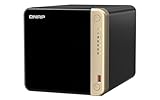
QNAP lists a four-bay desktop design with an Intel quad-core processor, M.2 PCIe slots and dual 2.5GbE ports. Those M.2 slots can host fast storage or caching, and the dual ports suit a photographer who wants link flexibility when several editors connect at once.
- Strength: dual 2.5GbE network connectivity for quicker transfers.
- Strength: M.2 PCIe slots for fast storage options.
- Limit: it is diskless, so you buy and install the drives yourself.
Skip it if you only have a gigabit network and no use for cache drives. The extra ports and slots only pay off when the rest of your setup can use them, so match your switch and workflow first.
TERRAMASTER F4-212

The F4-212 is a four-bay, diskless NAS with a quad-core CPU and 2GB of RAM. It is the entry-level pick here for a photographer who mainly needs a central backup target and basic file sharing, not heavy transcoding or virtual machines.
- Strength: four bays with a quad-core processor.
- Strength: a simple spec list that is easy to understand.
- Limit: only 2GB of RAM, which may feel slow with large libraries.
Skip it if you plan to run media apps, large thumbnail jobs or video projects from the box. Photographers with growing archives should read the memory and upgrade notes on the listing before settling on this model.
Which One Fits Your Situation
You edit raw files straight from the NAS
Start with the UGREEN DXP4800 Plus for its 10GbE port, or the QNAP TS-464-8G-US for dual 2.5GbE. Match the port speed to your switch and desktop, since the network sets your ceiling.
You are building a family photo vault
The Synology DS423 and Synology DS425+ both point to backup, sharing and media in simple packages, a good fit for relatives uploading phone pictures.
You also run a creator or streaming PC
A gaming and streaming desk benefits from the UGREEN DXP4800 Pro, which targets power users and self-hosted apps. It can sit beside your PC for capture archives and project files.
You want to tinker or keep costs in the budget tier
The Yxk Zero1 Pro suits enthusiasts who want Docker, while the TERRAMASTER F4-212 is the basic backup box for a modest library.
Common Mistakes
- Treating RAID as a backup instead of keeping a second copy elsewhere.
- Buying a fast 10GbE box without a switch or computer that supports it.
- Forgetting that every unit here ships without drives.
- Choosing the lowest memory model, then adding photo indexing and media apps.
- Skipping the full spec sheet when the title is cut off.
Frequently Asked Questions
Do I need a NAS or an external drive?
An external drive is simpler and fine for a single computer. A NAS makes sense when several devices need the same library or you want redundancy.
Can I edit directly from a NAS?
Yes, if your network is fast enough. Wired connections at 2.5GbE or higher feel much better than Wi-Fi for large raw files.
Which drives should I install?
Use drives designed for NAS use and check the vendor’s compatibility list. Decide on a redundancy layout before you move files over.
Is a NAS enough to protect my photos?
No. A NAS protects against a single disk failure but not theft, fire or deletion. Keep another copy off the device, preferably off-site.