

- Top Pick: ONE XPLAYER OneXGPU 2 eGPU with AMD RX 7800M 12GB GDDR6 RDNA 3, Portable External GPU for Laptops and Handhelds with Thunderbolt 3/4, USB 4, OCuLink Port
- Best Value: eBlaztr Portable ITX PC Case Full Desktop GPU Performance, Matte Black Aluminum, PCIe 4.0 Riser Cable, DP Ribbon Cable, Patented Leg System
- Premium Choice: NIMO External Graphics Card Enclosure, AMD Radeon RX 7600M XT for Laptop
🛒 Best Price Today on Amazon
Prime members get fast, free shipping on everything above, plus member-only deals. New members get a 30-day free trial — cancel anytime.
- Top Portable Gpus Picks for 2026
- Best Portable GPU Candidates at a Glance
- 1. NVIDIA RTX PRO 4000 SFF Blackwell 24GB GDDR7
- 2. PNY GeForce RTX 5070 Slim Dual-Fan, Dual-Slot OC (12GB)
- 3. ASUS Prime GeForce RTX 5070 SFF-Ready (PCIe 5.0, 12GB)
- 4. GIGABYTE Radeon RX 9060 XT Gaming OC ICE 16GB GDDR6
- 5. MSI Gaming GeForce RTX 3060 12GB Torx Twin (PCIe 4)
- 6. ASUS Turbo Radeon AI PRO R9700 (Blower Workstation Card)
- How to Choose (and Build) a Portable Graphics Setup
- Related Guides
- Frequently Asked Questions
- Related Guides
- Related Articles
Top Portable Gpus Picks for 2026
Here are our current top portable gpus picks, compared on real Amazon owner reviews, price, and features. Live prices update below.
As an Amazon Associate we earn from qualifying purchases at no extra cost to you.


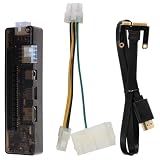


Let us be honest from the first line, because the keyword is misleading: a truly ‘portable GPU’ is not a normal graphics card. Genuine portability comes in two forms — a mobile GPU soldered into a laptop, or an external GPU (eGPU), which is a desktop graphics card mounted inside a portable enclosure that connects to a laptop over Thunderbolt or OCuLink. Every product in this round-up is an internal desktop graphics card, so none of them is portable on its own. We are flagging that plainly throughout, and reframing the list as the best desktop cards to put inside a portable eGPU enclosure.
Because none of these cards is portable by itself, we have ordered the list to lead with the most enclosure-friendly options — the compact, SFF-ready and slim cards that fit the small eGPU boxes most people can actually carry — and we explain the eGPU concept up front so the recommendation makes sense. An eGPU lets a thin, light laptop borrow desktop-class graphics when it is at a desk, then unplug and stay portable on the move; the enclosure (sold separately) supplies the slot, power and Thunderbolt or OCuLink link. Prices below run from around $400 to around $2,050 for the cards themselves. Here is an at-a-glance comparison with portability flagged for each, then a closer look at every card and an honest buyer’s guide to building a portable graphics setup.
Best Portable GPU Candidates at a Glance
| Graphics Card | Best For (in an eGPU) | Portability Reality | Approx Price |
|---|---|---|---|
| NVIDIA RTX PRO 4000 SFF Blackwell 24GB | Compact pro eGPU builds | NOT portable alone — low-profile card for an enclosure | around $2,050 |
| PNY GeForce RTX 5070 Slim Dual-Slot OC | Slim card for small enclosures | NOT portable alone — slim two-slot for an eGPU | around $650 |
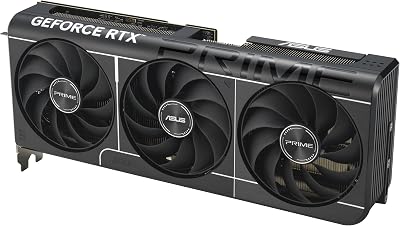
| ASUS Prime GeForce RTX 5070 SFF-Ready | SFF-ready eGPU gaming | NOT portable alone — SFF-ready desktop card | around $642 |
| GIGABYTE Radeon RX 9060 XT Gaming OC ICE 16G | 16GB AMD eGPU value | NOT portable alone — desktop card for an enclosure | around $470 |
| MSI GeForce RTX 3060 12GB Torx Twin | Budget eGPU starting point | NOT portable alone — full-size desktop card | around $399 |
| ASUS Turbo Radeon AI PRO R9700 | AI workstation eGPU | NOT portable alone — blower workstation card | around $1,700 |
1. NVIDIA RTX PRO 4000 SFF Blackwell 24GB GDDR7

7
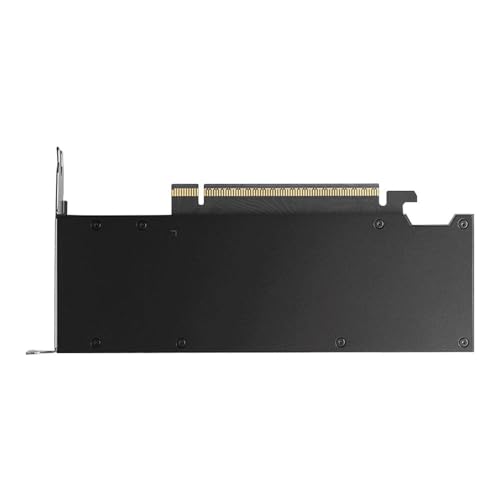
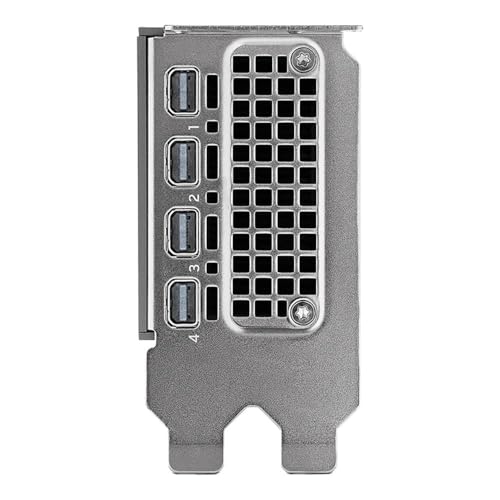
NVIDIA RTX PRO 4000 SFF Blackwell 24GB GDDR7 ECC – PCIe 5.0×8, 4X mDP 2.1b, Low-Profile Dual-Slot AI Workstation GPU Retail
In Stock


As an Amazon Associate we earn from qualifying purchases. Product prices and availability are accurate as of the date/time indicated.
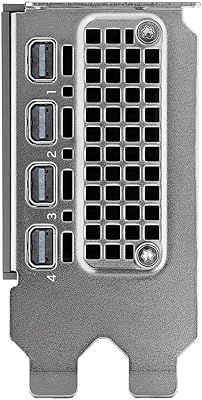
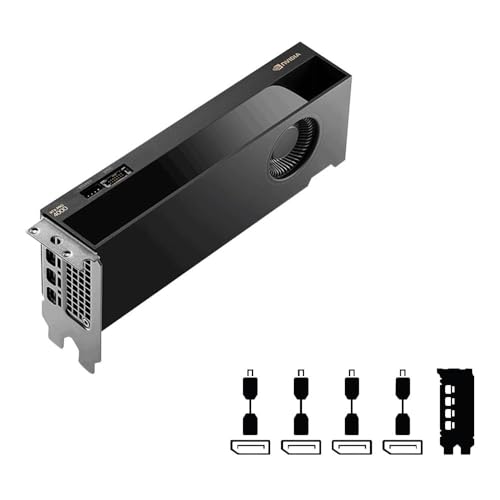
The NVIDIA RTX PRO 4000 SFF leads this list as the best candidate to build into a compact, portable eGPU — with the essential caveat that, like every card here, it is an internal desktop GPU and is not portable on its own. What makes it the standout for this use is its genuine small-form-factor design: a low-profile, dual-slot body that fits the smallest, most carry-friendly eGPU enclosures, paired with 24GB of GDDR7 and a PCIe 5.0 interface. At around $2,050 it is the priciest pick and a professional workstation part.
Inside a portable enclosure, this card turns a thin-and-light laptop into a serious mobile workstation when docked: the low-profile design keeps the whole rig as small as an eGPU can reasonably be, and the 24GB framebuffer suits professional 3D, creative apps and AI work on the go. To be clear about the setup, you connect it via a separately purchased eGPU enclosure over Thunderbolt or OCuLink, then unplug to stay mobile. As a desktop card chosen specifically for compact portability, its SFF dimensions make it the most enclosure-friendly option here.
Pros: Low-profile SFF design fits the smallest eGPU enclosures, 24GB GDDR7, PCIe 5.0.
Cons: NOT portable by itself — an internal desktop card; needs an eGPU enclosure, and it is very expensive.
2. PNY GeForce RTX 5070 Slim Dual-Fan, Dual-Slot OC (12GB)

30
Prime
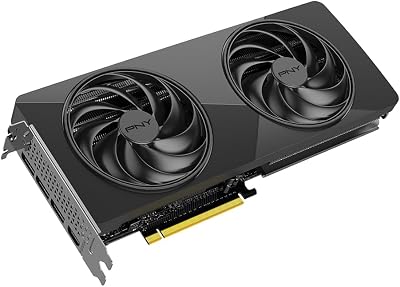
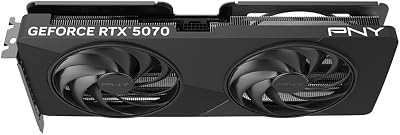
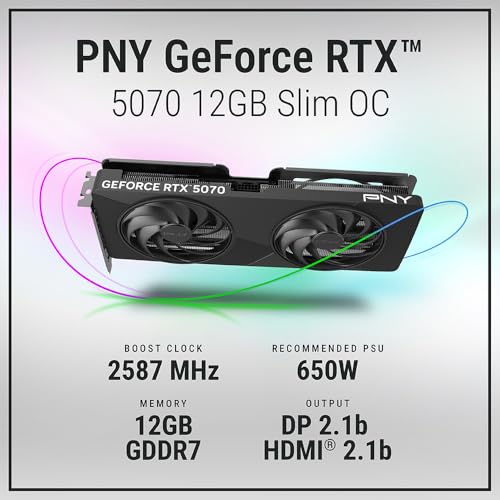
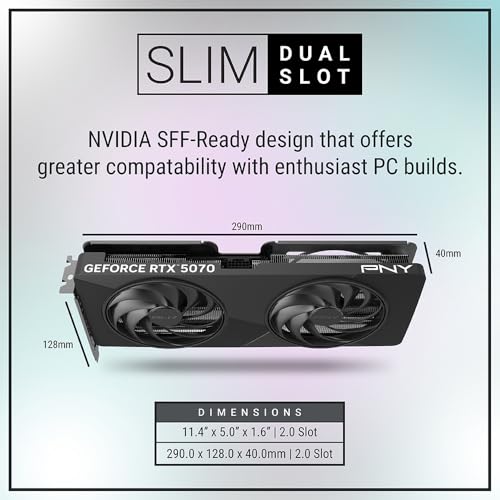
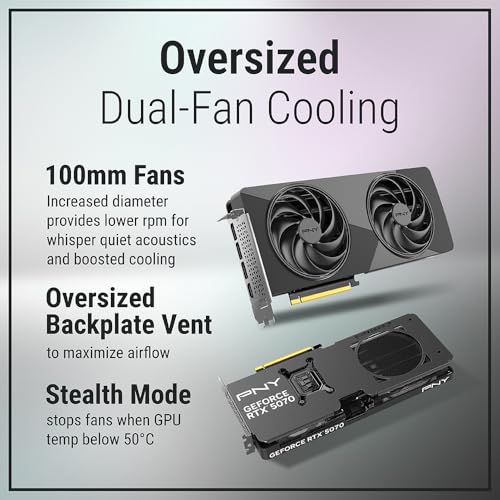
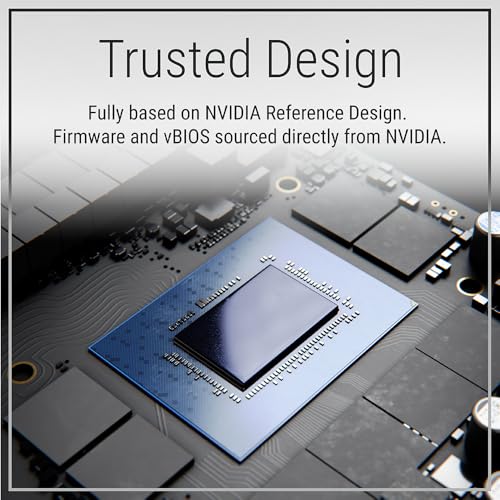
PNY NVIDIA GeForce RTX™ 5070 Slim Dual-Fan, Dual-Slot OC Graphics Card (12GB GDDR7, SFF-Ready, 192-bit, Boost Speed: 2587 MHz, PCIe® 5.0, HDMI®/DP 2.1, NVIDIA Blackwell Architecture, DLSS 4.5)
In Stock








As an Amazon Associate we earn from qualifying purchases. Product prices and availability are accurate as of the date/time indicated.
The PNY RTX 5070 Slim is the slim-card pick for a small enclosure, and it is again an internal desktop GPU rather than a portable device. Its relevance here is the design: a deliberately slim, dual-slot card with 12GB of memory, which makes it one of the easier modern gaming GPUs to fit inside a compact eGPU box. At around $650 it is a mid-priced, current-generation card.
As the graphics card in a portable eGPU setup, the RTX 5070 Slim gives a laptop strong modern gaming and creation performance when docked, and its slim two-slot body means it can go in smaller, more travel-friendly enclosures than a chunky triple-slot card. Remember the practicalities: you supply a separate eGPU enclosure with its own power and a Thunderbolt or OCuLink connection, and the card stays at your desk while the laptop travels. For a slim, current-gen desktop card to base a compact portable-graphics rig on, the 5070 Slim is a strong choice — just not a portable product in itself.
Pros: Slim dual-slot design fits small eGPU enclosures, 12GB, current-generation gaming performance.
Cons: NOT portable on its own — a desktop card; requires a Thunderbolt/OCuLink eGPU enclosure.
3. ASUS Prime GeForce RTX 5070 SFF-Ready (PCIe 5.0, 12GB)

40
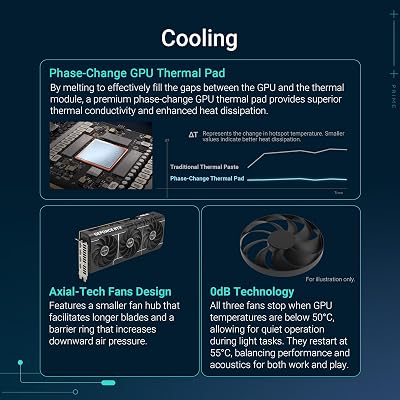
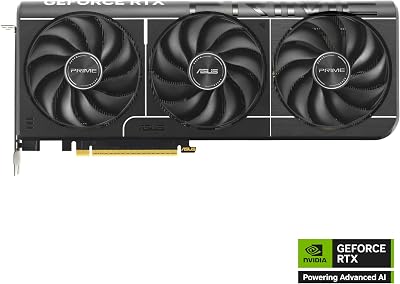
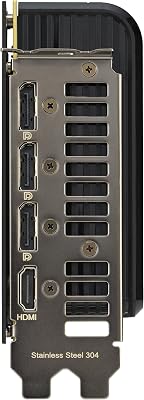
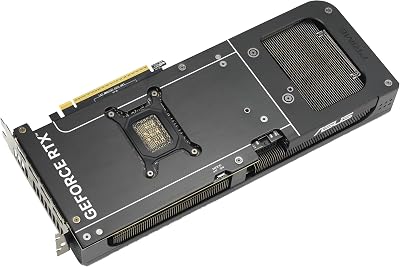
ASUS The SFF-Ready Prime GeForce RTX™ 5070 Graphics Card, NVIDIA (PCIe® 5.0, 12GB GDDR7, HDMI®/DP 2.1, 2.5-Slot, Axial-tech Fans, Dual BIOS)
In Stock









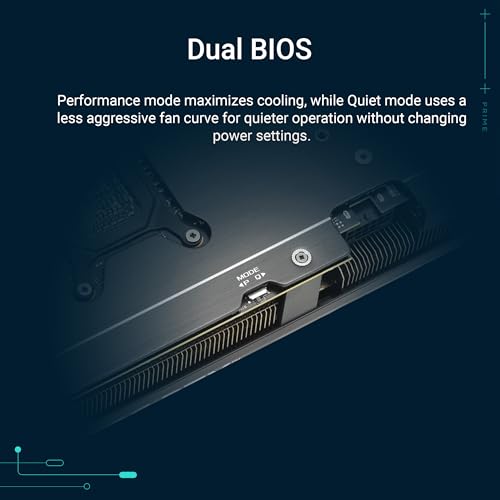
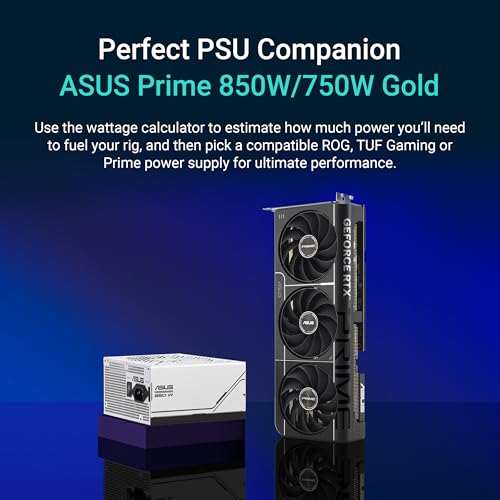
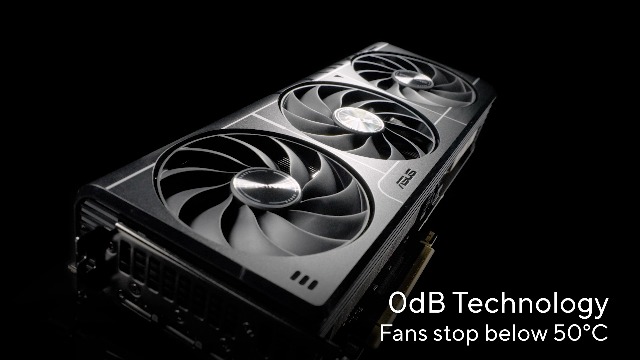
As an Amazon Associate we earn from qualifying purchases. Product prices and availability are accurate as of the date/time indicated.
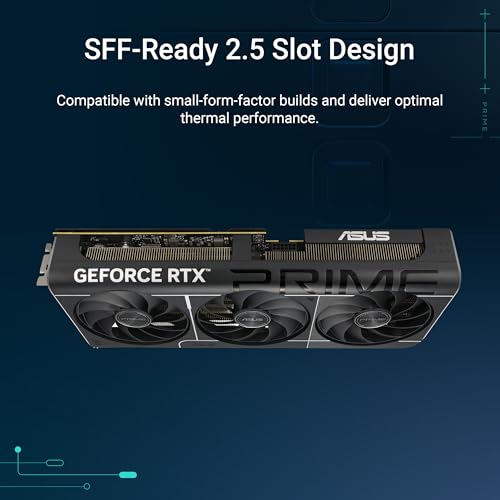
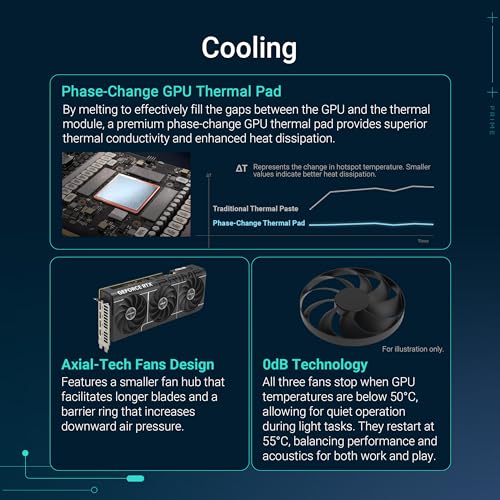
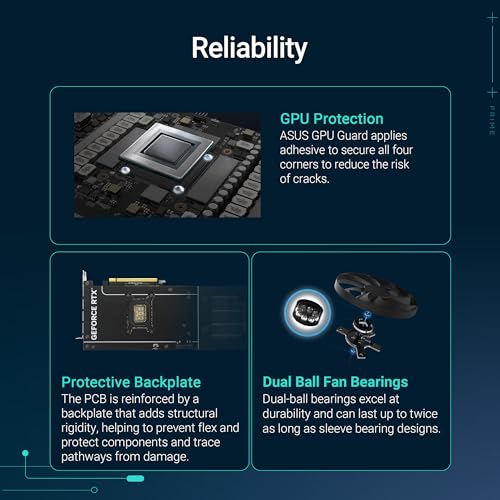
The ASUS Prime RTX 5070 is the SFF-ready pick, and as with the rest of this list it is an internal desktop graphics card, not a portable unit. ASUS markets it as ‘SFF-Ready’, meaning its dimensions are designed to comply with small-form-factor size guidelines — exactly the trait that makes it a sensible candidate for a compact eGPU enclosure. It carries 12GB of memory and a PCIe 5.0 interface, and at around $642 it sits alongside the PNY 5070 in price.
Built into a portable eGPU, the SFF-ready 5070 delivers strong current-generation gaming and creative power to a docked laptop while keeping the enclosure size manageable thanks to its compliant dimensions. The usual portability reality applies: it lives in a separately bought enclosure that provides the PCIe slot, power and a Thunderbolt or OCuLink link to the laptop, and the portability comes from the laptop, not the card. If you want a modern, SFF-conscious desktop GPU to anchor a compact portable-graphics setup, this ASUS Prime card is well suited to the job.
Pros: SFF-ready dimensions suit compact eGPU enclosures, PCIe 5.0, 12GB, modern performance.
Cons: NOT portable alone — an internal desktop card that needs an eGPU enclosure to leave the desk.
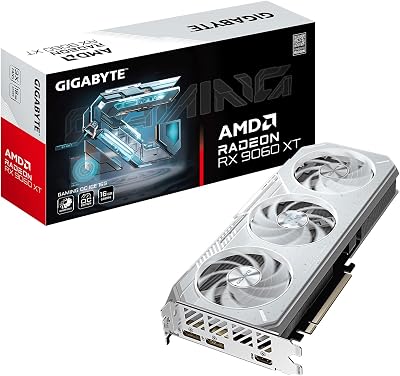
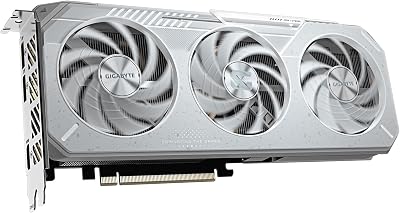
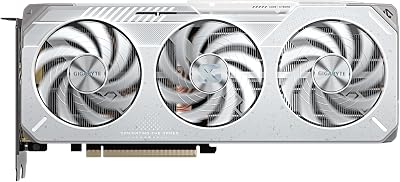
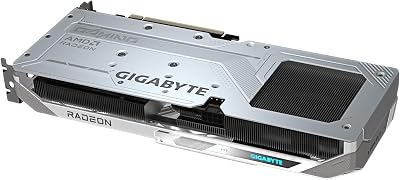
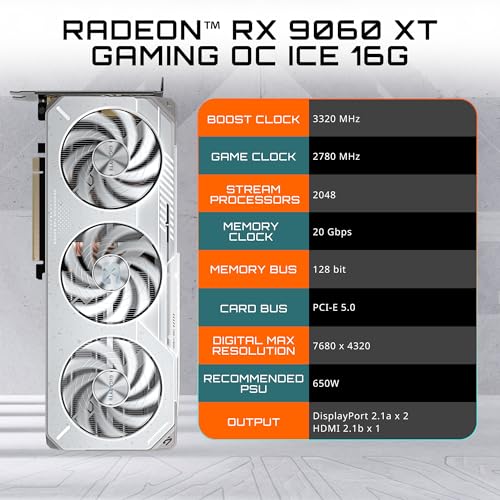
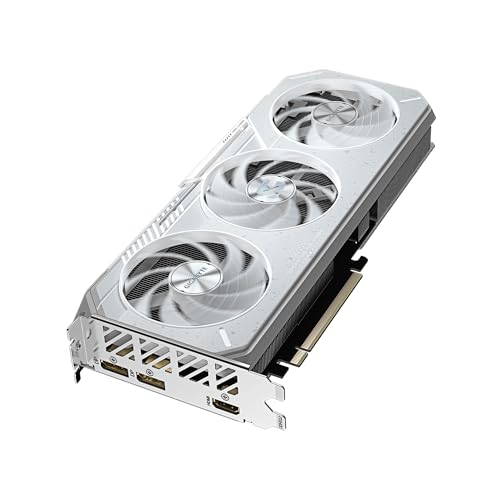
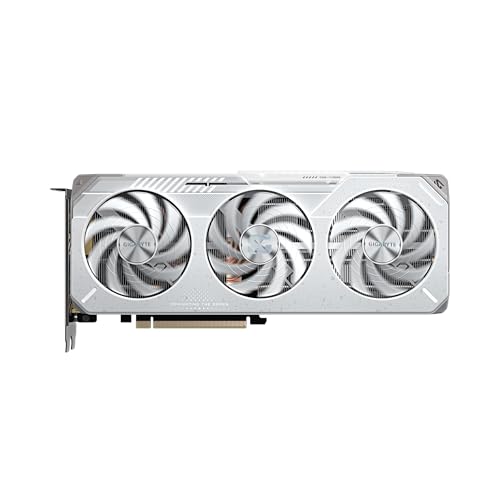
4. GIGABYTE Radeon RX 9060 XT Gaming OC ICE 16GB GDDR6
19
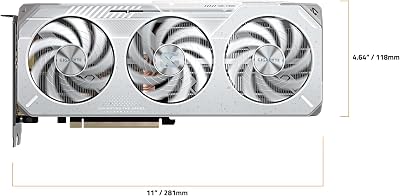
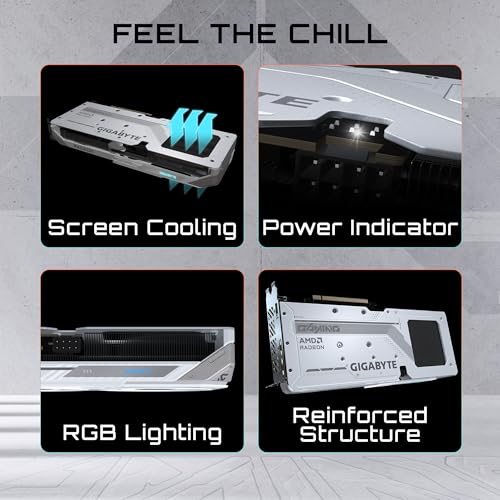
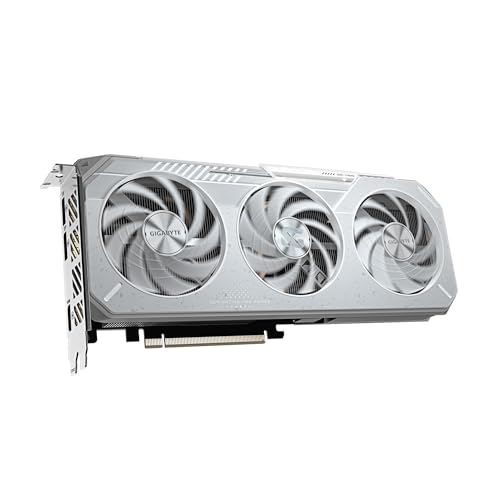
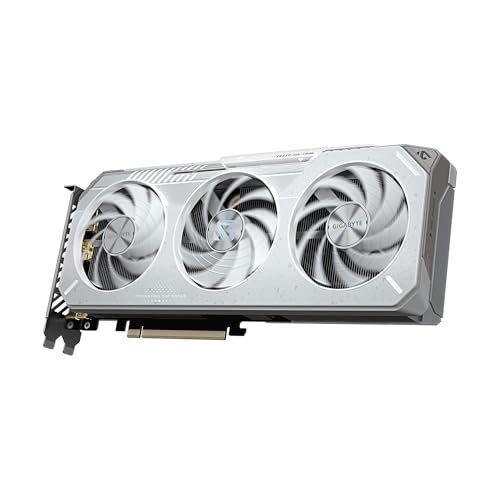
GIGABYTE Radeon™ RX 9060 XT Gaming OC ICE 16G Graphics Card (16GB GDDR6, 128-bit, PCIe 5.0, HDMI/DP 2.1, 2 Slot, Hawk Fan, Server-Grade Thermal Gel, Reinforced Structure)
In Stock







As an Amazon Associate we earn from qualifying purchases. Product prices and availability are accurate as of the date/time indicated.
The GIGABYTE RX 9060 XT Gaming OC ICE is the 16GB AMD value pick for an eGPU build, and it remains an internal desktop graphics card rather than a portable device. Its appeal here is a generous 16GB of GDDR6 on a 128-bit bus at a lower price than the workstation and slim-5070 options — around $470 — making it the value-focused candidate for adding desktop-class AMD graphics to a laptop via an enclosure.
Inside a portable eGPU enclosure, this card gives a docked laptop a healthy 16GB framebuffer for higher-detail textures and creative workloads at a sensible cost, a good fit for gamers and creators who want AMD graphics on the move without a premium price. As ever, the portability comes from the laptop plus a separately purchased Thunderbolt or OCuLink enclosure that houses and powers the card; the GPU itself is a standard desktop part. Check this card’s dimensions against your chosen enclosure, since it is a more conventional gaming card than the slim and SFF-ready options above.
Pros: 16GB GDDR6 at a value price, capable AMD performance for a docked laptop in an enclosure.
Cons: NOT portable by itself — a desktop card; verify it fits your eGPU enclosure and add Thunderbolt/OCuLink.
5. MSI Gaming GeForce RTX 3060 12GB Torx Twin (PCIe 4)

msi Katana 15 15.6” 165Hz QHD Gaming Laptop: Intel Core i7-13620H, NVIDIA Geforce RTX 4070, 16GB DDR5, 1TB NVMe SSD, Cooler Boost 5, Win 11: Black B13VGK-2000US
In Stock
As an Amazon Associate we earn from qualifying purchases. Product prices and availability are accurate as of the date/time indicated.
The MSI RTX 3060 Torx Twin is the budget starting point for an eGPU, and it is the most conventional desktop card here — a full-size, dual-fan gaming GPU that is emphatically not portable on its own. Its draw is value and a roomy 12GB of GDDR6: at around $399 it is the cheapest card on the list, and a reasonable way to get desktop-class graphics into an enclosure without spending heavily.
As the graphics card in a portable eGPU rig, the RTX 3060 gives a docked laptop solid 1080p and 1440p gaming and a generous framebuffer for the money. The honest caveat is size: this is a standard full-length, dual-fan card, so it needs a larger eGPU enclosure than the slim or SFF-ready 5070s and the low-profile RTX PRO 4000, which makes the overall portable setup bulkier. You will also need a separate enclosure with power and a Thunderbolt or OCuLink connection. As a budget foundation for a desk-bound-but-detachable graphics boost, it works — just expect a chunkier box to carry.
Pros: Cheapest card here, 12GB GDDR6, capable 1080p/1440p gaming for a docked laptop.
Cons: NOT portable — a full-size desktop card; needs a larger eGPU enclosure plus Thunderbolt/OCuLink.
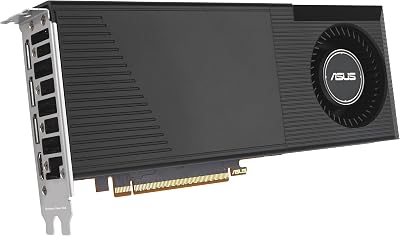
6. ASUS Turbo Radeon AI PRO R9700 (Blower Workstation Card)

38
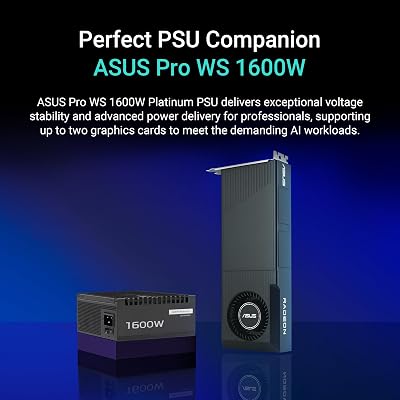
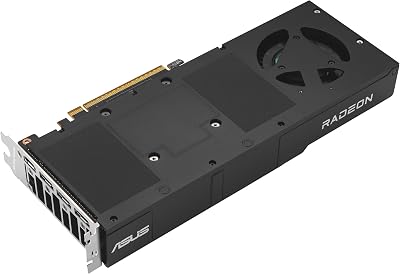
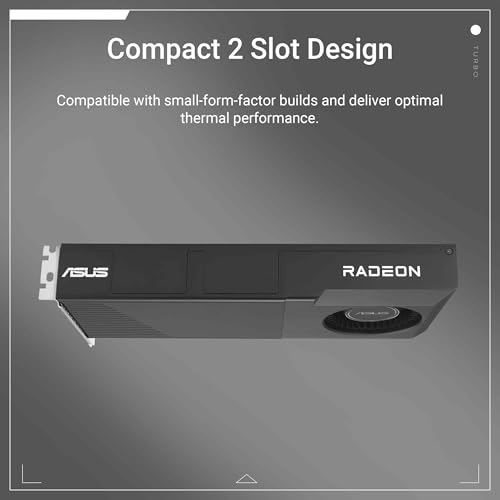
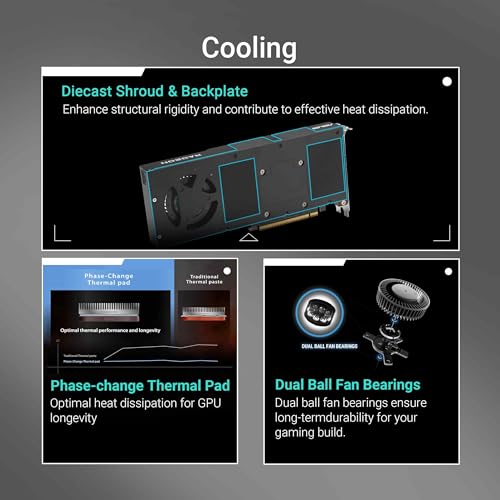
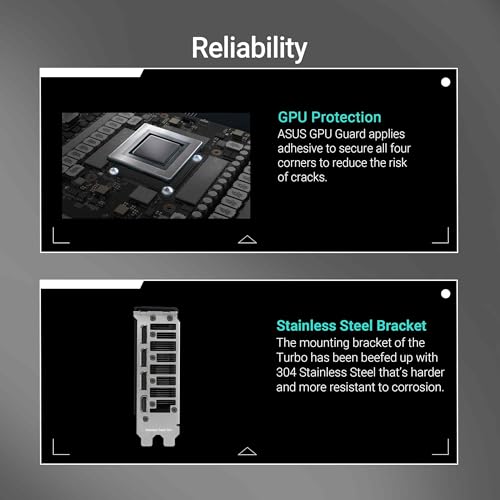
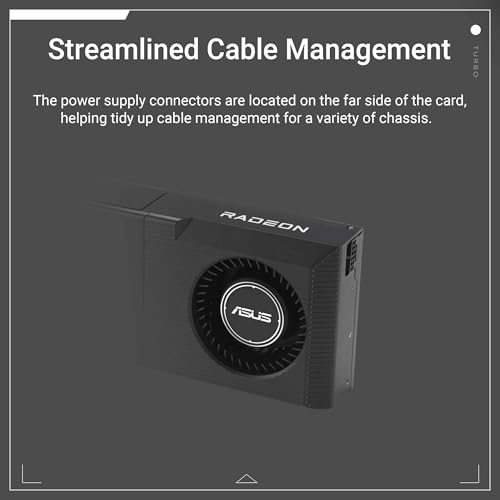
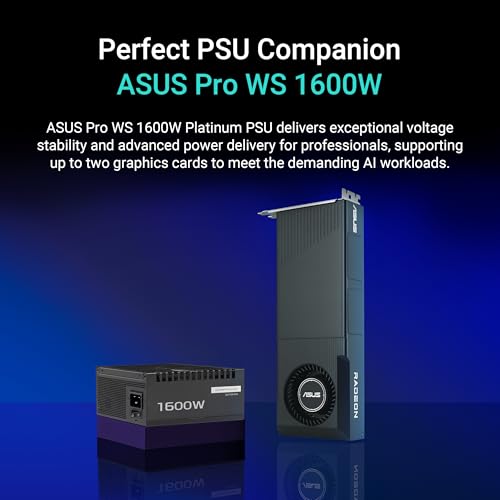
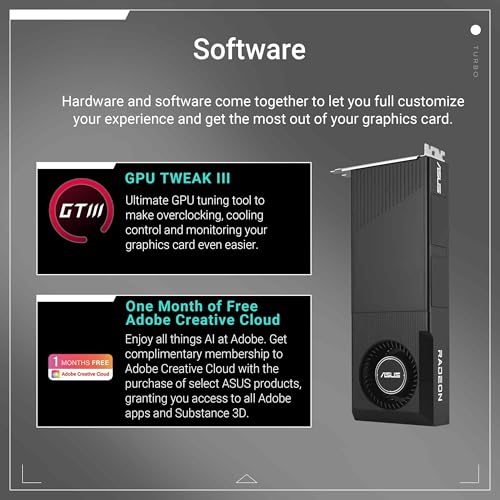
ASUS Turbo AMD Radeon AI Pro R9700 is Built for AI-Driven workflows and Extreme Reliability, Featuring RDNA 4 Architecture, 32GB VRAM, and Robust Thermal Design
In Stock








As an Amazon Associate we earn from qualifying purchases. Product prices and availability are accurate as of the date/time indicated.
Rounding out the list is the ASUS Turbo Radeon AI PRO R9700, included as an AI-focused workstation candidate and, like every entry here, an internal desktop graphics card rather than a portable one. It is built for AI-driven workflows and demanding professional use, and uses a blower-style ‘Turbo’ cooler that exhausts heat out of the case — a design that can suit the constrained airflow of some enclosures. At around $1,700 it is the second-priciest pick, behind only the RTX PRO 4000 SFF.
Inside a portable eGPU enclosure, this card aims at professionals who need serious AI and compute performance from a laptop when docked, then portability from the laptop itself once unplugged. The blower cooler’s directed exhaust can help in a sealed enclosure, but this is a large, power-hungry professional card that demands a substantial enclosure and a robust Thunderbolt or OCuLink connection, so the resulting rig is a deskside workstation booster rather than anything you would casually carry. As a high-end AI eGPU card it is potent — but it is not, by itself, portable.
Pros: Powerful AI/compute card, blower exhaust suits enclosed cases, professional-grade performance.
Cons: NOT portable alone — a large, power-hungry desktop card; needs a substantial eGPU enclosure.
How to Choose (and Build) a Portable Graphics Setup
First, get the concept right, because it changes everything about this category. A standard graphics card is never portable by itself; portable graphics means either a mobile GPU inside a laptop or an external GPU (eGPU) — a desktop card housed in a separate enclosure that plugs into a laptop. Every card in this guide is an internal desktop GPU, so the realistic way to make any of them ‘portable’ is to install it in an eGPU enclosure and pair it with a laptop. The portability comes from the laptop unplugging and travelling, while the card and enclosure stay at the desk.
If you want genuine portability with no enclosure at all, look instead to a gaming laptop with a capable mobile GPU, or a handheld gaming PC with integrated graphics — those are the only truly self-contained portable options. An eGPU is the right answer when you already have a thin-and-light laptop you love and want it to gain desktop-class graphics when docked, rather than carrying a heavy gaming laptop everywhere. Be clear about which scenario you are in before you spend, because it points to completely different hardware.
If the eGPU route fits you, choose the card around the enclosure as much as performance. Compact, slim and SFF-ready cards — the low-profile RTX PRO 4000 SFF, the PNY RTX 5070 Slim and the SFF-ready ASUS RTX 5070 — fit smaller, more carry-friendly enclosures, whereas a full-size card like the RTX 3060 Torx Twin or the large R9700 needs a bigger box that is harder to move. Check the card’s length and slot height against the enclosure’s stated limits, and confirm the enclosure’s power supply can feed the card.
Finally, plan the connection and the whole budget. eGPUs attach over Thunderbolt (common on modern laptops) or OCuLink (faster, but needs a compatible port or adapter), and that link can cap performance compared with a desktop, so make sure your laptop has the right port. Budget for the enclosure separately — it is not included with any card here — alongside the GPU itself, whose prices run from around $400 to around $2,050. Decide whether you truly need an eGPU or would be better served by a gaming laptop, pick a card whose size suits a portable enclosure, and build the setup with the connection and power sorted from the start.
Frequently Asked Questions
Is a graphics card like the RTX 5070 actually portable?
No. The PNY and ASUS RTX 5070 cards — and every card in this guide — are internal desktop GPUs, not portable devices. The realistic way to make one ‘portable’ is to install it in an external GPU (eGPU) enclosure and connect that to a laptop over Thunderbolt or OCuLink; the laptop is what stays portable. Truly self-contained portable graphics means a gaming laptop’s mobile GPU or a handheld PC’s integrated graphics instead.
What is an eGPU and how does it work?
An eGPU (external GPU) is a desktop graphics card mounted in a separate enclosure that provides a PCIe slot, its own power supply, and a high-speed link — usually Thunderbolt or OCuLink — to a laptop. When the laptop is docked to the enclosure, it gains desktop-class graphics for gaming or creative work; unplug it and the laptop stays thin and portable. The enclosure is bought separately from the graphics card.
Which of these cards is the best choice for a portable eGPU build?
The most enclosure-friendly are the compact ones: the low-profile NVIDIA RTX PRO 4000 SFF for the smallest pro setups, and the slim PNY RTX 5070 Slim and SFF-ready ASUS RTX 5070 for compact gaming enclosures. Larger cards like the MSI RTX 3060 Torx Twin and the ASUS R9700 work too but need bigger, less carry-friendly boxes. Always match the card’s size to your enclosure’s limits, and remember none is portable without one.
Would I be better off with a gaming laptop than an eGPU?
Often, yes, if you need graphics power on the move. A gaming laptop with a mobile GPU, or a handheld gaming PC, is genuinely self-contained and portable, whereas an eGPU keeps the card and enclosure at a desk and only the laptop travels. An eGPU makes most sense when you already own and like a thin-and-light laptop and want it to gain desktop-class graphics when docked, rather than carrying heavier all-in-one hardware everywhere.
Related Guides
- Best GPUs for Your Build
- Best GPUs for Small Cases
- Best Gaming Laptops
- Best Handheld Gaming PCs
- Best Thunderbolt Docks
- Best Budget Gaming Setup
Affiliate Disclosure: As an Amazon Associate, we earn from qualifying purchases. If you click a link and make a purchase, we may earn a small commission at no extra cost to you. Prices and availability are accurate as of publication and may change.
Ready to decide? Our #1 pick for 2026 is the NVIDIA RTX PRO 4000 SFF Blackwell 24GB.
Live price & availability on Amazon.


