

- Top Pick: HP Newest 15.6"" G8 Business Laptop, Intel Core i5-1135G7 4-core Processor, 16GB Memory, 1TB SSD Storage, 15.6"" FHD Display, Ethernet Port, Windows 11 Pro, Bundled w 250GB Portable SSD, Gray
- Best Value: HP 2023 Newest 14" HD Ultral Light Thin Laptop, Quad-Core Intel Celeron Processor, 4GB RAM, 128GB (64GB eMMC+ 64GB SD), Wi-Fi, Upto 11 Hours, Windows 11 S + 1 Year Office 365+HubxcelAccessory, White
- Premium Choice: Dell Newest 13th Generation Business Inspiron 15 3530 Laptop, 15.6" FHD Touchscreen, Intel Core i7-1355U, 16GB RAM, 1TB SSD, Webcam, HDMI, Wi-Fi 6, Windows 11 Pro, Black (Renewed)
The MacBook Air 13-inch with the M5 chip suits most people who want a quiet, long-lasting everyday laptop, a Windows buyer with the same priorities is best looking at the Dell XPS 14 (2026) or XPS 13 (2026), and anyone who plays modern games should skip thin-and-light machines and start with the ROG Zephyrus G14 or the Alienware 16X Aurora instead. That is the short version of where the newest laptops land in 2026, after a year in which Intel’s Core Ultra 300 series (Panther Lake) and Qualcomm’s Snapdragon X2 Elite chips arrived alongside Apple’s M5 generation.
This guide sorts the current field by what you actually do with a laptop, not by spec-sheet bragging rights. Models and features below are drawn from the makers’ own descriptions and from outlets such as PCWorld, Tom’s Guide, Forbes and TechRadar. Configurations vary by region, so always read the exact spec line of the version you are buying, particularly memory and storage, because the same model name often covers several very different builds.
As an Amazon Associate we earn from qualifying purchases at no extra cost to you.


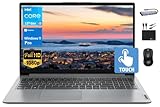
Newest Laptops at a Glance
| Model | Best for | Key stated points | Limits |
|---|---|---|---|
| MacBook Air 13-inch (M5) | All-round daily use, students, travel | Apple M5 chip, fanless design, macOS | Not built for demanding PC games; limited port selection |
| MacBook Neo | Budget Mac buyers | Apple’s lower-cost laptop, praised by several outlets for value | Fewer high-end options than the Air or Pro |
| Dell XPS 14 (2026) | Premium Windows, creators | Intel Panther Lake platform; Tom’s Guide rates it among the best Windows laptops | Premium tier cost; thin chassis limits sustained heavy loads |
| Dell XPS 13 (2026) | Budget-conscious ultraportable shoppers | Tom’s Guide lists it as a best budget Windows pick with over 14 hours of battery in its test | Lighter graphics capability |
| Acer Aspire 16 AI / Swift 16 AI | Large-screen general use | PCWorld names the Aspire 16 AI its best overall | Larger and heavier than 13 to 14 inch models |
| Asus Zenbook S14 | Lightweight carry | Forbes picks it as best lightweight | Smaller screen; limited upgrade options |
| Lenovo ThinkPad X1 Carbon Gen 14 | Business, keyboard-heavy work | Forbes picks it as best business laptop | Premium tier; not aimed at gaming |
| Framework Laptop 13 | Repair and upgrade fans | PCWorld names it best for upgrading; modular parts | Configuration takes more effort to set up |
| Asus ROG Zephyrus G14 | Portable gaming | Forbes best gaming pick; reviewers report RTX 5070 or 5070 Ti options | Fans get audible under load; premium tier |
| Alienware 16X Aurora | Larger gaming laptop | PCWorld best gaming pick | Bulkier, shorter battery under gaming load |
| Acer Nitro V 16 AI | Budget gaming | PCWorld best budget gaming pick | More plastic feel, middle-of-the-road screen options |
What Is New in 2026
Three platform changes define the newest laptops. First, Intel’s Core Ultra 300 series (Panther Lake) debuted at CES 2026 and now powers machines such as the redesigned Dell XPS line. Intel positions the chips around better efficiency and stronger integrated graphics. Second, Qualcomm’s Snapdragon X2 Elite brings another round of Arm-based Windows laptops, which tend to emphasise battery life and low heat. Third, Apple moved the MacBook Air to the M5 chip and introduced a lower-cost MacBook Neo, which several reviewers cite as the new entry point to the Mac range.
Many of these chips include a neural processing unit (NPU) for on-device AI features. For most buyers this is a minor bonus today. Treat “AI” in a product name as a marketing label and focus on the parts that change your daily experience: screen quality, battery life, keyboard, memory and weight.
Best Newest Laptops by Buyer Type
Best overall for most people: MacBook Air 13-inch (M5)
TechRadar and Tom’s Guide both put the M5 MacBook Air first in their general lists. The reasons are consistent across outlets: a fanless, silent body, strong battery life, a good display and trackpad, and the macOS software ecosystem. It is a sensible pick for students, office work, light photo editing and travel. The trade-offs are the limited number of ports, no gaming library comparable to Windows, and the fact that memory and storage cannot be upgraded later, so buy the configuration you will still be happy with in four years.
Best budget Mac: MacBook Neo
The MacBook Neo is Apple’s lower-cost laptop, and outlets including TechRadar, PCWorld and Forbes list it as a top budget or best-value choice. It is aimed at people who want macOS without stepping up to the Air. If your tasks are browsing, documents, streaming and video calls, it fits well. Heavy video editing and large-project work are better served by the Air or MacBook Pro.
Best premium Windows laptop: Dell XPS 14 (2026)
Tom’s Guide gives the XPS 14 its highest recommendation among Windows machines, noting the Panther Lake platform. It suits creators, professionals and anyone who wants a refined chassis, a high-quality display option and a modern Windows experience. Keep in mind that thin designs trade away some sustained performance, so if you render video for hours, a thicker workstation-class machine will hold speeds better.
Best budget Windows ultraportable: Dell XPS 13 (2026)
Tom’s Guide calls the XPS 13 its best budget Windows laptop and reports more than 14 hours of battery life in its testing. It is a pick for students and commuters who value weight and endurance over graphics power. The small screen and modest graphics are the main limits.
Best large-screen general laptop: Acer Aspire 16 AI
PCWorld names the Aspire 16 AI its best overall Windows laptop (its text also refers to the Swift 16 AI, so look at the exact model name when shopping). A 16-inch screen suits people who work with spreadsheets, split windows or editing timelines at a desk. Expect more weight in a backpack than a 13-inch machine.
Best lightweight and business options
Forbes selects the Asus Zenbook S14 as best lightweight and the Lenovo ThinkPad X1 Carbon Gen 14 as best business laptop. The ThinkPad line is known for its keyboard and enterprise management features, while the Zenbook focuses on a slim, light body. Both are premium-tier products.
Best for repair and upgrades: Framework Laptop 13
PCWorld picks the Framework Laptop 13 for upgradeability. The maker designs it around replaceable and upgradeable modules, which suits buyers who want to extend the laptop’s life or swap ports. It asks more of the buyer during setup than a standard laptop, but memory prices in 2026 make the ability to choose and replace parts appealing.
Best gaming picks
For gamers, the field splits in three. The Asus ROG Zephyrus G14 is Forbes’ gaming pick and is positioned as the portable option; reviewers report RTX 5070 and RTX 5070 Ti versions. The Alienware 16X Aurora is PCWorld’s best gaming laptop, a larger machine for those who want a bigger screen and more cooling. The Acer Nitro V 16 AI is PCWorld’s best budget gaming choice and the one to look at if you want current-generation graphics without paying for a premium chassis. Gaming laptops are covered in more depth in our other guides on RTX-class machines.
Pick X If… Decision Table
| Pick this | If you… |
|---|---|
| MacBook Air 13-inch (M5) | want one laptop for school, work and travel with minimal fuss |
| MacBook Neo | want macOS at the lowest Apple entry tier |
| Dell XPS 14 (2026) | want a premium Windows laptop with a modern chip platform |
| Dell XPS 13 (2026) | want a light Windows laptop with long battery life on a tighter budget |
| Acer Aspire 16 AI | want a bigger screen for general use |
| ThinkPad X1 Carbon Gen 14 | type all day or need business-grade features |
| Framework Laptop 13 | want to repair or upgrade parts yourself |
| ROG Zephyrus G14 | want a gaming laptop you can carry every day |
| Alienware 16X Aurora | want a larger gaming machine |
| Acer Nitro V 16 AI | want to game on a budget |
How to Choose Among the Newest Laptops
Memory and storage
RAM prices have risen through 2026 and makers are working to keep laptops affordable, which sometimes means smaller default memory in entry configurations. For everyday work, 16 GB is a sensible target; for gaming and creative projects, 16 GB is the floor and 32 GB gives breathing room. Where memory is soldered, you cannot add more later, so buy for the long term.
Display
Look at resolution, brightness, refresh rate and panel type. OLED panels offer deep contrast but can reflect more light; high refresh rates matter mainly for gaming. A matte or well-coated screen is easier to use near windows.
Battery and charging
Maker battery claims are produced under controlled conditions. Independent figures from outlets like Tom’s Guide are a better guide, and gaming drains any battery quickly, so expect to plug in for play.
Ports and size
Count the ports you use daily. Thin laptops may rely on a few USB-C connections, so a small hub may be needed. Compare the weight to your carry routine: 13 to 14 inch models suit commuting, while 16 inch models trade portability for a larger workspace.
Budget tiers
- Budget: MacBook Neo, Dell XPS 13 (2026) and the Acer Nitro V 16 AI for gaming.
- Mid-range: MacBook Air 13-inch (M5), Acer Aspire 16 AI, Framework Laptop 13 and Asus Zenbook S14.
- Premium: Dell XPS 14 (2026), ThinkPad X1 Carbon Gen 14, ROG Zephyrus G14 and Alienware 16X Aurora.
Alternatives Worth Considering
- Lenovo Yoga 7i: Forbes names it the best 2-in-1, a flexible choice for note-taking and tablet-style use.
- Dell 14S: PCWorld lists it as best for battery life among Windows models.
- Asus Chromebook Plus CX34: PCWorld’s best Chromebook, suited to web-based work and school.
- MacBook Pro: Forbes picks it for content creators who need more sustained power and ports than the Air.
Frequently Asked Questions
Which is the best newest laptop for students?
The MacBook Air 13-inch (M5) is the most widely recommended all-rounder, and the MacBook Neo or Dell XPS 13 (2026) are the budget-minded alternatives. Choose based on whether you prefer macOS or Windows and on any software your course requires.
Are laptops with AI chips worth paying extra for?
For most people the NPU adds little to daily use today. Weigh battery life, display, keyboard and memory first, and treat AI features as a bonus rather than the reason to buy.
How much RAM do I need in 2026?
16 GB is a sensible baseline for general use and light creative work. Gamers and video editors should consider 32 GB, especially on machines where memory is soldered and cannot be upgraded later.
Is a Snapdragon X2 Elite laptop a good choice?
Arm-based Windows laptops are generally associated with long battery life and cool running. Check that the apps you rely on, especially games and specialist tools, run well on Arm before buying.
Can I play games on a thin ultraportable?
Light and older games can run on integrated graphics, but modern titles need a dedicated GPU. A gaming laptop such as the ROG Zephyrus G14 or Acer Nitro V 16 AI is the better route for regular play.
When is it worth buying a previous-generation laptop?
If a discounted previous-generation model has the same screen, memory and storage you need, it can be good value. Make sure the warranty remains valid and the specifications match your use, since older chips lack newer efficiency gains.







