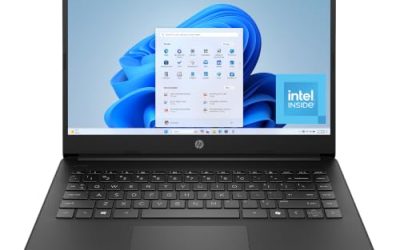
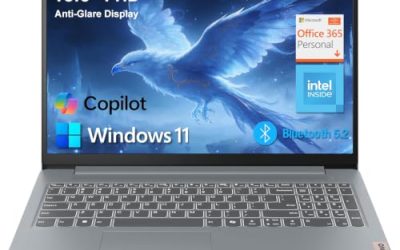
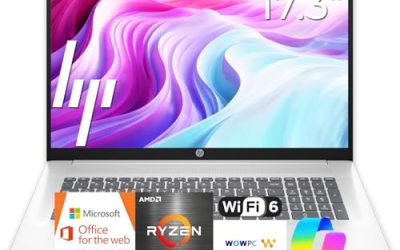
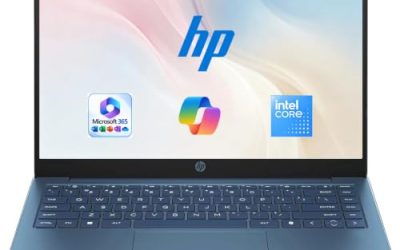
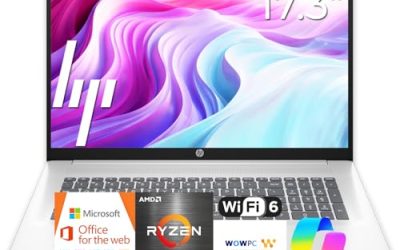
- Top Pick: HP 17 inch Business Laptop Computer • 2026 Edition • Latest AMD Ryzen 5 CPU • 16GB RAM • 512GB SSD • 17.3" FHD Display • Numeric Keypad • Long Battery Life • Windows 11 with Office 365 for The Web
- Best Value: EKY 18.5 Inch Large Screen Laptop Computer,16GB RAM, 1TB SSD,Up to 3.4GHz | 6316mAh Battery | Privacy Shutter Camera |Supports TF card | RJ45 | HDMI | BT5.0 | 2.4/5WiFi | For Home, Work & Study
- Premium Choice: HP 2027 Essential Laptop, Intel Processor, 128GB Storage, Windows 11 | Copilot AI, Office 365, LED Display, 1TB Cloud Storage, Portable Size & Lightweight, Tranquil Pink
A large screen laptop is a promise that you will not squint, scroll sideways, or juggle windows on a cramped panel. It is also a trade-off, because every extra inch adds bulk, and past a certain size the machine stops being something you casually carry. The listings in this guide run from 17.3-inch mainstream models to one 18.5-inch machine, and the question each buyer has to answer is how often the laptop will leave the desk.
This guide is for people who work from one or two fixed spots: a home office, a dorm desk, a kitchen table, or a workshop corner. Seniors who want bigger text, spreadsheet users, and anyone replacing a small desktop monitor will find the most value here. All five picks are judged on what their 2026 listings state, and wherever a title is cut off, you are told which detail to confirm before ordering.
Quick Picks
As an Amazon Associate we earn from qualifying purchases at no extra cost to you.


| Product | Best for | Key spec from the title |
|---|---|---|
| HP 17.3 Touchscreen (Core Ultra 7) | Pro users who want touch and security | Core Ultra 7, 16GB RAM, 512GB SSD plus 512GB external docking set, FP reader |
| EKY 18.5-inch Large Screen Laptop | The biggest panel on the list | 18.5 inch, 16GB RAM, 1TB SSD, 6316mAh battery, RJ45, HDMI |
| HP 17-inch Business (Ryzen 5) | Office work and spreadsheets | 17.3-inch FHD, 16GB RAM, 512GB SSD, numeric keypad |
| HP 17.3 (Ryzen 5 7520U) | General home use | HD+ display, 16GB RAM, 512GB SSD, Windows 11 Home |
| HP OmniBook 3 17 (Ryzen 3) | Entry-level large screen | FHD display, 8GB RAM, 512GB SSD, Radeon 610M graphics |
How to Choose
Decide between 17.3 and 18.5 inches
A 17.3-inch laptop still fits many backpacks and sits comfortably on a desk or lap. An 18.5-inch panel is closer to a small all-in-one monitor in footprint, and it needs a larger bag and a bigger surface. If you move the laptop weekly, stay at 17.3 inches. If it lives in one place, the 18.5-inch size delivers a noticeably more spacious canvas for charts and documents.
Resolution matters more at large sizes
Stretching an HD+ panel across 17 inches or more makes text look softer than on a compact screen. Full HD (1920 x 1080) is the resolution to aim for, because it keeps lines crisp without forcing you to enlarge everything. Titles that say HD+ are signaling a lower pixel count, so weigh that against the savings. Touch input is helpful for presentations and note-taking but adds weight and cost, so choose it only if you will use it.
Memory, storage, and ports
Aim for 16GB of RAM and 512GB of SSD storage on any large screen laptop meant for daily work; 8GB machines are acceptable for browsing and documents but fill up sooner. Ports deserve real attention because large laptops often serve as desktop replacements. Look for HDMI, enough USB ports for a mouse and drive, and an Ethernet jack if your workspace relies on a wired connection. A card slot is useful for photographers, though not every title mentions one.
Battery, weight, and what to ignore
Expect large screens to drain batteries faster and to weigh more than compact ones, so treat these as plugged-in machines for most of the day. Ignore claims such as “long battery life” unless a capacity or hour figure is given; the EKY title lists a 6316mAh battery, which is concrete, while vague wording is not. Budget large-screen models usually cut costs in the processor tier, the panel resolution, and the build quality of the hinge and chassis.
Finally, measure your workspace before buying. A large laptop needs a deeper desk than a compact one, and if you plan to place it on a shelf or a lap tray, check the overall dimensions on the full listing, since the titles here do not state them.
The 5 Best Options
HP 17.3 Touchscreen (Core Ultra 7)
This is the most feature-rich listing in the group. The title names a 17.3-inch touchscreen, an Intel Core Ultra 7 processor, 16GB of RAM, and 1TB of total storage made up of a 512GB SSD plus a 512GB external docking set, along with Windows 11 Pro and a fingerprint reader. It targets professionals who want a secure, large display with room for files. A manager who signs documents on screen, annotates presentations by touch, and unlocks the machine with a fingerprint will see the point of this configuration.
- Strength: Windows 11 Pro and a fingerprint reader suit work environments with security needs.
- Strength: the Core Ultra 7 processor and 16GB of RAM sit at the premium end of the list.
- Trade-off: half of the listed storage is external, so the internal drive is 512GB.
Skip it if you want the simplest setup without accessories.
EKY 18.5-inch Large Screen Laptop
The EKY is the outlier, with an 18.5-inch display, 16GB of RAM, a 1TB SSD, and a processor speed of up to 3.4GHz. The title adds a 6316mAh battery, a privacy shutter camera, TF card support, an RJ45 port, and HDMI. For anyone who wants a desktop-sized display in a laptop shell, the port list is notably practical. Hobbyists who edit photos from a card, or anyone connecting to a wired network and an external display from the same spot, will find that the built-in connections cover most of what a desktop would.
- Strength: the 18.5-inch size and 1TB SSD offer plenty of room for documents and files.
- Strength: RJ45, HDMI, and a TF card slot reduce the need for adapters.
- Trade-off: the processor model is not named in the title, so confirm it on the listing.
Skip it if you carry your laptop to class or on trips.
HP 17-inch Business Laptop (Ryzen 5)
This HP is a straightforward office machine, listing a Ryzen 5, 16GB of RAM, a 512GB SSD, a 17.3-inch Full HD display, and a numeric keypad. It suits bookkeeping, scheduling, and any desk job that rewards a wide view of rows and columns. Because the listing shares several traits with other 17-inch HP machines, the numeric keypad and Full HD panel are the points that set its purpose apart: this is a machine for entering and reading figures for hours at a stretch.
- Strength: the Full HD panel and 17.3-inch size give good text clarity and workspace.
- Strength: 16GB of RAM and a 512GB SSD form a solid everyday base.
- Trade-off: the title does not name the exact Windows edition.
Skip it if you want a touchscreen or a built-in fingerprint reader.
HP 17.3 (Ryzen 5 7520U)
The 17-cp2199nr model pairs a Ryzen 5 7520U with AMD Radeon graphics, 16GB of RAM, a 512GB SSD, and Windows 11 Home in Natural Silver. The title lists an HD+ display, so it trades some screen sharpness for a lower entry price. It is a decent choice for a family computer used for streaming and general browsing. Retirees who want large on-screen text for email and video calls, or families who share one living-room computer, are the natural audience, since the generous memory keeps it responsive with several people using it in turn.
- Strength: 16GB of RAM and 512GB of SSD are generous for the tier.
- Strength: the Natural Silver finish and 17.3-inch screen suit a shared home setting.
- Trade-off: the HD+ resolution looks softer than the Full HD panels on other models here.
Skip it if you read small text for long stretches or edit photos.
HP OmniBook 3 17 (Ryzen 3)
The OmniBook 3 17 offers an FHD display, a Ryzen 3 processor, 8GB of RAM, a 512GB SSD, and Radeon 610M graphics, running Windows 11 Home in Mica Silver. It is the entry-level way into a 17.3-inch screen and fits a buyer with light needs and a modest budget. Because the 8GB memory limit is the main constraint, it works best for browsing, documents, and streaming, and less well for heavy spreadsheets with many sheets open. The Radeon 610M graphics indicate light graphics use rather than gaming or video editing.
- Strength: a Full HD display on a 17.3-inch panel keeps text sharp at the lowest tier on this list.
- Strength: the 512GB SSD gives plenty of room for everyday files.
- Trade-off: 8GB of RAM limits heavy multitasking compared with the 16GB models.
Skip it if you plan to keep many apps open at once.
Which One Fits Your Situation
You replace a desktop and rarely move the machine
The EKY 18.5-inch laptop is the natural fit, because its large panel, 1TB SSD, and wired and HDMI ports suit a permanent desk.
You work with sensitive files and want touch
Pick the HP 17.3 Touchscreen with the Core Ultra 7. The fingerprint reader and Windows 11 Pro appeal to security-minded offices.
You do spreadsheets and bookkeeping all day
The HP 17-inch Business laptop with the Ryzen 5 and a numeric keypad is the practical pick for number-heavy tasks.
You want a large screen on the tightest budget
The HP OmniBook 3 17 with the Ryzen 3 gets you a Full HD 17.3-inch display, as long as 8GB of memory suffices. Step up to the HP 17.3 with the Ryzen 5 7520U if you want 16GB, accepting the HD+ screen.
One more tip: if you are replacing an older monitor-and-desktop setup, count the cables and peripherals you currently use and match them against the port list. A laptop that includes HDMI and a wired network jack saves you from buying a hub, which keeps the total cost of the change lower than the sticker comparison suggests.
Common Mistakes
- Buying an 18.5-inch laptop and expecting it to travel like a 14-inch ultraportable.
- Accepting an HD+ panel at 17 inches without comparing it to Full HD.
- Counting an external docking drive as internal storage.
- Ignoring ports such as HDMI and Ethernet on a desktop-replacement machine.
- Assuming a large chassis means long battery life.
Related guides
- Aio Liquid Coolers For High Performance Gaming
- Wireless Gaming Headsets Under 100 For Pc
- Travel Backpack With Laptop Compartment
Frequently Asked Questions
Is a 17-inch laptop too heavy for everyday use?
It depends on how often you move it. For a desk that changes between rooms, it is fine, but daily commuters should consider a smaller size. A good test is to picture carrying it through a full week; if that sounds tiring, a 14- or 15-inch model is a wiser fit.
Do large-screen laptops need Full HD?
Full HD is the better choice, because lower resolutions stretched over a big panel look softer. HD+ can work for casual browsing and video, but anyone reading small text or editing documents for hours will notice the difference and should lean toward the sharper option.
Is an 18.5-inch laptop worth it over a 17.3-inch model?
Only if the machine stays on a desk. The extra size helps with spreadsheets and charts, but it makes the laptop harder to carry, store, and fit on a small desk.
How much RAM do I need on a large screen laptop?
Sixteen gigabytes is the comfortable target for daily work with many windows. Eight gigabytes is enough for browsing and documents, but it leaves less room for growth, so choose it only when your tasks are light.