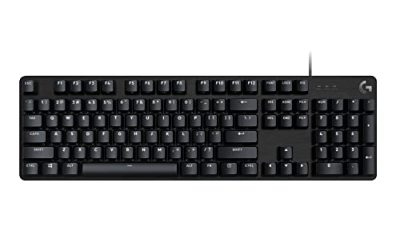
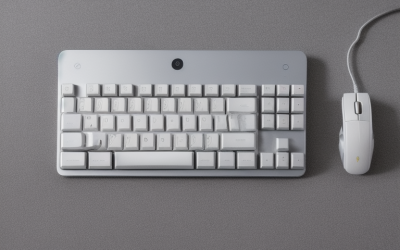
- Top Pick: Logitech G213 Prodigy Gaming Keyboard, Wired Keyboard – Black | Mech-Dome Keys, Palm Rest, Adjustable Feet, Media Controls, LIGHTSYNC RGB, USB, Compatible with Windows
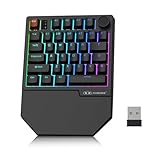
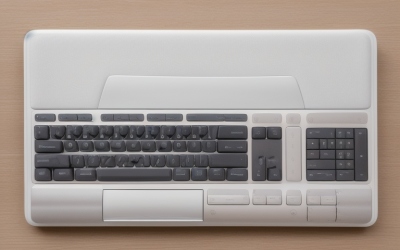
- Best Value: Logitech K400 Plus Wireless Touch TV Keyboard for PC-Connected TV – Black | Easy media control, built-in touchpad, HTPC for PC-connected TV, compatible with Windows, Android, Chrome OS, Laptop, Tablet
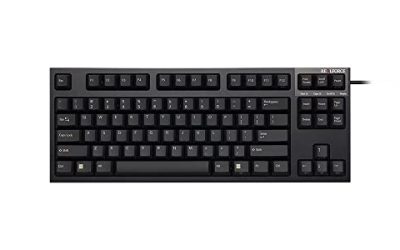
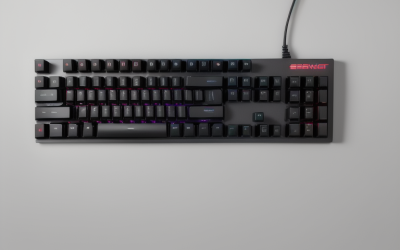
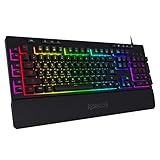
- Premium Choice: Redragon K580 Wired RGB Mechanical Gaming Keyboard, Macro Key & Media Wheel | 5 On-Board Keybinding Buttons for MMO MOBA Games, Dedicated Media Controls, Tactile Brown Switch for Long-Time Typing Feel
Reaching for a mouse to pause a song, drag a volume slider, or skip a track is a small interruption that adds up over a long session. That is the decision behind a search for the best keyboards with media controls: you want playback and volume handled by a dedicated knob, wheel, or row of keys, without breaking focus in a game, a spreadsheet, or a video call. The real question is which control style fits your hands and your desk, because the ten boards here solve the problem in quite different ways.
They cover four styles: rotary knobs and wheels, dedicated media keys, a TV-friendly touchpad board, and a keyboard-and-mouse combo. Everything below was sorted from the facts in the listing titles, such as switch type, layout, connection, and the media hardware named, so no hidden numbers are claimed. If you are shopping in 2026 for a gaming rig, an office desk, or a living-room PC, the table and the scenarios further down should narrow the field fast.
Quick Picks
As an Amazon Associate we earn from qualifying purchases at no extra cost to you.





| Product | Best for | Key spec from the title |
|---|---|---|
| Logitech G213 Prodigy | Gaming with a palm rest | Mech-Dome keys, media controls, LIGHTSYNC RGB |
| Logitech K400 Plus | Living-room PC and TV | Wireless, built-in touchpad, easy media control |
| Redragon K580 | MMO and MOBA players | Mechanical, media wheel, 5 on-board buttons |
| Basics Wired Keyboard | Plain office use | Full-sized, plug and play, media control |
| Redragon K512 | Macro-heavy play without software | Membrane, 6 macro keys, media wheel |
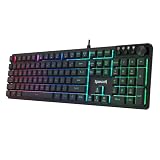
| Redragon K521-E | Multi-platform gaming | 104 keys, knob, 12 multimedia keys |
| Logitech MK200 Combo | Desk setups needing a mouse | 8 media keys, corded mouse included |
| AULA F2088 | Retro looks with a knob | Typewriter style, blue switches, media knob |
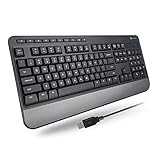
| X9 Ergonomic Keyboard | Long typing days | 114 keys, wrist rest, multimedia keys |
| Corsair K55 CORE RGB | PC and Mac gaming | Spill resistance, ten-zone RGB, media keys |
How to Choose
Knob, wheel, or keys
A knob or wheel gives fine volume steps with one hand and is quickest for small adjustments. Dedicated keys are easier to learn and harder to nudge by accident. A touchpad board adds pointing for a couch setup. Decide which action you repeat most, volume or play and pause, and favor the control that makes that one effortless.
Switch type and typing feel
Mechanical switches, such as the tactile brown and blue types named in some titles, give distinct feedback but are louder. Membrane and mech-dome boards are quieter and common at the budget tier. If you share a room or take calls, lean quiet; if you type for hours, tactile feedback is worth a closer look.
Layout and connection
A full-size layout with 104 keys keeps the number pad; the 114-key listing adds extra function keys on top. Check for wired USB versus wireless, since only one board here is wireless. Also verify the compatibility line: one combo says Windows only, while others name consoles, Mac, Android, or Chrome OS.
What to ignore, and where budget boards cut corners
Ignore the number of backlight modes; they rarely change daily use. Budget boards often skip programmable software, per-key lighting, or a palm rest, so confirm those if you care. Anti-ghosting claims matter for fast gaming, but office users can pass on them and put the attention on the media hardware instead. Also watch for wrist rests that detach, since a fixed one can make a small desk feel crowded.
The 10 Best Options
Logitech G213 Prodigy
A wired gaming keyboard for players who want media access plus comfort over a long evening. The title lists Mech-Dome keys, a palm rest, adjustable feet, media controls, and LIGHTSYNC RGB over USB. It targets Windows users who want a familiar, low-profile gaming layout rather than a loud enthusiast board.
- Strength: A palm rest and adjustable feet support long sessions at the desk.
- Strength: Media controls and LIGHTSYNC lighting arrive in one wired package.
- Trade-off: Mech-Dome keys are not true mechanical switches.
Skip it if you want a mechanical feel or a wireless connection.
Logitech K400 Plus
A wireless board built for a PC connected to a TV. It lists a built-in touchpad, easy media control, and HTPC use, with Windows, Android, Chrome OS, laptop, and tablet compatibility named. Think of it as a remote control that happens to have a full set of letters on it.
- Strength: The touchpad removes the need for a separate mouse on the couch.
- Strength: It names a wide range of devices and systems.
- Trade-off: It is a TV keyboard, not a gaming board.
Skip it if you sit at a desk and want RGB lighting or mechanical keys.
Redragon K580
A wired mechanical gaming keyboard with a macro key and a media wheel. The title adds five on-board keybinding buttons for MMO and MOBA play, dedicated media controls, and a tactile brown switch for typing feel. That mix makes it a sensible hybrid for someone who games after work hours and types during them.
- Strength: The media wheel keeps volume one flick away.
- Strength: Tactile brown switches suit typing as well as games.
- Trade-off: The extra keybinding buttons add clutter for non-gamers.
Skip it if you want a plain, quiet typing board.
Basics Wired Keyboard
A no-fuss, full-sized wired QWERTY board in black. The title promises plug and play, Windows compatibility, and easy media control, with none of the extras that complicate a work desk. It is the board to buy when a classroom, a spare room, or a shared family computer needs a dependable keyboard with volume access.
- Strength: Plug and play means no software to install.
- Strength: The full-sized layout keeps the number pad for spreadsheets.
- Trade-off: It lists no backlight, wrist rest, or gaming features.
Skip it if you want RGB lighting or macro keys.
Redragon K512
A membrane gaming keyboard with an easy media wheel and six macro keys. It lists no software needed, six on-the-fly combos for extensive games, 13 backlight modes, and wrist support. It speaks to players who dislike installing driver suites and still want shortcuts on the board itself.
- Strength: Macros and combos work without installing anything.
- Strength: Wrist support and a media wheel suit long evenings.
- Trade-off: It is membrane, not mechanical, so the key feel is softer.
Skip it if you want mechanical switches.
Redragon K521-E
A wired 104-key gaming keyboard with a knob and 12 multimedia keys. The listing mentions a mechanical-feeling design, anti-ghosting, programmable software, and PC, PS4/5, and Xbox compatibility. It suits a person who moves one keyboard between a PC and a console in the same room.
- Strength: Console and PC compatibility is named outright.
- Strength: A knob plus 12 multimedia keys covers every playback action.
- Trade-off: “Mechanical feeling” suggests it is not a true mechanical board.
Skip it if you need real mechanical switches.
Logitech MK200 Combo
A full-size wired keyboard and mouse combo with eight media keys and an optical corded mouse. It is plug and play over USB and specifies Windows only, so it fits a simple office or family desk. Buyers replacing both a worn keyboard and a worn mouse at once get the most from this listing.
- Strength: A mouse is included, so one purchase fills the desk.
- Strength: Eight media keys give direct playback control.
- Trade-off: Windows only rules out Mac and Chrome OS users.
Skip it if you already own a mouse you like.
AULA F2088
A typewriter-style wired mechanical keyboard with 104 keys, blue switches, and rainbow LED backlighting. It adds a removable wrist rest, a media control knob, and punk round keycaps. It is as much a style statement as a tool, aimed at people who want the desk to look distinctive.
- Strength: The retro look stands out on a desk.
- Strength: A media knob and wrist rest come together in one board.
- Trade-off: Blue switches are the loud type.
Skip it if you share a room or take frequent calls.
X9 Ergonomic Keyboard
A wired ergonomic full-size USB keyboard with a wrist rest and number pad. The title lists 114 keys including multimedia keys, and names laptop, desktop, and office PC use. It is a practical choice for data entry, writing, and anyone who wants to avoid cramped wrists while still reaching playback keys.
- Strength: The wrist rest and ergonomic shape suit long typing days.
- Strength: Multimedia keys sit alongside the 114-key layout.
- Trade-off: The title lists no backlight or gaming features.
Skip it if you want RGB lighting or a compact footprint.
Corsair K55 CORE RGB
A wired membrane gaming keyboard in a US QWERTY layout. It lists quiet, responsive switches, spill resistance, ten-zone RGB, media keys, iCUE support, and PC and Mac compatibility. It fits households where one keyboard serves a Windows tower today and a Mac tomorrow.
- Strength: Spill resistance protects against desk accidents.
- Strength: It works with PC and Mac and supports iCUE.
- Trade-off: Media keys are keys, not a knob, so volume steps are coarser.
Skip it if you want a rotary volume control or a physical wheel.
Which One Fits Your Situation
You game and want volume at your fingertips
Take the Redragon K580 for its media wheel and tactile switches, or the Redragon K521-E if you also play on a console and want a knob plus 12 multimedia keys.
You run a living-room PC
The Logitech K400 Plus pairs a touchpad with media control, which fits a TV setup better than any other board here.
You want a quiet office desk
The Basics Wired Keyboard keeps things simple, while the X9 Ergonomic Keyboard adds wrist support and multimedia keys for long days.
You need a whole desk in one box
The Logitech MK200 Combo adds a mouse, and the Corsair K55 CORE RGB covers Mac users who also want lighting and spill resistance.
Common Mistakes
- Buying a TV keyboard for desk gaming, or a gaming board for a couch.
- Assuming “mechanical feeling” means mechanical switches.
- Overlooking the Windows-only line on a combo when you use a Mac.
- Picking blue switches for a shared room or an open office.
- Counting backlight modes instead of checking which media control type the board has.
Related guides
- Combination Smoke And Carbon Monoxide Detectors
- Aio Liquid Coolers For High Performance Gaming
- Graphics Cards For Low Wattage Power Supplies
Frequently Asked Questions
Are a knob and a wheel the same thing?
They serve the same purpose, but a knob usually turns freely while a wheel scrolls in steps. Both give smoother volume changes than tapping keys.
Do these keyboards need software?
Some do not; the Redragon K512 says no software is needed. Others, such as the K521-E, list programmable software for remapping keys.
Can I use a gaming keyboard for office work?
Yes. The media controls and layouts work the same way for spreadsheets and email as they do in games, though loud blue switches may annoy coworkers and bright RGB can distract in a shared space.
Which board suits a console?
The Redragon K521-E names PS4/5 and Xbox compatibility. Check any other listing for console support before plugging it into one.