

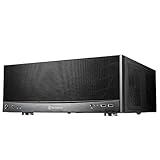
- Top Pick: Silverstone Technology Grandia 11 Compact ATX Home Theater PC (HTPC) case with 240mm Radiator Support, SST-GD11B
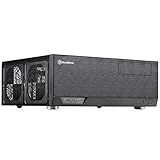
- Best Value: Silverstone Technology GD09 Home Theater PC (HTPC) Computer Case with Faux Aluminum Design for ATX/Micro-ATX Motherboards, SST-GD09B
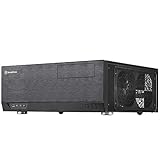
- Premium Choice: Silverstone Technology Crown 04 Premium Home Theater PC (HTPC) case, SST-CW04TB
A home theater PC case has a different job from a gaming tower. It sits on an equipment shelf or in a media cabinet beside an AV receiver, so it has to look like a component, fit in a horizontal footprint, and stay out of the way of the movie. The question is not how many fans fit behind a glass panel; it is whether the case reads as part of the rack, accepts the motherboard size you own, and leaves room for the cooling and drives your media setup requires.
Every case in this guide comes from one maker, SilverStone, which keeps the comparison focused on the case itself rather than on brand. That narrows the decision to a handful of real variables: motherboard size (ATX, micro ATX, or extended ATX), front-panel finish, whether the front can be locked, radiator support, and whether a front USB Type-C port is listed. Use the 2026 shortlist below to compare those variables instead of chasing brand differences.
Quick Picks
As an Amazon Associate we earn from qualifying purchases at no extra cost to you.



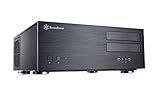

| Product | Best for | Key spec from the title |
|---|---|---|
| SilverStone Grandia 11 GD11B | Compact ATX build with liquid cooling | 240mm radiator support |
| SilverStone GD09B | Standard ATX or micro ATX HTPC | Faux aluminum design |
| SilverStone Crown 04 CW04TB | Premium-looking living-room component | Premium HTPC case |
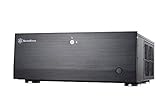
| SilverStone GD09B-C | Same shell with modern front connectivity | Front USB Type-C port |
| SilverStone GD08B | Large boards in a media rack | Aluminum front panel, E-ATX support |
| SilverStone GD10B | Shared spaces where the front should lock | Lockable front panel |
| SilverStone GD07B | Locked cabinet with a metal front | Lockable aluminum front panel |
| SilverStone GD08B-x | Alternate GD08B listing | Aluminum front panel, E-ATX support |
| SilverStone GD07B-C | GD07B family variant | Aluminum front panel, E-ATX support |
How to Choose
Measure the shelf before the motherboard
Most HTPC cases are designed around the width of standard audio-video equipment, commonly around 17 inches, so they line up with a receiver or Blu-ray player. What varies is height and depth. Measure the open shelf height, the depth to the back panel including cable space, and the clearance behind your cabinet doors. If the case sits in a closed cabinet, ventilation and a remote-friendly front matter more than the number of drive bays.
Match the board size you own
Several listings support E-ATX, ATX, and micro ATX boards, which is broad compatibility. The GD09B listings and the Grandia 11 name ATX, and the GD09B also names micro ATX, so a small board fits too. If you own a mini-ITX board, none of the titles here promise support, so confirm that on the manufacturer page. A larger board offers more slots for a capture card, a TV tuner, or a sound card.
Plan the cooling and power parts
Quiet cooling is the point of an HTPC. Look for a case that states radiator support, as the GD11B does with 240mm, if you want liquid cooling, and check CPU cooler height limits on the spec page for air coolers. Pair a low-power processor with a modest cooler for near-silent operation. Budget builds often skip a dedicated graphics card, which saves heat and noise; confirm the case supports the power supply form factor you own.
Decide on the front panel and ports
A metal-faced front blends with other AV gear, while a lockable panel hides drives and buttons from kids or guests. A front USB Type-C port, listed on the -C variants, is useful for modern drives and phones. Ignore decorative flourishes; a front that opens easily matters more over time than finish names. Budget cases most often trim cable management room and fan options, so check those before you order.
A practical check on any shortlist is whether the listing text answers your questions without guesswork. Several titles below name only a board size and a front-panel material, so keep the manufacturer specification page open while you compare. Note the maximum graphics card length, the supported power supply type, the number of drive bays, and the fan positions, then compare those against the parts you already own or plan to buy for the build.
The 9 Best Options
SilverStone Grandia 11 (GD11B)
The Grandia 11 is described as a compact ATX HTPC case with 240mm radiator support. It suits a builder who wants to use a liquid cooler in a living-room-friendly chassis rather than sticking to air, perhaps for a quieter processor under a long movie marathon.
- Strength: the 240mm radiator support is stated outright.
- Strength: it accepts ATX boards despite the compact label.
- Trade-off: the title does not list E-ATX support.
Skip it if you do not plan to run a radiator, or if you own an extended board, since E-ATX is not named in the title. Check the maximum cooler and graphics card dimensions on the maker page as well.
SilverStone GD09B
This case is described as an HTPC case with a faux aluminum design for ATX and micro ATX motherboards. It suits someone who wants a component look that blends in with a rack of AV gear, such as a receiver and a streaming box on the same shelf.
- Strength: it lists both ATX and micro ATX support.
- Strength: the faux aluminum finish matches other devices on the shelf.
- Trade-off: there is no front USB Type-C port in the title.
Skip it if you need extended ATX support or a lockable front, because neither appears in the title.
SilverStone Crown 04 (CW04TB)
Crown 04 is billed as a premium HTPC case. The title is brief, so confirm board support and ports on the manufacturer page. It targets buyers who prize presentation above all and are willing to read the manufacturer page for the technical details.
- Strength: the premium positioning suggests an upscale component look.
- Strength: it is a single, clearly identified model.
- Trade-off: the title gives no motherboard sizes or cooling support.
Skip it if you want specifics before ordering, since the listing text states the least of any case here.
SilverStone GD09B-C
The -C version of the GD09B keeps the faux aluminum design and ATX or micro ATX support but adds a new USB Type-C front port. It suits builders who connect modern drives, docks, or phones to the front of a media PC, and want the same finish as the standard GD09B.
- Strength: a front USB Type-C port.
- Strength: ATX and micro ATX compatibility.
- Trade-off: your motherboard needs the matching internal header, so check first.
Skip it if you have no use for front Type-C, because the plain GD09B offers the same core layout.
SilverStone GD08B
The GD08B lists an aluminum front panel and support for E-ATX, ATX, and micro ATX boards. It is the larger-board option for a media cabinet that will host a feature-rich motherboard with extra slots for tuner or capture cards.
- Strength: E-ATX support broadens motherboard choice.
- Strength: a real aluminum front panel.
- Trade-off: the title does not mention a lockable front.
Skip it if your shelf is shallow, since larger board support suggests a bigger body, and measure before ordering either way.
SilverStone GD10B
The GD10B pairs a lockable front panel with ATX and micro ATX board support. It fits a shared living room where the buttons and drives should stay out of reach of children, guests, or curious pets.
- Strength: a lockable front panel.
- Strength: ATX and micro ATX compatibility.
- Trade-off: it lists no extended ATX support.
Skip it if you want an open front for quick access, or if you need a board larger than ATX.
SilverStone GD07B
The GD07B lists a lockable aluminum front panel and support for E-ATX, ATX, and micro ATX boards. It combines the larger-board option with a locking front, which makes it the most security-minded listing for a family room.
- Strength: lockable metal front.
- Strength: three board sizes are named.
- Trade-off: no front USB Type-C port is listed on this version.
Skip it if you want a modern front connector, or if the -C version suits you better.
SilverStone GD08B-x
This is a second listing for the GD08B family, again with an aluminum front panel and E-ATX, ATX, and micro ATX support. The -x suffix points to a variant code, so confirm the exact version when you order.
- Strength: the same wide board compatibility as the first GD08B listing.
- Strength: an aluminum front panel.
- Trade-off: it duplicates the first GD08B on paper.
Skip it if you already settled on the other GD08B listing, because the two read almost identically.
SilverStone GD07B-C
The -C version belongs to the GD07B family and lists an aluminum front panel with E-ATX, ATX, and micro ATX support. The title does not describe the -C detail, so confirm what the suffix changes.
- Strength: broad board support.
- Strength: aluminum front panel.
- Trade-off: the title does not explain the -C suffix.
Skip it if you need full specs from the title alone, because the suffix detail is missing from it.
Which One Fits Your Situation
You want liquid cooling in a living-room case
Go with the SilverStone Grandia 11 GD11B, the only listing that names radiator support. Pair it with a 240mm cooler and a low-power processor for a quiet system under the television.
You share the room with kids or guests
The GD10B or the GD07B lets you lock the front panel so the buttons and drives stay put. The GD07B adds an aluminum front and E-ATX support.
You own a large or feature-rich motherboard
Choose a GD08B or GD07B listing, since both name E-ATX support alongside ATX and micro ATX.
You connect modern drives to the front
The GD09B-C is the listing that spells out a front USB Type-C port. Confirm that your motherboard has the matching internal connector, or the port will sit unused.
Common Mistakes
- Buying a case without measuring the shelf depth and the space behind cabinet doors.
- Assuming a micro ATX or mini-ITX board fits without reading the listing.
- Planning a tall air cooler for a case with limited height.
- Ignoring the airflow in a closed cabinet, which traps heat and forces fans to spin faster, undoing the quiet operation the case was chosen for.
- Choosing by suffix without confirming what the variant changes, especially for listings such as GD08B-x and GD07B-C where the title is silent.
Related guides
- Aio Liquid Coolers For High Performance Gaming
- How To Lower Input Delay In Competitive Shooters
- External Hard Drives For Music Production
Frequently Asked Questions
What makes a case an HTPC case?
It uses a horizontal, component-style shape that fits on an AV shelf and usually targets quiet operation.
Do I need E-ATX support?
Only if your motherboard is that size. Most buyers use ATX or micro ATX, and these cases name both, so extended support is a bonus rather than a requirement for most media builds.
Can I use liquid cooling?
Only where the listing states radiator support, as the GD11B does with 240mm. For the other cases, plan on air cooling and confirm cooler height limits on the manufacturer page before choosing a heatsink.
Why do some names end with -C or -x?
Suffixes mark variants. The -C on the GD09B listing is described as a USB Type-C front port, while other suffixes are not explained in the titles, so check the manufacturer page for the difference.

















