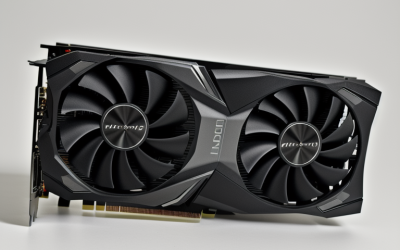
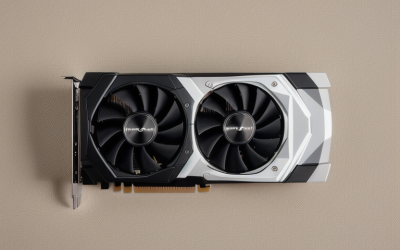
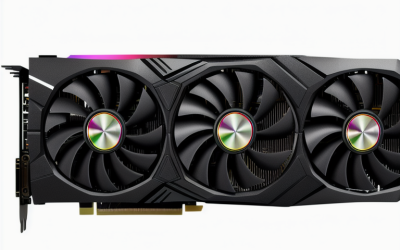
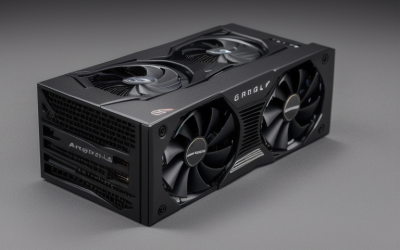
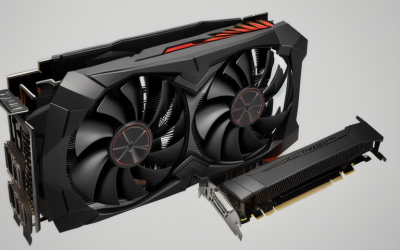
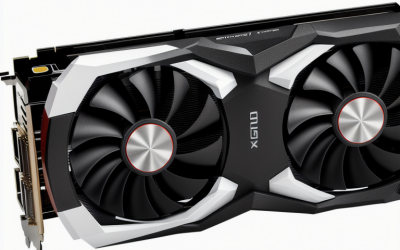
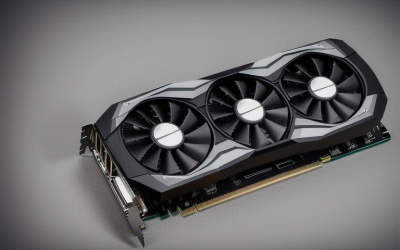
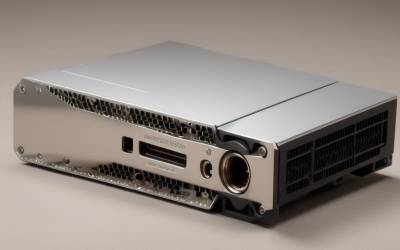
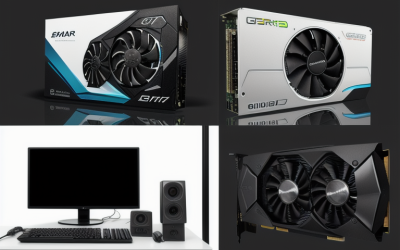
- Top Pick: HPE NVIDIA Tesla V100 32GB HBM2 PCIe 3.0 x16 Passive GPU Computational Accelerator for AI Machine Learning HPC Deep Learning 699-2G500-0216-400 (Renewed)
- Best Value: A2000 Graphics Card for 3D Modeling and CAD, Long St Yle | PCIe Host Interface, Ray Tracing and Machine Learning, Graphics Card for Modeling and Engineering Drawing
- Premium Choice: K80 24GB Graphics GPU for accelerating Machine Learning
Picking a graphics card for machine learning is a different exercise from picking one for games. Frame rates and cooler noise fall down the list; memory capacity, software support, and whether the card physically fits and cools inside your case rise to the top. A card that tops a gaming chart can stall a training run if its memory is too small, and a data-center board can be unusable if the case has no airflow for a passive heatsink.
This guide is for students, hobbyists, and small teams building a local workstation for model training, fine-tuning, or inference. Seven cards are compared using only the facts in their listings, ranging from refurbished data-center accelerators to workstation boards and one consumer gaming card. In 2026 the practical rule still holds: start with the largest memory pool you can use, then check software support and cooling before anything else. Listings that were not real candidates, such as books about GPU programming or entry-level display adapters, are excluded.
Quick Picks
As an Amazon Associate we earn from qualifying purchases at no extra cost to you.


| Product | Best for | Key spec from the title |
|---|---|---|
| HPE Tesla V100 32GB | Large models on a server-style build | 32GB HBM2, PCIe 3.0 x16, passive, renewed |
| A2000 Long-Style Card | Compact workstation and CAD plus ML | PCIe host interface, ray tracing, machine learning |
| K80 24GB | Learning and legacy experiments | 24GB, listed for accelerating machine learning |
| ASRock Radeon RX 7600 Challenger Pro | Entry-level desktop with quiet cooling | 8GB GDDR6, RDNA 3, PCIe 4.0, triple fans, 0dB |
| MAXSUN Intel Arc Pro B70 32G | Memory-heavy AI workstation work | 32GB GDDR, dual-slot, PCIe 5.0 x16 |
| PNY Quadro RTX 6000 | Workstation reliability and memory | 24 GB |
| ASUS GeForce RTX 2080 Ti | Mixed gaming and ML on one card | 11G GDDR6, dual fans, HDMI, DP 1.4, USB Type-C |
How to Choose
Memory first, then everything else
Video memory decides how large a model, batch, or image you can load. The cards here span 8GB to 32GB. As a rule of thumb for hobby work, 8GB suits small experiments and inference, 11GB to 12GB opens up moderate fine-tuning, and 24GB to 32GB is where larger models start to fit. Where a title shows a single capacity, confirm whether the figure is the whole pool or divided across several chips on a multi-GPU board. Memory bandwidth and type matter too: HBM2 on the V100 listing is a different class of memory from the GDDR6 on consumer cards, though capacity usually limits hobby projects first.
Software ecosystem and architecture
Most mainstream machine learning libraries are built around NVIDIA’s CUDA, so GeForce, Quadro, and Tesla branded cards generally have the smoothest path. AMD and Intel cards depend on other software stacks, which are improving but need extra setup and a check of your exact framework version. Older boards may fall out of current library support, so verify the compatibility matrix before buying a legacy model. Search the framework documentation for the card family name, and look for the minimum supported driver version, since a card that installs but cannot run current releases is a poor fit for any project.
Cooling, power, and fit
A passive card, such as the V100 listing, has no fan and relies on strong case or server airflow. Workstation cards with blower coolers exhaust heat directly. Dual-slot designs, like the Arc Pro B70, need two free expansion slots, and long boards need extra clearance. PCIe 3.0 versus 4.0 versus 5.0 mainly affects data transfer speed; make sure your motherboard has an x16 slot. Power connectors are another detail that rarely appears in short titles, so check the manufacturer sheet for the supply wattage and plug types before ordering.
Where budget models cut corners
Budget and refurbished cards trade away warranty cover, modern features, and driver longevity. Generic-branded listings often leave out memory type, cooling details, or support information. Mid-range cards balance memory and new architecture, while premium workstation boards add certified drivers and larger pools. None of that is visible in a bare product name, which is why buyers should compare listings on stated memory first. If a title lists only a few words, treat the missing details as unknown. The K80 and A2000 listings here are the shortest of the group, which is a reason to confirm everything with the seller before trusting the headline number.
The 7 Best Options
HPE NVIDIA Tesla V100 32GB
This renewed accelerator lists 32GB of HBM2, a PCIe 3.0 x16 interface, and a passive design built for AI, machine learning, high-performance computing, and deep learning.
- Strength: 32GB of high-bandwidth memory in a single listing.
- Strength: purpose-built compute positioning rather than a gaming card.
- Trade-off: passive cooling needs serious case airflow, and it has no display outputs listed.
It suits a server-style build for training, or a builder comfortable adding fans and ducting to an open case. Because the title stresses compute and deep learning rather than gaming, treat it as an accelerator that sits beside another card handling the display. Skip it if you need video output or a quiet desktop.
A2000 Long-Style Graphics Card
This card is described for 3D modeling and CAD, with a PCIe host interface, ray tracing, and machine learning support. It is the long-style variant, with a shorter version sold under a near-identical listing.
- Strength: ray tracing and machine learning are both named.
- Strength: a workstation focus beyond gaming.
- Trade-off: the title gives no memory size, so capacity must be confirmed first.
It suits mixed CAD and AI desks where one slot has to serve drafting software and occasional model work. The separate listing for a shorter version suggests case length may be the deciding factor, so measure first. Skip it if capacity matters more than convenience.
K80 24GB Accelerator
The K80 listing is short: 24GB, a graphics GPU for accelerating machine learning, under a generic brand.
- Strength: 24GB headline capacity.
- Strength: straightforward positioning for compute tasks.
- Trade-off: the title lacks cooling, interface, and support details, and the K80 is an older design.
It suits tinkerers learning the basics who want to see what a large memory figure feels like without a big commitment. Expect to hunt for compatible drivers and library versions. Skip it if you rely on modern framework releases.
ASRock Radeon RX 7600 Challenger Pro 8GB OC
This consumer card features AMD RDNA 3, 8GB of GDDR6, PCIe 4.0, a 2695MHz boost, and triple fans with 0dB silent operation.
- Strength: quiet cooling that idles silently.
- Strength: current-generation architecture on PCIe 4.0.
- Trade-off: 8GB limits model size, and software support differs from NVIDIA.
It suits a gaming PC that occasionally runs small inference jobs, and it fits a standard desktop without special cooling. The 0dB mode means the fans stop at low load, which helps in a quiet room. Skip it for large training runs.
MAXSUN Intel Arc Pro B70 32G Turbo
The Arc Pro B70 lists 32GB of GDDR memory, a dual-slot form factor, a PCIe 5.0 x16 interface, and an AI workstation positioning.
- Strength: 32GB capacity on a modern interface.
- Strength: dual-slot design simplifies case planning.
- Trade-off: it relies on Intel’s software stack, so check your frameworks.
It suits memory-hungry workstation tasks such as larger local models, provided the software you use supports Intel hardware. Check the motherboard for a PCIe 5.0 x16 slot, though the card should still sit in an older x16 slot at reduced link speed. Skip it if your tools assume CUDA.
PNY Quadro RTX 6000
The PNY VCQRTX6000-PB carries the Quadro name and a stated 24 GB of memory in a workstation graphics card.
- Strength: 24 GB is generous for local work.
- Strength: NVIDIA lineage helps with software support.
- Trade-off: the title offers little else, so confirm cooling and display outputs.
It suits a workstation upgrade where memory and NVIDIA software support matter more than the newest design. Because the title is brief, verify cooling style and connectors with the seller. Skip it if you want a recent architecture.
ASUS GeForce RTX 2080 Ti Dual 11G
This overclocked card has 11G of GDDR6, dual fans, HDMI, DisplayPort 1.4, and a USB Type-C output, and the title calls it VR ready.
- Strength: NVIDIA GeForce card that handles gaming and compute.
- Strength: standard display outputs included.
- Trade-off: 11G is modest for larger models.
It suits learners who also game and want one card in the case. The overclocked dual-fan model comes with the standard outputs most monitors expect, so it slots into an ordinary desktop. Skip it if you need 24GB or more.
Which One Fits Your Situation
You are training models on a server-style rig
The HPE Tesla V100 32GB is the compute-first choice, provided the chassis moves enough air through a passive heatsink. Treat the renewed condition as a reason to read the seller terms closely.
You want an AI workstation with large memory
The MAXSUN Arc Pro B70 32G offers the same 32GB class on a modern PCIe 5.0 link, while the PNY Quadro RTX 6000 offers 24 GB with an NVIDIA name. The choice comes down to whether your software stack favors Intel hardware or CUDA.
You game most days and experiment on weekends
The ASUS RTX 2080 Ti covers both uses on one card with standard video outputs, and its NVIDIA branding keeps the software path simple. Keep the 11G ceiling in mind before loading anything large.
You are learning the basics
The ASRock Radeon RX 7600 suits small inference experiments in a quiet desktop, while the K80 is a legacy curiosity for those who accept older software support. Anyone who wants a CAD-and-learning hybrid could look at the A2000 once the memory size is confirmed.
Common Mistakes
- Buying on clock speed or boost figures when memory capacity is the real limit; a fast card that runs out of memory simply cannot load the job.
- Putting a passive accelerator in a normal desktop case with no forced airflow, which leaves the heatsink with nothing to move heat away.
- Assuming every card works with every framework; check CUDA, ROCm, or Intel support first.
- Ignoring slot width and card length until the case is open, especially with dual-slot boards beside other expansion cards.
- Trusting a listing with no memory type, cooling, or interface details.
Related guides
- Aio Liquid Coolers For High Performance Gaming
- How To Lower Input Delay In Competitive Shooters
- External Hard Drives For Music Production
Frequently Asked Questions
How much VRAM does machine learning need?
Small experiments run on 8GB, moderate fine-tuning is more comfortable at 11GB to 12GB, and larger models prefer 24GB or more. Memory sets the ceiling before speed does, so compare capacity before clock speeds.
Is an NVIDIA card required?
It is not required, but NVIDIA’s CUDA has the widest library support. AMD and Intel can work with extra setup, so verify your toolchain, framework version, and operating system before you buy.
Can a gaming card handle machine learning?
Yes for smaller projects. Gaming cards such as the RTX 2080 Ti and RX 7600 in this guide offer display outputs and quiet cooling, though they usually carry less memory than workstation boards. Larger image models and language models are where that gap shows.
Are renewed accelerators a good idea?
They can stretch a budget, but check the warranty terms and cooling needs. Passive data-center cards need a case designed for them, and a power supply with the right connectors.