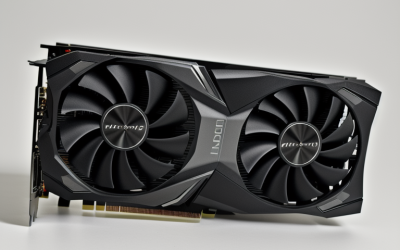
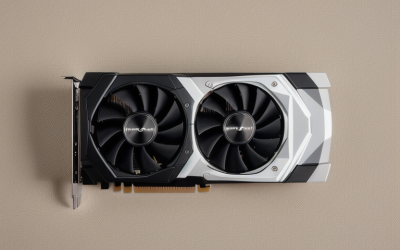
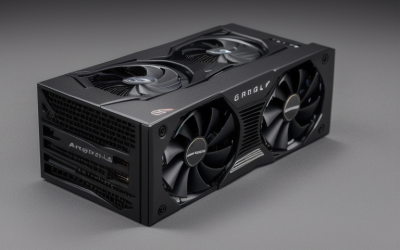
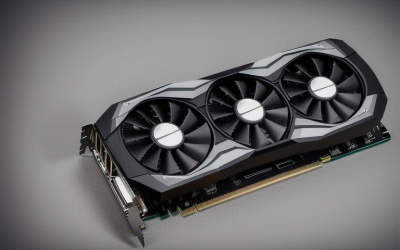
- Top Pick: ASUS Dual GeForce RTX 5060 Ti 16GB GDDR7 White OC Edition Graphics Card | PCIe 5.0, HDMI 2.1b, DisplayPort 2.1b, 2.5-slot design, Axial-tech Fans, 0dB Technology
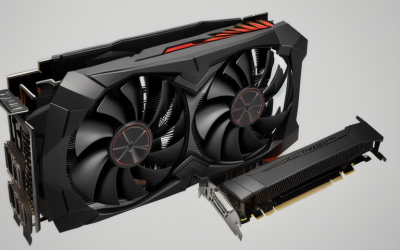
- Best Value: ASUS Dual Radeon RX 9060 XT 16GB GDDR6 Gaming Graphics Card | PCIe 5.0, HDMI 2.1b, DisplayPort 2.1a, 2.5-slot design, Axial-tech Fans, 0dB Technology
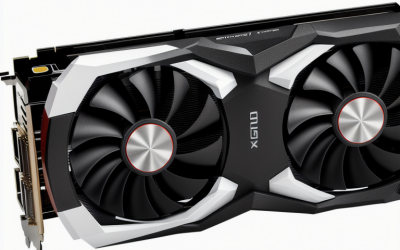
- Premium Choice: ASUS Dual GeForce RTX 5060 Ti 8GB GDDR7 OC Edition Gaming Graphics Card | PCIe 5.0, HDMI 2.1b, DisplayPort 2.1b, 2.5-slot, Axial-tech Fans, 0dB Technology, Dual BIOS
Graphic design leans on a graphics card less than gaming does, but more than most people assume. Large canvases, stacked layers, high-resolution displays, and GPU-accelerated filters all use video memory, and a card that is too small can make panning and zooming feel sluggish. The question behind “best graphics cards for graphic design” is therefore not raw frame rate; it is how much memory you need, how many monitors you can drive, and whether the card fits the case and power supply you already own. Gaming-style marketing can distract from those basics, so the notes below stay close to what each listing states about memory, ports, slot size, and cooling.
This guide is for illustrators, layout artists, photo editors, and freelancers building or upgrading a desktop in 2026. The six cards below come from one manufacturer family and cover three tiers: modern 16GB and 8GB cards for heavy files, a compact 4GB card for light-to-moderate work, and two entry-level display-output cards for simple setups. Everything is judged from the specifications stated in each listing, so treat the notes as a shortlist guide and check the software vendor’s supported-GPU page before buying.
Quick Picks
As an Amazon Associate we earn from qualifying purchases at no extra cost to you.




| Product | Best for | Key spec from the title |
|---|---|---|
| ASUS Dual RTX 5060 Ti 16GB White OC | Heavy files and white builds | 16GB GDDR7, PCIe 5.0, DisplayPort 2.1b |
| ASUS Dual RX 9060 XT 16GB | Large memory on AMD | 16GB GDDR6, PCIe 5.0, DisplayPort 2.1a |
| ASUS Dual RTX 5060 Ti 8GB OC | Mid-sized projects | 8GB GDDR7, Dual BIOS, 0dB technology |
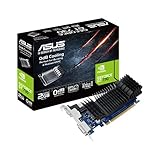
| ASUS GT 730 2GB (4X HDMI) | Many-screen reference walls | 2GB GDDR5, 4X HDMI ports, passive cooling |
| ASUS GT 730 2GB (Single-slot) | Silent, basic office rigs | 2GB GDDR5, single-slot, boosted efficiency |
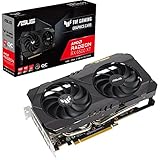
| ASUS TUF RX 6500 XT OC 4GB | Light design work | 4GB GDDR6, PCIe 4.0, 3 year warranty |
How to Choose
Video memory is the first number
For graphic design, the amount of VRAM usually matters more than the model name. Photo editors working with large print files and many layers benefit from 16GB, while 8GB suits typical web, social, and brochure work. A 4GB card is workable for lighter jobs, and 2GB is a display adapter, not a creative workstation card. If your files regularly stall, add memory before you chase a higher tier of speed. A practical rule is to look at the biggest file you open on a normal week, not the average one, because the heaviest project is the one that exposes a memory shortfall. Spare capacity also helps when you keep a browser, a reference viewer, and a chat app open at the same time as your design suite.
Display outputs and standards
Count the monitors you plan to use and match them to the output list. The newer cards list HDMI 2.1b and DisplayPort 2.1 variants, which support high-resolution and high-refresh panels. One entry-level card lists four HDMI ports, which can help with a multi-screen layout, while the 6500 XT lists HDMI 2.1 and DisplayPort 1.4a. Also remember that color-critical work depends on your monitor’s panel and calibration far more than on the GPU. If you run two panels of different resolutions, confirm that the port types on the card match the cables you already own so you do not need adapters that can limit refresh rate.
Physical size, cooling, and noise
The 2.5-slot designs on the three Dual cards need space and a case with good airflow, and they list Axial-tech fans and 0dB technology, which stops the fans at light loads. The two GT 730 cards use single-slot designs with passive cooling, meaning no fans at all, which suits small or silent builds. Measure your case clearance before ordering a large card, and confirm your power supply has the connectors the card needs. A quieter machine also matters for people who record voiceovers or take client calls at the same desk, and passive cooling or fan-stop behavior helps there.
Software support and where budget models cut corners
Your design software may list preferred or required GPU families, so read its system requirements instead of guessing. Cards at the lowest tier cut corners on memory size, memory type, and PCIe generation. GDDR7 and PCIe 5.0, listed on the RTX 5060 Ti cards, are newer standards than GDDR5 and PCIe 2.0. Ignore a large “OC” label on its own; it only matters if the base card already has enough memory for your files. A factory overclock adds a small speed bump at best, while extra memory changes whether a document opens smoothly at all.
The 6 Best Options
ASUS Dual GeForce RTX 5060 Ti 16GB White OC
This is the memory-rich pick. The title lists 16GB of GDDR7, PCIe 5.0, HDMI 2.1b, DisplayPort 2.1b, a 2.5-slot design, Axial-tech fans, and 0dB technology. The white finish is a plus for builders with a light-themed case, and the memory capacity is the point for designers with big files. Pairing 16GB with PCIe 5.0 and DisplayPort 2.1b also leaves headroom if you later move to a higher-resolution monitor.
- Strength: 16GB of GDDR7 gives room for large canvases and many layers.
- Strength: the fans stop at light loads under 0dB technology.
- Trade-off: the 2.5-slot size needs a roomy case.
Skip it if your files are small and your case is compact, since the 2.5-slot cooler and the large memory pool would go unused.
ASUS Dual Radeon RX 9060 XT 16GB
The AMD alternative to the 16GB RTX card, this Radeon lists 16GB of GDDR6, PCIe 5.0, HDMI 2.1b, DisplayPort 2.1a, a 2.5-slot design, Axial-tech fans, and 0dB technology. It suits designers who prefer an AMD platform or whose software works well with Radeon hardware. The identical 16GB capacity means the choice comes down to platform preference, supported features in your applications, and which port standard your monitor needs.
- Strength: 16GB of video memory at the same stated capacity as the RTX 16GB card.
- Strength: PCIe 5.0 and DisplayPort 2.1a for current monitors.
- Trade-off: the title lists GDDR6, an older memory type than the GDDR7 above.
Skip it if your design app lists NVIDIA-only acceleration.
ASUS Dual GeForce RTX 5060 Ti 8GB OC Edition
This card shares the Dual design with its 16GB sibling but has 8GB of GDDR7. The title also lists Dual BIOS, PCIe 5.0, HDMI 2.1b, DisplayPort 2.1b, a 2.5-slot form, and 0dB technology. It fits typical design and photo workflows where files are moderate. For a freelancer who handles social graphics, logos, and the occasional poster, the modern output standards and PCIe 5.0 support are more relevant than chasing a larger memory pool.
- Strength: Dual BIOS offers a fallback switch.
- Strength: modern ports and PCIe 5.0 support.
- Trade-off: 8GB can fill up on very large files.
Skip it if you routinely open huge multi-layer documents.
ASUS NVIDIA GeForce GT 730 2GB (4X HDMI)
This is a display-output card more than a creative card. The title lists 2GB of GDDR5, PCIe 2.0, four HDMI ports, a single-slot design, and passive cooling. Its appeal is driving several screens quietly in a simple setup. A designer who just wants an extra panel for style guides, mood boards, or chat could find that a reasonable fit.
- Strength: four HDMI ports for multi-screen layouts.
- Strength: passive cooling means no fan noise.
- Trade-off: 2GB of older GDDR5 limits it to basic work.
Skip it if you edit large images or use GPU-heavy filters.
ASUS GeForce GT 730 2GB (Single-slot)
This second GT 730 also lists 2GB of GDDR5, PCIe 2.0, a single-slot design, and passive cooling, with boosted energy efficiency. It is a basic, silent option for an office PC that only needs to put a picture on a screen. Because both GT 730 listings share the same memory size and bus generation, choose between them on slot width, port layout, and how many displays you plan to connect.
- Strength: single-slot size fits small cases.
- Strength: passive cooling and boosted efficiency are both listed.
- Trade-off: it carries the same 2GB limit as the other GT 730.
Skip it if graphics work is your main income.
ASUS TUF Gaming Radeon RX 6500 XT OC 4GB
The TUF card sits in the middle. The title lists AMD RDNA 2, PCIe 4.0, 4GB of GDDR6, HDMI 2.1, DisplayPort 1.4a, dual ball fan bearings, an all-aluminum shroud, GPU Tweak II, and a 3 year warranty. It suits lighter design work on a budget, particularly for someone upgrading an older desktop who needs a clear step up from a display-output card without moving to a 2.5-slot design.
- Strength: a 3 year warranty and dual ball fan bearings are listed.
- Strength: 4GB GDDR6 is a step above the GT 730 cards.
- Trade-off: 4GB limits very large files, and DisplayPort 1.4a is older than 2.1.
Skip it if you need 8GB or more.
Which One Fits Your Situation
You edit large print-resolution files
Choose the ASUS Dual RTX 5060 Ti 16GB White OC or the ASUS Dual RX 9060 XT 16GB. Both list 16GB, so pick based on software preference and case color. The extra memory is the main reason to choose either over the 8GB model, and it also leaves room for future projects.
You do web, social, and brochure design
The ASUS Dual RTX 5060 Ti 8GB OC covers typical files with modern ports. It is also the sensible middle ground if you want current display standards but your biggest documents are only moderately large.
You have a small case and a modest design load
The ASUS TUF RX 6500 XT 4GB offers the best balance here between capacity and size for lighter jobs. Its listed warranty term also appeals to buyers who want some reassurance on a smaller purchase.
You only need extra screens for reference material
The ASUS GT 730 with four HDMI ports can drive a wall of reference windows quietly, as long as you are not asking it to accelerate heavy effects. For a quiet office PC that mostly runs documents and email next to a design app, the single-slot GT 730 does the same job in less space.
Common Mistakes
- Choosing a card on gaming fame instead of video memory.
- Forgetting to measure case clearance for a 2.5-slot cooler.
- Assuming the GPU decides color accuracy when the monitor does.
- Skipping a check of your design software’s supported-GPU list.
- Buying a display-output card and expecting smooth heavy filters.
Related guides
- Aio Liquid Coolers For High Performance Gaming
- How To Lower Input Delay In Competitive Shooters
- External Hard Drives For Music Production
Frequently Asked Questions
Is 8GB enough for graphic design?
For many web and social projects, yes. For large print files with many layers, 16GB gives more breathing room, and the extra memory helps most when you keep many files open together.
Do I need an NVIDIA card for Adobe apps?
Not necessarily. Check each application’s published GPU requirements, since support varies by feature and version. Some features lean on a specific GPU family while others work on any modern card.
Does a graphics card improve color accuracy?
Mostly no. Color depends on your display and calibration, though the card must provide the right output standard to drive it.
Are passive cards good for design?
They are silent, but the passive models here have only 2GB of memory, so they suit simple tasks rather than demanding creative work.