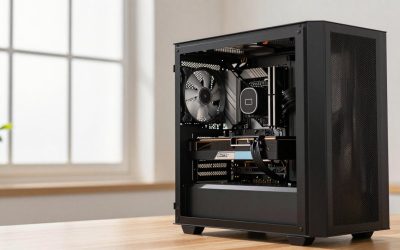
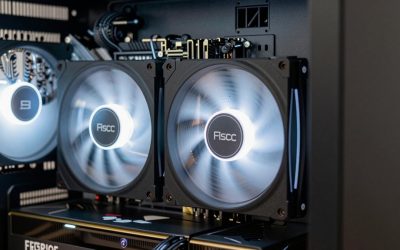
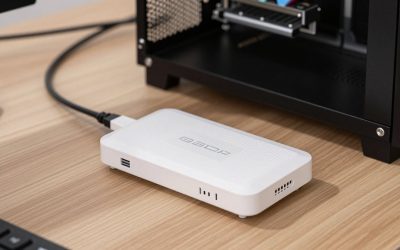
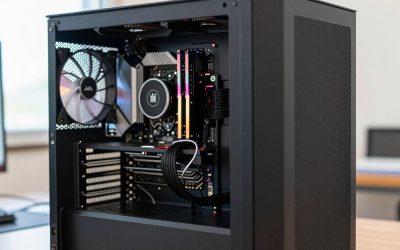
- Top Pick: KOTIN Prebuilt Gaming PC RTX 5070 12GB, Ryzen 7 9700X, 32GB DDR5, 1TB SSD | 11.3in Smart Display, 850W 80+ Gold PSU, 360mm Liquid Cooler, WiFi 7, 1440p 4K ARGB Windows 11 Gaming Desktop Computer
- Best Value: KOTIN Gaming PC Desktop, Ryzen 7 8700F, RTX 5060 Ti 8GB, 16GB DDR5, 1TB SSD | Prebuilt Gaming Tower with WiFi 7, Windows 11 Home, DLSS 4, ARGB Cooling, 650W Gold PSU for 1080p/1440p PC Gaming & Streaming
- Premium Choice: KOTIN Gaming PC Desktop Ryzen 7 8700F, RTX 5060 Ti 8G, 32GB DDR5, 1TB SSD | Prebuilt Gaming Tower with WiFi 7, Windows 11 Home, DLSS 4, ARGB Cooling, 650W Gold PSU for 1080p/1440p PC Gaming & Streaming
The best 1440p gaming build in 2026 centres on a 12 to 16GB graphics card: the RTX 5060 Ti 16GB for a value tier, the RTX 5070 or Radeon RX 9070 XT for the mainstream sweet spot, and the RTX 5070 Ti for high-refresh play at maximum settings. Pair it with a Ryzen 5 or Ryzen 7 class CPU, 32GB of DDR5, a 1TB to 2TB NVMe SSD and a quality 650 to 850 watt power supply, depending on the GPU.
- 1440p Build Tiers at a Glance
- GPU Choices Compared
- CPU: How Much Do You Need?
- Memory, Storage and Motherboard
- Power Supply and Case
- Monitor Pairing
- Pick This If You…
- Alternatives
- Upscaling, Frame Generation and Settings
- Common 1440p Build Mistakes
- Why 1440p Is the Popular Middle Ground
- Future-Proofing Notes
- Frequently Asked Questions
As an Amazon Associate we earn from qualifying purchases at no extra cost to you.


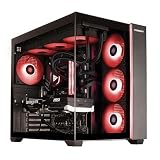
1440p Build Tiers at a Glance
| Tier | GPU | CPU | RAM and SSD | Best for | Limits |
|---|---|---|---|---|---|
| Value | RTX 5060 Ti 16GB or RX 9060 XT 16GB | Ryzen 5 7600X or 9600X class | 32GB DDR5, 1TB NVMe | 60 to 100 fps in most modern games with tuned settings | Ray tracing and the heaviest titles need upscaling |
| Mainstream | RTX 5070 or RX 9070 XT | Ryzen 7 7800X3D or 9800X3D, or Ryzen 5 9600X | 32GB DDR5, 1TB to 2TB NVMe | High settings at 1440p, 100+ fps in many games | RTX 5070 has 12GB; RX 9070 XT has 16GB |
| High | RTX 5070 Ti | Ryzen 7 9800X3D | 32GB DDR5, 2TB NVMe | High refresh at max settings, ray tracing | More cost, bigger cooler and PSU |
Outlets disagree on a single winner. TechSpot’s benchmarks show the RX 9070 XT well ahead of the RTX 5060 Ti 16GB at 1440p, with margins in the range of roughly 54 to 81 percent across the games they ran. Newegg’s comparison reports the RX 9070 XT typically leads the RTX 5070 in rasterization by around 7 to 17 percent, while the RTX 5070 does better in ray tracing, power efficiency and DLSS 4 features.
GPU Choices Compared
| GPU | Memory | Strength | Trade-off |
|---|---|---|---|
| RTX 5060 Ti 16GB | 16GB GDDR7 | Value 1440p, DLSS 4 support | Clearly slower than the 9070 XT, per TechSpot |
| RTX 5070 | 12GB GDDR7 | Strong all-rounder, efficiency, DLSS 4 | Less VRAM than the 9070 XT |
| RX 9070 XT | 16GB GDDR6 | Fast raster performance, large VRAM | Ray tracing and upscaling features differ from NVIDIA |
| RTX 5070 Ti | 16GB GDDR7 | Top 1440p tier before the RTX 5080 | Costs notably more |
If you are comparing models of the same name, the 16GB variant of the RTX 5060 Ti is generally preferred over the 8GB one, since many 2026 guides say 12GB is the minimum comfortable VRAM for 1440p and 16GB is safer for longevity.
NVIDIA or AMD at 1440p?
Choose NVIDIA if you want DLSS 4, strong ray tracing and wide support for features such as frame generation and streaming encoders. Choose the RX 9070 XT if you want the most rasterized performance and VRAM for the money in this class, and you are happy with AMD’s FSR upscaling. Both are good 1440p choices, so decide on features and availability rather than a single benchmark chart.
CPU: How Much Do You Need?
At 1440p the GPU is usually the limit, so a mid-range CPU is enough. A Ryzen 5 7600X or 9600X handles most games without holding back an RTX 5070. If you play CPU-heavy titles such as strategy games, simulators or esports at very high frame rates, or want future GPU upgrades, the Ryzen 7 7800X3D or 9800X3D gives extra headroom. Intel Core Ultra 200S processors are also an option, particularly if the motherboard price is attractive.
Memory, Storage and Motherboard
| Part | Suggested | Notes |
|---|---|---|
| RAM | 32GB DDR5 (2 x 16GB) | 16GB is workable but tight for multitasking; use a matched kit |
| SSD | 1TB to 2TB NVMe | PCIe 4.0 is enough for gaming; PCIe 5.0 is optional |
| Motherboard | B650 or B850 for Ryzen; B860 or Z890 for Intel | Match the socket; check the board’s supported memory speeds |
| Cooler | Tower air cooler or 240mm AIO | Check clearance for your case |
A fast NVMe drive barely changes frame rates, so spend the difference on the GPU or more capacity. DDR5 kits at moderate speeds are fine for gaming.
Power Supply and Case
Use the GPU maker’s recommended power supply wattage as the floor, not the ceiling, and buy a unit from a reputable brand with a 12V-2×6 connector or the right adapters for your card. A typical RTX 5070 or RX 9070 XT build is commonly paired with a 650 to 750 watt supply, while an RTX 5070 Ti is usually matched with 750 watts or more, but follow the specific card’s listing. Seat power connectors fully and avoid sharp bends near the plug. Choose a case with good front airflow and enough length for the card; some 9070 XT and 5070 Ti models are long and thick.
Monitor Pairing
A 1440p monitor at 144 to 240 Hz is the natural match. If your GPU produces 100 fps in your favourite games, a 144 Hz panel is enough; a 240 Hz panel only makes sense for esports titles. Adaptive sync (G-Sync Compatible or FreeSync) smooths frame rates in the 60 to 144 fps range.
Pick This If You…
| If you… | Pick |
|---|---|
| Want the lowest-cost proper 1440p build | RTX 5060 Ti 16GB with a Ryzen 5 class CPU |
| Value DLSS 4, ray tracing and efficiency | RTX 5070 with a Ryzen 5 or 7 |
| Care most about raw frame rates per cost | RX 9070 XT with a Ryzen 7 |
| Want maximum settings at high refresh | RTX 5070 Ti with a Ryzen 7 9800X3D |
| Play esports at 240 Hz | Ryzen 7 X3D with an RTX 5070 or RX 9070 XT |
Alternatives
- Previous-generation cards: RTX 40-series and Radeon RX 7000 cards in stock may offer value; confirm VRAM and feature support.
- Prebuilt PCs: compare the parts list, power supply and cooling rather than the headline spec.
- Stepping up to the RTX 5080: only needed if you target 4K later or maximum ray tracing.
Upscaling, Frame Generation and Settings
Upscaling is a large part of how 1440p cards reach high frame rates in 2026. NVIDIA DLSS 4 is available on RTX 50-series cards and includes multi-frame generation on the newest generation, while AMD FSR 4 is supported on Radeon RX 9000 cards, according to the makers. These features raise frame rates by rendering at a lower internal resolution or generating extra frames, and the trade-off is some added latency and occasional visual artefacts. Competitive players often turn frame generation off and rely on native rendering for the lowest input delay.
A sensible approach is to start from the high preset, enable upscaling in its quality mode, and adjust shadows, volumetric effects and ray tracing first, since those settings usually cost the most performance for the least visible gain.
Common 1440p Build Mistakes
- Buying an 8GB card: several recent games already exceed 8GB of VRAM at 1440p with high textures.
- Single-channel memory: a single stick of RAM cuts bandwidth; use two matched modules.
- Underpowered or unknown-brand power supply: the supply protects every part, so choose a reputable model with the right connectors.
- Ignoring case airflow: a tight case throttles a hot GPU; check fan placement and mesh fronts.
- Skipping BIOS updates: new processors sometimes need a newer BIOS on older board stock. BIOS changes can cause instability if interrupted, so follow the motherboard maker instructions exactly.
Why 1440p Is the Popular Middle Ground
A 1440p monitor has about 78 percent more pixels than a 1080p one, yet far fewer than 4K, which is why it asks for a mid-range GPU rather than a flagship. It also looks noticeably sharper than 1080p on 27-inch panels, and high-refresh 1440p monitors are widely available. For many players this is the point where image quality, frame rate and total system cost balance best.
Future-Proofing Notes
To keep a 1440p build useful for several years, favour a platform with an upgrade path, such as AM5 for Ryzen, and a power supply with spare capacity and the modern 12V-2×6 cable. A GPU with 16GB of VRAM gives more room as texture sizes grow, and a 2TB drive avoids early storage juggling. Buying the strongest GPU the budget allows, rather than the most expensive CPU, generally gives the biggest gain at this resolution.
Frequently Asked Questions
Is the RTX 5070 enough for 1440p?
Yes, it is widely described as a strong 1440p card. Its 12GB of VRAM can limit a few very demanding titles at maximum texture settings, where the 16GB cards have more room.
RX 9070 XT or RTX 5070 for 1440p?
The RX 9070 XT usually leads in raster performance and has 16GB of VRAM, while the RTX 5070 is stronger in ray tracing, efficiency and DLSS 4 support. Pick based on the features you value.
How much RAM do I need for a 1440p gaming PC?
Thirty-two gigabytes of DDR5 is the sensible target in 2026. It leaves room for background apps and future games.
Do I need a Ryzen 7 X3D at 1440p?
Not for most games. An X3D chip helps in CPU-limited titles and at very high frame rates, but a Ryzen 5 class processor is enough for the majority of 1440p play.
What power supply do I need?
Follow the GPU maker’s recommended wattage and choose a reputable unit. A 650 to 850 watt supply covers the cards in this guide, depending on the model.
Is 8GB of VRAM enough at 1440p?
It is increasingly limiting. Most 2026 guides suggest at least 12GB, with 16GB the safer choice.