iRacing looks simple compared with modern action games, but laptop compatibility is about more than raw frame rates. You need a Windows machine that clears the simulator’s requirements with room to spare, holds a steady frame rate in a full field, and still has ports free for a wheel, pedals, a shifter, and possibly an external monitor or VR headset.
As an Amazon Associate we earn from qualifying purchases
The picks below are Windows gaming laptops sold on Amazon US with dedicated RTX graphics, multi-core HX or HS processors, and high-refresh displays. Each clears iRacing’s high-end tier rather than just its minimum, leaving headroom for larger fields and telemetry apps.
What iRacing Actually Requires
iRacing’s published support guidance sets a clear ladder. The minimum tier calls for a 4-core CPU, 16 GB of RAM, and a gaming graphics card with dedicated video memory, with at least 25 GB of free storage. The mid-range tier steps up to a 6-core CPU and a card with 6 GB of dedicated memory, and the high-end tier asks for an 8-core or better CPU, 32 GB of RAM, and a graphics card with 8 GB or more of dedicated memory for high settings across all track types.
That ladder shapes these picks in three ways:
- CPU cores matter. Every laptop here uses an 8-core or higher processor.
- VRAM matters for headroom. Each pick uses an RTX 4070 laptop GPU with 8 GB of GDDR6 memory, meeting the high-end graphics tier.
- RAM and storage should not be tight. Configurations with 32 GB of RAM match the high-end tier outright, while 16 GB models meet the minimum and mid-range guidance and can be upgraded on many configurations. A 1 TB SSD leaves room for downloaded cars and tracks, which iRacing’s guidance notes can grow well beyond the initial download.
Laptop Compatibility Points That Matter for iRacing
Ports for wheels and pedals. A wheel base, a separate pedal set, and a shifter can each want their own USB connection. Look for multiple USB-A ports so the wheel is not competing with a mouse and headset dongle, and keep one port free for a button box later.
Video outputs for external and triple screens. Adding an external monitor or a triple-screen setup requires an HDMI output and, for additional screens, a USB-C port that carries a DisplayPort signal. Confirm on the exact listing that the USB-C port supports video output, because port functions vary by configuration.
VR readiness. For a wired headset, the port you connect through must be wired to the dedicated GPU. The RTX 4070 laptops below have the graphics performance iRacing’s high-end tier describes, but check the headset maker’s port requirements against the specific configuration before buying.
Refresh rate, power, and warranty. A 144Hz or 165Hz panel helps motion stay readable as the field moves around you. Laptop GPUs run at different power limits by model, and a higher limit generally supports higher sustained performance; where a maker does not publish a figure for the exact configuration, confirm it on the listing rather than assume it. Warranty terms also vary by brand and seller, so check the length and provider for the exact unit you order.
If you sometimes race with a gamepad instead of a wheel, our guide to the best gaming controller for Xbox covers options that also work well on a Windows laptop.
The Picks
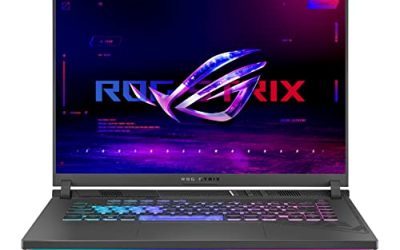
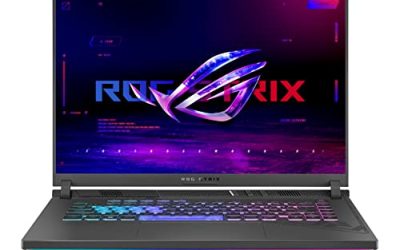
ASUS ROG Strix G16 (G614JI-AS94)

A strong all-round choice for a dedicated sim desk.
- CPU: Intel Core i9-13980HX
- GPU: NVIDIA GeForce RTX 4070 laptop GPU
- Display: 16-inch FHD+ 165Hz
- RAM / SSD: 16 GB DDR5 / 1 TB PCIe SSD
- Amazon US: https://www.amazon.com/dp/B0BV7XQ9V9
The 24-core i9-13980HX sits well above iRacing’s 8-core high-end example, and the RTX 4070 meets its 8 GB graphics tier. This unit ships with 16 GB of RAM, which meets the minimum and mid-range guidance; the Strix G16 line uses socketed DDR5 memory and PCIe storage in standard configurations, so confirm the slot layout on the listing if you plan to move to 32 GB later, along with the full port selection and warranty terms.
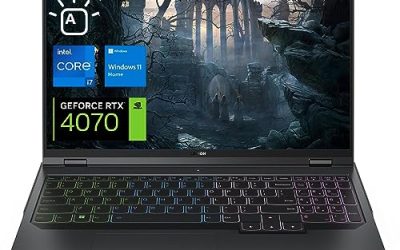
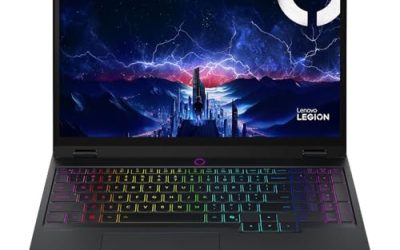
Lenovo Legion Pro 5i Gen 8

The configuration here matches iRacing’s high-end tier most directly.
- CPU: Intel Core i7-13700HX (16 cores)
- GPU: NVIDIA GeForce RTX 4070 (8 GB GDDR6)
- Display: 16-inch WQXGA 165Hz
- RAM / SSD: 32 GB DDR5 / 1 TB SSD
- Amazon US: https://www.amazon.com/dp/B0CDQRY4HX
With 32 GB of DDR5, a 16-core HX processor, and an 8 GB RTX 4070, this Legion Pro 5i lines up with the high-end requirements as published, rather than asking you to upgrade on day one. The 2560 x 1600 panel gives more room for overlays and timing screens than a 1080p display, still at 165Hz. Legion models in this class typically use standard SO-DIMM memory and M.2 storage, but verify upgrade details and warranty coverage for the unit you select.
Acer Nitro 16 (AN16-41-R5KC)

An AMD-based alternative with the same graphics tier and a high-resolution, high-refresh screen.
- CPU: AMD Ryzen 9 7940HS (8 cores)
- GPU: NVIDIA GeForce RTX 4070 laptop GPU
- Display: 16-inch WQXGA 165Hz IPS
- RAM / SSD: 16 GB DDR5 / 1 TB Gen 4 SSD
- Amazon US: https://www.amazon.com/dp/B0BY3KDYPT
The 8-core Ryzen 9 7940HS meets iRacing’s high-end CPU example, and the RTX 4070 again covers the 8 GB graphics tier. It ships with 16 GB of RAM, so it starts at the level iRacing requires as a minimum; the Nitro 16 line uses standard DDR5 memory and Gen 4 storage in its standard configurations, making a later move to 32 GB a realistic plan, subject to confirming the exact configuration. Check the port list and warranty provider on the listing, as these vary by seller.
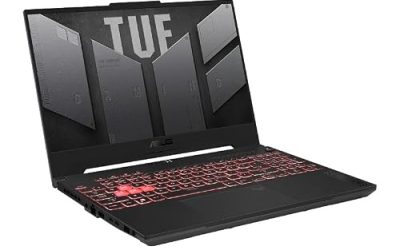
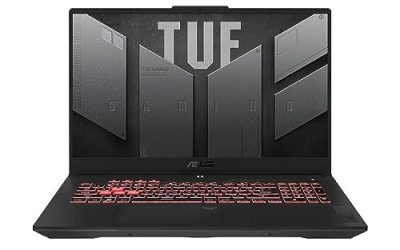
MSI Katana 15 (B13VGK)

A smaller 15.6-inch option for racers who move their rig between rooms or travel with it.
- CPU: Intel Core i7-13620H (10 cores)
- GPU: NVIDIA GeForce RTX 4070 laptop GPU
- Display: 15.6-inch FHD IPS 144Hz
- RAM / SSD: 32 GB DDR5 / 1 TB PCIe SSD
- Amazon US: https://www.amazon.com/dp/B0C2RPQ61L
The 10-core i7-13620H clears the 8-core high-end example, the RTX 4070 covers the graphics tier, and this configuration includes 32 GB of RAM and a 1 TB SSD. Its Amazon listing highlights Thunderbolt 4 and USB-C connectivity, useful for docks and external displays. Confirm sustained GPU power, the remaining ports, upgrade access, and warranty terms on the listing for this seller configuration.
How to Choose Between Them
Pick the Legion Pro 5i Gen 8 or the MSI Katana 15 if you want 32 GB of RAM from the start. Pick the ROG Strix G16 if CPU headroom is your priority and you are comfortable checking the memory upgrade path. Pick the Nitro 16 if you prefer an AMD processor with a 1600p panel. For triple screens or VR, narrow the choice by video outputs first: the best CPU here cannot fix a missing DisplayPort-capable output.
Whichever model you choose, plug the wheel and pedals directly into the laptop where possible rather than through an unpowered hub, and keep the laptop on its power adapter during sessions.
FAQ
Can a gaming laptop run iRacing well?
Yes, provided it clears the requirements with margin: an 8-core CPU, 32 GB of RAM, and a graphics card with 8 GB of dedicated memory at the high-end tier. The laptops above meet the CPU and graphics points, and two include 32 GB of RAM as configured.
Is a laptop compatible with iRacing wheels and pedals?
Generally yes. Wheels and pedals connect over USB and are recognised by Windows, so the practical limits are the number of USB ports and whether you need a powered hub for a separate shifter or button box.
Can I use triple monitors or VR with a gaming laptop for iRacing?
You can, if the laptop has the right video outputs. A triple setup needs enough GPU-driven outputs, often HDMI plus a DisplayPort-capable USB-C port, and a wired VR headset needs a port wired to the dedicated GPU. Check those details on the exact configuration before buying.
How much storage does iRacing need on a laptop?
At least 25 GB of free space, and considerably more if you download all cars and tracks. A 1 TB SSD, as fitted to every pick here, leaves comfortable room alongside other games.
Conclusion
For most iRacing players, the Lenovo Legion Pro 5i Gen 8 is the cleanest match to the high-end requirements, while the ROG Strix G16 offers the most CPU headroom, the Nitro 16 is the AMD route to the same graphics tier, and the Katana 15 suits a portable rig. Check ports, video outputs, and warranty on the exact listing before choosing.