F1 23 is not a demanding game by modern standards, so the goal is not simply clearing the minimum specification. It is buying enough headroom to run full race weekends at high settings, hold a steady frame rate when the whole grid is on screen, and still have capacity left for ray tracing, VR, or recording. The three laptops below all clear the recommended specification comfortably.
As an Amazon Associate we earn from qualifying purchases
What F1 23 actually needs on PC
According to the system requirements published on Steam, the minimum specification calls for Windows 10 64-bit, an Intel Core i3-2130 or AMD FX 4300 processor, 8GB of RAM, and a NVIDIA GTX 1050 Ti or AMD RX 470 graphics card, with 80GB of available storage and DirectX 12.
The recommended specification steps up to an Intel Core i5-9600K or AMD Ryzen 5 2600X, 16GB of RAM, and a NVIDIA GTX 1660 Ti or AMD RX 590. Steam lists higher hardware again for ray tracing and for VR, including a GeForce RTX 3070 or Radeon RX 6800 for ray tracing and an RTX 2070 class card for VR.
In short:
- CPU: Any modern gaming processor well above a Core i5-9600K or Ryzen 5 2600X. All three picks here use far newer HX or H-series chips.
- GPU: Look past the GTX 1660 Ti baseline. An RTX 4060 Laptop GPU or better also adds DLSS support, which the older recommended cards do not offer.
- RAM: 16GB is the recommended amount, so treat it as a minimum. A 32GB configuration removes memory as a concern for multitasking.
- Storage: The game needs 80GB, so a 512GB SSD is workable, but a 1TB drive is far more comfortable alongside other games.
- Display: F1 23 rewards a fast refresh panel, which feels clearer in quick direction changes than a basic 60Hz screen.
For Ryzen-based alternatives at a similar level, see our guide to the best gaming laptop AMD Ryzen options.
How we chose these laptops
Each pick is sold on Amazon US at the time of writing, beats the recommended GTX 1660 Ti, and ships with at least 16GB of RAM and a 1TB SSD. Where a listing states a GPU power limit (TGP), we note it. Where warranty or a power limit is not stated for the exact configuration, we say so rather than guessing.
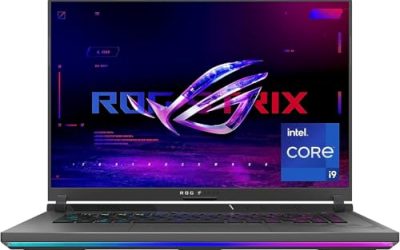
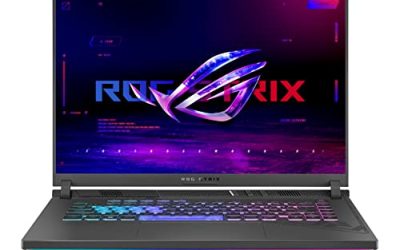
1. ASUS ROG Strix G16 (G614JV-AS74) — strong all-round pick

The Strix G16 pairs a high-power graphics configuration with a fast 16-inch display, which is exactly the combination F1 23 responds to.
- CPU: Intel Core i7-13650HX
- GPU: NVIDIA GeForce RTX 4060 Laptop GPU, listed at 140W maximum TGP
- Display: 16-inch, 1920 x 1200, 165Hz
- RAM / storage: 16GB DDR5-4800, 1TB PCIe Gen 4 SSD
- Operating system / wireless: Windows 11, Wi-Fi 6E
- ASIN: B0CRDCXRK2 — view on Amazon
The i7-13650HX sits far above the recommended Core i5-9600K, and the full-power RTX 4060 avoids the weaker low-wattage versions of the same chip in some thinner machines. On upgradeability, confirm the exact configuration before ordering: this family has several variants, and the listing focuses on the shipped specification rather than a maximum capacity. Warranty varies by seller and region, so check the listing.
Best for: Players who want one balanced machine for F1 23 at high settings, with a fast display and no obvious weak point.
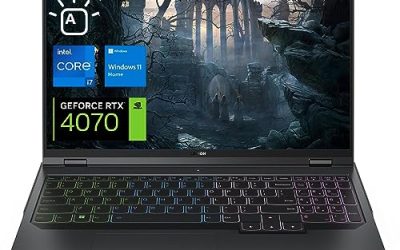
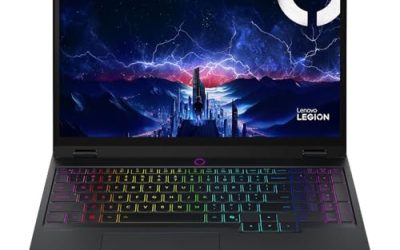
2. Lenovo Legion Pro 5i Gen 8 — the higher-resolution option

If you would rather race on a sharper panel, or dock the laptop to a higher-resolution external monitor, the Legion Pro 5i Gen 8 steps up to an RTX 4070 and doubles the memory of the other picks here.
- CPU: Intel Core i7-13700HX, 16 cores and 24 threads as listed
- GPU: NVIDIA GeForce RTX 4070 Laptop GPU, 8GB GDDR6
- Display: 16-inch WQXGA, 165Hz
- RAM / storage: 32GB DDR5, 1TB PCIe NVMe M.2 SSD
- Ports listed: 4 x USB-A 3.2 Gen 1, 2 x USB-C 3.2 Gen 2, RJ-45 Ethernet, HDMI, headphone and microphone combo jack
- ASIN: B0CDQRY4HX — view on Amazon
The RTX 4070 sits in the territory Steam points to for ray tracing, and 32GB of RAM leaves headroom for voice chat, telemetry or a stream alongside the game. The generous ports help with a wheel, pedals, microphone and external display at once, and wired Ethernet helps online racing. The listing describes memory support up to 64GB, but verify slots and capacity for the exact unit before planning an upgrade. GPU power limits and warranty are not stated in the listing summary, so check the product page.
Best for: Players who want the strongest graphics option in this guide, a sharper 16-inch display, and the easiest path to a full wheel-and-pedals desk setup.
3. Acer Nitro V 15 (ANV15-51-99XD) — clear upgrade path
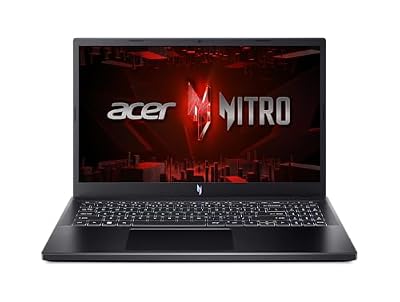
The Nitro V 15 is the most straightforward value-oriented route in this guide, and its listing spells out its internal expansion options in plain language.
- CPU: Intel Core i9-13900H
- GPU: NVIDIA GeForce RTX 4060 Laptop GPU
- Display: 15.6-inch Full HD IPS, 180Hz as listed
- RAM / storage: 16GB DDR5, 1TB PCIe Gen 4 SSD
- Ports listed: USB Type-C with Thunderbolt 4 and DisplayPort over USB-C, USB 3.2 Gen 1 ports, HDMI 2.1, headphone jack, Ethernet RJ-45, Kensington lock slot
- ASIN: B0D8JTYXQM — view on Amazon
For F1 23, a Core i9-13900H and an RTX 4060 are well beyond the recommended specification, and the high-refresh Full HD panel is well matched to that GPU. Upgradeability is the clearest strength here: the listing states 2 DDR5 slots with a maximum of 32GB, and 2 PCIe M.2 slots in total, so a memory increase or second drive are realistic later steps for this exact ANV15-51-99XD, subject to Acer’s service guidance. The listing does not state a GPU power limit or warranty length, so check both before ordering.
Best for: Players who want high-refresh 1080p racing now, in a smaller 15.6-inch chassis, with documented room to expand memory and storage later.
Which one should you buy?
Choose the Strix G16 for the most balanced package, the Legion Pro 5i Gen 8 for ray tracing, VR, a sharper panel and more ports, and the Nitro V 15 for a smaller machine with a documented upgrade path. In all cases, confirm the listing configuration matches the one described here — these families are sold with several CPU, GPU and display options — and confirm warranty coverage on the listing.
FAQ
Can a laptop with an RTX 4050 run F1 23?
Yes, above the minimum and around the recommended level. The picks here use RTX 4060 and RTX 4070 graphics instead, leaving more headroom for high settings, ray tracing and DLSS.
How much storage do I need for F1 23 on a laptop?
Steam lists 80GB for the game itself. A 512GB SSD can hold it, but a 1TB drive, as fitted to all three laptops here, is much easier to live with.
Does F1 23 in VR need a stronger laptop?
Yes. Steam lists higher hardware for VR than for flat-screen play. If VR is your main goal, the RTX 4070 Legion Pro 5i is the most appropriate pick here, and you should also check your headset’s laptop compatibility requirements.
Should I prioritise CPU or GPU for F1 23?
GPU first, within reason. Every laptop here comfortably exceeds the recommended processor, while settings, resolution and ray tracing scale with the graphics card. A modern HX or H-series processor with an RTX 4060 or better is the right balance.
Conclusion
F1 23 does not force you into a flagship laptop. It asks for a modern processor, 16GB of RAM, enough storage, and graphics clearly stronger than a GTX 1660 Ti — and all three laptops above meet that brief with room to spare. Verify the exact configuration and warranty on the listing, and you will have a laptop that handles F1 23 and the seasons after it.