As an Amazon Associate we earn from qualifying purchases.
BattleBit Remastered looks simple on the surface. Its low-poly art style and modest published requirements suggest almost any gaming laptop can run it, and in a narrow sense that is true. The game will launch on hardware far below the machines in this guide. Playing it well in a 254-player server is a different matter. In large servers that load falls mostly on the processor, the memory and the network connection.
This guide lists five gaming laptops sold on Amazon US that clear those requirements with wide headroom.
BattleBit Remastered Requirements
Steam lists the following requirements for BattleBit Remastered. The minimum column is what the game needs to start and run, while the recommended column is the baseline the developer suggests for a good experience.
| Requirement | Minimum | Recommended |
|---|---|---|
| Operating system | Windows 10 64-bit | Windows 10 or Windows 11 64-bit |
| Processor | Intel Core i5-2310 | Intel Core i5 4th generation or newer |
| Memory | 6GB RAM | 8GB RAM |
| Graphics | GeForce GTS 450 or equivalent | GeForce GTX 600 series or equivalent |
| DirectX | Version 11 | Version 11 |
| Storage | 2GB available space | 2GB available space |
| Network | Broadband internet connection | Broadband internet connection |
Those numbers are unusually low for a modern multiplayer shooter, and they explain why the game runs on older machines. They do not describe the hardware needed for high refresh-rate play in full servers, so the picks in this guide sit far above the recommended column.
What Matters Most in a Laptop for BattleBit Remastered
The processor does the heavy lifting in this game, tracking a large number of players, projectiles and destructible objects, and that simulation work is processor-bound in big servers. A modern 8-core or better processor with strong single-core performance is the single most useful upgrade over the published recommended specification. Laptop processors also run under manufacturer power limits, so two laptops with the same chip can behave differently, and a thicker chassis with dual fans usually sustains higher speeds for longer. When comparing listings, look for the exact processor model and core count.
The graphics chip matters less here than in a graphically demanding single-player game, but it still decides the resolution and refresh rate you can sustain. An RTX 4060 with 8GB of video memory handles the game at 1080p and 1440p with high settings, and an RTX 5060 brings the newer Blackwell architecture and DLSS 4 support for other games. Both tiers are more than enough for this game.
Memory is the second most important part for large servers. The published recommended figure is 8GB, but 16GB is the practical floor for a gaming laptop in 2026 if you run voice chat and a browser alongside the game. Two of the laptops in this guide ship with 32GB or more for streaming and multitasking, and all five use DDR5 memory. For storage, 1TB is the safer choice if you keep several games installed.
A 144Hz or faster panel makes motion clearer and aiming feel more direct than a 60Hz panel, and all five laptops in this guide have displays of 144Hz or faster. A 1080p panel is the easiest for the graphics chip to drive at high frame rates, while a 1440p panel shows more detail at the cost of some frame rate. Every display in this guide is an IPS-type panel.
The useful ports here are Ethernet for a wired connection, USB-C for a headset or external drive, and HDMI for a second monitor. A wired connection is the most reliable way to play in large servers, and Wi-Fi 6 or Wi-Fi 6E is a good fallback. Warranty terms vary by manufacturer and seller, so check the warranty stated on the exact Amazon listing.
If you lean toward AMD-powered machines, see our guide to the best gaming laptop AMD Ryzen picks.
The Five Laptops
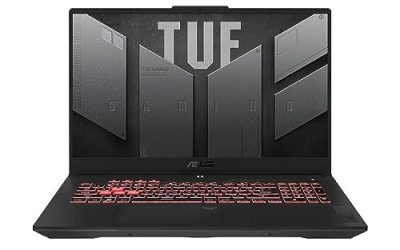
1. ASUS TUF Gaming A15 FA507NV-EH74

The ASUS TUF Gaming A15 is the value pick in this guide. It pairs an AMD Ryzen 7 7735HS processor with an RTX 4060 laptop graphics chip, and that combination is more than enough for BattleBit Remastered at 1080p with high settings. The 15.6-inch Full HD display runs at 144Hz with full sRGB colour coverage, and the RTX 4060 runs at up to 140W with Dynamic Boost on this model.
Specs
- Processor: AMD Ryzen 7 7735HS, 8 cores
- Graphics: NVIDIA GeForce RTX 4060 laptop GPU, up to 140W with Dynamic Boost
- Memory: 16GB DDR5
- Storage: 1TB PCIe SSD
- Display: 15.6-inch Full HD, 144Hz, 100 percent sRGB
- Connectivity: Wi-Fi 6, Windows 11
- Model: FA507NV-EH74
Upgrade options: the usual path is adding memory and a second SSD, but the listing does not state the number of free slots or a warranty term, so confirm both on the listing before ordering.
2. Lenovo LOQ 15 15AHP9

The Lenovo LOQ 15 is the memory and storage leader in this guide. Its listing pairs an AMD Ryzen 7 8845HS processor with an RTX 4060 laptop graphics chip, a 15.6-inch Full HD IPS display at 144Hz with G-SYNC and full sRGB coverage, and a configuration with 64GB of DDR5 memory and a 2TB PCIe SSD. That is far more memory and storage than this game needs, which makes this the pick for players who also stream, record or keep a large library installed. The LOQ line includes dual-fan cooling and an Ethernet port.
One point to check on this listing is that the 64GB memory and 2TB storage figures describe the configuration shown on the Amazon listing, which is a seller-configured build rather than a base factory configuration. The processor, graphics chip, display and chassis are the standard LOQ 15AHP9 hardware, but the memory and storage amounts are specific to this listing, so confirm the exact configuration on the listing before ordering.
Specs
- Processor: AMD Ryzen 7 8845HS, 8 cores
- Graphics: NVIDIA GeForce RTX 4060 laptop GPU
- Memory: 64GB DDR5 as listed
- Storage: 2TB PCIe SSD as listed
- Display: 15.6-inch Full HD IPS, 144Hz, G-SYNC, 100 percent sRGB
- Connectivity: Wi-Fi, RJ-45 Ethernet, backlit keyboard, Windows 11
- Model: LOQ 15AHP9
Upgrade options: with 64GB of memory and 2TB of storage as listed, this configuration needs no upgrade for this game. The listing does not state the number of free M.2 slots or a warranty term, so confirm both on the listing before ordering.
3. Acer Nitro V 16S AI ANV16S-41-R2AJ

The Acer Nitro V 16S AI is the newest graphics tier in this guide and the best choice if you want the longest useful life from a laptop. It pairs an AMD Ryzen 7 260 processor with an RTX 5060 laptop graphics chip, 32GB of DDR5 memory and a 1TB Gen 4 SSD. The 16-inch WUXGA IPS display runs at 180Hz, the fastest panel in this guide, and the RTX 5060 brings DLSS 4 support for newer games.
Specs
- Processor: AMD Ryzen 7 260, 8 cores
- Graphics: NVIDIA GeForce RTX 5060 laptop GPU, 8GB GDDR7
- Memory: 32GB DDR5
- Storage: 1TB Gen 4 SSD
- Display: 16-inch WUXGA IPS, 180Hz
- Connectivity: Wi-Fi 6, Windows 11
- Model: ANV16S-41-R2AJ
Upgrade options: neither memory nor storage needs an immediate upgrade here. The listing does not state the number of free M.2 slots or a warranty term, so confirm both on the listing before ordering.
4. MSI Katana 15 HX B14WFK-810US

The MSI Katana 15 HX is the sharpest display in this guide. Its 15.6-inch QHD panel runs at 165Hz, which pairs well with the RTX 5060 laptop graphics chip and the Intel Core i7-14650HX processor for high-resolution play. The i7-14650HX is a 16-core HX-class processor, the highest core count in this guide and the best fit for the large-server simulation work that BattleBit Remastered puts on the processor. QHD shows more detail than a 1080p panel but asks more of the graphics chip, so expect to tune settings for the highest frame rates at native resolution.
Specs
- Processor: Intel Core i7-14650HX, 16 cores
- Graphics: NVIDIA GeForce RTX 5060 laptop GPU, 8GB GDDR7
- Memory: 16GB DDR5
- Storage: 1TB NVMe SSD
- Display: 15.6-inch QHD, 165Hz
- Connectivity: Wi-Fi 6E, RGB keyboard, Windows 11
- Model: Katana 15 HX B14WFK-810US
Upgrade options: the usual first upgrade is a second memory kit or a larger SSD. The listing does not state the number of free slots or a warranty term, so confirm both on the listing before ordering.
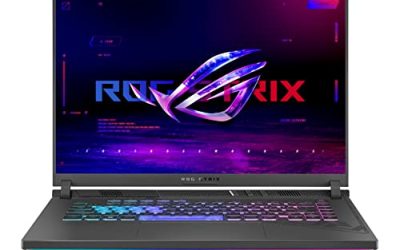
5. ASUS ROG Strix G16 G614JV-AS74

The ASUS ROG Strix G16 closes this guide as the most polished all-rounder. It pairs an Intel Core i7-13650HX processor with an RTX 4060 laptop graphics chip, 16GB of DDR5 memory and a 1TB PCIe Gen 4 SSD. The 16-inch display runs at 165Hz, the i7-13650HX is a 14-core HX-class processor, and the RTX 4060 handles the game at 1080p and 1440p with high settings.
Specs
- Processor: Intel Core i7-13650HX, 14 cores
- Graphics: NVIDIA GeForce RTX 4060 laptop GPU
- Memory: 16GB DDR5
- Storage: 1TB PCIe Gen 4 SSD
- Display: 16-inch, 165Hz
- Connectivity: Wi-Fi 6E, Windows 11
- Model: ROG Strix G16 G614JV-AS74
Upgrade options: the usual path is additional memory or a second SSD, but the listing does not state the number of free slots or a warranty term, so confirm both on the listing before ordering.
Comparison Table
| Laptop | Processor | Graphics | Memory | Storage | Display |
|---|---|---|---|---|---|
| ASUS TUF Gaming A15 | Ryzen 7 7735HS | RTX 4060 | 16GB DDR5 | 1TB SSD | 15.6-inch Full HD 144Hz |
| Lenovo LOQ 15 | Ryzen 7 8845HS | RTX 4060 | 64GB DDR5 as listed | 2TB SSD as listed | 15.6-inch Full HD 144Hz |
| Acer Nitro V 16S AI | Ryzen 7 260 | RTX 5060 | 32GB DDR5 | 1TB Gen 4 SSD | 16-inch WUXGA 180Hz |
| MSI Katana 15 HX | Core i7-14650HX | RTX 5060 | 16GB DDR5 | 1TB NVMe SSD | 15.6-inch QHD 165Hz |
| ASUS ROG Strix G16 | Core i7-13650HX | RTX 4060 | 16GB DDR5 | 1TB Gen 4 SSD | 16-inch 165Hz |
The TUF A15 is the value pick, the LOQ 15 is the memory and storage pick, the Nitro V 16S AI is the newest graphics pick, the Katana 15 HX is the sharpest display pick, and the Strix G16 is the most polished all-rounder.
On the laptops in this guide, start at high settings, then lower shadows and effects first if frame times feel uneven in a full server.
Frequently Asked Questions
Can a budget gaming laptop run BattleBit Remastered?
Yes. The published minimum requirement is an Intel Core i5-2310 processor with 6GB of memory and a GeForce GTS 450 graphics chip. For smooth play in 254-player servers, a modern processor, 16GB of memory and a dedicated RTX graphics chip are the practical baseline.
How much RAM do I need for BattleBit Remastered on a laptop?
The published recommended figure is 8GB, but 16GB is the practical floor for a gaming laptop in 2026. The laptops in this guide ship with 16GB, 32GB or 64GB as listed.
Does BattleBit Remastered need a high refresh rate display?
It does not need one, but a 144Hz or faster display makes a fast shooter feel more responsive. All five laptops in this guide have displays of 144Hz or faster. A wired Ethernet connection matters at least as much as the display for consistency in large servers.
Should I choose an RTX 4060 or an RTX 5060 laptop for BattleBit Remastered?
Both handle the game comfortably at 1080p and 1440p with high settings, because BattleBit Remastered is light on graphics load. The RTX 5060 is the newer chip with DLSS 4 support, so it suits players who also play newer games. The RTX 4060 is the better value if BattleBit Remastered and similar light games are your main focus.
Conclusion
BattleBit Remastered asks very little of a graphics chip and a lot of a processor, memory and network connection in full servers. The best laptop for it therefore has a modern multi-core processor, at least 16GB of DDR5 memory, a fast NVMe SSD and a 144Hz or faster display, paired with a wired connection whenever possible. Check the exact configuration and warranty on the Amazon listing before ordering, and any of the five will handle 254-player matches with room to spare.