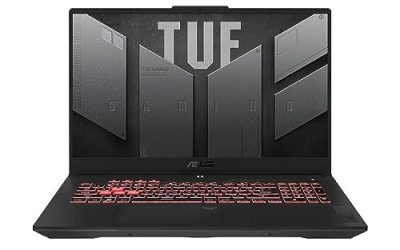
City builders punish a laptop differently from shooters. A new map runs fine almost anywhere, but a mature city in Cities: Skylines II, Anno 1800 or Frostpunk 2 is simulating traffic, services and thousands of citizens at once. That work lands on the processor and memory first, and only then on the graphics card. The best gaming laptop for city builders is therefore a machine with a high-power HX processor, at least 16GB of RAM and preferably 32GB, and fast SSD storage.
As an Amazon Associate we earn from qualifying purchases
What city builders actually need
Cities: Skylines II is a useful benchmark because its published Steam requirements are unusually CPU-forward. The minimum lists an Intel Core i7-6700K or AMD Ryzen 5 2600X, 8GB of RAM and a GeForce GTX 970. The recommended tier jumps to an Intel Core i5-12600K or AMD Ryzen 7 5800X, 16GB of RAM and a GeForce RTX 3080, with 60GB of storage space. Two lessons follow from that. First, every laptop below uses an HX-class processor with far more cores than the recommended desktop chip, because simulation speed in a large city is what decides whether the fastest game speed still feels responsive. Second, 16GB of RAM is a floor, not a target: with a big city, a browser, voice chat and community assets open at once, 32GB gives the game room to breathe.
A few buying rules apply to the whole genre:
- CPU and power limits matter most. Prefer HX processors and full-power GPU configurations. For the RTX 4070 laptops here, the verified figure is a 140W maximum TGP; a thin laptop with the same GPU name but a much lower power cap will behave like a different, slower machine.
- RAM: 32GB if you play large cities. If you buy a 16GB model, buy one with SO-DIMM slots so you can upgrade rather than a machine with soldered memory.
- Storage: 1TB is the sensible starting point. City builders accumulate save files, expansions and workshop content, and a second M.2 slot is worth more than a slightly faster factory drive.
- Display: resolution helps planning, refresh rate is secondary. A 2560 x 1600 panel shows more of a road network without scrolling. High refresh is pleasant, but simulation titles rarely reach very high frame rates in late game.
- Ports and warranty: Look for HDMI, USB-C with DisplayPort output, Ethernet for stable downloads, and at least three USB-A ports if you use external drives and peripherals. Warranty terms vary by seller and configuration, so check the exact listing before ordering.
If you would rather build around an AMD processor, our guide to the best gaming laptop AMD Ryzen options covers that side of the market; the picks below are the Intel configurations that currently make the strongest city-builder case.
The picks
Lenovo Legion 5 15IRX10 — RTX 5070 and an OLED display

- CPU: Intel Core i9-14900HX (24 cores, up to 5.8GHz per Lenovo PSREF)
- GPU: NVIDIA GeForce RTX 5070 Laptop GPU, 8GB GDDR7, 115W TGP (Lenovo PSREF)
- RAM / storage: 32GB DDR5-5600 (2 x 16GB SO-DIMM) / 1TB NVMe SSD
- Display: 15.1-inch WQXGA (2560 x 1600) OLED, 165Hz, glossy
- Ports: 3 x USB-A, 2 x USB-C (one with power delivery and DisplayPort 2.1), HDMI 2.1, Ethernet, audio combo jack
- ASIN: B0FHXGDZ5Q — View on Amazon
This is the most modern configuration here, and it suits players who want one laptop for city builders plus more GPU-led games on the side. The i9-14900HX sits well above the Cities: Skylines II recommended processor, the RTX 5070 runs at the 115W figure Lenovo publishes for this platform rather than a cut-down cap, and 32GB of memory is fitted from the start. The OLED panel’s 2560 x 1600 resolution is genuinely useful for reading dense districts and transit overlays.
Upgradeability is clearly documented by Lenovo: two DDR5 SO-DIMM slots and two M.2 SSD slots. Because both memory slots are already filled to reach 32GB, a memory upgrade means replacing modules rather than adding one, while storage can grow with a second drive. Base warranty in Lenovo’s platform documentation is one year, but bundles differ, so confirm the cover attached to this exact listing.
ASUS ROG Strix G16 (2024) G614JIR-XS96 — full-power RTX 4070, 32GB fitted

- CPU: Intel Core i9-14900HX (24 cores, 32 threads, up to 5.8GHz per ASUS)
- GPU: NVIDIA GeForce RTX 4070 Laptop GPU, 8GB GDDR6, up to 140W with Dynamic Boost (ASUS)
- RAM / storage: 32GB DDR5 / 1TB PCIe 4.0 NVMe SSD
- Display: 16-inch QHD+ (2560 x 1600) 16:10, 240Hz
- Ports: Thunderbolt 4, USB-C with DisplayPort and power delivery, 2 x USB-A, HDMI 2.1, Ethernet, audio combo jack
- ASIN: B0CRLFRQ5V — View on Amazon
The Strix G16 is the straightforward recommendation for a simulation-first player who does not want to open a laptop on day one. Its processor matches the Legion’s core count, its RTX 4070 is a full-power 140W configuration, and the 32GB of memory and 1TB SSD are already the sizes this genre wants. The 240Hz refresh rate is more than a city builder needs, but the larger 16-inch 16:10 screen earns its place every time you zoom out over a whole region.
ASUS lists two DDR5 SO-DIMM slots and two M.2 PCIe slots among this model’s expansion slots, including the ones in use. In practice that means storage expansion is easy with a second SSD, while the fitted 32GB already covers large-city play, so most owners will never need to touch the memory. Warranty length is not stated consistently across sellers of this model, so treat it as varies by configuration and check the listing.
ASUS ROG Strix G16 (2023) G614JI-AS94 — the upgrade-it-yourself route

- CPU: Intel Core i9-13980HX
- GPU: NVIDIA GeForce RTX 4070 Laptop GPU, 140W Max TGP (Amazon listing)
- RAM / storage: 16GB DDR5 / 1TB PCIe SSD
- Display: 16-inch 16:10 FHD, 165Hz
- Ports: See the listing for the port layout of this exact SKU, as configurations differ by year
- ASIN: B0BV7XQ9V9 — View on Amazon
The previous-generation Strix keeps the two things that matter most here — a 24-core HX processor and a full-power RTX 4070 — and trims the parts that are cheaper to fix later. Its 16GB of memory meets the Cities: Skylines II recommended tier on paper, but for Anno 1800 endgames or heavily modded cities you should plan on moving to 32GB. This chassis line uses SO-DIMM memory rather than soldered RAM, which is exactly why it belongs on this list: confirm the memory kit and slot details on the listing for this SKU, then treat the upgrade as part of the purchase plan rather than an afterthought.
Choose this one if the saving over the 2024 model comfortably covers the memory upgrade. If it does not, the newer Strix above is the cleaner buy, with the sharper display as a bonus.
How to choose between them
For most players, the decision is about memory and screen, not graphics bragging rights. Pick the Legion 5 15IRX10 for the newest GPU generation and an OLED display, the ROG Strix G16 (2024) for 32GB and a full-power RTX 4070 without upgrade homework, and the Strix G16 (2023) only if you are happy upgrading the RAM yourself.
Whichever you choose, run the game plugged in: HX processors and full-power GPUs are designed around wall power, and battery sessions throttle both frame rate and simulation speed.
FAQ
How much RAM does a city-builder laptop really need?
Sixteen gigabytes matches the recommended tier for Cities: Skylines II and is workable for medium cities. For large cities, many expansions or community assets, 32GB is the safer target, which is why two of the three picks ship with it and the third is upgradeable.
Is the GPU or the CPU more important for city builders?
The CPU, once you are past a reasonable graphics baseline. Simulation load grows with population, while graphics load grows with resolution and settings. All three laptops clear the recommended GPU tier’s class comfortably, so their HX processors and memory are the deciding factors in late game.
Can I play city builders on battery?
You can start a session on battery, but expect reduced performance. These are high-power HX machines built for plugged-in play, and simulation speed is one of the first things to suffer when power is limited.
Should I prioritise a bigger SSD or more RAM?
RAM first, if you have to choose. A city builder with too little memory slows down in play, while a full SSD is an inconvenience you can solve later — especially on the Legion and Strix models here, which provide a second M.2 slot for storage expansion.
Conclusion
The best gaming laptop for city builders pairs a high-core-count HX processor with 32GB of RAM, a full-power GPU and room to add storage. The Legion 5 15IRX10 is the most current all-round pick, the ROG Strix G16 (2024) is the no-homework 32GB option, and the Strix G16 (2023) makes sense as an upgrade project. Match the exact model number and ASIN before ordering, since brands sell near-identical names with very different configurations.