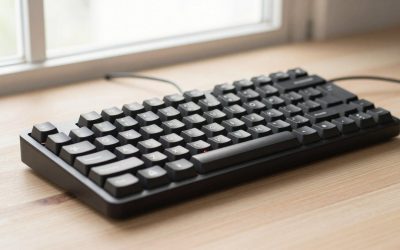
- Top Pick: SteelSeries USB Apex 5 Hybrid Mechanical Gaming Keyboard – Per-Key RGB Illumination – Aircraft Grade Aluminum Alloy Frame – OLED Smart Display (Hybrid Blue Switch)
- Best Value: Redragon K556 Wired RGB Mechanical Gaming Keyboard, 104-Key Aluminum Board
- Premium Choice: Redragon K556 PRO Wireless RGB Mechanical Gaming Keyboard, 104-Key Aluminum
Affiliate disclosure: As an Amazon Associate we earn from qualifying purchases. This post contains affiliate links — if you buy through them we may earn a small commission at no extra cost to you. This never affects our recommendations.
As an Amazon Associate we earn from qualifying purchases at no extra cost to you.






Plastic keyboards are fine. Aluminum keyboards are better — and for a specific type of user, the difference is not subtle. If you’ve ever bottomed out on a hollow, flexy plastic board and thought “this feels cheap,” you already understand why people pay the premium for metal.
This guide covers the five best aluminum gaming keyboards you can buy in 2026, ranked and reviewed for real use: gaming, typing, and daily desk work. Each pick includes full specs, honest pros and cons, and a clear breakdown of who should actually buy it.
In a hurry? See the top-rated Aluminum Gaming Keyboard deals available right now:
🛒 Check Aluminum Gaming Keyboard Prices on Amazon →🛒 Best Price Today on Amazon
Prime members get fast, free shipping on everything above, plus member-only deals. New members get a 30-day free trial — cancel anytime.
Start 30-Day Prime Free Trial →See Today’s Amazon DealsWhy Aluminum Matters (And When to Pay for It)
Aluminum does four things plastic cannot match:
Rigidity. A CNC-machined aluminum case will not flex under hard keystrokes. No creaking, no chassis twist, no keyboard sliding around because it lacks structural integrity. For high-APM gaming or long typing sessions, this translates directly to a more consistent feel keystroke to keystroke.
Sound profile. Aluminum dampens high-frequency clack and shifts the sound signature toward a deeper, more “thocky” tone — especially when combined with gasket mounting and foam dampening layers. The case material is one of the biggest levers you have over how a keyboard sounds.
Weight. A premium aluminum board typically runs 1.2–2.0 kg. That weight means it stays planted. No keyboard riser needed. No sliding during intense sessions.
Longevity. Aluminum does not crack, yellow, or warp. A well-built aluminum keyboard purchased today will still be structurally sound in 10 years. Plastic boards rarely last that long at the same quality level.
When to skip aluminum: If you travel with your keyboard, bring it to LAN events, or hot-desk frequently, the weight becomes a liability. A good polycarbonate or ABS board is lighter and still sounds great with proper dampening. Aluminum is a desk-first choice.
Quick Comparison Table
| Keyboard | Layout | Mount Type | Wireless | Hot-Swap | Est. Price |
|---|---|---|---|---|---|
| Keychron Q1 Max | 75% | Gasket | Yes (2.4G + BT) | Yes | ~$220 |
| ASUS ROG Claymore II | Full-size / TKL | Top-mount | No | No | ~$250 |
| Ducky One 3 SF | 65% | Top-mount | No | Yes | ~$130 |
| GMMK Pro | 75% | Gasket | No | Yes | ~$170 |
| Monsgeek M1 | 75% | Gasket | No | Yes | ~$110 |
Top 5 Aluminum Gaming Keyboards Reviewed
1. Keychron Q1 Max — Best Overall Aluminum Gaming Keyboard
The Q1 Max is what happens when Keychron takes everything right about the original Q1 and adds wireless. The result is the most complete aluminum keyboard at this price point — a fully wireless, QMK/VIA-programmable, gasket-mounted 75% board with an optional rotary knob.
Key Specs:
- Layout: 75% (84 keys + optional knob)
- Case: CNC aluminum, double gasket mount
- Connectivity: 2.4 GHz wireless, Bluetooth 5.1, USB-C wired
- Switch support: Gateron Jupiter (hot-swap), pre-lubed
- Battery: 4000 mAh
- Weight: ~1.7 kg
- RGB: South-facing per-key
Pros:
- Full QMK/VIA support with wireless — rare at this price
- Double gasket mount delivers genuine flex and sound performance
- Knob version adds practical media control without gimmicks
- 4000 mAh battery provides weeks of use on a charge
- Solid build quality that rivals boards costing twice as much
Cons:
- 2.4 GHz dongle takes a USB-A port; no USB-C dongle option
- Heavier than most wireless boards — not ideal for portability
- Gateron Jupiter switches are good but not exceptional stock
Who It’s For: Anyone who wants a do-everything aluminum keyboard and isn’t willing to compromise on wireless or programmability. This is the right board if you want one keyboard for gaming, work, and everything in between.

Buy on Amazon
2. ASUS ROG Claymore II — Best Full-Size Aluminum Gaming Keyboard
The ROG Claymore II is the only serious full-size aluminum gaming keyboard with a detachable numpad — a design decision that makes it more versatile than almost any other board in this category. Want a TKL layout for gaming? Detach the numpad. Need a full-size for spreadsheet work? Attach it, optionally on either side.
Key Specs:
- Layout: Full-size (detachable numpad, usable as TKL)
- Case: Aluminum top plate, aircraft-grade build
- Connectivity: 2.4 GHz wireless, USB-C wired
- Switches: ROG RX Red or ROG RX Blue (optical-mechanical)
- Hot-swap: No
- Battery: 4000 mAh (keyboard only)
- RGB: Per-key Aura Sync
Pros:
- Detachable numpad is genuinely useful — not a marketing feature
- ROG RX optical switches are fast, responsive, and durable (100M actuations)
- Solid aluminum build with zero chassis flex
- Aura Sync integration works seamlessly with ROG ecosystem
- Per-key RGB implementation is among the best at this tier
Cons:
- No hot-swap — switches are soldered, limiting customization
- No QMK/VIA support; limited to ASUS Armoury Crate software
- Premium price for what you get if you’re outside the ROG ecosystem
- Numpad battery life is lower than main board
Who It’s For: ROG ecosystem users, anyone who switches between TKL and full-size layouts, and gamers who want premium build quality without giving up the numpad option. Not recommended for custom switch enthusiasts.
3. Ducky One 3 SF — Best 65% Aluminum Gaming Keyboard
Ducky’s One 3 SF with the aluminum top case option is a different kind of aluminum board — compact, typing-focused, and built for users who want premium materials in a 65% form factor. The hot-swap PCB and foam dampening layer make it a strong choice for switch enthusiasts who want the flexibility to tune their sound profile.
Key Specs:
- Layout: 65% (67 keys)
- Case: CNC aluminum top case (polycarbonate bottom)
- Mount: Top-mount (POM plate dampens harshness)
- Connectivity: USB-C wired only
- Hot-swap: Yes (3- and 5-pin compatible)
- Foam: Case foam + PCB foam included
- RGB: Per-key, south-facing
Pros:
- CNC aluminum top case delivers a premium feel at a mid-range price
- Multi-layer foam dampening gives excellent stock sound out of the box
- Hot-swap PCB makes switch rolling easy without soldering
- 65% layout hits the sweet spot — arrow keys without bulk
- Ducky’s build consistency is among the best in mass-market keyboards
Cons:
- Top-mount (not gasket) — sound and flex are good but not class-leading
- No wireless option
- Less customizable software than QMK boards
- Aluminum is only the top case — bottom is polycarbonate
Who It’s For: 65% layout advocates who want a solid aluminum build without the hefty price tag of a full custom. Also excellent for typists who game, rather than gamers who type.

4. GMMK Pro — Best 75% Gasket Aluminum for Customizers
The GMMK Pro put affordable gasket-mount aluminum on the map when it launched, and it still holds up. Available as a barebones kit (case + PCB + plate, no switches or keycaps) or pre-built, it’s the entry point into serious keyboard customization without spending $300+. The build quality is excellent; the gasket implementation is genuine; and the open-source software support means your options are wide.
Key Specs:
- Layout: 75% (83 keys + rotary knob)
- Case: Full CNC aluminum (top + bottom)
- Mount: Gasket mount (south-facing PCB)
- Connectivity: USB-C wired (detachable)
- Hot-swap: Yes (3- and 5-pin)
- Available: Barebones or pre-built (Gateron Yellow / Brown / Red)
- Weight: ~1.85 kg
- RGB: Per-key, south-facing
Pros:
- True full-aluminum case (top and bottom) — not a hybrid build
- Gasket mount with genuine flex — not just marketing language
- Rotary knob standard on all versions
- Barebones option lets you choose your own switches and keycaps
- QMK-compatible (via GOAT software or community firmware)
- Wide aftermarket support for plates, foams, and mods
Cons:
- No wireless
- Barebones version requires additional spend for switches and keycaps
- GOAT software has historically had stability issues on some systems
- South-facing LEDs limit compatibility with some shine-through keycaps
Who It’s For: Keyboard enthusiasts who want to build their first high-end aluminum board. The barebones option is the honest recommendation — buy it, choose good switches, and you’ll have a board that rivals $300+ options.
5. Monsgeek M1 — Best Budget CNC Aluminum Keyboard
The Monsgeek M1 is proof that CNC aluminum gasket-mount keyboards no longer require a $200+ investment. Built by Akko’s premium sub-brand, the M1 delivers a construction spec that would have cost twice as much two years ago: full CNC aluminum case, gasket mount, hot-swap PCB, and multiple layout options. If you’re priced out of the Keychron or GMMK but want the real deal, this is where to start.
Key Specs:
- Layout: 75% (82 keys)
- Case: Full CNC aluminum (anodized finish)
- Mount: Gasket mount (silicone gaskets)
- Connectivity: USB-C wired only
- Hot-swap: Yes (3- and 5-pin)
- PCB: South-facing, QMK/VIA compatible
- Available: Barebones
- Weight: ~1.5 kg
Pros:
- Full QMK/VIA support at a budget price point — uncommon combination
- True CNC aluminum (not die-cast) with quality anodized finish
- Gasket mount performs well for the price; flex is noticeable and pleasant
- Hot-swap PCB opens the door to switch experimentation
- Competitive pricing makes it accessible as a first premium keyboard
Cons:
- Barebones only — you’ll need to budget for switches and keycaps
- No wireless
- Stock stabilizers benefit from lubing before use
- Slightly louder high-frequency resonance than pricier boards (addressable with tape or foam mods)
Who It’s For: Anyone entering the premium keyboard market with a limited budget. The M1 is the honest “best bang for your money” pick if you’re willing to add your own switches and keycaps.
How to Choose an Aluminum Gaming Keyboard
Mount Type: Gasket vs Top-Mount vs Tray
Gasket mount is the current gold standard. The PCB and plate assembly are suspended by silicone or rubber gaskets, isolating them from the case. The result is flex (a slight give under keystrokes), better sound isolation, and a softer typing feel. All three top picks in this guide use gasket mounts.

Top-mount screws the plate directly into the top case. It’s stiffer, which some gamers prefer for precise keystroke feedback. The Ducky One 3 SF uses this approach, and the foam dampening compensates for some of the harshness.
Tray mount screws the PCB directly into the case bottom — mostly found on budget plastic boards. Avoid this in aluminum boards; it defeats the purpose of the premium case material.
CNC vs Die-Cast Aluminum
CNC (Computer Numerical Control) machining cuts the case from a solid aluminum billet. The result is tight tolerances, clean edges, and a dense feel. Die-cast aluminum pours molten aluminum into a mold — faster and cheaper, but with slightly less precision and a different texture. Every board on this list except the ROG Claymore II uses CNC aluminum. For the money, CNC is the right spec to prioritize.
Weight Considerations
Budget 1.5–2.0 kg for a full aluminum build. If your desk setup is permanent and you never travel with your keyboard, heavier is generally better — the board stays planted. If you move frequently or attend LAN events, consider whether a lighter board (even if it’s polycarbonate) serves you better.
Layout Choice
- Full-size: All keys including numpad. Best for data entry. The ROG Claymore II is the only aluminum full-size worth buying in 2026.
- TKL (80%): Full-size minus numpad. Good balance. Surprisingly few high-quality aluminum TKL options at mid-price.
- 75%: 80–84 keys, compact but keeps function row and arrow keys. The sweet spot for most users. Keychron Q1 Max, GMMK Pro, and Monsgeek M1 all use this layout.
- 65%: Arrow keys, no function row. Cleaner desk, some function trade-offs. Ducky One 3 SF represents this well.
Hot-Swap Priority
If you’re not sure which switches you like, prioritize hot-swap. Being able to pull switches without soldering means you can experiment — go from linear to tactile to clicky without buying a new board. The GMMK Pro, Monsgeek M1, Ducky One 3 SF, and Keychron Q1 Max all support hot-swap. The ROG Claymore II does not.
Final Verdict
Top Pick: Keychron Q1 Max
The Q1 Max wins because it compromises on nothing. Wireless, QMK/VIA, gasket mount, full CNC aluminum, hot-swap — it checks every box at $220. For most users, this is the keyboard to buy and stop thinking about.
Runner-Up: GMMK Pro
If wireless isn’t a requirement and you want the best platform for customization, the GMMK Pro’s barebones option is the right choice. Pick your own switches and keycaps and you’ll have a board that performs at the $300 level for significantly less.
Best Value: Monsgeek M1
The M1 is the most important board on this list for the keyboard market broadly — it proves that CNC aluminum gasket-mount boards with QMK support can be had for around $110 barebones. If budget is a constraint, start here. You won’t feel like you settled.
Prices are estimates and subject to change. Affiliate links support this site at no extra cost to you.
Frequently Asked Questions
Why choose an aluminum gaming keyboard?
An aluminum frame or top plate adds rigidity, a premium feel, and a heavier, more stable base that does not slide. It also improves the typing sound and durability over plastic.
Does an aluminum keyboard feel different to type on?
Yes. The rigid metal base gives a firmer, more consistent keypress and often a cleaner acoustic profile. Many enthusiasts prefer the solid feel of an aluminum build.
Are aluminum keyboards heavier?
Yes, noticeably. The added weight is a benefit on the desk, keeping the keyboard planted during intense gaming, though it makes the board less convenient to carry around.
Aluminum or plastic gaming keyboard?
Aluminum offers a more premium, durable, and stable feel at a higher price, while plastic is lighter and cheaper. Choose aluminum if build quality and typing feel are priorities.
Related Articles
Looking for more on this topic? Browse the hand-picked guides below — each one applies the same scoring rubric used in this review.