

🛒 Best Price Today on Amazon
Prime members get fast, free shipping on everything above, plus member-only deals. New members get a 30-day free trial — cancel anytime.
- Top Cpus Machine Learning Picks for 2026
- Best CPUs for Machine Learning at a Glance
- 1. AMD Ryzen 7 5700G 8-Core, 16-Thread Desktop Processor with Radeon Graphics
- 2. AMD Ryzen 7 7800X3D 8-Core, 16-Thread Desktop Processor
- 3. AMD Ryzen 5 7600X 6-Core, 12-Thread Unlocked Desktop Processor
- 4. AMD Ryzen 5 5600X 6-Core, 12-Thread Unlocked Desktop Processor
- 5. AMD Ryzen 5 5600 6-Core, 12-Thread Unlocked Desktop Processor
- 6. AMD Ryzen 5 5500 6-Core, 12-Thread Unlocked Desktop Processor
- How to Choose a CPU for Machine Learning
- Related Guides
- Frequently Asked Questions
- Related Guides
- Related Articles
- Related Guides
Top Cpus Machine Learning Picks for 2026
Here are our current top cpus machine learning picks, compared on real Amazon owner reviews, price, and features. Live prices update below.
As an Amazon Associate we earn from qualifying purchases at no extra cost to you.




Before anything else, an honest word about machine learning on a desktop: for deep-learning training the GPU does the real work, not the CPU. Your processor’s job is to feed data to that GPU quickly, run your data-loading and preprocessing pipeline, handle classical CPU-bound algorithms (scikit-learn, XGBoost on CPU, feature engineering), and keep enough PCIe lanes and memory bandwidth available so the GPU never sits idle waiting. So the ‘best CPU for machine learning’ on a mainstream platform is really the best data-feeder and all-rounder, and core count, thread count and platform I/O matter more than raw single-thread speed.
This guide rounds up six AMD Ryzen desktop chips for an ML workstation and rates each for that feeding role, flagging plainly where a part is weak for the job. We have included a deliberate spread — from a roughly $84 six-core entry chip to a roughly $377 flagship — because the right CPU depends on your GPU, your budget and whether you do CPU-bound work at all. One important caveat up front: all of these are mainstream AM4 or AM5 desktop CPUs, which expose around 20-24 usable PCIe lanes and dual-channel memory. They are fine for a single training GPU, but if you need multiple GPUs, huge datasets in RAM or many PCIe lanes, a Threadripper or workstation/server platform is the honest answer. Below is an at-a-glance table, then a closer look at each chip and a buyer’s guide for ML builders.
Best CPUs for Machine Learning at a Glance
| Processor | Best For | Standout Spec | Approx Price |
|---|---|---|---|
| AMD Ryzen 7 5700G (8C/16T) | Budget GPU-feeder + iGPU prototyping | 8 cores, 16 threads, Radeon graphics | around $200 |
| AMD Ryzen 7 7800X3D (8C/16T) | Single-GPU rigs that also game (limited for ML) | 8 cores, AM5, 3D V-Cache | around $377 |
| AMD Ryzen 5 7600X (6C/12T) | Modern AM5 entry feeder | 6 cores, 12 threads, AM5/DDR5 | around $168 |
| AMD Ryzen 5 5600X (6C/12T) | Balanced AM4 data-loader | 6 cores, 12 threads, unlocked | around $180 |
| AMD Ryzen 5 5600 (6C/12T) | Value AM4 feeder | 6 cores, 12 threads, unlocked | around $146 |
| AMD Ryzen 5 5500 (6C/12T) | Cheapest pick — weak for ML | 6 cores, but PCIe 3.0, cut-down | around $84 |
1. AMD Ryzen 7 5700G 8-Core, 16-Thread Desktop Processor with Radeon Graphics

19
AMD Ryzen™ 7 5700G 8-Core, 16-Thread Desktop Processor with Radeon™ Graphics
In Stock





As an Amazon Associate we earn from qualifying purchases. Product prices and availability are accurate as of the date/time indicated.
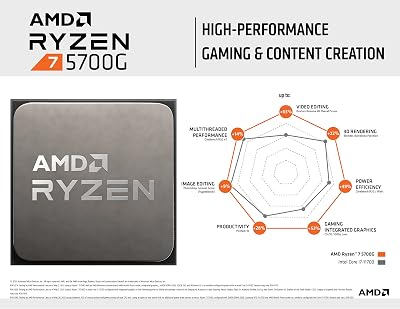
The Ryzen 7 5700G leads this list because, of the AM4 options here, its eight cores and sixteen threads give the most parallel headroom for the CPU side of a machine-learning workflow — data loading, augmentation, tokenisation and CPU-bound libraries all benefit from more threads feeding the GPU. At around $200 it adds a genuinely useful trick for ML beginners: integrated Radeon graphics, so you can drive displays and prototype small models before a dedicated GPU is installed, or while one is on order.
An honest caveat keeps it from being a no-reservations pick: as an APU, the 5700G runs its PCIe at a reduced lane count and PCIe 3.0 speed compared with the standard Ryzen desktop chips, which can throttle a fast discrete GPU’s data transfers in heavy training. For a single mid-range GPU and a workstation that doubles as a prototyping box it is still a strong, flexible choice, but if you are running a high-end card and shovelling large batches across the PCIe bus, a non-APU part with full-speed lanes feeds it better. Choose the 5700G for thread count plus an iGPU safety net, not for maximum GPU bandwidth.
Pros: Eight cores and sixteen threads for data pipelines, integrated Radeon graphics for prototyping, strong AM4 value.
Cons: APU has reduced PCIe lane count and PCIe 3.0 speed, so it can bottleneck a fast discrete training GPU.
2. AMD Ryzen 7 7800X3D 8-Core, 16-Thread Desktop Processor

13


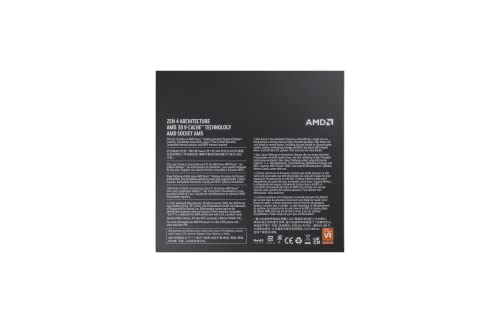

As an Amazon Associate we earn from qualifying purchases. Product prices and availability are accurate as of the date/time indicated.
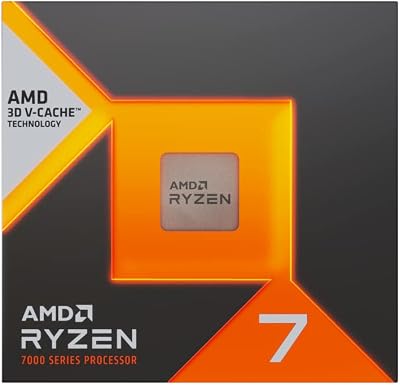
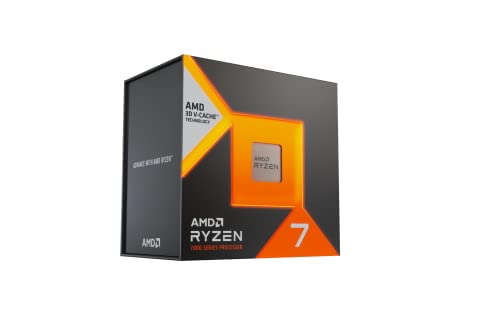
The Ryzen 7 7800X3D is the most expensive chip here at around $377, and it is the one that needs the most honest framing for machine learning. Its headline feature is a huge stack of 3D V-Cache that makes it a phenomenal gaming CPU, but ML training does not benefit much from that gaming-tuned cache — the GPU does the training, and the cache helps latency-sensitive game engines far more than it helps batched tensor pipelines. You are paying a large premium for a capability your ML workload will largely ignore.
What it does bring is a modern AM5 platform with PCIe 5.0, fast DDR5 support and eight strong Zen 4 cores, all of which feed a single training GPU perfectly well. So it earns a place on the list mainly for the builder who wants one machine that trains models on a single GPU during the day and plays demanding games at night. If your goal is purely the best ML data-feeder per dollar, this is poor value — the cheaper 7600X below offers the same AM5 I/O for less. Buy the 7800X3D when gaming is a genuine co-priority, not as a dedicated ML chip.
Pros: Modern AM5 platform with PCIe 5.0 and DDR5, eight capable Zen 4 cores, superb if the rig also games.
Cons: 3D V-Cache is gaming-tuned and barely helps ML; expensive for a job the GPU does, so poor ML value per dollar.
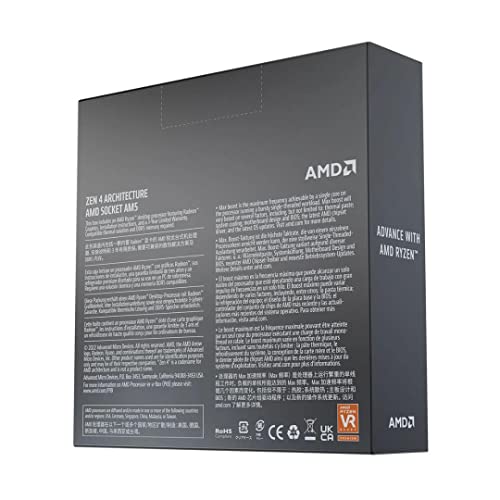
3. AMD Ryzen 5 7600X 6-Core, 12-Thread Unlocked Desktop Processor

12


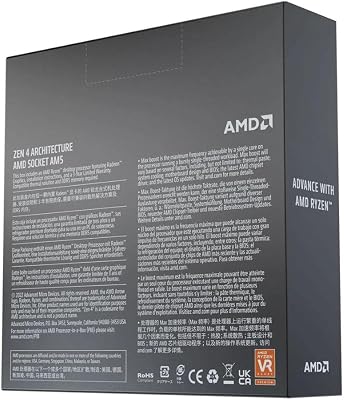


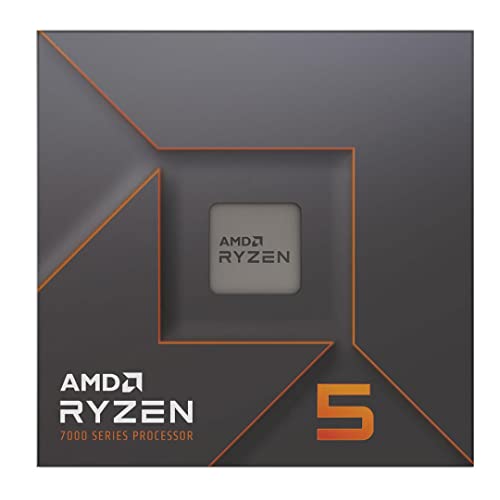
As an Amazon Associate we earn from qualifying purchases. Product prices and availability are accurate as of the date/time indicated.
The Ryzen 5 7600X is the smart modern-platform entry point for an ML workstation. At around $168 it puts you on AM5 with PCIe 5.0 and DDR5 memory support, which means full-speed lanes to feed a fast GPU and a clear upgrade path to higher core-count Ryzen chips later without changing the motherboard. Its six Zen 4 cores and twelve threads are plenty for typical data-loading and preprocessing alongside a single training GPU.
For ML specifically, the 7600X’s value proposition is that it delivers the same platform I/O as the much pricier 7800X3D — the part that actually matters for feeding a GPU — without paying for gaming cache you will not use. The honest limitation is core count: six cores and twelve threads handle a single-GPU pipeline comfortably, but if you run heavy CPU-bound workloads (large pandas joins, big scikit-learn fits, lots of parallel data augmentation), the eight-core options give more headroom. As a future-proof, fairly priced feeder for a one-GPU deep-learning rig, the 7600X is one of the most sensible picks here.
Pros: AM5 with PCIe 5.0 and DDR5 for full-speed GPU feeding, modern Zen 4 cores, clear upgrade path, fair price.
Cons: Only six cores and twelve threads, so less headroom for heavy CPU-bound ML than the eight-core parts.
4. AMD Ryzen 5 5600X 6-Core, 12-Thread Unlocked Desktop Processor

10
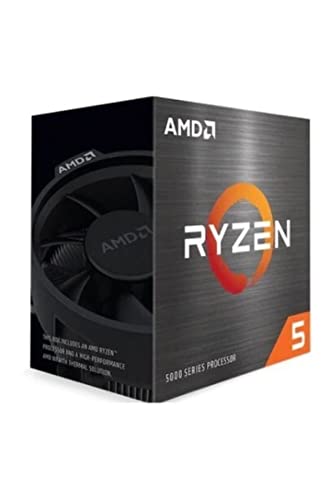
AMD Ryzen 5 5600X 6-core, 12-thread unlocked desktop processor with Wraith Stealth cooler | 6 Cores and 12 Threads, 3.7ghz Base, Up to 4.6ghz Boost, 32MB L3, 65W Tdp, AM4, Boxed Unit Includes Wraith Stealth Cooler
In Stock


As an Amazon Associate we earn from qualifying purchases. Product prices and availability are accurate as of the date/time indicated.
The Ryzen 5 5600X is the balanced AM4 data-loader of this list. At around $180 it offers six cores and twelve threads on the mature, affordable AM4 platform with full PCIe 4.0 lanes — meaning it can feed a fast discrete GPU at proper speed, unlike the APU above. For a builder pairing a single mid-to-high GPU with a cost-effective board and DDR4 memory, it is a reliable, well-rounded choice for the CPU side of training.
In an ML context the 5600X’s strengths are clean PCIe 4.0 connectivity and solid per-core performance for data preprocessing and classical CPU algorithms, while its limitation is simply the six-core ceiling for very parallel CPU work. It is also worth noting it sits on AM4, which is end-of-line — great for value today, but without the long upgrade runway of AM5. If you already have an AM4 board or want to keep platform costs down while still feeding a GPU at full PCIe speed, the 5600X is the dependable middle option and a long-standing favorite.
Pros: Full PCIe 4.0 lanes to feed a discrete GPU properly, solid six-core performance, affordable mature AM4 platform.
Cons: Six-core ceiling limits heavy parallel CPU work; AM4 is end-of-line with little upgrade headroom.
5. AMD Ryzen 5 5600 6-Core, 12-Thread Unlocked Desktop Processor
2
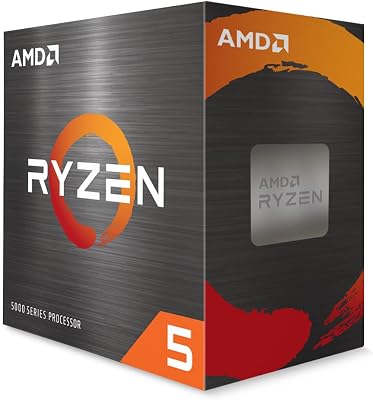
AMD Ryzen 5 5600 6-Core, 12-Thread Unlocked Desktop Processor with Wraith Stealth Cooler | 6 Cores and 12 Threads, 3.5-4.4ghz, 65W Tdp, Socket AM4, Includes Wraith Stealth Cooler
In Stock
As an Amazon Associate we earn from qualifying purchases. Product prices and availability are accurate as of the date/time indicated.
The Ryzen 5 5600 is the value version of the chip above and the better-priced AM4 feeder for budget ML builds. At around $146 it delivers six cores, twelve threads and the same full PCIe 4.0 connectivity as the 5600X, at slightly lower clocks. For machine learning, where the GPU does the training and the CPU mostly feeds it, that small clock difference is almost irrelevant — what matters is that this chip pushes data across PCIe 4.0 at full speed, and it does.
This makes the 5600 arguably the best value ‘proper feeder’ on the list: it gives you the lane speed and thread count to keep a single GPU busy without the compromises of the cheaper, cut-down 5500 below. The same caveats as the 5600X apply — six cores cap very parallel CPU-bound work, and AM4 is a dead-end platform for future upgrades. But for a wallet-conscious ML workstation built around one GPU, spending the modest extra over the 5500 to get full PCIe 4.0 is money well spent, and the 5600 is where that value lands.
Pros: Same full PCIe 4.0 feeding as the 5600X for less money, six cores and twelve threads, excellent budget value.
Cons: Six-core limit and end-of-line AM4 platform; clocks slightly lower than the 5600X (minor for ML).
6. AMD Ryzen 5 5500 6-Core, 12-Thread Unlocked Desktop Processor
14
Prime
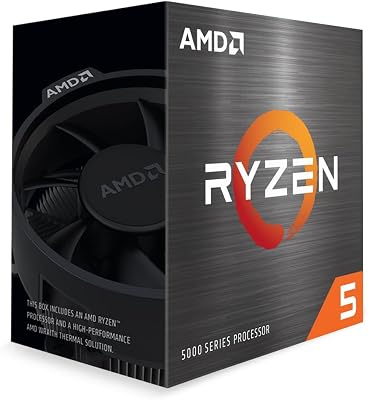
AMD Ryzen 5 5500 6-Core, 12-Thread Unlocked Desktop Processor with Wraith Stealth Cooler
In Stock





As an Amazon Associate we earn from qualifying purchases. Product prices and availability are accurate as of the date/time indicated.
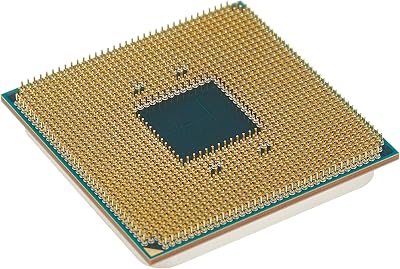
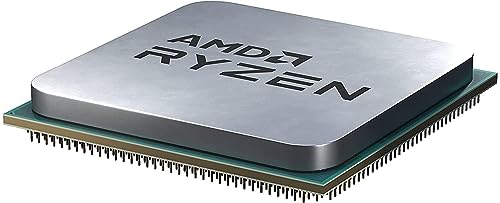
Rounding out the list is the Ryzen 5 5500, the cheapest chip here at around $84 and the one this guide flags most clearly as weak for serious machine learning. On paper it looks similar — six cores, twelve threads — but it is a cut-down part derived from an APU design, and crucially it runs only PCIe 3.0 with a reduced lane configuration. For feeding a fast GPU during training, that halved PCIe bandwidth versus PCIe 4.0 is exactly the kind of bottleneck you want to avoid in an ML rig.
That does not make it useless: for learning the ropes, light experimentation, running notebooks, or a budget box where the GPU is modest and data transfers are small, the 5500 is a serviceable, very cheap CPU. But anyone doing real training with a capable GPU and large batches should step up to the 5600 or 5600X for full PCIe 4.0, or to AM5 for PCIe 5.0. We include the 5500 honestly as the rock-bottom entry point, with the clear warning that its PCIe 3.0 interface is the weakest GPU-feeding link in this roundup — spend a little more if training performance matters.
Pros: Lowest price by far, six cores and twelve threads adequate for light learning and notebooks.
Cons: PCIe 3.0 with reduced lanes is a real GPU-feeding bottleneck; the weakest pick here for serious ML training.
How to Choose a CPU for Machine Learning
Start by internalising the single most important fact: on a desktop, the GPU trains your models and the CPU feeds it. No mainstream processor on this list will speed up GPU training meaningfully on its own — its job is to load and preprocess data fast enough that the GPU never waits, and to run any CPU-bound work such as scikit-learn, XGBoost on CPU, pandas wrangling and feature engineering. So budget your money toward the GPU first, then pick a CPU that feeds it without becoming the bottleneck. Spending flagship money on a chip like the gaming-tuned 7800X3D rarely pays off for pure ML.
PCIe connectivity is the feeder metric that matters most, and it is where these chips genuinely differ. A high-bandwidth, full-lane PCIe 4.0 or 5.0 link keeps large batches flowing to the GPU, while a reduced-lane PCIe 3.0 interface — as on the cut-down 5500 and, to a lesser degree, the 5700G APU — can throttle transfers during heavy training. The AM5 parts (7600X, 7800X3D) offer PCIe 5.0; the standard AM4 chips (5600X, 5600) offer full PCIe 4.0; the 5500 drops to PCIe 3.0. If you are pairing a fast GPU, favour the full-lane parts and treat the 5500’s interface as the warning sign it is.
Cores and threads come next, and here more is better for the CPU side — but with diminishing returns for a single-GPU rig. Eight cores and sixteen threads (5700G) give more parallel headroom for data augmentation and CPU algorithms than six cores and twelve threads (the 5600 series and 7600X), which is useful if your pipeline is CPU-heavy. For most single-GPU deep-learning workflows, though, a good six-core chip with full PCIe lanes keeps the GPU fed comfortably, so do not overspend on cores you will not saturate. Match the core count to how CPU-bound your actual work is.
Finally, think about platform, memory and scale honestly. AM5 (7600X, 7800X3D) brings DDR5 and PCIe 5.0 with a long upgrade runway; AM4 (the 5000-series chips) is cheaper and mature but end-of-line. All of these are dual-channel, ~20-24-lane mainstream platforms — fine for one training GPU and moderate datasets, but if you need multiple GPUs, very large datasets resident in RAM, or many PCIe lanes for NVMe plus accelerators, the correct answer is a Threadripper or workstation/server CPU, not any chip here. Decide your scale first, feed a single GPU with a full-lane part if that is your build, and pick the processor on this list that matches your budget and platform.
Frequently Asked Questions
Does the CPU or the GPU matter more for machine learning?
For deep-learning training, the GPU matters far more — it does the actual computation. The CPU’s role is to feed data to the GPU, run preprocessing and handle CPU-bound libraries like scikit-learn and pandas. Spend your budget on the GPU first, then choose a CPU with enough cores and full-speed PCIe lanes to keep that GPU fed. None of the desktop CPUs here will accelerate GPU training on their own.
Why does PCIe matter for an ML CPU, and which chips here are weak?
Training pushes large batches of data from system RAM to the GPU across the PCIe bus, so full-speed, full-lane PCIe keeps the GPU busy. The AM5 chips (7600X, 7800X3D) offer PCIe 5.0 and the standard AM4 chips (5600X, 5600) offer full PCIe 4.0. The Ryzen 5 5500 is the weak link — it runs reduced-lane PCIe 3.0 — and the 5700G APU also has reduced PCIe, so both can bottleneck a fast GPU.
Is the Ryzen 7 7800X3D worth it for machine learning?
Not for pure ML value. Its 3D V-Cache is tuned for gaming and barely helps batched ML training, where the GPU does the work. You are paying a large premium for a feature your ML workload mostly ignores. Its modern AM5 platform feeds a single GPU well, so it makes sense only if the same machine is also a serious gaming rig — otherwise the cheaper 7600X gives the same useful I/O for less.
How many CPU cores do I need for a machine-learning workstation?
For a single-GPU deep-learning rig, six strong cores with full PCIe lanes (like the 5600 or 7600X) keep the GPU fed comfortably. Eight cores and sixteen threads (the 5700G) add headroom if your pipeline is CPU-heavy — lots of data augmentation, large pandas joins, big CPU-side model fits. Beyond that, scaling to multiple GPUs or huge in-RAM datasets calls for a Threadripper or workstation platform rather than any mainstream chip here.
Related Guides
- Best CPUs for Data Analysis
- Best GPUs for AI and Gaming
- Best CPUs for Gaming
- Best RAM for High-Throughput Workloads
- Best NVMe SSDs for Datasets
- Best Workstation PCs
Affiliate Disclosure: As an Amazon Associate, we earn from qualifying purchases. If you click a link and make a purchase, we may earn a small commission at no extra cost to you. Prices and availability are accurate as of publication and may change.










