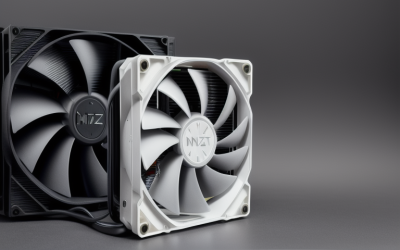
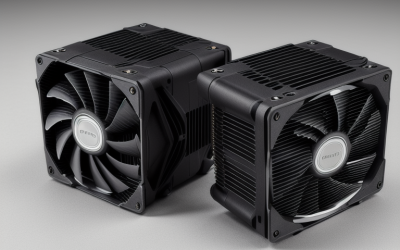
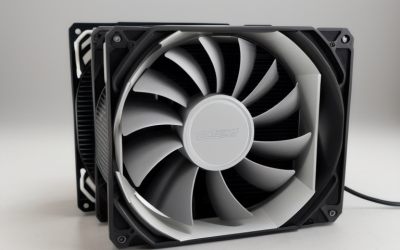
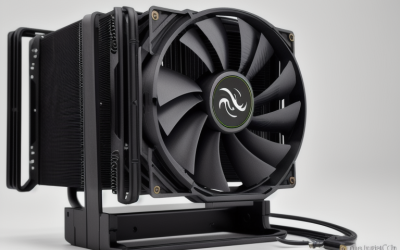
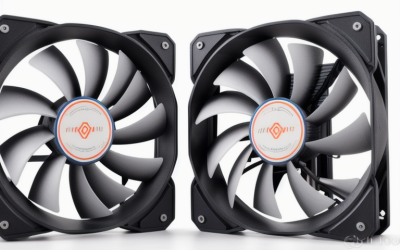
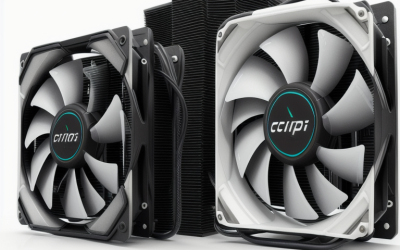
- Top Pick: Thermalright Assassin X120 Refined SE CPU Air Cooler, 4 Heat Pipes, TL-C12C PWM Fan, Aluminium Heatsink Cover, AGHP Technology, for AMD AM4/AM5/Intel LGA 1150/1151/1155/1200/1700/1851(AX120 R SE)
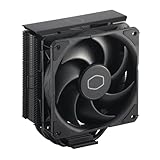
- Best Value: Cooler Master Hyper 212 Black CPU Air Cooler, 4 Heat Pipes, PWM Fan | AMD AM5/AM4 & Intel LGA1851/1700 Support Cooler, Quiet Cooling,120mm PWM Fan, 152mm, Easy Installation
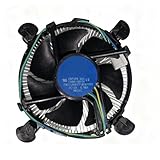
- Premium Choice: i3/i5/i7 LGA115x CPU Heatsink- Compatible with Intel CPU Cooler Aluminum Heatsink for LGA1200 LGA1151 LGA1150 LGA1155 LGA1156- for Intel E97379-003 For Desktop 4-Pin Connector CPU Cooler With Aluminum
The Core i7-8700K is an unlocked six-core, twelve-thread chip on the LGA1151 socket, and it has a reputation for running warm once you raise the multiplier. Intel never bundled a cooler with the K-series, so every owner has to pick one. The decision comes down to a socket that is now several generations old: plenty of new coolers ship with mounting hardware only for LGA1700 or LGA1851, which will not bolt onto your board. The first filter is the socket list in the listing, long before fan size or looks.
This guide is for anyone keeping an 8700K system alive in 2026, whether that is an overclocked gaming desktop, a quiet home-theater build, or a small-form-factor box. Two coolers from the original shortlist were set aside because their listings name only newer Intel sockets (LGA1700 and LGA1851), leaving eight options that either name LGA115x support or leave the socket list open for you to confirm.
Quick Picks
As an Amazon Associate we earn from qualifying purchases at no extra cost to you.




| Product | Best for | Key spec from the title |
|---|---|---|
| Thermalright Assassin X120 Refined SE | Balanced single-tower upgrade | 4 heat pipes, PWM fan, LGA1151 listed |
| Generic LGA115x aluminum heatsink (E97379-003) | Stock-style replacement | Aluminum, 4-pin connector, LGA1151/1200 listed |
| Generic LGA115x heatsink with 3.5-inch PWM fan | Basic office-class build | Aluminum, 4-pin PWM fan, LGA1151 listed |
| Noctua NH-U9S | Quiet, compact tower | 125mm height, 92mm fan, full RAM compatibility |
| Thermalright Peerless Assassin 120 Vision MAX ARGB | Showpiece twin-tower build | Twin tower, 2150RPM, IPS screen, LGA115x listed |
| ID-COOLING SE-903-XT V2 | Compact, no-frills cooling | 3 heat pipes, 150W, 100mm PWM fan |
| ID-COOLING FROZN A620 PRO SE | Overclocking headroom | Dual tower, 6 heat pipes, 260W, LGA115X listed |
| Noctua NH-L9x65 | Small-form-factor cases | 65mm height, 92mm slim fan |
How to Choose
Confirm LGA1151 mounting before anything else
The 8700K sits in a socket sharing its cooler hole pattern with LGA1150, 1155 and 1156, which is why many listings write it as “LGA115x”. A listing that names LGA1151, or the 115x family, is safe. A listing that says only “Intel and AMD” does not prove it, so check the maker’s compatibility page or the retail box contents. Coolers advertised for LGA1700 and LGA1851 only will not fit.
Match the cooler to your power plan
The chip carries a 95W default power spec, but an all-core overclock pushes real draw well beyond that, so stock-style heatsinks leave little room. Where a title lists a heat-dissipation figure, such as 150W or 260W, use it as a rough ceiling and leave a margin. A listing with no figure at all deserves caution if you plan to overclock.
Check clearance for RAM, case and graphics card
Tall towers can touch tall memory modules, and some cases cap cooler height at around 155mm to 165mm. Measure the gap between the socket and your side panel. A listed height such as 125mm or 157mm gives you the number to compare. Low-profile coolers trade performance for fitting under a graphics card or inside a slim chassis.
Weigh noise, fans and extras
Look for PWM fans, which let the motherboard raise and lower speed smoothly. Bigger 120mm fans can usually spin slower for the same airflow, which helps noise. Ignore flashy extras like lighting or screens unless you want them: they add nothing to heat removal. Budget coolers often skimp on bundled thermal paste, mounting hardware and fan quality.
The 8 Best Options
Thermalright Assassin X120 Refined SE
A single-tower air cooler with four heat pipes, a TL-C12C PWM fan, an aluminium cover, and AGHP technology. Its title lists LGA1150, 1151, 1155, 1200, 1700, and 1851 along with AM4 and AM5, so it covers your socket now and survives a platform change later. Suits owners who want a clear step above a stock-style heatsink without a huge footprint.
- LGA1151 is stated outright in the compatibility list.
- A single PWM fan keeps the design simple and easy to clear around memory.
- Trade-off: no wattage figure is given, so heavy overclockers should look at the larger towers.
Skip it if you want dual fans or a more substantial heat-pipe count. Owners who plan a heavy all-core overclock are better served by the dual-tower designs further down this list, which spread the load across more metal.
Generic LGA115x Aluminum Heatsink (E97379-003)
This plain aluminum heatsink is labeled for i3, i5 and i7 chips and lists LGA1200, 1151, 1150, 1155 and 1156, with a 4-pin connector. It resembles the style of cooler that once shipped in the box with non-K processors.
- The socket list explicitly covers LGA1151.
- A 4-pin connector allows motherboard fan control.
- Trade-off: the title gives no wattage figure, and an unlocked six-core chip is a demanding match for an aluminum block.
Skip it if you plan to overclock or run long gaming sessions; it is better kept as a spare or a stock-speed replacement. Because the listing names a family of older sockets, it also helps anyone repairing several legacy office machines with one part number.
Generic LGA115x Heatsink with 3.5-Inch PWM Fan
A second basic aluminum cooler in the same family, this one listing LGA1151, 1150, 1155 and 1156 and a 3.5-inch fan on a 4-pin PWM connector. It targets plain desktops built for web, office and light tasks.
- LGA1151 is named in the listing.
- PWM control lets the fan idle quietly at light loads.
- Trade-off: a small fan and aluminum construction offer limited headroom for an unlocked chip.
Skip it if your 8700K runs at boosted clocks for long stretches or you have raised the multiplier. In that case a tower with heat pipes is the sounder foundation, and this model is best saved for a secondary machine that mostly idles.
Noctua NH-U9S
A compact single-tower cooler with a 92mm fan, a 125mm height, and a rich accessory kit. The title emphasizes quiet operation and 100% RAM compatibility, so tall memory modules should not collide with it. The socket list is not spelled out in the title, so confirm LGA1151 with the maker.
- The 125mm height fits many shorter cases.
- Full memory-slot clearance simplifies builds with large heat spreaders.
- Trade-off: a 92mm fan and single tower will not match larger dual-tower designs.
Skip it if maximum cooling headroom matters more than size and noise. Buyers with a spacious case who care mostly about peak thermal capacity can find more metal and more fan area in the twin-tower entries below.
Thermalright Peerless Assassin 120 Vision MAX ARGB
A twin-tower radiator with a 2150RPM fan, ARGB lighting, and an IPS screen on the cooler itself. Listed sockets include Intel LGA1851, 1700 and 115x plus AM4 and AM5, so the 8700K is covered under the 115x label.
- Twin-tower construction offers the most surface area in this group of air coolers.
- The screen and ARGB create a visual centerpiece.
- Trade-off: a large twin tower can crowd memory and cases; check height first.
Skip it if you want a plain, quiet build or have a narrow chassis. The screen and a 2150RPM top speed also suggest a display-focused system, so owners of a quiet office-style desktop may find it more than they need.
ID-COOLING SE-903-XT V2
A compact black air cooler with three heat pipes in a direct-touch layout, a 100mm PWM fan, and a 150W figure in the title. It is described as compatible with Intel and AMD platforms in general terms, so verify LGA1151 on the maker’s page.
- A stated 150W figure gives a clear guide for stock or lightly boosted use.
- Its small size avoids most clearance conflicts.
- Trade-off: three heat pipes and a single 100mm fan limit overclocking headroom.
Skip it if you plan an aggressive overclock. It is more at home in a stock-clocked or lightly tuned build where space is tight and a simple, well-defined heat figure is reassuring.
ID-COOLING FROZN A620 PRO SE
A dual-tower cooler with six heat pipes, twin 120mm fans rated at 27.2dB(A) maximum, a 157mm height, and a 260W figure. The title lists Intel LGA1851, 1700, 1200 and 115X, plus AM5 and AM4.
- The 260W figure is the highest stated here, giving real headroom for an overclocked 8700K.
- Two 120mm fans share the work at lower speeds, helping noise.
- Trade-off: 157mm of height needs a roomy case.
Skip it if your case is narrow or your memory has tall heat spreaders. Measure first, because the combination of a 157mm tower and large fans leaves little spare room in compact mid-tower cases.
Noctua NH-L9x65
A low-profile design at 65mm tall with a 92mm slim fan and no RAM or PCIe overhang, aimed at small-form-factor builds. The title says it supports Intel and AMD, with a rich accessory kit; LGA1151 should be confirmed with the maker.
- The 65mm height fits compact cases.
- No overhang over memory or expansion slots eases assembly.
- Trade-off: low-profile coolers have the least cooling capacity of the group.
Skip it if you overclock the 8700K or sit in a full-size case. Anyone with room for a regular tower gains more cooling capacity from the larger air coolers, while this one earns its place only when height is the limiting factor.
Which One Fits Your Situation
You overclock the 8700K for gaming
The ID-COOLING FROZN A620 PRO SE offers the largest stated heat figure and dual fans. The Thermalright Peerless Assassin 120 Vision MAX is the alternative if you like the look and have the clearance.
You want something quiet in a mid-size case
The Noctua NH-U9S emphasizes low noise and RAM clearance, while the Assassin X120 Refined SE keeps things simple with a single PWM fan.
You are building a small-form-factor PC
The Noctua NH-L9x65 is the clear candidate, with a 65mm height and no overhang. Expect to keep clocks near stock.
You just need a replacement for a stock-speed system
Either generic LGA115x heatsink works for light duty, or the SE-903-XT V2 if you want a sturdier compact option with a 150W figure.
Common Mistakes
- Buying a cooler advertised for LGA1700 only and discovering it cannot mount on LGA1151.
- Pairing a basic aluminum heatsink with an overclocked unlocked chip.
- Ignoring height limits and finding the side panel will not close.
- Forgetting that tall memory modules can collide with large towers.
- Choosing lighting or a screen over cooling capacity.
Related guides
- Aio Liquid Coolers For High Performance Gaming
- How To Lower Input Delay In Competitive Shooters
- External Hard Drives For Music Production
Frequently Asked Questions
What socket does the i7-8700K use?
It uses LGA1151, the version paired with 300-series motherboards. Coolers labeled LGA115x or LGA1151 are the safe match.
Do I need an aftermarket cooler?
Yes, since K-series processors ship without one. A decent tower is the usual choice, particularly if you overclock. If you run the chip at stock speed in a roomy case, even a modest single tower is a large improvement over a bare heatsink, and it keeps fan noise down during long sessions.
Are AIO liquid coolers worth it for this chip?
They are an option if your case supports a radiator, but a good air cooler handles an 8700K well, with fewer parts to maintain.
Can a newer cooler fit my old board?
Often yes, if its box includes brackets for LGA115x. Always check the listing’s socket list instead of assuming. Cooler makers sometimes sell a separate legacy bracket kit, so a model that omits LGA1151 in its title may still be rescued by an add-on from the manufacturer, though that extra step is easy to overlook.