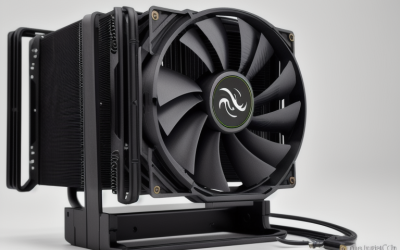
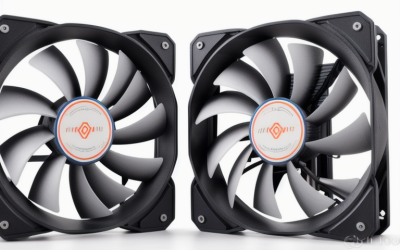
- Top Pick: Thermaltake 95W Gravity A2 CPU Cooler For Desktop, 92mm 4-Pins PWM 1200~3500rpm Aluminum Extrusion CPU Cooling Fan for AMD AM5 AM4 CL-P078-AL09WT-A
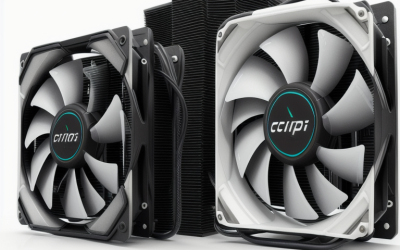
- Best Value: Cooler Master i70C ARGB Low Profile CPU Air Cooler for Intel LGA 1700/1851 Only – 120mm PWM ARGB Fan, 95W TDP, Copper Core Base, Black Aluminum Heatsink
- Premium Choice: SilverStone Technology Low Profile 95W or More AMD Socket AM2/AM3/AM4/FM1/FM2 CPU Cooler Only 54mm Tall Cooling (RL-KR01)
If your processor is listed at 95W TDP, the cooler search looks simple: find something built for 95W and move on. In practice, the number on the box is only the opening filter. Sockets split the market into Intel-only and AMD-only models, case height decides whether a tower fits at all, and a cooler that matches your chip’s figure exactly leaves no breathing room when the processor boosts. The real decision is whether you want a compact cooler that just meets the spec or a larger one with headroom.
This guide is for builders pairing a 95W-class desktop processor with a small-form-factor case, a budget rebuild, or an older platform you are reviving. It covers nine coolers, from slim 54mm-tall designs to a double-tower model with a far higher TDP figure. Everything below is drawn from the details printed in each listing, which is also the right place to confirm socket support before you commit in 2026.
Quick Picks
As an Amazon Associate we earn from qualifying purchases at no extra cost to you.




| Product | Best for | Key spec from the title |
|---|---|---|
| Thermaltake Gravity A2 | AM5 and AM4 builds | 95W, 92mm PWM fan, 1200-3500rpm |
| Cooler Master i70C ARGB | Slim Intel LGA 1700/1851 | 95W TDP, 120mm ARGB fan, copper core |
| SilverStone RL-KR01 | Tight AMD cases | 54mm tall, AM2 through AM4 and FM sockets |
| Vetroo Eclipse | Compact lit Intel builds | 90mm low-profile, 4-pin PWM, ARGB |
| SilverStone NT08-115X-V2 | Older LGA 115X systems | Low profile, 95W TDP |
| SilverStone KR01 (SST-KR01) | Tight AMD cases, alternate listing | 54mm tall, 95W class |
| Thermaltake TOUGHAIR 110 | Headroom above 95W | 140W TDP, 120mm 2000RPM PWM fan |
| be quiet! Pure Rock Low Profile | Quiet small builds | 100W TDP, up to 30.6dB(A) |
| be quiet! Pure Rock Pro 3 | Maximum margin | 250W TDP, dual 120mm fans |
How to Choose
Treat 95W as a floor, not a target
A cooler’s TDP figure is a manufacturer statement of how much heat it is designed to handle. Desktop processors can draw more than their listed TDP under boost, so a cooler specified at exactly 95W has little spare capacity. If your case allows it, a model with a 100W to 140W figure gives a buffer. The 250W-class tower here is far beyond what a 95W chip asks for, which means it can run calmly instead of working near its limit.
Match the socket before anything else
Several coolers in this list are brand-specific. The Cooler Master and Vetroo models say Intel LGA 1700 and 1851 only. The SilverStone KR01 models list AMD sockets from AM2 through AM4 and FM1/FM2, and the NT08 lists LGA 115X. The Thermaltake Gravity A2 names AM5 and AM4. Only the be quiet! models say AMD and Intel together. A great cooler with the wrong bracket is useless, so read the socket line first and the fan details second.
Check height and clearance for your case
The SilverStone KR01 listings give a 54mm cooling height, which is the clearest number for slim cases. Other low-profile models do not list a height in the title, so look it up before buying and compare it with your case’s stated limit. Tall towers need to clear memory modules and the side panel, and the Pure Rock Pro 3 title highlights RAM and VRM clearance as a design focus. Measure twice; returns on bulky coolers are a nuisance.
Fan size and noise are a trade-off
Small fans such as the 92mm unit on the Gravity A2 spin fast to move air, with a listed range up to 3500rpm, and fast fans are louder. A 120mm fan can move similar air at lower speed. Look for 4-pin PWM so your motherboard can control speed, and ignore lighting unless it matters to your build. If a noise figure is printed, as on the Pure Rock Low Profile, treat it as a useful comparison point.
One last filter is the fine print around materials. Copper contact surfaces and heat pipes, which several of these titles name, carry heat away from the processor faster than plain aluminum blocks. That does not make an aluminum extrusion unusable at 95W, but it does explain why the heat-pipe designs tend to be the ones advertised with extra headroom. Use the material list as a tiebreaker once socket and height are settled.
The 9 Best Options
Thermaltake Gravity A2
A compact choice for AM5 or AM4 desktops where you want a straightforward replacement. The listing gives a 95W figure, a 92mm 4-pin PWM fan with a 1200 to 3500rpm range, and an aluminum extrusion body, so it suits a mainstream AMD build with modest ambitions.
- Strength: AM5 and AM4 support in a single listing.
- Strength: PWM fan with a wide speed range.
- Trade-off: the top of that range suggests a loud fan at full speed.
Skip it if you have an Intel CPU or want a silent system.
Cooler Master i70C ARGB
A low-profile air cooler for Intel LGA 1700 and 1851 builds. The title lists a 95W TDP, a 120mm PWM ARGB fan, a copper core base and a black aluminum heatsink, so it meets the target with a larger fan than most slim designs.
- Strength: 120mm fan on a low-profile body.
- Strength: copper core base with ARGB lighting.
- Trade-off: Intel LGA 1700/1851 only, with no AMD support.
Skip it if your processor sits in an AMD socket or you expect spare thermal capacity.
SilverStone RL-KR01
This one is aimed at slim AMD builds, with a stated 54mm cooling height and a 95W-or-more figure. It covers older AMD sockets from AM2 through AM4 and FM1/FM2, which makes it a natural fit for a living-room PC or an older machine getting a new lease on life.
- Strength: 54mm height for slim cases.
- Strength: wide range of AMD sockets listed.
- Trade-off: no AM5 support appears in the title.
Skip it if you own a current AM5 board or an Intel platform.
Vetroo Eclipse
A low-profile ARGB cooler for recent Intel boards. The title lists a 90mm fan, a 4-pin PWM connector, premium aluminum fins and a 95W TDP for LGA 1851 and 1700, an easy match for a compact build with a window and lighting.
- Strength: PWM control with ARGB lighting.
- Strength: compact design for small cases.
- Trade-off: Intel LGA 1851/1700 only.
Skip it if you want a cooler that works on AMD sockets as well.
SilverStone NT08-115X-V2
A purpose-built low-profile cooler for LGA 115X sockets, with a 95W TDP figure in the title. It makes sense when you are refreshing an older office or home theater PC and want a mount that matches the socket exactly.
- Strength: tailored to LGA 115X mounting.
- Strength: low-profile body at a 95W TDP.
- Trade-off: no support for recent sockets.
Skip it for any new build.
SilverStone KR01 (SST-KR01)
Same spec sheet as the RL-KR01 above: 54mm tall, 95W class, AM2 through AM4 and FM1/FM2. It is listed as a separate SKU, so choose whichever is easier to get.
- Strength: slim 54mm cooling height.
- Strength: AMD socket coverage from AM2 up to AM4.
- Trade-off: it is a near-duplicate of the other KR01 listing, so neither has an advantage.
Skip it if you need Intel or AM5 support.
Thermaltake TOUGHAIR 110
The first pick here for anyone who wants real margin. The title lists a 140W TDP, a top-flow layout, a 120mm 2000RPM high static pressure PWM fan and copper heat pipes, a more serious package than the slim models.
- Strength: 140W TDP comfortably above 95W.
- Strength: copper heat pipes with a 120mm fan.
- Trade-off: the title names LGA 1700/1200 alongside a universal claim, so confirm AMD bracket support.
Skip it if your case needs a slim cooler.
be quiet! Pure Rock Low Profile
A compact option for small builds where noise matters. The title lists a 100W TDP, three 6mm heat pipes, AMD and Intel support, and a maximum of 30.6dB(A), giving it the broadest socket story of the slim coolers.
- Strength: AMD and Intel compatibility.
- Strength: three heat pipes with a stated noise ceiling.
- Trade-off: 100W is only a small step above 95W.
Skip it if your processor often boosts hard and you want more headroom.
be quiet! Pure Rock Pro 3
A double-tower cooler with a 250W TDP, two 120mm PWM fans and six 6mm heat pipes. It is far beyond a 95W requirement, which can be a quiet advantage since a capable cooler can run at lower speeds.
- Strength: large margin over 95W.
- Strength: RAM and VRM cooling compatibility is highlighted.
- Trade-off: a double-tower footprint will not fit small cases.
Skip it if you are building in a slim or compact enclosure.
Which One Fits Your Situation
You are building a compact AMD system
Choose the SilverStone KR01 for older AM4-era boards, or the Thermaltake Gravity A2 if you are on AM5 or AM4 and want a PWM fan. The first gives a stated 54mm height, which is the number a slim case cares about.
You are building a small Intel system on a current socket
The Cooler Master i70C ARGB and Vetroo Eclipse both target LGA 1700 and 1851. The i70C brings a 120mm fan, while the Vetroo uses a 90mm unit, so the first suits buyers who prefer a slower fan and the second suits tighter spaces.
You want the most thermal margin
The Pure Rock Pro 3 lists 250W, and the TOUGHAIR 110 lists 140W. Either gives breathing room when a 95W processor boosts, as long as your case has the height to accept a tower.
You want an older platform to stay quiet
The be quiet! Pure Rock Low Profile lists a 30.6dB(A) maximum. For an LGA 115X machine, the SilverStone NT08-115X-V2 is the matching mount. Pair either with a case that has a clear intake path, because even a quiet cooler gets louder when the surrounding airflow is starved.
Common Mistakes
- Assuming a 95W cooler works with every 95W processor, when socket support differs by model.
- Picking a cooler specified exactly at your chip’s TDP and leaving no margin.
- Skipping a case clearance check on towers and ignoring memory height.
- Choosing a small fan with a high top speed, then being surprised by the noise.
- Forgetting that the older-socket SilverStone models will not mount on a current LGA 1700 or AM5 board.
Related guides
- Battery Operated Smoke And Carbon Monoxide Detectors
- Combination Smoke And Carbon Monoxide Detectors
- Aio Liquid Coolers For High Performance Gaming
Frequently Asked Questions
Is a 95W cooler enough for a 95W processor?
It meets the spec, but there is little spare capacity. If your processor boosts above its listed TDP, a cooler with a higher figure gives more comfortable operation and usually lets the fan run slower.
What does low-profile mean?
It means a short cooler designed for slim cases. The SilverStone KR01 titles state 54mm, while other low-profile models require you to check the product page for height before you buy.
Do I need PWM?
A 4-pin PWM fan lets the motherboard adjust speed automatically, which helps balance noise and cooling. Several coolers here list PWM in the title, and it is a sensible feature to insist on. Without it, a fan may run at one fixed speed regardless of load, which wastes the quiet idle behavior most builders want from a small system.
Can I use these coolers on AM5?
Only some. The Thermaltake Gravity A2 lists AM5 in its title, and the be quiet! models say AMD without naming sockets, so confirm the bracket and socket list before ordering.