

- Top Pick: ASUS ProArt GeForce RTX 5080 16GB GDDR7 OC Edition Graphics Card
- Best Value: ASRock Radeon RX 9060 XT Challenger 16GB OC, RDNA 4, 3290MHz Boost, 16GB GDDR6 128-bit, PCIe 5.0, Dual Fans, 0dB Silent, LED Indicator, DisplayPort 2.1a, HDMI 2.1b
- Premium Choice: Sapphire 11348-03-20G Pulse AMD Radeon™ RX 9070 XT Gaming Graphics Card with 16GB GDDR6, AMD RDNA 4
For content creation, a graphics card does very different work than it does in a game. Video editors lean on hardware encoders to scrub and export footage quickly, 3D artists lean on CUDA or OpenCL cores and large pools of VRAM to render complex scenes, and streamers lean on a dedicated encoder like NVENC to broadcast without stealing CPU cycles from the app. That is why the right creation GPU is chosen on memory, encoders and compute acceleration rather than raw gaming frame rates. This guide rounds up the best content creation GPUs in 2026 across a wide span, from accessible NVENC-equipped cards to professional Blackwell and Ada workstation boards with enormous VRAM.
- Best Content Creation GPUs at a Glance
- 1. PNY NVIDIA RTX PRO 5000 Blackwell 48GB GDDR7 Graphics Card
- 2. NVIDIA RTX 5000 Ada Generation 32GB GDDR6 Workstation Graphics Card
- 3. NVIDIA RTX PRO 4000 SFF Blackwell 24GB GDDR7 ECC Low-Profile GPU
- 4. ASUS Prime GeForce RTX 5080 OC Edition 16GB GDDR7 Graphics Card
- 5. MSI Gaming GeForce RTX 3060 12GB GDDR6 Graphics Card
- 6. MXZ Gaming PC, AMD Ryzen 7 9700X, RTX 4070, 16GB DDR5, 1TB NVMe
- How to Choose a Content Creation GPU
- Frequently Asked Questions
- Related Guides
- Related Articles
- Related Guides
Our picks were chosen on what genuinely drives creative work: VRAM capacity for high-resolution timelines and large 3D scenes, hardware encoders such as NVIDIA’s NVENC for fast video export and streaming, CUDA and OpenCL acceleration for renderers and effects, and value for the workload. We have avoided quoting invented benchmark numbers — instead we explain where each card fits and who it is for, with prices spanning from around $399 to over $4,800 because creator needs range from a hobbyist editor to a studio workstation. The list also includes a complete prebuilt creator PC for those who would rather buy a finished system. Below is an at-a-glance comparison of all six, then a closer look at each and a buyer’s guide built around VRAM, encoders and compute.
As an Amazon Associate we earn from qualifying purchases at no extra cost to you.


🛒 Best Price Today on Amazon
Prime members get fast, free shipping on everything above, plus member-only deals. New members get a 30-day free trial — cancel anytime.
Best Content Creation GPUs at a Glance
| Product | Best For | Standout Spec | Approx Price |
|---|---|---|---|
| PNY NVIDIA RTX PRO 5000 Blackwell 48GB | Pro studio workstation | 48GB GDDR7, Blackwell | around $4,820 |
| NVIDIA RTX 5000 Ada 32GB | Heavy 3D and effects | 32GB GDDR6, Ada pro | around $4,590 |
| NVIDIA RTX PRO 4000 SFF Blackwell 24GB | Compact pro editing rig | 24GB GDDR7 ECC, low-profile | around $2,047 |
| ASUS Prime RTX 5080 OC 16GB GDDR7 | Prosumer create + game | 16GB GDDR7, latest NVENC | around $1,500 |
| MSI GeForce RTX 3060 12GB | Affordable editor entry | 12GB VRAM, NVENC | around $399 |
| MXZ Prebuilt PC, Ryzen 7 9700X + RTX 4070 | Ready-made creator system | RTX 4070, 16GB DDR5, 1TB NVMe | around $1,549 |
1. PNY NVIDIA RTX PRO 5000 Blackwell 48GB GDDR7 Graphics Card

PNY Technology VCNRTXPRO6000BQ-PB NVIDIA RTX PRO 6000 Blackwell Max-Q Workstation Graphics Card
As an Amazon Associate we earn from qualifying purchases. Product prices and availability are accurate as of the date/time indicated.
The PNY RTX PRO 5000 Blackwell is the professional studio pick, and its headline number tells you why: 48GB of fast GDDR7 memory on NVIDIA’s latest Blackwell architecture. For content creation that VRAM is the whole point — it lets you hold enormous 3D scenes, dense particle and simulation data, and high-resolution multi-layer timelines entirely in graphics memory, where a consumer card with a fraction of the VRAM would stall. At around $4,820 it is the most expensive option here and squarely a professional tool.
This is the GPU for studios and serious professionals whose projects simply do not fit on a gaming card. The huge 48GB framebuffer suits feature-grade 3D rendering, high-end visual effects, and large-format video work, the Blackwell architecture brings the newest generation of CUDA cores and hardware encoders for fast export, and certified professional drivers add stability for creative applications. If your livelihood depends on rendering scenes that overwhelm ordinary hardware, this is the no-compromise choice — though it is overkill, and badly over-budget, for hobbyist editing.
Pros: Massive 48GB GDDR7 for huge scenes, latest Blackwell compute and encoders, pro-grade stability.
Cons: Very high price; far more card than a hobbyist or gamer needs.
2. NVIDIA RTX 5000 Ada Generation 32GB GDDR6 Workstation Graphics Card
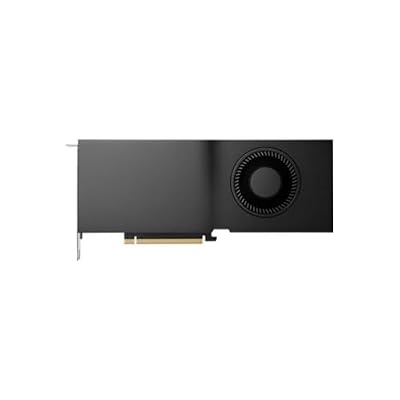
Nvidia RTX 5000 Ada Quadro RTX 5000 32 GB GDDR6


As an Amazon Associate we earn from qualifying purchases. Product prices and availability are accurate as of the date/time indicated.
The NVIDIA RTX 5000 Ada is the heavy-3D-and-effects pick. Built on the Ada Lovelace professional platform with 32GB of GDDR6, it sits just below the Blackwell flagship but still offers a vast memory pool and a deep bank of CUDA cores aimed squarely at compute-heavy creative work. At around $4,590 it is a professional workstation card, priced and specified for studios rather than home setups.
This is the GPU for the 3D artist, VFX professional or simulation specialist who needs large VRAM and serious CUDA acceleration but is working within the Ada generation. The 32GB framebuffer comfortably handles large scenes, high-resolution textures and complex node graphs, the professional drivers are tuned for stability in creative applications, and the strong compute performance speeds up GPU renderers and effects. It is a substantial investment that only makes sense if your rendering and simulation workloads genuinely demand this much memory and compute — for gaming or light editing it is wildly more than required.
Pros: Large 32GB GDDR6, deep CUDA acceleration for renderers, professional drivers and stability.
Cons: Workstation pricing; unnecessary for gaming or casual creative work.
3. NVIDIA RTX PRO 4000 SFF Blackwell 24GB GDDR7 ECC Low-Profile GPU

NVIDIA RTX PRO 4000 SFF Blackwell 24GB GDDR7 ECC - PCIe 5.0x8, 4X mDP 2.1b, Low-Profile Dual-Slot AI Workstation GPU Retail


As an Amazon Associate we earn from qualifying purchases. Product prices and availability are accurate as of the date/time indicated.
The NVIDIA RTX PRO 4000 SFF Blackwell is the compact professional pick. It brings 24GB of GDDR7 with ECC error correction and the Blackwell architecture into a low-profile, small-form-factor card designed for compact workstations. At around $2,047 it is the most affordable of the professional boards here, and the SFF design makes it the obvious choice when a full-height flagship will not physically fit your case.
This is the GPU for the creator building or buying a small, quiet professional workstation who still needs a generous VRAM pool and pro-grade reliability. The 24GB framebuffer handles substantial 3D scenes and high-resolution video work, the ECC memory adds data integrity that matters for long renders, and the low-profile SFF form factor fits compact and rackmount chassis where larger cards cannot. The Blackwell encoders accelerate video export. It is a professional-tier card at a professional price, best suited to space-constrained pro editing and rendering rigs rather than gaming builds.
Pros: 24GB GDDR7 with ECC, Blackwell encoders, fits small-form-factor pro workstations.
Cons: Still professional-priced; SFF design targets compact rigs, not gamers.
4. ASUS Prime GeForce RTX 5080 OC Edition 16GB GDDR7 Graphics Card

The ASUS Prime RTX 5080 OC is the prosumer pick that bridges creation and gaming. As a current-generation GeForce card it pairs 16GB of GDDR7 with the newest NVENC hardware encoders and a large complement of CUDA cores, so it exports video quickly, accelerates GPU renderers, and streams smoothly — while remaining a top-tier gaming card. At around $1,500 it is the sweet spot for creators who do not need professional-grade VRAM but want strong, modern creative performance.
This is the GPU for the serious YouTuber, streamer or freelance editor who wants one card that does it all. The latest-generation NVENC encoder is the key feature for video work — it offloads encoding for fast exports and high-quality streams without taxing the CPU — while the 16GB of GDDR7 handles mainstream 4K timelines and moderately complex 3D scenes. Unlike the workstation cards above, it doubles as a flagship gaming GPU, making it the most versatile pick here for a creator who also plays. For most prosumers, this is the card to beat on value and capability.
Pros: Latest-gen NVENC for fast export and streaming, 16GB GDDR7, doubles as a flagship gaming GPU.
Cons: 16GB is modest for the very largest scenes; less VRAM than the pro boards.
5. MSI Gaming GeForce RTX 3060 12GB GDDR6 Graphics Card

msi Katana 15 15.6” 165Hz QHD Gaming Laptop: Intel Core i7-13620H, NVIDIA Geforce RTX 4070, 16GB DDR5, 1TB NVMe SSD, Cooler Boost 5, Win 11: Black B13VGK-2000US


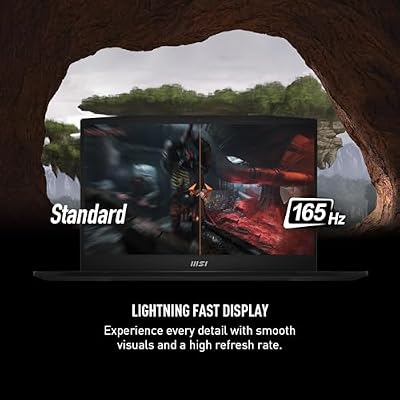

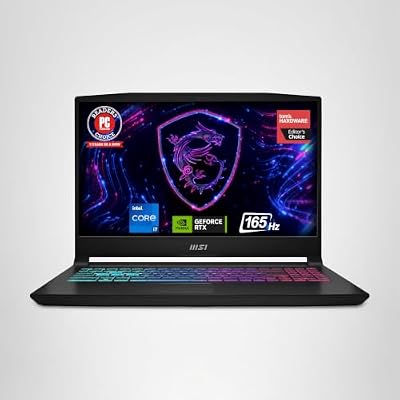
As an Amazon Associate we earn from qualifying purchases. Product prices and availability are accurate as of the date/time indicated.
The MSI GeForce RTX 3060 12GB is the affordable entry pick for creators. Its standout feature for creative work is its 12GB of VRAM — unusually generous for its class and price — paired with NVIDIA’s NVENC hardware encoder and CUDA support. At around $399 it is the cheapest GPU on this list and the natural starting point for a hobbyist or aspiring creator on a budget.
This is the GPU for the new or budget-conscious creator who wants real hardware-accelerated editing without spending heavily. The 12GB framebuffer comfortably handles 1080p and entry 4K timelines and moderate 3D scenes — more headroom than several pricier 8GB cards — while NVENC speeds up exports and streaming and CUDA accelerates effects and GPU renderers. It will not match the workstation boards on the largest projects, but for learning the craft, editing everyday footage and streaming on a budget, the RTX 3060 12GB delivers the encoders and VRAM that matter at a genuinely accessible price.
Pros: Generous 12GB VRAM for the price, NVENC encoder, CUDA support, very affordable.
Cons: Older generation; not for the largest 4K or heavy 3D workloads.
6. MXZ Gaming PC, AMD Ryzen 7 9700X, RTX 4070, 16GB DDR5, 1TB NVMe

MXZ Gaming PC,AMD Ryzen 7 9700X, GeForce RTX 4070,16GB DDR5, NVME 1 T,B650

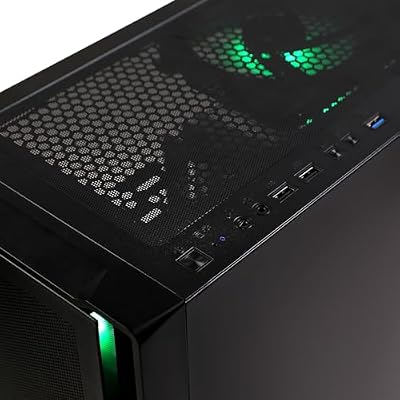

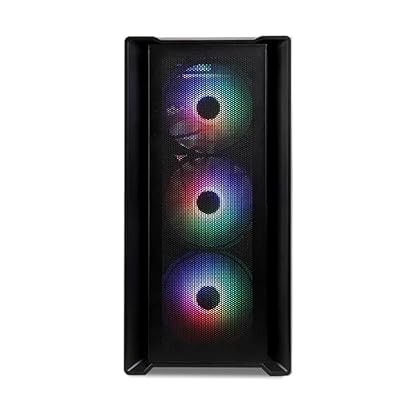


As an Amazon Associate we earn from qualifying purchases. Product prices and availability are accurate as of the date/time indicated.
Rounding out the list is the MXZ prebuilt PC, included for the creator who wants a finished, ready-to-go system rather than a bare GPU. It pairs an 8-core AMD Ryzen 7 9700X with a GeForce RTX 4070, 16GB of DDR5-6000 memory and a 1TB NVMe SSD. At around $1,549 it is not a graphics card but a complete machine — be clear on that — and the RTX 4070 inside it is the part doing the creative heavy lifting.
This is the option for someone who wants to start creating without sourcing and assembling parts. The RTX 4070 brings a capable NVENC encoder for fast video export and streaming plus solid CUDA performance for renderers and effects, the 8-core Ryzen 7 9700X handles editing, compiling and CPU-bound tasks well, and the DDR5 memory and fast NVMe storage round out a balanced creator workstation. The 12GB of VRAM on the RTX 4070 suits mainstream 4K editing and moderate 3D. As a turnkey creator-and-gaming PC, it is a sensible buy — just remember you are paying for a whole system, not a standalone card.
Pros: Complete ready-to-use system, RTX 4070 with NVENC, 8-core Ryzen 7, DDR5 and fast NVMe.
Cons: It is a full prebuilt PC, not a GPU; you cannot drop it into an existing rig.
How to Choose a Content Creation GPU
For content creation, VRAM is the first spec to weigh, because running out of graphics memory is what stops a project dead. Large 3D scenes, high-resolution video timelines and heavy effects all consume VRAM, and once you exceed the card’s framebuffer, performance collapses. That is why the professional boards here carry 24GB, 32GB and even 48GB, and why the RTX 3060’s 12GB is so appealing at its price. Estimate the size of the projects you actually work on and buy enough VRAM to hold them comfortably.
Hardware encoders are the second consideration, and for video editors and streamers they are transformative. NVIDIA’s NVENC encoder, present across the GeForce and professional cards here, offloads video encoding from the CPU, which means dramatically faster exports and smooth, high-quality streaming without bogging down the rest of the system. The newest NVENC generation on a current card like the RTX 5080 is noticeably better than older versions, so if fast export and streaming are central to your work, prioritise a card with a modern encoder.
Compute acceleration — CUDA on NVIDIA cards, with OpenCL as the cross-vendor alternative — drives GPU renderers, effects and AI-assisted tools. More and newer compute cores generally mean faster GPU rendering and quicker effects processing, which is where the deep core counts of the workstation cards earn their keep for 3D and VFX. Check that your specific applications support GPU acceleration and which API they prefer, then weight compute heavily if rendering and effects dominate your workload, or less if you mostly cut video.
Finally, match the card to the work and the budget, and be honest about which tier you actually need. A hobbyist editor is well served by the RTX 3060 12GB; a prosumer who also games is best matched to the versatile RTX 5080; only genuine studios and professionals with massive scenes justify the 24GB-to-48GB workstation boards. If you would rather not build, a prebuilt like the MXZ system delivers a balanced creator PC out of the box. Identify your workload, prioritise VRAM and encoders for video or compute for 3D, set a realistic budget, and pick the option on this list that fits.
Frequently Asked Questions
How much VRAM do I need for content creation?
It depends on your projects. For 1080p and entry 4K editing, 12GB like the MSI RTX 3060 is plenty; mainstream 4K and moderate 3D suit a 16GB card such as the RTX 5080. Large 3D scenes, high-end VFX and big simulations are what push you toward the 24GB, 32GB or 48GB professional boards. Running out of VRAM stalls a render, so size it to the work you actually do.
What is NVENC and why does it matter for video editing and streaming?
NVENC is NVIDIA’s dedicated hardware video encoder, built into the GeForce and professional cards here. It offloads video encoding from the CPU, which means much faster exports and smooth, high-quality streaming without stealing processing power from your editor or game. The newest NVENC generation, as on the RTX 5080, improves quality and efficiency, so a modern encoder is valuable if video is your focus.
Do I need a professional workstation GPU, or will a GeForce card do?
Most creators do not need a workstation card. A GeForce GPU like the RTX 5080 or even the RTX 3060 12GB delivers the NVENC encoders and CUDA acceleration that editing, streaming and moderate 3D require, at a fraction of the cost. The professional RTX PRO and RTX Ada boards justify their price only for studios running very large scenes that need 24GB or more of VRAM and certified, stability-tuned drivers.
Is it better to buy a prebuilt PC or a standalone creation GPU?
It depends on whether you want to build. A standalone card lets you upgrade an existing system and choose every part, which is usually better value. A prebuilt like the MXZ Ryzen 7 9700X with RTX 4070 gives you a balanced, ready-to-use creator machine with no assembly — convenient if you are starting fresh, but remember you are paying for the whole computer, not just the GPU.
Related Guides
- Best Esports GPUs
- Best GPUs for Your Build
- Best RAM for Content Creation
- Best Monitors for Content Creation
- Best NVMe SSDs
- Best Gaming PCs
Affiliate Disclosure: As an Amazon Associate, we earn from qualifying purchases. If you click a link and make a purchase, we may earn a small commission at no extra cost to you. Prices and availability are accurate as of publication and may change.
Ready to decide? Our #1 pick for 2026 is the PNY NVIDIA RTX PRO 5000 Blackwell 48GB.
Live price & availability on Amazon.


