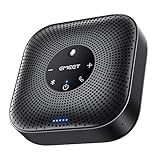
- Top Pick: Computer Speakers for Desktop PC Monitor, USB Plug-in, Wired, Computer Soundbar for PC, Laptop Speakers with Adaptive-Channel-Switching, Loud Sound, Deep Bass, USB C Adapter, Easy to Clip on Monitor
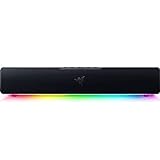
- Best Value: Razer Leviathan V2 X, PC Soundbar with Full-Range Drivers, Black | Compact Design, Chroma RGB, USB-C, Bluetooth 5.0, for PC, Laptop, Smartphones, Tablets & Nintendo Switch
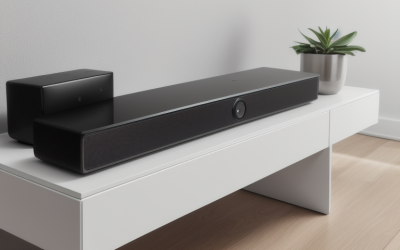
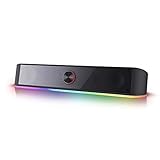
- Premium Choice: Redragon GS560 RGB Desktop Soundbar, 2.0 Channel Computer Speaker with Dynamic Lighting Bar Audio-Light Sync/Display, Touch-Control Backlit with Volume Knob, USB Powered w/ 3.5mm Cable, Black
A computer soundbar solves a very specific desk problem: the speakers built into a monitor are thin, and a pair of bookshelf speakers eats the space you wanted for a keyboard and a mouse. The question behind this search is which slim bar gives you fuller audio without a power brick, a subwoofer, or a tangle of cables behind the screen. For most buyers that means a USB-powered bar under the monitor, so the real decision comes down to connection type, controls, and how much lighting you actually want in your peripheral vision.
This guide is written for people choosing a bar for a desktop, a laptop dock, or a small gaming setup in 2026. Every pick below is judged on what its listing states: power source, inputs, driver layout, and controls. That keeps the comparison honest, because a bar that looks great in a photo can still lack the Bluetooth link or the headphone jack your routine needs.
Quick Picks
As an Amazon Associate we earn from qualifying purchases at no extra cost to you.





| Product | Best for | Key spec from the title |
|---|---|---|
| Clip-On USB Soundbar (adaptive channel switching) | Tight desks and monitor mounting | Clips onto the monitor, USB C adapter included |
| Razer Leviathan V2 X | Gaming and console switching | Full-range drivers, USB-C, Bluetooth 5.0 |
| Redragon GS560 (audio-light sync) | RGB setups | 2.0 channel, volume knob, 3.5mm cable |
| Nylavee Bluetooth PC Sound Bar | Calls plus music | 4-driver stereo, built-in mic, headphone jack |
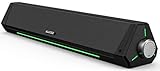
| SOULION R30 | Plain wired office use | USB powered, 3.5mm aux, rotary switch |
| Bluedee Bluetooth Sound Bar | Switching between PC and phone | Bluetooth and AUX, USB or USB C power |
| LENRUE G11 | Touch-light fans | Touch lights, USB C or USB, AUX |
| Small Touch-Control USB Sound Bar | Mixed operating systems | Plug-and-play, Windows, macOS, ChromeOS, Linux |
| SOULION R50 | Colorful lighting with Bluetooth | Bluetooth, USB power, 3.5 aux, cloth grille |
| Redragon GS560 (dynamic lighting bar) | Simple plug-and-play lighting | 2.0 stereo, touch controls, volume knob |
How to Choose
Connection and power
Nearly every bar in this class draws power over USB, so confirm whether the plug is USB-A, USB-C, or both. A bar that lists both saves you from hunting for an adapter when you move from a desktop tower to a laptop with only USB-C ports. Then look at how audio travels: a 3.5mm cable is the simplest and avoids any wireless delay in games, while Bluetooth is handy for a phone but adds a pairing step. Anything listing USB audio and a 3.5mm input gives you a fallback if one path fails.
Size and placement
Measure the gap between your monitor stand and the desk. A bar has to fit under the screen without blocking the bottom bezel, and a slanted body can angle sound toward your ears instead of the wall. Clip-on designs trade a bit of stability for freeing up desk space. If you use a monitor arm, a short bar placed in front of the base works better than a long one.
Also think about cable routing. A bar with a short attached lead can only sit near a port, so a desk with the computer on the floor may need a USB extension. Check whether the audio cable and the power cable are separate on the listing, because a bar that needs both occupies two connections and leaves less room for a keyboard receiver or a webcam.
Controls and lighting
A physical volume knob is far easier to reach blind than a touch panel, and you will notice the difference every time you want to drop volume mid-call. Touch controls look clean but can be triggered by a sleeve brushing past. For lighting, look for a way to turn it off completely; a glowing strip that cannot be dimmed gets old quickly in a dark room.
Where budget bars cut corners
Entry-level bars usually save on driver count, enclosure size, and tuning, and many skip a headphone jack or a microphone entirely. A listing that promises deep bass from a bar a foot long deserves skepticism, since small enclosures have limits that no marketing phrase removes. Ignore wattage claims without a stated measurement standard, and prefer listings that spell out the driver layout, such as full-range drivers or a four-driver arrangement.
The 10 Best Options
Clip-On USB Soundbar with Adaptive Channel Switching
This wired bar is built around a monitor clip and a USB plug-in connection, with a USB C adapter in the package. It suits anyone whose desk is already crowded and who wants the bar off the surface entirely.
- Strength: the clip-on mounting frees desk space beneath the screen.
- Strength: the USB C adapter helps with newer laptops that lack a full-size USB port.
- Trade-off: a clip depends on your monitor frame being thin enough to accept it.
Skip it if your monitor has a very thick bezel or a curved back, where a clip may not seat securely.
Razer Leviathan V2 X
Razer lists full-range drivers in a compact body, with USB-C connectivity, Bluetooth 5.0, and Chroma RGB lighting. It reaches beyond the desktop, since the title also names smartphones, tablets, and the Nintendo Switch.
- Strength: Bluetooth 5.0 plus USB-C covers both a PC and a handheld console.
- Strength: full-range drivers are a more deliberate layout than the generic bars here.
- Trade-off: the RGB branding suggests a gamer look that may not fit a minimalist desk.
Skip it if you want a subtle, lighting-free bar for a shared office.
Redragon GS560 RGB Desktop Soundbar (Audio-Light Sync)
This 2.0 channel bar syncs its lighting to the audio and offers touch controls with a volume knob. It runs on USB power and connects through a 3.5mm cable.
- Strength: a real volume knob sits alongside the touch panel.
- Strength: the lighting reacts to audio, which suits a gaming corner.
- Trade-off: it is wired only, so there is no phone pairing in the title.
Skip it if you need Bluetooth, or if flashing lights distract you while working.
Nylavee Bluetooth PC Sound Bar
The Nylavee lists four drivers, Bluetooth and AUX inputs, and power through USB A or USB C. Its built-in mic and headphone jack make it an all-purpose bar for someone who joins video calls.
- Strength: the headphone jack lets you switch to private listening without unplugging.
- Strength: the built-in mic means one device handles audio in and out.
- Trade-off: with so many features, the button layout may take some getting used to.
Skip it if you already own a dedicated headset or webcam microphone and only want stereo playback.
SOULION R30
The R30 is a wired bar powered over USB with a 3.5mm aux connection. It has a slanted body and a rotary switch that controls the LED light, which keeps the operation simple.
- Strength: no pairing or app, so it behaves the same on any computer.
- Strength: the slanted design points the drivers up toward the listener.
- Trade-off: no Bluetooth is mentioned, so it stays tied to a cable.
Skip it if you want to stream from a phone without running a cable.
Bluedee Bluetooth Sound Bar
Bluedee supports Bluetooth and AUX, and it takes power from either USB or USB C. The listing calls it a HiFi stereo bar aimed at gaming, monitors, and laptops.
- Strength: two wireless and wired paths mean you can move between a PC and a phone.
- Strength: dual USB power options reduce adapter clutter.
- Trade-off: the title offers no driver count, so you must rely on the product page for detail.
Skip it if you want a bar with a headphone jack or built-in mic, which the title does not mention.
LENRUE G11
The G11 centers on touch lights and clear sound claims, with USB C or USB power and an AUX input. It targets the desk that wants a small light show without extra hardware.
- Strength: both USB and USB C power are listed.
- Strength: an AUX input keeps it usable with older devices.
- Trade-off: touch controls can be accidentally triggered on a busy desk.
Skip it if you dislike touch-sensitive surfaces or want a physical knob.
Small Touch-Control USB Sound Bar
This compact bar lists upgraded touch controls and USB plug-and-play operation, with stereo audio and deep bass claims. Its title names Windows, macOS, ChromeOS, and Linux compatibility, which is unusually broad.
- Strength: explicit compatibility across four operating systems.
- Strength: plug-and-play USB means no driver install is implied.
- Trade-off: it is small, so treat the deep bass claim with caution.
Skip it if you want Bluetooth or a rotary dial for volume.
SOULION R50
The R50 combines Bluetooth, USB power, and a 3.5 aux input with colorful LED lights and a breathable cloth cover. A switch button handles mode selection, and the title uses the term surround soundbar.
- Strength: Bluetooth and aux give it flexible sources.
- Strength: a cloth grille looks softer than a plastic mesh on a home desk.
- Trade-off: the surround label is a marketing term for a bar this size.
Skip it if colorful lighting is unwelcome in your workspace.
Redragon GS560 RGB Desktop Soundbar (Dynamic Lighting Bar)
This second GS560 listing leads with a dynamic lighting bar and audio sync, plus 2.0 stereo, touch-control backlighting, and a volume knob. It is plug-and-play and USB powered.
- Strength: the volume knob remains easy to find by feel.
- Strength: audio-synced lighting adds atmosphere to a gaming setup.
- Trade-off: the title does not mention Bluetooth or a headphone jack.
Skip it if you already have the other GS560 listing, since the two share the same core design.
Which One Fits Your Situation
You game on a PC and a handheld
The Razer Leviathan V2 X is the clearest match, because its title names USB-C, Bluetooth 5.0, and compatibility with the Nintendo Switch.
You work in a cramped space
The clip-on USB soundbar keeps the desk clear, while the SOULION R30 is a simple wired alternative if clipping is not an option.
You take calls all day
The Nylavee, with its built-in mic and headphone jack, handles both meeting audio and private listening.
You like lighting that responds to music
Choose a Redragon GS560 for audio-synced lighting, or the SOULION R50 if you also want Bluetooth.
Common Mistakes
- Ignoring the power plug type and discovering the bar needs an adapter your laptop lacks.
- Choosing touch-only controls and then fighting accidental volume changes.
- Believing deep bass claims on a very small bar without checking the driver layout.
- Forgetting to measure the space under the monitor before buying a wide bar.
- Buying for lighting alone while overlooking whether Bluetooth or a headphone jack matters more.
Related guides
- Battery Operated Smoke And Carbon Monoxide Detectors
- Combination Smoke And Carbon Monoxide Detectors
- Aio Liquid Coolers For High Performance Gaming
Frequently Asked Questions
Do I need Bluetooth on a computer soundbar?
Only if you want to stream from a phone or tablet. A wired USB or 3.5mm bar is simpler and avoids pairing, so choose Bluetooth when you really switch sources.
Will a USB-powered soundbar work with a laptop?
Yes, if the laptop offers a matching USB-A or USB-C port. Bars that list both plug types are the safest choice for travel and docking.
Is a soundbar better than two desktop speakers?
A bar saves space and cables, while separate speakers can create wider stereo separation. For a compact desk, the bar usually wins on convenience.
Can I turn off the lights?
Many lit bars include a switch or touch control to dim or disable lighting, but confirm that on the listing before buying. Look specifically for a stated off option if you work in a dark room. A rotary switch or a dedicated button is usually easier to find than a gesture on a touch panel.